• Redshift Standard Material base Properties

    Moved
    3
    1
    0 Votes
    3 Posts
    2k Views
    ferdinandF
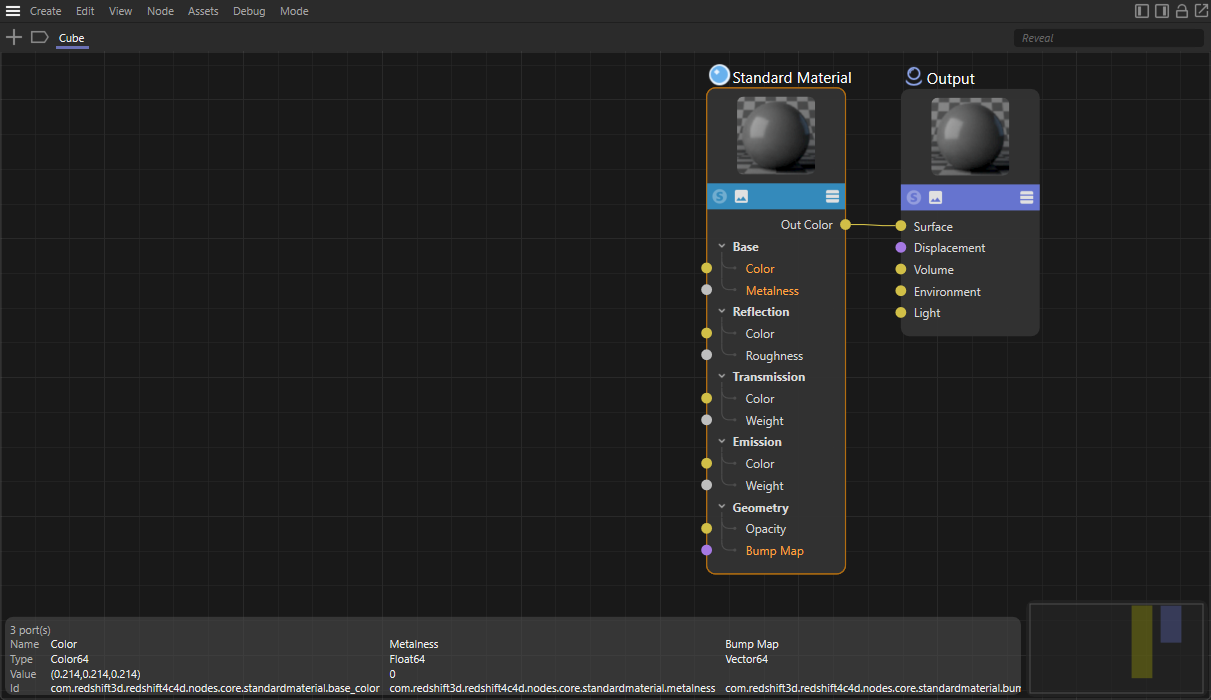
    Hey @simonator420, Thank you for reaching out to us. And thank you @Dunhou for providing a solution. You should however be aware that Dunhou's solution requires his proprietary library as he states below. I think you should give it a spin because it is quite useful. When you must remain within the bounds of the Cinema 4D standard library, find an example for how to do that below. Cheers, Ferdinand PS: I have added the example below to the code examples of the upcoming release alongside the standard renderer example. Result: [image: 1693559902074-2f242653-ad67-4010-a78a-277f5953b856-image.png] Code: #coding: utf-8 """Demonstrates setting up a Redshift node material composed out of multiple nodes. Creates a new node material with a graph in the Redshift material space, containing two texture nodes and a mix node, in addition to the default core material and material node of the material. Topics: * Creating a node material and adding a graph * Adding nodes to a graph * Setting the value of ports without wires * Connecting ports with a wires * (Asset API): Using texture assets in a node graph """ __author__ = "Ferdinand Hoppe" __copyright__ = "Copyright (C) 2023 MAXON Computer GmbH" __date__ = "01/09/2023" __license__ = "Apache-2.0 License" __version__ = "2023.2.0" import c4d import maxon doc: c4d.documents.BaseDocument # The active document. def main() -> None: """Runs the example. """ # The asset URLs for the "RustPaint0291_M.jpg" and "Sketch (HR basic026).jpg" texture assets in # "tex/Surfaces/Dirt Scratches & Smudges/". These could also be replaced with local texture URLs, # e.g., "file:///c:/textures/stone.jpg". These IDs can be discovered with the #-button in the info # area of the Asset Browser. urlTexRust: maxon.Url = maxon.Url(r"asset:///file_edb3eb584c0d905c") urlTexSketch: maxon.Url = maxon.Url(r"asset:///file_3b194acc5a745a2c") # The node asset IDs for the two node types to be added in the example; the texture node and the # mix node. These and all other node IDs can be discovered in the node info overlay in the # bottom left corner of the Node Editor. Open the Cinema 4D preferences by pressing CTRL/CMD + E # and enable Node Editor -> Ids in order to see node and port IDs in the Node Editor. idTextureNode: maxon.Id = maxon.Id("com.redshift3d.redshift4c4d.nodes.core.texturesampler") idMixNode: maxon.Id = maxon.Id("com.redshift3d.redshift4c4d.nodes.core.rscolormix") idCoreMaterialNode: maxon.Id = maxon.Id("com.redshift3d.redshift4c4d.nodes.core.material") # Instantiate a material, get its node material and the graph for the RS material space. material: c4d.BaseMaterial = c4d.BaseMaterial(c4d.Mmaterial) if not material: raise MemoryError(f"{material = }") nodeMaterial: c4d.NodeMaterial = material.GetNodeMaterialReference() graph: maxon.GraphModelRef = nodeMaterial.AddGraph( maxon.Id("com.redshift3d.redshift4c4d.class.nodespace")) if graph.IsNullValue(): raise RuntimeError("Could not add RS graph to material.") doc.InsertMaterial(material) c4d.EventAdd() # Attempt to find the core material node contained in the default graph setup. result: list[maxon.GraphNode] = [] maxon.GraphModelHelper.FindNodesByAssetId(graph, idCoreMaterialNode, True, result) if len(result) < 1: raise RuntimeError("Could not find standard node in material.") standardNode: maxon.GraphNode = result[0] # Start modifying the graph by opening a transaction. Node graphs follow a database like # transaction model where all changes are only finally applied once a transaction is committed. with graph.BeginTransaction() as transaction: # Add two texture nodes and a blend node to the graph. rustTexNode: maxon.GraphNode = graph.AddChild(maxon.Id(), idTextureNode) sketchTexNode: maxon.GraphNode = graph.AddChild(maxon.Id(), idTextureNode) mixNode: maxon.GraphNode = graph.AddChild(maxon.Id(), idMixNode) # Set the default value of the 'Mix Amount' port, i.e., the value the port has when no # wire is connected to it. This is equivalent to the user setting the value to "0.5" in # the Attribute Manager. mixAmount: maxon.GraphNode = mixNode.GetInputs().FindChild( "com.redshift3d.redshift4c4d.nodes.core.rscolormix.mixamount") mixAmount.SetDefaultValue(0.5) # Set the path sub ports of the 'File' ports of the two image nodes to the texture URLs # established above. Other than for the standard node space image node, the texture is # expressed as a port bundle, i.e., a port which holds other ports. The texture of a texture # node is expressed as the "File" port, of which "Path", the URL, is only one of the possible # sub-ports to set. pathRustPort: maxon.GraphNode = rustTexNode.GetInputs().FindChild( "com.redshift3d.redshift4c4d.nodes.core.texturesampler.tex0").FindChild("path") pathSketchPort: maxon.GraphNode = sketchTexNode.GetInputs().FindChild( "com.redshift3d.redshift4c4d.nodes.core.texturesampler.tex0").FindChild("path") pathRustPort.SetDefaultValue(urlTexRust) pathSketchPort.SetDefaultValue(urlTexSketch) # Get the color output ports of the two texture nodes and the color blend node. rustTexColorOutPort: maxon.GraphNode = rustTexNode.GetOutputs().FindChild( "com.redshift3d.redshift4c4d.nodes.core.texturesampler.outcolor") sketchTexColorOutPort: maxon.GraphNode = sketchTexNode.GetOutputs().FindChild( "com.redshift3d.redshift4c4d.nodes.core.texturesampler.outcolor") mixColorOutPort: maxon.GraphNode = mixNode.GetOutputs().FindChild( "com.redshift3d.redshift4c4d.nodes.core.rscolormix.outcolor") # Get the fore- and background port of the blend node and the color port of the BSDF node. mixInput1Port: maxon.GraphNode = mixNode.GetInputs().FindChild( "com.redshift3d.redshift4c4d.nodes.core.rscolormix.input1") mixInput2Port: maxon.GraphNode = mixNode.GetInputs().FindChild( "com.redshift3d.redshift4c4d.nodes.core.rscolormix.input2") coreDiffusePort: maxon.GraphNode = standardNode.GetInputs().FindChild( "com.redshift3d.redshift4c4d.nodes.core.material.diffuse_color") # Wire up the two texture nodes to the blend node and the blend node to the BSDF node. rustTexColorOutPort.Connect(mixInput1Port, modes=maxon.WIRE_MODE.NORMAL, reverse=False) sketchTexColorOutPort.Connect(mixInput2Port, modes=maxon.WIRE_MODE.NORMAL, reverse=False) mixColorOutPort.Connect(coreDiffusePort, modes=maxon.WIRE_MODE.NORMAL, reverse=False) # Finish the transaction to apply the changes to the graph. transaction.Commit() # Insert the material into the document and push an update event. doc.InsertMaterial(material) c4d.EventAdd() if __name__ == "__main__": main()
  • def state breaks viewport rendering when script is docked in layout

    Moved python r20
    11
    0 Votes
    11 Posts
    3k Views
    ferdinandF
    Hey @HerzogVonWiesel, There is nothing that is strictly illegal to do with Script Manager scripts, but threading is not supported. Scripts are intended to be little blocks of code that run and while they run block the execution of other things. They are not intended to spawn dialogs which then dangle forever without an owner. Because when the user closes a dialog, it is not deallocated (because dialogs can be re-opened). This contrasts for example with a node, tool, or command plugin, which always sit there and do stuff even when they are not the focus of things. When they own a dialog, it is bound to the plugin instance and when properly implemented, the plugin also uses one dialog which is simply opened and closed instead of allocating a new dialog for each execution. In the end you can do pretty much anything with scripts, but you should avoid the c4d.threading module and async dialogs. There might be a minor feature I am overlooking here, but the yardstick is async execution. When something is async in nature it might not work properly in Script Manager scripts. edit: You should also avoid (attempting) to draw into a viewport from a script, or more precisely, manipulate the draw buffer of a BaseDraw. Cinema 4D won't let you do this anyways but there might be cases where you can still mess up things when you add drawing instructions. Getting information, e.g., calling myBaseDraw.GetDisplayFilter() or doing other things which are not drawing instructions is fine. You can also manipulate the parameters of a BaseDraw or switch the camera. Cheers, Ferdinand
  • How to get a port data type?

    Moved sdk python windows 2023
    6
    1
    0 Votes
    6 Posts
    2k Views
    J
    Hello @Dunhou , you are correct, the issue is not fixed yet. As Ferdinand mentioned in the beginning he has flagged it as "to_fix", so it will be fixed as soon as possible. Thanks and Cheers Maxon SDK Group
  • 0 Votes
    3 Posts
    1k Views
    J
    Hello @jenandesign , without further questions or postings, we will consider this topic as solved by Friday, the 11th of august 2023 and flag it accordingly. Thank you for your understanding, Maxon SDK Group
  • Plugin Tag printing randomly to the console

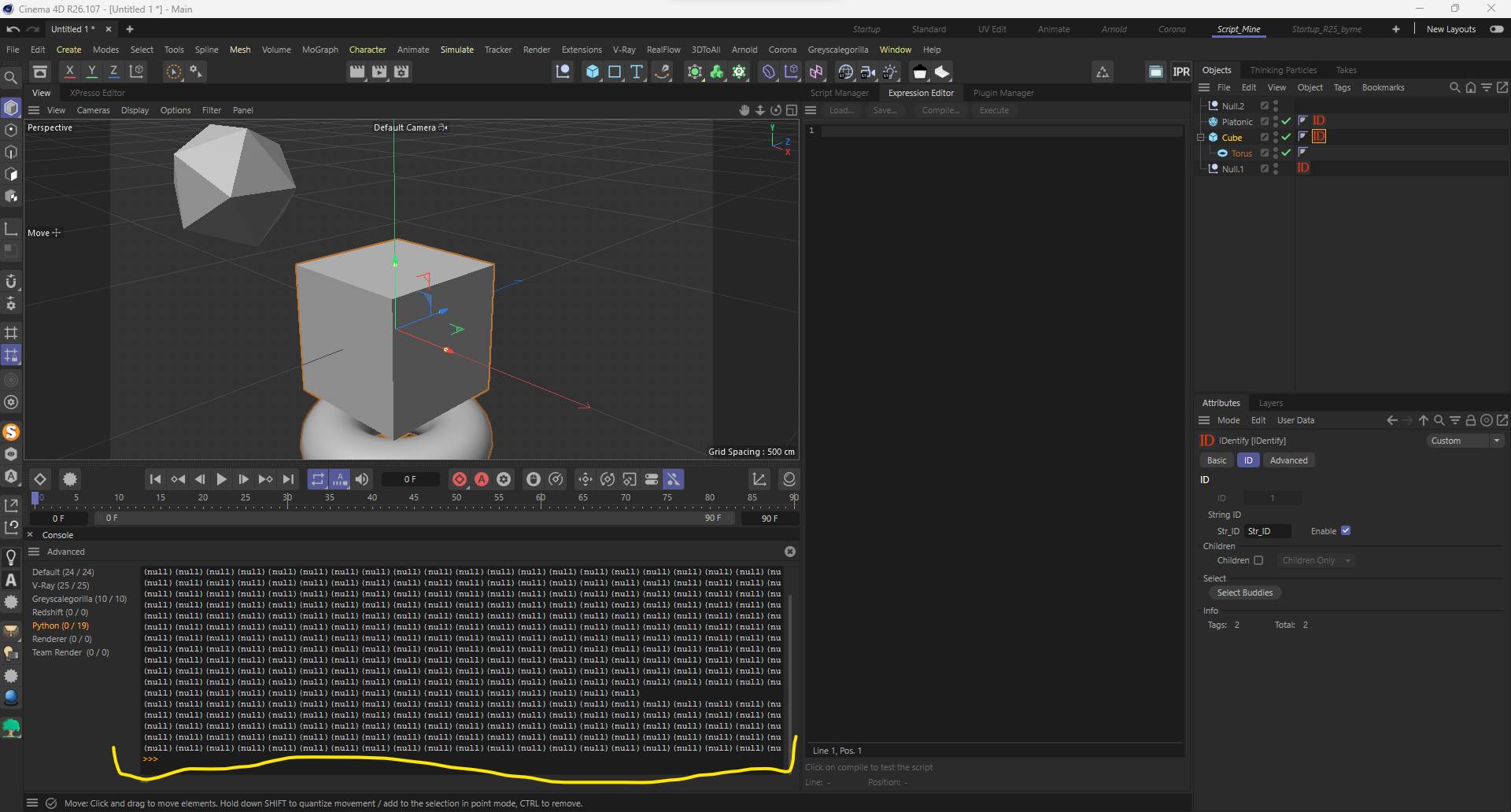
    Moved python
    4
    1
    0 Votes
    4 Posts
    1k Views
    ferdinandF
    Hey @aghiad322, Great to hear that you solved your problem. And although I understand how you meant your last sentence, the questions of users are never inconvenient to us. All questions are welcome, but sometimes we must draw some boundaries for the scope of support. Cheers, Ferdinand
  • Problems with Reused Asset Resources in MGS_GETALLASSETS

    Moved python
    3
    0 Votes
    3 Posts
    1k Views
    P
    Hi @ferdinand , thanks a ton for the very extensive reply. I do understand where you are coming from decision/code wise and that it might indeed be intended behavior, but I also appreciate you flagging this behavior to be looked at! I will look into the code you provided and see what I can make of it to work for our specific case. As with all the examples i receive on here it is also about learning itself, to become better. I already found out that I can run my piece of code 2 times to catch the first set of instances, perhaps it is also possible to run that on a loop until the len() doesn't increase anymore It's a hack-job but it might be a good last resort. To address the first comment about the post itself, my reasoning was that since it was about GetAllAssetsNew which we talked about last, I added it to my post to keep it all together. But I can see how it deviated too much from the original question that started the topic, my apologies. Cheers,
  • abc exported object names

    Moved r25 python
    3
    2
    1 Votes
    3 Posts
    1k Views
    S
    super, thanks
  • TranslateDescID with FieldsList

    Moved python r23 2023
    7
    0 Votes
    7 Posts
    2k Views
    ferdinandF
    Hey @mikeudin, just as an FYI, one of our engineers pointed out that Description.CheckDescID is the likely culprit for the problem and that this method should be avoided when possible due to its resource hungry nature. Instead, you would just manually define the parameter ID you mean, e.g., c4d.DescID(c4d.ID_TAGFIELDS). The problem with this is of course that this statement has been made disjunct from the dynamic parameters example because I stripped that aspect away in my minimized code. The original code example says: # Fills DescLever type and creator completeId = desc.CheckDescID(descId, None) return True, completeId, tag So, they seem to be only after filling in the data type and creator ID and not resolving multi-level IDs. Which you could also do manually when you know the parameters you want to wrap, e.g.,: descId: c4d.DescID = c4d.DescID(c4d.DescLevel(c4d.ID_TAGFIELDS, c4d.CUSTOMDATATYPE_FIELDLIST, c4d.MAXON_CREATOR_ID)) return True, descId, tag Cheers, Ferdinand

  • c4d.EventAdd() is not working

    Moved python 2023
    9
    0 Votes
    9 Posts
    3k Views
    ferdinandF
    Hey everyone, The issue has been fixed and verified in an internal build. It will be shipped with one of the builds of the next major update (i.e., it will not make it into 2023.x.y anymore). Beta testers can already make use of the change in the most recent beta build. Cheers, Ferdinand
  • Cinema crashes renaming items in a TreeView

    Moved r20 s26 python windows macos
    11
    0 Votes
    11 Posts
    3k Views
    ferdinandF
    Hello @HerrMay, Thank you for your reply, and please excuse that I have overlooked it. Maybe a little bit off topic but since we're already talking Treeviews. There seems to be a bug too when it comes to multi-selecting objects in the Treeview. At least when using c4ds native BaseList2D objects. Without wanting to be rude, that statement is too vague to make a bug report out of it. The thread is quite old and therefore not the most reliable source of information, geared towards C++, and from what I see, not even conclusive in the assessment if there is a bug or not. I see there a user claiming that there is a bug, and another user, probably a Maxon employee, being skeptical about it. We are happy to file bugs, but we need a reproducible case. And just as a heads up, us filing a bug does not necessarily mean that we will fix soon or at all. I understand that this can be disheartening, but we must prioritize where our bug fixing efforts are most needed, which can lead to minor bugs being pushed for a long time. I have closed this thread due to its age, please feel free to open a new thread when you want to discuss that other bug. The thread is still be tracked due to its to_fix tag. Cheers, Ferdinand
  • Copy the texture in the Reflection channel to the Color channel

    Moved python 2023
    3
    0 Votes
    3 Posts
    1k Views
    T
    Yes, thank you so much. This works perfectly. And thanks a million for the in depth explanation.
  • Need help with Bend-Deformer in Object-Plugin

    Moved r23 2023 python windows
    6
    0 Votes
    6 Posts
    2k Views
    M
    Hello @ThomasB, without further questions or postings, we will consider this topic as solved by Monday 05/06/2023 and flag it accordingly. Thank you for your understanding, Maxime.
  • Getting only the last value of the slider (slide)

    Moved 2023 python
    5
    1
    0 Votes
    5 Posts
    2k Views
    P
    Great work!!! Thank you. Regards, Pim
  • PYP script doesn't show up in extensions

    Moved 2023 python
    4
    1
    0 Votes
    4 Posts
    2k Views
    M
    Hi @kiesi, just replying to confirm that what @C4DS is saying is true. If you need to have a plugin installed elsewhere you can add an additional plugin lookup path in the Cinema 4D preference within the Plugin category. Otherwise you can also execute Cinema 4D with the next argument g_additionalModulePath={YourPath} or define g_additionalModulePath as an environment variable to add an additional python lookup path. Cheers, Maxime.
  • Cinema 4D Connector is not working on 2023.2.0

    Moved
    3
    0 Votes
    3 Posts
    1k Views
    T
    Thank you very much for the quick answer, i effectively forgot to look into the changes notes
  • SDK typo/discrepancy ? bitmap.Init() regarding bitdepth

    Moved python sdk
    7
    0 Votes
    7 Posts
    2k Views
    M
    Thank you Ferdinand for your time, and also providing a high / low level solution. As far as I can tell it works all as intended - my code now results in clean colors "measured". (in lowlvl R20 and highlvl 2023) I found a small discrepancy with render instances but that's another topic. Cheers, mogh
  • IN_EXCLUDE list with virtual objects with parameters

    Moved python
    3
    1
    0 Votes
    3 Posts
    1k Views
    mikeudinM
    Thank you for response @ferdinand! Will try to make it with hidden tags
  • Normal Move command has no effect in R2023

    Moved python
    3
    0 Votes
    3 Posts
    947 Views
    bacaB
    @m_adam thanks!
  • DragDrop Model from UserArea into Viewport or Object Manager

    Moved c++ r20 s26 sdk
    2
    0 Votes
    2 Posts
    1k Views
    M
    Hi Kent, so far for the moment the viewport drop operation are more related to scene management rather than scene creation. By that I means except for an asset being loaded which create new elements (scene, object, material, etc...) other drag command are just here to act on the active object. So regarding drag operation for file, only DRAGTYPE_FILENAME_IMAGE is allowed and an object should be selected, then a texture tag will be applied to this object and a new material with the texture will be automatically assigned. DRAGTYPE_FILENAME_SCENE is not supported. For DRAGTYPE_ATOMARRAY it is only allowed for some particular categories, like layers to be applied on the active object or even materials for the same condition, so in any case the layer/material should already be part of the scene. So for the moment the only workaround would be to create your own temporary asset and pass this asset to be inserted into the document. For more information about the asset API I let you read Asset API - Handbook but this is S26.0+ only. Cheers, Maxime.
  • SetString() to Update Dialog crash c4d

    Moved python s22
    5
    2
    0 Votes
    5 Posts
    1k Views
    chuanzhenC
    @m_magalhaes Thanks for the detailed explanation as to why it crashed!