• Path mapping in Cinema 4D using Redshift does not work

    python 2025
    13
    0 Votes
    13 Posts
    3k Views
    K
    Hi @ferdinand , We are starting to run here in circles. Please consider applying for MRD as lined out here and via chat. I think that makes sense. I'll apply for MRD right away.
  • Sweep Modifier

    2025 c++ windows
    4
    0 Votes
    4 Posts
    733 Views
    ferdinandF
    Hey, Please note that both options, a modifier that changes the number of points of its host, and a spline generator that has another spline as an input, are not great. We have internally two cases that do exactly these two things: The bevel deformer and the spline mask spline generator. But third parties do not easily replicate both because they require detailed knowledge of our API and in some cases access to non-public things. For deformers, Ilia already gave a great explanation. In short, if you are not careful, you can crash Cinema 4D. For the other case, a spline generator which takes another spline as an input, you will run into the issue that splines are not intended to have as objects as inputs. This means you are not getting passed a HierarchyHelp in ObjectData::GetContour with which you could ensure that your child object dependencies are up to date (because by default they are being built after you). There are patterns to solve this, and you run here at worst into the problem of a laggy/malfunctioning plugin and no crashes. But I would still advise going down that rabbit hole when avoidable. When you really must do this and now want to go down the spline generator road, I would recommend opening a new topic on that before you start. Cheers, Ferdinand
  • Getting debugbreak in atom.cpp

    c++ 2025
    2
    0 Votes
    2 Posts
    482 Views
    ferdinandF
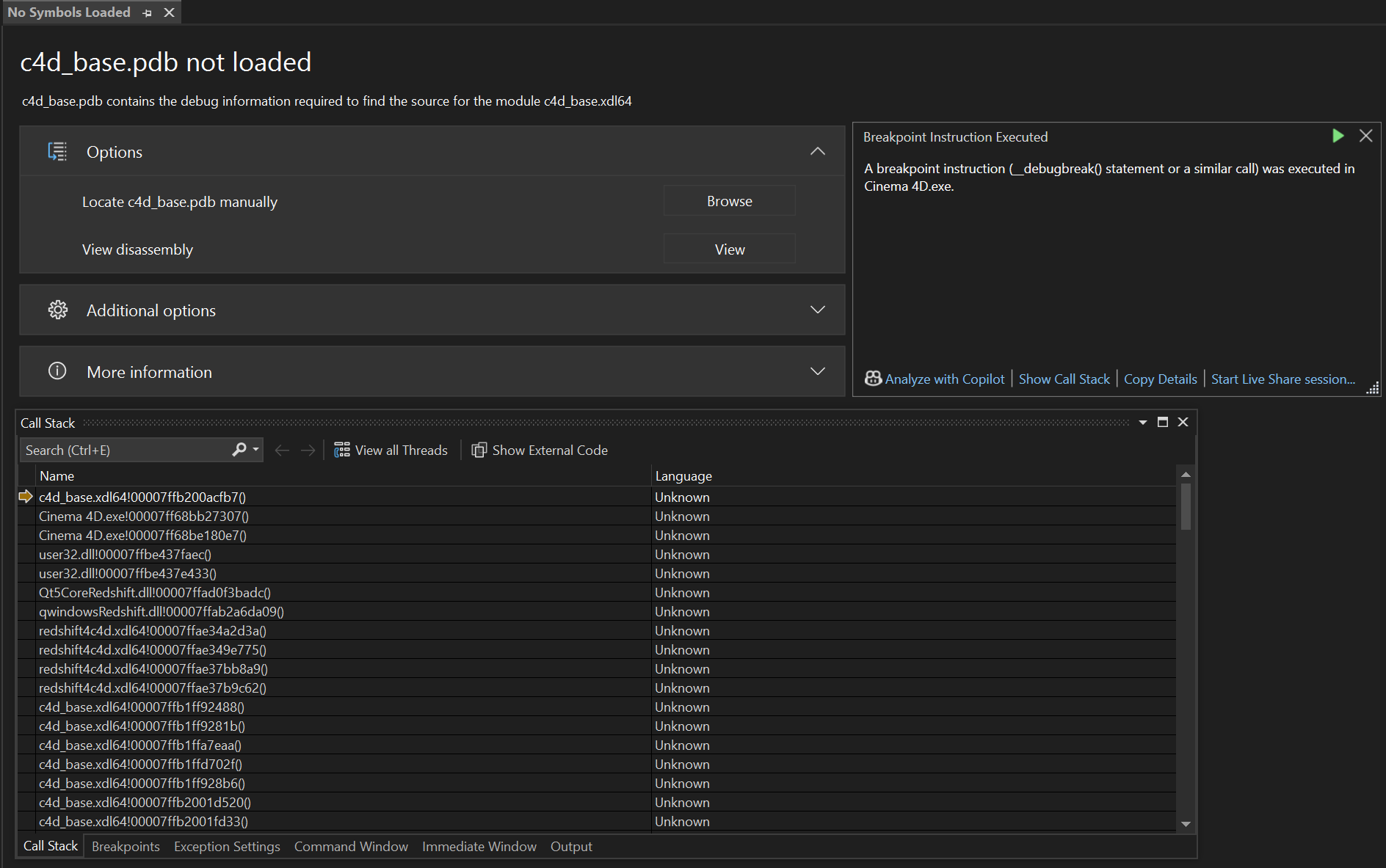
    Hey @ECHekman, Thank you for reaching out to us. @ECHekman said in Getting debugbreak in atom.cpp: Here is how i create the UI // in MyData::GetDDescription() BaseContainer bc = GetCustomDataTypeDefault(DA_CONTAINER); bc.SetInt32(DESC_CUSTOMGUI, CUSTOMGUI_OCIOCYCLE); bc.SetString(DESC_NAME, String(pinInfo->mStaticLabel)); bc.SetBool(DESC_SCALEH, TRUE); description->SetParameter(IDCopy, bc, groupID); That, the GetCustomDataTypeDefault(DA_CONTAINER) call, is illegal code. Check our documentation for the function. It could probably be put a bit more verbosely into the docstring, but: [image: 1749817720636-cb400f4a-9cf9-43eb-83b2-0bd37b7127f8-image.png] DA_CONTAINER is not a resource data type. Which is a fancy way of saying that a C4DAtom parameter cannot be of data type DA_CONTAINER. On line 439 in atom.cpp is no crit stop (at least in the version of atom.cpp for 2025.2.x.yyyyyy I looked at), but on line 476 there is. This is inside C4DAtom::SetParameter, and it gets there the ID of the parameter container of the description element which shall be written, then switches through all the atomic DTYPE_ and when none matches, calls at the end FindResourceDataTypePlugin() on the ID of the parameter container, i.e., what you initialized as DA_CONTAINER. When it cannot find anything there, it raises the crit stop. When you want to have there some OCIO data bundle, you probably should also implement a data type for it. Otherwise you should try DTYPE_SUBCONTAINER. But I am not sure how nicely DTYPE_SUBCONTAINER will play with custom GUIs. In general I would lean towards that writing a container as a singular parameter with a GUI like this is not intended, but you can try your luck. What will work in any case, is implementing your own data type. And to be verbose, a resource data type is a data type that can be used in resources, i.e., res files. Cheers, Ferdinand
  • Connect existing PBR outputs to StoreColorToAOV

    windows python 2025
    6
    1
    0 Votes
    6 Posts
    1k Views
    ferdinandF
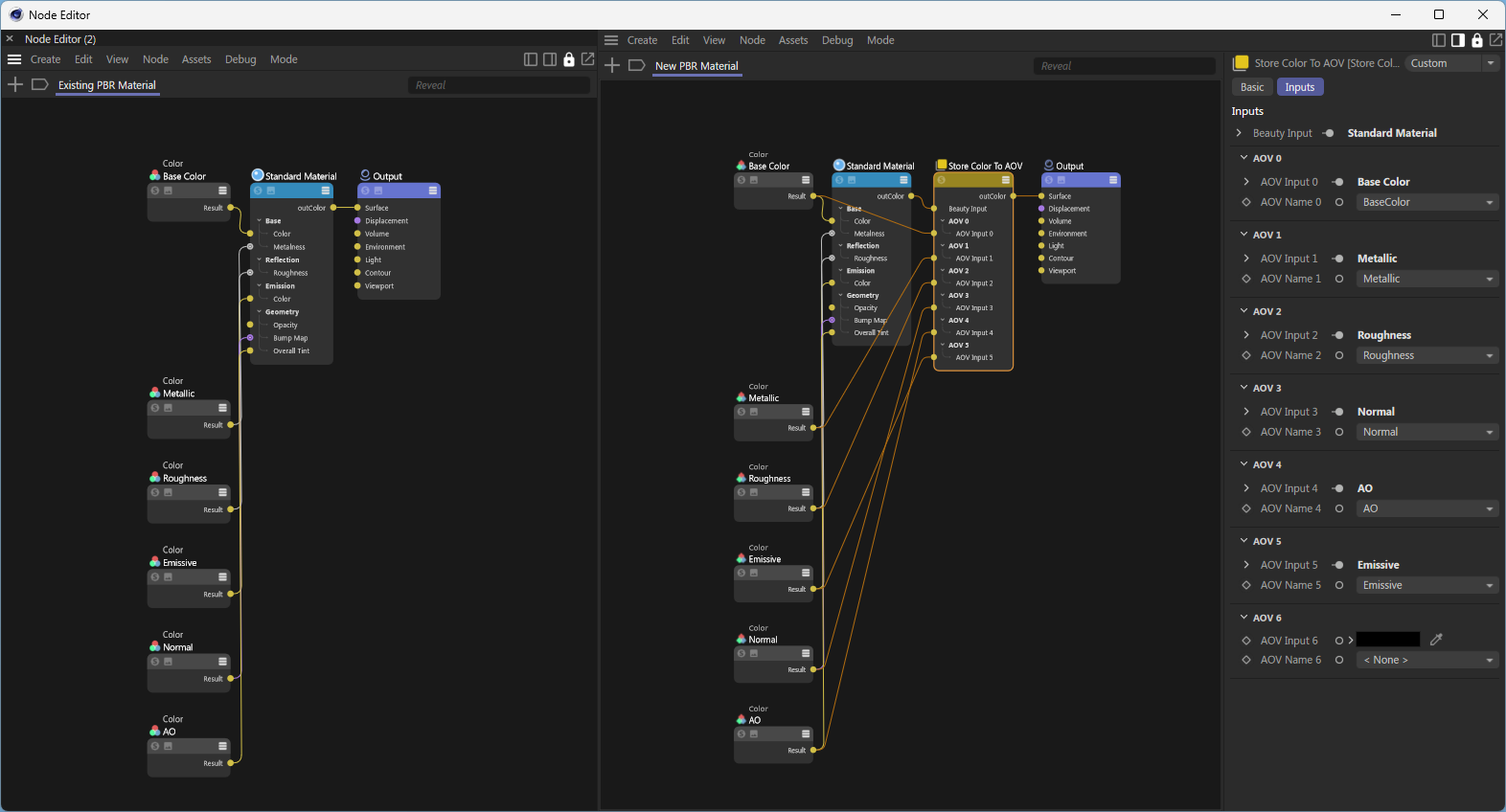
    Hey @itstanthony, sorry for the delay. So, here is how you could do this. It is not the pretiest solution, but the only that works at the moment for graph descriptions. You could of course also use the full Nodes API to do this. I hope this helps and cheers, Ferdinand import c4d import maxon import mxutils doc: c4d.documents.BaseDocument # The active Cinema 4D document. def CreateMaterials(count: int) -> None: """Creates #count materials with relevant "Store Color To AOV" setup. """ mxutils.CheckType(count, int) for i in range(count): graph: maxon.NodesGraphModelRef = maxon.GraphDescription.GetGraph( name=f"AovSetup.{i}", nodeSpaceId=maxon.NodeSpaceIdentifiers.RedshiftMaterial) maxon.GraphDescription.ApplyDescription(graph, [ { "$type": "Color", "Basic/Name": "Base Color", "Inputs/Color": maxon.Vector(1, 1, 1), "$id": "base_color" }, { "$type": "Color", "Basic/Name": "Metallic", "Inputs/Color": maxon.Vector(0.0, 0.0, 0.0), "$id": "metallic_color" }, { "$type": "Color", "Basic/Name": "Roughness", "Inputs/Color": maxon.Vector(0.5, 0.5, 0.5), "$id": "roughness_color" }, { "$type": "Color", "Basic/Name": "Normal", "Inputs/Color": maxon.Vector(0.5, 0.5, 1), "$id": "normal_color" }, { "$type": "Color", "Basic/Name": "AO", "Inputs/Color": maxon.Vector(1, 1, 1), "$id": "ao_color" }, { "$type": "Color", "Basic/Name": "Emissive", "Inputs/Color": maxon.Vector(0, 0, 0), "$id": "emissive_color" }, { "$type": "Output", "Surface": { "$type": "Store Color To AOV", "AOV Input 0": "#base_color", "AOV Name 0": "BaseColor", "AOV Input 1": "#metallic_color", "AOV Name 1": "Metallic", "AOV Input 2": "#roughness_color", "AOV Name 2": "Roughness", "AOV Input 3": "#normal_color", "AOV Name 3": "Normal", "AOV Input 4": "#ao_color", "AOV Name 4": "AO", "AOV Input 5": "#emissive_color", "AOV Name 5": "Emissive", "Beauty Input": { "$type": "Standard Material", "Base/Color": "#base_color", "Base/Metalness": "#metallic_color", "Reflection/Roughness": "#roughness_color", "Geometry/Bump Map": "#normal_color", "Geometry/Overall Tint": "#ao_color", "Emission/Color": "#emissive_color", } } } ] ) def ModifyMaterials() -> None: """Modifies all materials in the scene, with the goal of removing the "Store Color To AOV" node in material setups as created above. """ for graph in maxon.GraphDescription.GetMaterialGraphs(doc, maxon.NodeSpaceIdentifiers.RedshiftMaterial): try: # Remove a "Store Color To AOV" node from the graph that matches the given AOV names. nodes: dict[maxon.Id, maxon.GraphNode] = maxon.GraphDescription.ApplyDescription(graph, { "$query": { # Match the fist node of type "Store Color To AOV" ... "$qmode": maxon.GraphDescription.QUERY_FLAGS.MATCH_FIRST, "$type": "Store Color To AOV", # ... that has the following AOV names. Graph queries currently do not yet # support nested queries, i.e., query to which nodes a node is connected to. # This will come with the next major version of Cinema 4D/the SDK. "AOV Name 0": "BaseColor", "AOV Name 1": "Metallic", "AOV Name 2": "Roughness", "AOV Name 3": "Normal", "AOV Name 4": "AO", "AOV Name 5": "Emissive", }, "$commands": "$cmd_remove" } ) # At this point we have to cheat a little bit, as the query abilities of graph # descriptions are not yet up to the task of what we would have to do here, as we # would have to query for a node by its type and at the same time set its ID, which is # not possible yet (I will also add this in a future version, but I am not yet sure when). # So what we do, is exploit the fact that #GraphDescription.ApplyDescription() will turn # dictionary/map of id:node relations and we can predict how a Redshift Output and # Standard Material will start (with "output@" and "standardmaterial@"). outputNodeId: str | None = next( str(key) for key in nodes if str(key).startswith("output@")) standardMaterialNodeId: str | None = next( str(key) for key in nodes if str(key).startswith("standardmaterial@")) if not outputNodeId or not standardMaterialNodeId: raise ValueError("Could not find Output or Standard Material node in the graph.") # Now that we have this information, we could either use the traditional Nodes API to # wire these two nodes together, or we can use the GraphDescription API to do this. # Connect the existing Output node to the existing Standard Material node. maxon.GraphDescription.ApplyDescription(graph, { "$query": { "$qmode": maxon.GraphDescription.QUERY_FLAGS.MATCH_FIRST, "$id": outputNodeId, }, "Surface": f"#{standardMaterialNodeId}" } ) except Exception as e: print(e) continue # Some concluding thoughts: This task, although it might look trivial, has actually some # complexities. The main issue is that while we have the quasi-guarantee that there will # only be one Output (i.e., 'end node') in a Redshift material graph, we cannot # guarantee that there will only be one Standard Material node in the graph. # # To truly solve all this, we would need the 2026.0.0 graph query capabilities, so that we # can more precisely select which nodes we mean. # # What occurred to me while writing this, is that it would also be very nice to have a # command like "$cmd_remove_smart" which attempts to remove a node while maintaining the # connection flow, in your case wire the Standard Material node to the Output node. # # In general, this an unsolvable riddle, but many node relations in a material graph are # trivial, i.e., there is only one ingoing and one outgoing connection, so that it would # be easy to try to connect these two nodes together. In your case, deleting the # "Store Color To AOV" node, this would however never be possible as we have here seven # color inputs and one color output. From an abstract API perspective, it is impossible to # determine which one of the seven inputs should be connected to the output, as we do not # have the higher human insight to determine that the Standard Material node is the relevant # node to connect to the Output node. if __name__ == '__main__': CreateMaterials(5) # Create five materials with the "Store Color To AOV" setup. ModifyMaterials() # Remove the "Store Color To AOV" node from all materials. c4d.EventAdd() # Refresh Cinema 4D to show changes
  • Marquee Selection of Items in GeUserArea

    windows python 2025
    5
    1
    0 Votes
    5 Posts
    2k Views
    N
    @ferdinand Got it. Thanks you for the tips. Much appreciated
  • Render to picture viewer from plugin crash

    windows python 2025
    2
    1
    0 Votes
    2 Posts
    587 Views
    ferdinandF
    Hello @popandchop, Welcome to the Maxon developers forum and its community, it is great to have you with us! Getting Started Before creating your next postings, we would recommend making yourself accustomed with our forum and support procedures. You did not do anything wrong, we point all new users to these rules. Forum Overview: Provides a broad overview of the fundamental structure and rules of this forum, such as the purpose of the different sub-forums or the fact that we will ban users who engage in hate speech or harassment. Support Procedures: Provides a more in detail overview of how we provide technical support for APIs here. This topic will tell you how to ask good questions and limits of our technical support. Forum Features: Provides an overview of the technical features of this forum, such as Markdown markup or file uploads. It is strongly recommended to read the first two topics carefully, especially the section Support Procedures: How to Ask Questions. About your First Question The question is impossible to answer in this form, we would need something concrete (a plugin and a scene which crashes for you) or a time stamp of a submitted crash report. What you do there is this code snippet looks a bit unusual. I assume from the screen shot that you are inside a GeDialog, the code looks a bit like this could be GeDialog.Command or Message. Please read the Threading Manual, invoking an event, e.g., a command, is forbidden off-main thread. But in a dialog you are usually on the main thread (but you should still check with c4d,.threading.GeIsMainThread()). What is also rather odd, is what you call there: if id == BTN_SceneRenderPictureViewer: self.Close() # This will shut down the dialog, think of it as a return statement. c4d.StopAllThreads() # This is generally the biggest nuke you can drop on Cinema 4D and should # be avoided. But in this context (a dialog that has been closed) this # seems extra dangerous. Why are you doing this? time.sleep(0.1) # This makes things even worse, as it increases the chance that the dialog # has been destroyed before the last line of this function has been # executed. If I had to guess, this is probably crashing here. c4d.CallCommand(12099) I assume you hve a modal dialog and that you run into issues with opening the picture viewer due to that? Either make your dialog non-modal (in GeDialog.Open) and then first send the command and then close the dialog or keep using a modal dialog and detach the code from the instance of the dialog. import c4d class MyModalDialog (c4d.gui.GeDialog): BTN_SceneRenderPictureViewer: int = 1000 # ... def Command(self, cid: int, msg: c4d.BaseContainer) -> bool: if cid == MyModalDialog.BTN_SceneRenderPictureViewer: MyModalDialog.CloseAndAction(self, 12099) return True @staticmethod def CloseAndAction(dlg: "MyModalDialog", cid: int) -> None: """Closes the passed dialog and executes a command. Args: dlg (MyModalDialog): The dialog instance to close. cid (int): The command ID to execute after closing the dialog. """ if not dlg or not c4d.threading.GeIsMainThread(): return dlg.Close() c4d.CallCommand(cid) if __name__ == '__main__': dlg = MyModalDialog() dlg.Open(c4d.DLG_TYPE_MODAL, defaultw=400, defaulth=300, title="My Modal Dialog") Cheers, Ferdinand
  • 0 Votes
    3 Posts
    751 Views
    ferdinandF
    Hello @Amazing_iKe, Welcome to the Maxon developers forum and its community, it is great to have you with us! Getting Started Before creating your next postings, we would recommend making yourself accustomed with our forum and support procedures. You did not do anything wrong, we point all new users to these rules. Forum Overview: Provides a broad overview of the fundamental structure and rules of this forum, such as the purpose of the different sub-forums or the fact that we will ban users who engage in hate speech or harassment. Support Procedures: Provides a more in detail overview of how we provide technical support for APIs here. This topic will tell you how to ask good questions and limits of our technical support. Forum Features: Provides an overview of the technical features of this forum, such as Markdown markup or file uploads. It is strongly recommended to read the first two topics carefully, especially the section Support Procedures: How to Ask Questions. About your First Question @Dunhou is right, this, querying for values is not possible with graph descriptions at the moment (querying for nodes is possible to some extent) . What you could do, is use a graph query to select some node over its properties, and then just write its ID. ApplyDescription returns the true nodes of a graph sorted over their IDs. Then you could grab that node you are interested in, get the port you want, and write the value based on the existing value. Or you could let graph descriptions be graph descriptions and just use the low level API directly. You can have a look at the Nodes API examples for some inspiration how this lower level API works. On of the things I am working on at the moment, is extending the query ability of graph descriptions. What I have implemented so far, is nested queries (you can select nodes over them being connected in a specific way), more query operators (<, >, !=, regex, etc.), and something I dubbed query compositions that allows you to query one node property for more than one value, so that can do stuff like checking if something is smaller than 1, AND bigger than 0, AND not exactly 0.5, or that something matches the regex "$foo." OR "$bar.". What has been also added so far, is a new function called EvaluateQuery which allows you to run queries without having to apply a description. But this function also operates on the level that it will return nodes, and not ports or even values. I of course also have thought about this, querying for values directly, but I have not implemented it for now, as you can do it somewhat easily yourself with EvaluateQuery (and to some extent even with ApplyDescription) by just getting the port and then its value. But I understand the alure, maybe when I have time, I will fit in a EvaluateValueQuery. The update was planned for one of later 2025.X releases, but at the moment it looks more like that it will be 2026.0.0. When you need help with the lower level Nodes API, just open a posting here on the forum with what you got. Cheers, Ferdinand
  • Reading variadic ports with GetPorts always has a port

    c++
    2
    0 Votes
    2 Posts
    594 Views
    ferdinandF
    Hey @bojidar, I would suggest that you write a mail about this, so that I can forward it. All I can tell you is that for variadic ports all bets are off. I really ran into this issue when I had to handle variadic ports for graph descriptions. When you instantiate a node with variadic ports, it usually has some default children. I have never tried what happens when you try to remove all ports (graph description can do this, but they then do not test if the system does not regenerate them). There is also no guarantee that the 1st variadic port has the ID _0. It is just a convention, which is for example directly borken by the Standard Renderer Material node, as it gives its first BSDF layer port the ID 1, and the 2nd manually created layer then the ID _0 (because of course it does): [image: 1748960395569-76bb0bfe-ff1f-4530-a55c-059bc195e46b-image.png] [image: 1748960410789-1aa63fb8-e9dc-4e83-80b6-7ffa782752af-image.png] You really have to write a mail here, because this is so deep in the Nodes API internals, it requires a true specialist to answer it. Cheers, Ferdinand
  • 0 Votes
    3 Posts
    773 Views
    kangddanK
    @ferdinand Thansk!
  • pythonsdk doc Matrix manunl error?

    python
    3
    1
    0 Votes
    3 Posts
    739 Views
    chuanzhenC
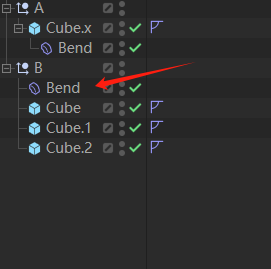
    @ferdinand Thank you for explanation. The point of confusion should be marked as 2 in the image. in doc the counterclockwise rotation (ccw) refers to the counterclockwise rotation from the spatial perspective of the image. but for the same rotation, the z-axis should have rotated clockwise(cw). However, in any case, the calculation is correct, only the description is different。 (Describing a rotation of an axis, it is assumed that a person looks in the negative direction from the positive direction of the axis, and based on this, counterclockwise and clockwise are defined)
  • GeDialog ColorChooser Color + Alpha

    c++
    4
    1
    0 Votes
    4 Posts
    899 Views
    ferdinandF
    Hey @ECHekman, well, I was talking about User Data, as they can be a nice way to inspect what data types and their custom GUIs can do. [image: 1748609113792-c72e5dab-e512-48cb-8333-95ccee722325-image.png] For what you want to do, this will however not help, as there are only the description settings listed, which necessarily do not have to be all settings there are. To start with an expanded GUI, you must set LAYOUTMODE_MAXIMIZED. I think the little toggle arrows are not supported in dialogs, but I might be wrong. When you want to know more about the little toggle arrow, I would suggest to write us a mail, so that I can forward it to a GUI specialist, as I do not know if and how you could make the arrow work. This is one of the cases how we internally setup such GUI in a dialog, maybe this already helps (but there are many, and they are not all the same). The a bit odd looking SetInt32('abcd', value)` thing, where we express an Int32 ID as four chars is something we sometimes do internally. Some people find it apparently easier to read/handle than symbols. It often also means that there is no proper integer value and symbol for that ID. void MyDialog::AddColorAlphaChooser(Int32 id, Int32 flags, Int32 layoutFlags) { BaseContainer colorUISettings = GetCustomDataTypeDefault(DTYPE_COLORA); colorUISettings.SetInt32(CUSTOMGUI_LAYOUTMODE, LAYOUTMODE_MAXIMIZED); colorUISettings.SetInt32('iccc', layoutFlags & (DR_COLORFIELD_ICC_BPTEX | DR_COLORFIELD_ICC_BASEDOC)); colorUISettings.SetInt32('cfld', layoutFlags); AddCustomGui(id, CUSTOMGUI_COLOR, String(), flags, 0, 0, colorUISettings); } Cheers, Ferdinand
  • 0 Votes
    4 Posts
    852 Views
    ferdinandF
    Hey @felixc4d, You inheriting from AioReaderRef does not make too much sense. The Maxon API uses interfaces and references. A reference just points to an interface object and increases its reference count, so that the object can be garbage collected once its ref-count reaches zero. References are almost never manually implemented but implemented automatically by the source processor. So, the thing you declare and inherit from is the interface. But that as its name implies, it is actually only the interface and usually is not the actual implementation. The Maxon API mostly uses components to implement relevant functionalities. Components are elements that are loaded dynamically into interfaces at runtime and effectively realize composition over inheritance. So, you can have a FooRef a and a FooRef b for two FooInterface objects which act completely differently at runtime, because the interfaces have different components loaded which realize them. I guess you want to override the NotifyForRead function of AioReaderInterface. For that you would have to write a component for AioReaderInterface and then load it at runtime into an object of one of its concrete forms such as NetworkUdpServerInterface. When I look at for example NetworkUdpServerImpl (the component for NetworkUdpServerInterface), you are sort of in luck, as that component has not been marked as final, so you at least technically have the ability to load another component in there without the interface refusing that. But when you realize a component, you must realize all the MAXON_METHOD methods of the interface the component is for, so you cannot just overwrite that one method. There are way and techniques around this, but then we really reach internal/non-public territory. I could here into more detail but that is all a bit pointless, because when you do this for NetworkUdpServerInterface and its client counter part, you will just end up again at ReadToBuffer shown above. Because what you have to customize in the end, is the call to the native OS library functions and these are burried deep within our non-public code, so you cannot change that from the outside. I am afraid you must either use another protocol, you said that TCP worked fine for you, or really implement things yourself. I am also not really convinced that you cannot communicate in chunks of 1kb, as you can split up and reassemble things. Finally, the last option would be to just use a third party library which wraps at least Windows and macOS for you (not sure if you want to support Linux). Cheers, Ferdinand
  • 0 Votes
    3 Posts
    709 Views
    O
    @ferdinand Thank you for the detailed explanation and the solution! This perfectly solved my problem, and I really appreciate you clarifying how to access the DESC_CYCLE values!!
  • Link StoreColorToAOV to Existing AOV (Python)

    windows 2025
    11
    1
    0 Votes
    11 Posts
    2k Views
    I
    Thank you very much for pointing this out. I knew that Cinema 4D’s UI includes a “Linear Numeric Values” button to switch between color spaces, but I wasn’t aware of how to properly handle this conversion in code until you showed me. Your reference to the open_color_io_2025_2.py example is really helpful for better understanding how to manage color spaces in scripts. Thanks again for the great insight!
  • Spline Generator GetVirtualObjects() + GetContour()

    python 2025
    4
    0 Votes
    4 Posts
    966 Views
    ferdinandF
    We will very likely never abandon this technique. The issue is more that there are a lot of hacks in the Spline Mask code and almost none of them are shown in the public code example. And we cannot publish all of these hacks both for strategic (we do not want to show all of our internals) and practical reasons (we cannot explain all the nitty gritty details there). It was not such a good decision to publish that code example; which as far as I understood came to pass as a user asked as to how the Spline Mask object has been realized. But we probably should just have said "no" then. Just as much as I probably should not have shown you that simulation hack. Hacks lead to more hacks and more problems. Cheers, Ferdinand PS: And to be super verbose, you ONLY need this pattern when you "have to" implement a spline that has other (spline) objects as inputs. When you have implemented regular splines like this, you should probably revert that.
  • 0 Votes
    7 Posts
    1k Views
    ferdinandF
    Good to hear!
  • 0 Votes
    3 Posts
    876 Views
    B
    Thanks for the reply @i_mazlov. Yeah, I already tried the workaround, it worked.
  • Make Python Generator update on User Data change

    2024 2025 python
    3
    0 Votes
    3 Posts
    830 Views
    K
    Thansk so much for the video, that was a deep dive! For my issue, I resolved it like this: def message(id, data): if(id==c4d.MSG_DESCRIPTION_POSTSETPARAMETER): userDataID = eval(str(data['descid']))[1][0] if userDataID in [2, 4, 5]: c4d.CallButton(op, c4d.OPYTHON_MAKEDIRTY) so, if any user data touched (including fieldlist), the generator updates itself.
  • How to set up a global variable that all plugins can access

    python
    4
    0 Votes
    4 Posts
    788 Views
    1
    Thank you very much for your answer! I already know how to do it, and your answer has given me some ideas.
  • Problem building the SDK examples on macOS

    2025 macos c++
    8
    0 Votes
    8 Posts
    2k Views
    S
    I actually quite like the Apple keyboard, even if Apple’s idea of a UK keyboard is different to everyone else. For example, shift-2 should produce a “ character but on this Apple kit, it’s the @ symbol. The odd key bindings just make it worse, but it’s a nice keyboard. But I detest the Apple Magic Mouse, I can’t get used to those ‘gestures’. Give me my Logitech trackball any time. A bit of extra software does make a Mac so much more useful though. Pathfinder is way better than the horrible Finder, and BetterZip is very user-friendly.