• R24.111: shiboken2 fails to load (Win10)

    General Talk python s24
    3
    1 Votes
    3 Posts
    1k Views
    ferdinandF
    Hello @jcooper, thank you for reaching out to us. First of all, I must point out that what you are trying to do is out of scope of support. We cannot support third party libraries as stated in our Forum Guidelines and we especially cannot support third party GUIs. The little help I can give you here is to say: There is currently a bug in R25 which will cause faulty installations when using pip and having a vanilla CPython installation of the same version on the system. The installation itself will work fine, but the import paths of both Pythons will become entangled in this case due CPython having some hardcoded import paths in its code pointing to the user directories. We have fixed this problem and the fix will be delivered with an upcoming release. You can check this easily by checking the installation paths of modules with the ```fileattribute of the module. When you are encountering the problem, it will be pointing towards yourCPython`` site-packages and not the one from Cinema. There is not much what you can do to fix this yourself (aside from monkey-patching our Python yourself). There is more than sys.path in Python, there is also sys.meta_path and relative imports, so just being able to import other packages in the same path is no guarantee that everything is fine. I cannot say much more with the given little information, and we can unfortunately also not support third party libraries. You should check if indeed is everything installed in the correct location. The problem you have could be related to what I describe under 1., but that bug did exist for quite some time, so it should have failed before. Cheers, Ferdinand
  • Ensuring only 1 specific pyTag in a document?

    Cinema 4D SDK python r20 s24
    9
    0 Votes
    9 Posts
    2k Views
    ferdinandF
    Okay, thanks for the heads up
  • How to set a Shader for Roughness ????

    Cinema 4D SDK windows python r23
    7
    0 Votes
    7 Posts
    2k Views
    B
    @Dunhou @ferdinand Gotcha. Thanks for the confirmation and illustration links.
  • 0 Votes
    3 Posts
    911 Views
    ferdinandF
    Hello @Артём, we will set this topic to 'Solved' when there are no further questions or replies until Monday, November the 22th. Thank you for your understanding, Ferdinand
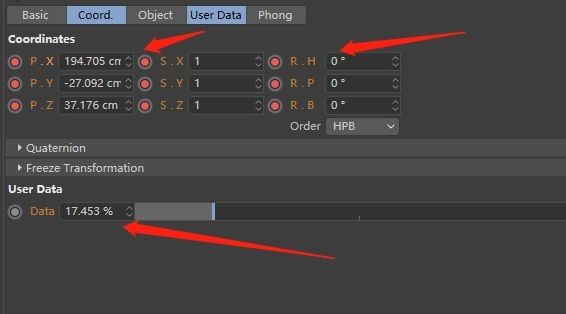
  • How to get Data unit

    Cinema 4D SDK r21 python
    3
    1
    0 Votes
    3 Posts
    429 Views
    chuanzhenC
    @ferdinand Thanks,great!
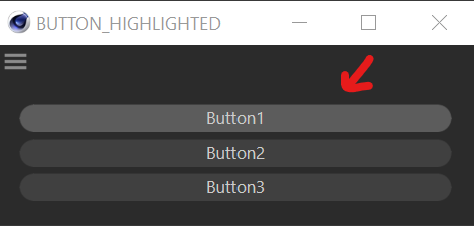
  • GeDialog Button Highlighted By Default

    Cinema 4D SDK r25 python sdk windows
    3
    1
    1 Votes
    3 Posts
    354 Views
    ferdinandF
    Hello @blastframe , we will set this topic to 'Solved' when there are no further questions or replies until Monday, November the 22th. Thank you for your understanding, Ferdinand
  • Noob wants to load custom palette

    General Talk python
    3
    0 Votes
    3 Posts
    724 Views
    R
    @cairyn Thanks a lot ... it works!
  • Cinema4D GeDialog Not Updating.

    Cinema 4D SDK python
    3
    3
    0 Votes
    3 Posts
    537 Views
    E
    Thanks for your prompt Reply, I was able to debug the whole thing yesterday, I don't know what to do with this post now though.
  • 0 Votes
    5 Posts
    2k Views
    ferdinandF
    Hello @HolgerBiebrach, we will set this topic to 'Solved' when there are no further questions or replies until Monday, November the 22th. Thank you for your understanding, Ferdinand
  • Constant tracking of object position with Python

    Cinema 4D SDK python r23
    5
    0 Votes
    5 Posts
    892 Views
    D
    Hello @ferdinand , this example was perfect for me, thank you very much!
  • Dynamics Body Tag & GetVirtualObjects

    Cinema 4D SDK python
    3
    1
    0 Votes
    3 Posts
    890 Views
    ferdinandF
    Hello @mfersaoui, Without any further questions, we will regard this topic as solved and flag it accordingly by Monday, September, the 8th. Thank you for your understanding, Ferdinand
  • How can I get a Layer's objects with Python?

    Moved Cinema 4D SDK
    4
    0 Votes
    4 Posts
    1k Views
    ferdinandF
    Hello @delizade, we will set this topic to 'Solved' when there are no further questions or replies until Monday, November the 22th. Thank you for your understanding, Ferdinand
  • 0 Votes
    7 Posts
    2k Views
    A
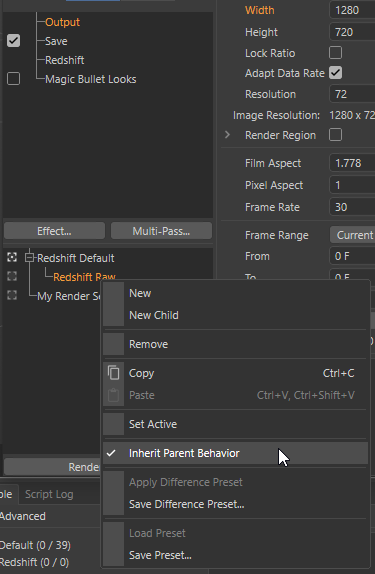
    Hi, I stumbled upon the same problem. The script from bonsak didn't solve the problem for me. But thanks to a tip I found a working solution. It is possible to make a parent-child setup. But you have to change the values in the parent settings after creating the child settings. import c4d from c4d import gui import redshift def main(): #Create main render setting rd = c4d.documents.RenderData() rd.SetName('render_group') rd[c4d.RDATA_RENDERENGINE] = redshift.VPrsrenderer rd_red = redshift.FindAddVideoPost(rd, redshift.VPrsrenderer) doc.InsertRenderData(rd) #Create child render setting child_setting = c4d.documents.RenderData() child_setting.SetName('child setting') child_setting[c4d.RDATA_RENDERENGINE] = redshift.VPrsrenderer doc.InsertRenderData(child_setting , rd) redshift.FindAddVideoPost(child_setting, redshift.VPrsrenderer) doc.InsertRenderData(child_setting , rd) #Change main render settings rd[c4d.RDATA_XRES] = 1920.0 rd[c4d.RDATA_YRES] = 1080.0 rd[c4d.RDATA_FRAMERATE] = 25.0 rd[c4d.RDATA_FORMAT] = 1023671 #PNG rd[c4d.RDATA_FORMATDEPTH] = 1 #depth 16bit #Change Redshift post effect rd_red[c4d.REDSHIFT_RENDERER_ENABLE_AUTOMATIC_SAMPLING] = 0 rd_red[c4d.REDSHIFT_RENDERER_UNIFIED_MIN_SAMPLES] = 32 rd_red[c4d.REDSHIFT_RENDERER_UNIFIED_MAX_SAMPLES] = 256 rd_red[c4d.REDSHIFT_RENDERER_MOTION_BLUR_ENABLED] = 1 rd_red[c4d.REDSHIFT_RENDERER_COLOR_MANAGEMENT_OCIO_VIEW] = 'Un-tone-mapped' if __name__=='__main__': main()
  • C4D Freezes after consecutive Import/Export

    Cinema 4D SDK python
    4
    0 Votes
    4 Posts
    1k Views
    ferdinandF
    Hello @orestiskon, without any further questions, we will consider this topic as solved by Tuesday, November the 2nd and flag it accordingly. Thank you for your understanding, Ferdinand
  • How to Access the Values of GeDialog Gadgets

    Cinema 4D SDK s24 r25 python
    2
    0 Votes
    2 Posts
    546 Views
    ferdinandF
    Hello @mocoloco, thank you for reaching out to us. I have forked your question from How to Highlight a Button since it is a new question which does constitute a new topic. I am also currently on vacation which means that you will have to address the rest of the team to get support in a timely fashion (addressing just me and hiding your question in an older topic was probably what got your question being overlooked). About your question(s): You can find out more about dialog resources, i.e., defining a dialog in a file and not programmatically, in Resource Files Manual and Dialog Resource. Both manuals are part of our C++ documentation but do translate quite directly to Python since resource files are mostly a language agnostic topic. It also remains unclear to me if you actually want to define a dialog or a node since *"using .RES" does not distinguish the two. In either case the resource snippet I did post in the other thread could be used as a template for both cases. I am also not quite sure how the second part of your question is meant. You usually do react to dialog input events in GeDialog.Command. In a node you would have to indeed listen in NodeData.Message() as pointed out by yourself. In a dialog the value would be then attached to the dialog and in case of a node to the node. I.e., in the case of the muscle object thingy polling the quicktab gadget could look like this: Message(self, node, mid, mdata): """Polls a quicktab gadget for the hypothetical muscle object case. Args: node (c4d.BaseList2D): The node to which the message has been sent. mid (int): The message id. mdata (any): The message data. In case of description messages usually a `dict` in Python. """ # The conditioning to a specific message/event type is optional, but # should be in your case probably MSG_DESCRIPTION_POSTSETPARAMETER. if mid == c4d.MSG_DESCRIPTION_POSTSETPARAMETER: # Unpack from which element the message has been sent. eid = mdata["descid"][0].id # This has been sent by the quicktab gadget. if eid == c4d.ID_CA_MUSCLE_OBJECT_STATE: # Get the node state of the parameter which has that quicktab GUI # and do different things based on the state. state = node[c4d.ID_CA_MUSCLE_OBJECT_STATE] if state == c4d.ID_CA_MUSCLE_OBJECT_STATE_RELAX: # ... elif state == c4d.ID_CA_MUSCLE_OBJECT_STATE_COMPRESSED: # ... # ... return True For a more precise answer you should post code or a more precise description of what you are trying to do. And you should also address the rest of the team since I am still going to be on vacation for a few days. Cheers, Ferdinand
  • How to get Preferences folder path?

    Cinema 4D SDK s22 python
    3
    0 Votes
    3 Posts
    776 Views
    chuanzhenC
    @m_adam Great, thank you!
  • Get identical document as the Render document

    Cinema 4D SDK python
    5
    0 Votes
    5 Posts
    1k Views
    ferdinandF
    Hello @orestiskon, without any further questions, we will consider this topic as solved by Tuesday, November the 2nd and flag it accordingly. Thank you for your understanding, Ferdinand
  • How to import svg in S25 from path

    Moved Cinema 4D SDK python
    3
    0 Votes
    3 Posts
    1k Views
    I
    Thank you so much!
  • 0 Votes
    4 Posts
    1k Views
    H
    Wow, thank you both for such detailed and informative replies! First of all, apologies @ferdinand for the tag issues, I was consulting the guidelines whilst typing my question but managed to miss the OS tag. Not sure if it matters too much for python dev, but I am on a Windows machine. I did however notice that the tag list doesn't seem to be updated to include R25 just yet (the version I'm currently working with), so it may need adding by the team. It doesn't look like I'm able to edit my original post past a certain time, but if you have the ability feel free to update Useful to know about the distinction between CommandData.ExecuteOptionID() and CommandData.ExecuteSubID(). The cogwheel icon present on some of the in-built commands was something that I'd noticed previously and been curious as to the implementation of - assumed it was just some complex code magic that added an additional button to the menu UI, ha! I guess that you're probably right in that I shouldn't try to run before I can walk, and if there's no limit to the amount of plugin IDs permitted (makes sense if there are hundreds of thousands of them going spare! ), then the keep-it-simple approach of registering multiple IDs would probably be best at this stage. For future reference though, if it is functionally the same as registering multiple IDs, do you know of any resources showing the implementation of CommandData.ExecuteSubID(), besides the docs; is this something that could be a candidate for an additional example in the SDK plugins repo? @Cairyn thanks for offering a more general insight into the situational decisions behind why something might be the 'best' choice (or not a choice at all!). I'm a designer first and foremost with an interest in coding, rather than the other way around, so considering the UX of a potential plugin and how it could fit into my own workflow is something I'm keen not to ignore To be a little more specific about how the plugin will function: essentially it will be a set of commands allowing the user to rapidly navigate around the viewport in a way that's a bit more custom than the default 'front, back, left, right, etc' views, as well as the ability to toggle between perspective and parallel views, ideally while keeping the same projection matrix (the hard bit!). My intention is to bind these commands to separate shortcuts so that they're a 'function at your fingertips' Actually I do have some additional questions about the ability to set keyboard shortcuts via a plugin, instead of the command manager, and how Cinema then deals with shortcut conflicts, but I think that's one for another thread! Definitely going to refer back to these suggestions as I continue my learning journey. Thank you both again!

  • Python "undo" changes the original selection order

    Moved Bugs python
    6
    0 Votes
    6 Posts
    2k Views
    ManuelM
    yes exact, it's a bug not an error from your implementation.