• HUD Text issues

    Cinema 4D SDK r23 python
    9
    1
    0 Votes
    9 Posts
    1k Views
    K
    Oh! sorry @fwilleke80 I misread your first message. @ferdinand, I think I got confused from the beginning. I made a copy of my code from an objectData plugin to a scenehook plugin without changing DRAWPASS to SCENEHOOKDRAW Everything is working just fine now(... except the aliasing) but the result is acceptable. [image: 1627633821978-ok.png] Thanks to both of you! Best Regards,
  • How to Highlight a Button

    Cinema 4D SDK python
    2
    0 Votes
    2 Posts
    612 Views
    ferdinandF
    Hello @Ling, thank you for reaching out to us. Please remember to open a new topic of you own when you have a question and not to hijack other topics. The exception to that rule is when you have a question that aligns exactly with a currently ongoing topic. The reason we enforce this, is so that the form remains a nicely searchable knowledge base. I have forked your question for that very reason; it did not align with the other topic. About your question: It depends on what you mean by it. You cannot modify the background color of a Button element. What you can do, is create a LONG element and define QUICKTABRADIO as its custom GUI; here is how the muscle object in Cinema makes use of this GUI element: LONG ID_CA_MUSCLE_OBJECT_STATE { SCALE_H; ANIM OFF; PARENTCOLLAPSE; CUSTOMGUI QUICKTABRADIO; CYCLE { ID_CA_MUSCLE_OBJECT_STATE_RELAX; ID_CA_MUSCLE_OBJECT_STATE_COMPRESSED; ID_CA_MUSCLE_OBJECT_STATE_EXTENDED; } } This will give you the tabs look as shown in many places in Cinema 4D. You will however need multiple elements to make this useful, as this is effectively an options group. What you could also do, is create a BITMAPBUTTON and then have different images for its normal and pressed stated. Cheers, Ferdinand
  • SplineCustomGui settings issue

    Cinema 4D SDK r21 python windows
    11
    2
    0 Votes
    11 Posts
    2k Views
    ferdinandF
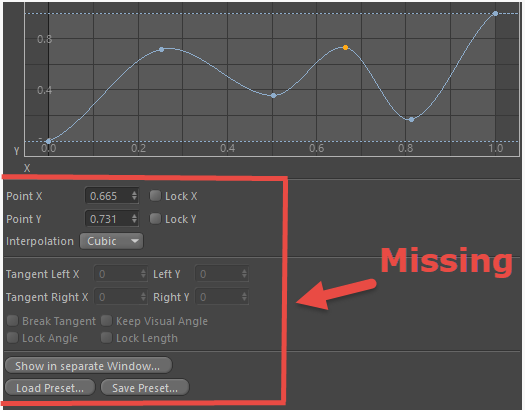
    You need to call NodeData.InitAttr() in NodeData.Init. E.g.: def Init(self, node): """ """ self.InitAttr(node, float, c4d.PY_TUBEOBJECT_RAD) self.InitAttr(node, float, c4d.PY_TUBEOBJECT_IRADX) node[c4d.PY_TUBEOBJECT_RAD] = 200.0 node[c4d.PY_TUBEOBJECT_IRADX] = 50.0 return True But you should check the allocation problem first, it is the most likely culprit. Se the edit in my last posting. Cheers, Ferdinand
  • 0 Votes
    5 Posts
    1k Views
    ferdinandF
    Hello @delizade, without further questions or replies, we will consider this topic as solved by Monday, the 30th and flag it accordingly. Thank you for your understanding, Ferdinand
  • Modifying Scene On First Open or Before Save?

    Cinema 4D SDK s24 python
    5
    0 Votes
    5 Posts
    1k Views
    dskeithbuckD
    @C4DS @kbar @ferdinand - Thank you so much for the in-depth responses. @kbar I'll see if I can get my employer to pony up for a license for Call Python as that seems like the simplest root. Although, this is potentially a light enough lift that I can finally make the transition into C++ development. @ferdinand Helpful to know that I won't be able to interrupt the save process (probably a good thing from the user POV).
  • Volume Builder Index returning None

    General Talk python
    4
    0 Votes
    4 Posts
    752 Views
    ferdinandF
    Hello @falcon, without further questions or replies, we will consider this topic as solved by Monday, the 30th and flag it accordingly. Thank you for your understanding, Ferdinand
  • Get and Set Move Tool's XYZ Axis Lock State

    Cinema 4D SDK python
    7
    1
    0 Votes
    7 Posts
    2k Views
    eZioPanE
    Thank you @ferdinand for the detailed answer and code. I will do more reading in the sdk document.
  • Face associated with a selection

    Moved Cinema 4D SDK python
    4
    1
    0 Votes
    4 Posts
    746 Views
    KantroninK
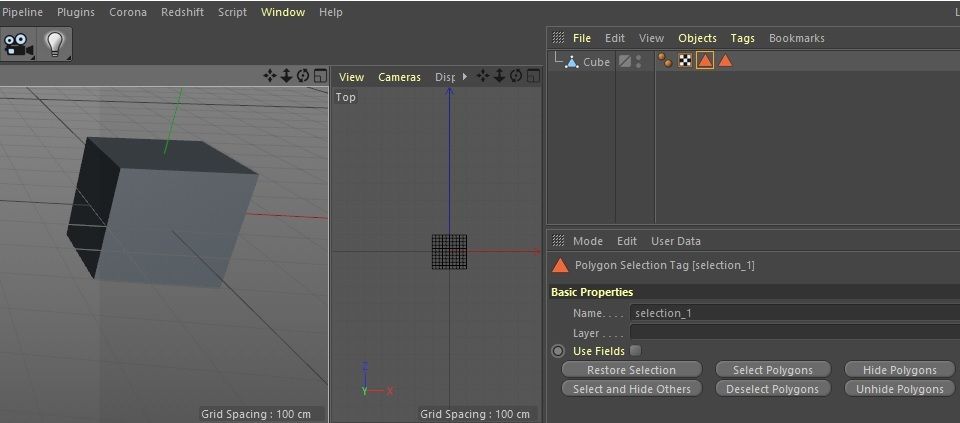
    Thanks for your quick replies I used GetBaseSelect() which allowed me to have the selected faces for each selection list_polygon = obj.GetAllPolygons() dim = len(list_polygon) L = [] tag = obj.GetFirstTag() while tag: if tag.GetType() == c4d.Tpolygonselection: sel = tag.GetBaseSelect() L2 = [] for i in range(0,dim): if sel.IsSelected(i): L2.append(i) L.append([tag.GetName(),L2]) tag = tag.GetNext() for item in L: print item[0] print item[1]
  • 0 Votes
    9 Posts
    2k Views
    M
    Hello! @ferdinand ,@Cairyn Thank you for politely teaching me! I was able to solve the title problem. I will use an external editor. I also understood loading plugins! I was restarting the software many times. I have a new question, but if you study a little more and don't solve it, let me ask you another thread. I'm really thankful to you!
  • Python Cloner/Scatter plugin

    Cinema 4D SDK python
    4
    0 Votes
    4 Posts
    1k Views
    C
    Thanks to both of you! This helps alot! You guys are so nice and helpful
  • CKey.SetValue() for BaseTime object as value

    General Talk python
    2
    0 Votes
    2 Posts
    511 Views
    I
    I actually found the solution while posting the question but wanted to still post it in order to help others who might have the same problem. (If this is against community guidelines I apologise) The solution is to use the CKey.SetGeData() method. Done!
  • Arranging Objects by order of Object Manager

    Cinema 4D SDK python
    10
    0 Votes
    10 Posts
    2k Views
    ferdinandF
    Hello @orestiskon, without any further questions, we will consider this topic as solved by Monday, the 25th and flag it accordingly. Thank you for your understanding, Ferdinand
  • Xpresso set port for all nodes

    Cinema 4D SDK python
    3
    0 Votes
    3 Posts
    686 Views
    ROMANR
    @m_magalhaes Thank you for answer!
  • Insert scene under object

    Cinema 4D SDK python
    5
    0 Votes
    5 Posts
    1k Views
    ROMANR
    Mike, thank you a lot!
  • Hide "Camera Dependent" from PriorityData

    Cinema 4D SDK python
    3
    0 Votes
    3 Posts
    612 Views
    orestiskonO
    Thanks Maxime, "NOCAMERA;" worked, and the priority was a typo, now it does work!
  • Interfacing with Gumroad's API

    Moved General Talk python
    16
    0 Votes
    16 Posts
    5k Views
    kbarK
    Just one last comment on this licensing issue. I have a video that tells users how to install and license my own plugins for R21 upwards. It has been viewed 33,882 times as of today. It is my most watched video every month. I don’t have that many customers or sales. These views are from regular C4D users using Google to figure out what to do now since the old way is gone.
  • Checking Object Manager Filtering

    Cinema 4D SDK r23 python
    3
    0 Votes
    3 Posts
    605 Views
    CairynC
    @m_magalhaes Thanks for the confirmation. I have meanwhile found that while the API doesn't cover the OM window states, you can still call CallCommand and IsCommandChecked on the functions. c4d.CallCommand(100004762) # Show Search Bar c4d.CallCommand(100004719) # Show Path Bar c4d.CallCommand(100004746) # Show Filter They only address the last used OM though; it doesn't seem to be possible to target a specific OM (like it is possible with the Open/Close flags which are stored as NBITs). And of course it doesn't tell me anything about the current visibility of an object in the OM. If the developers will think about commands to cover the filter/search/root conditions, they may want to go one step back and think about a more general concept to handle the multi-copy windows (Object Manager, Attribute Manager, Timeline) in some way that allows me to ask what was the last window, the active window, a window by index.
  • How to Hide Generator Plugin from the menu?

    Cinema 4D SDK python
    5
    0 Votes
    5 Posts
    862 Views
    M
    Unfortually no you can't.
  • Some basic questions on BaseContainer

    Cinema 4D SDK python
    8
    0 Votes
    8 Posts
    2k Views
    ferdinandF
    Hi @orestiskon, thank you for flagging the topic as answered. Cheers, Ferdinand
  • 0 Votes
    8 Posts
    2k Views
    M
    Correct, thanks for poitning it I will add a task to improve documentation of Custom GUI