Using SetWeightMap() multiple times can lead to inexplicable changes in weight values
-
Hi,
Previously, I had been using the SetWeight() method to set weight values, and it worked very stably. However, after seeing the deprecation notice for SetWeight() in the python api documentation, I switched to using SetWeightMap() instead. However, there were some issues with this function. When I used SetWeightMap() multiple times to set values, its values would gradually change.Below is a simple example of my video, using a standard cube (with 8 points), where each point is equally influenced by all bones.
However, when I repeatedly obtain the weight values using GetWeightMap()without making any changes, and then set the weights using SetWeightMap() again, I can see that the weight values have undergone slight changes, with the sum of weights changing from 1 --> 0.998
-
@chuanzhen
Well, could it perhaps stem from rounding errors involving floating-point values? -
This appears to be a Float32-to-quantized-weight conversion or rounding issue in SetWeightMap(), rather than ordinary floating-point noise.
Cinema 4D version: 2026.3.4 Expected: unchanged values after every round-trip. Round 0: weight=0.14285496299687189 (14.28549630%), total=0.99998474097810308 (99.99847410%) Round 1: weight=0.1428397039749752 (14.28397040%), total=0.99987792782482621 (99.98779278%) Round 10: weight=0.14270237277790493 (14.27023728%), total=0.99891660944533434 (99.89166094%) Round 19: weight=0.14256504158083466 (14.25650416%), total=0.99795529106584246 (99.79552911%) Round 20: weight=0.14256504158083466 (14.25650416%), total=0.99795529106584246 (99.79552911%) Round 25: weight=0.14256504158083466 (14.25650416%), total=0.99795529106584246 (99.79552911%) -
Hey @chuanzhen,
thank you for reaching out to us. Please provide a code example and scene file to reproduce the issue, without it is hard to give a concrete answer.
@Anlv and @ThomasB are correct in bringing forward that floating point precision could be an issue in principle. But IEEE 754 corresponds to roughly 17 significant digits in the interval
[0, 1]without loss of precision for the data typeFloat64, a change in the third significant digit as you report is somewhat unlikely in the interval[0, 1](but not impossible).And more importantly, all integer values, e.g.,
1.0, are exactly representable up to2^53in IEEE 754-64, so you should never see a loss for the value1.0. More over, round trips should mean no accumulated loss when you do not do additional computations with the value. So, you first write the value X which might or might not be representable as IEEE 754 -64 because you entered it as some kind of literal in your code or via a GUI. Once written X will be X', i.e., the closest value of X which is representable in IEEE 754-64. Further read and write events will not change that value, unless you do some arithmetic operations with it.Overall this sounds all bit like the weight tag is somehow post processing the passed data, and you therefore encounter some error creep. But I can only say anything concrete with code and a scene.
Cheers,
FerdinandMAXON SDK Specialist
developers.maxon.net -
@ferdinand
Hi,The simple demo I made:
1:Create a standard cube (with 8 vertices),
2:Create 8 joint (point_id 1 -> joint 1 ),bind it,then offset all joints (x:10000,y:10000,z:10000 cm)
3:Each point is 100% bound to a bone,
4: Then, apply smooth 1-2 times to all bones and points to obtain a result where each point is influenced by all bones (facilitating the observation of the code execution results)
5: normalize weights
6:Then execute the code 2-3 times, and you can clearly see the resultcode:
import c4d

doc: c4d.documents.BaseDocument  # The currently active document.
op: c4d.BaseObject | None  # The primary selected object in `doc`. Can be `None`.

def main() -> None:
    tag = op.GetTag(c4d.Tweights)
    if not tag:
        return
    j_cnt = tag.GetJointCount()
    p_cnt = op.GetPointCount()

    for i in range(10):
        weights = [tag.GetWeightMap(j_id,p_cnt) for j_id in range(j_cnt)]
        for j_id in range(j_cnt):
            tag.SetWeightMap(j_id,weights[j_id])
        tag.WeightDirty()


    c4d.EventAdd()


if __name__ == '__main__':
    main()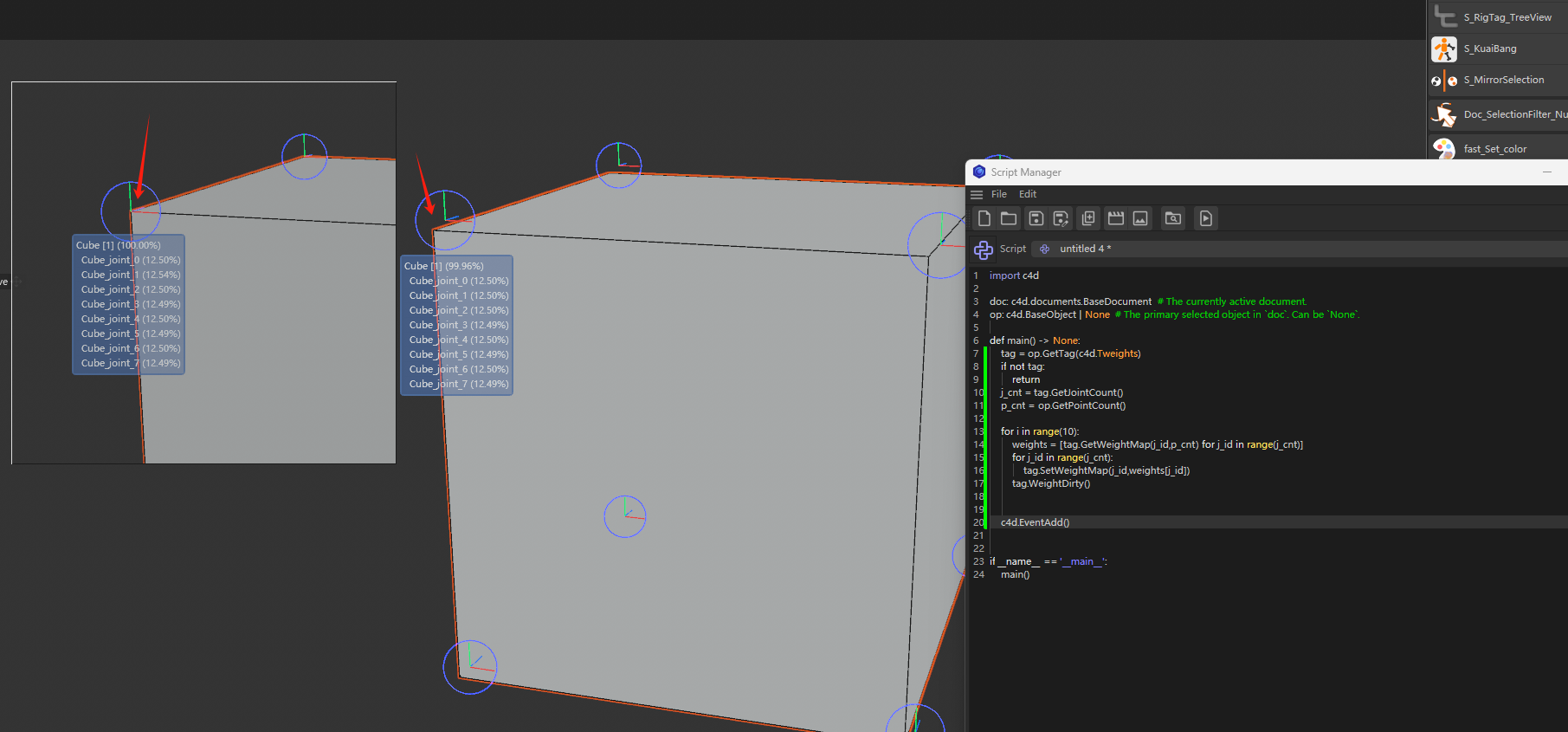
video:
-
Thanks I will have a look, but it might take a few days before I find the time.
MAXON SDK Specialist
developers.maxon.net -
Hey,
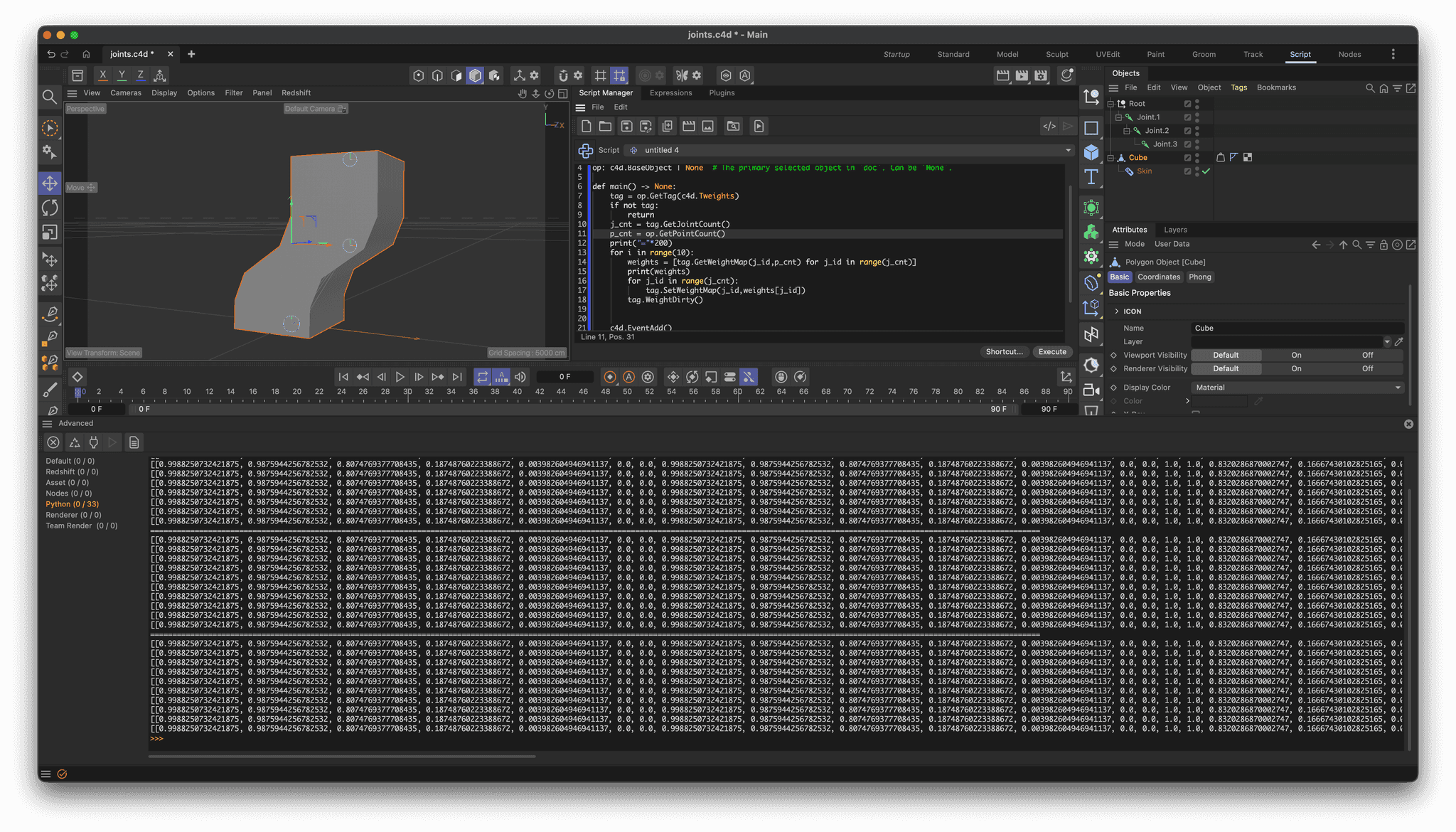
so I gave this a shot but I cannot reproduce it. Please provide a scene file as asked for when this is still a problem. I did not fully understand your instructions, so I created a simple scene where a cube is being rigged.
When I print out the weights of the rig while running your script, I cannot see any change of data. Your video shows some change of values, but overlays and GUI values in general can be unreliable, and I am also not quite sure where the "cube_joint" overlay draws its data from.
Cheers,
FerdinandResult
my scene: joints.c4d
import c4d

doc: c4d.documents.BaseDocument  # The currently active document.
op: c4d.BaseObject | None  # The primary selected object in `doc`. Can be `None`.

def main() -> None:
    tag = op.GetTag(c4d.Tweights)
    if not tag:
        return
    j_cnt = tag.GetJointCount()
    p_cnt = op.GetPointCount()
    print("="*200)
    for i in range(10):
        weights = [tag.GetWeightMap(j_id,p_cnt) for j_id in range(j_cnt)]
        print(weights)
        for j_id in range(j_cnt):
            tag.SetWeightMap(j_id,weights[j_id])
        tag.WeightDirty()


    c4d.EventAdd()


if __name__ == '__main__':
    main()
MAXON SDK Specialist
developers.maxon.net -
@ferdinand Hi,
I used your file for the demonstration. (Opening your file and running the code directly not cause any issues.)
The problem occurred after smooth weights. In the demonstration, only the smoothing operation of weights was performed. Running the code again, you can see the change in the weight values
-
Hey @chuanzhen,
thanks for the update. I can reproduce the issue.
The cause is that some frontend systems can work in a higher precision than the weighting backend can. We use there for some reason
UInt16in the character animation backend to store weights, while the smooth tool for example operates inFloat64. Python operates always in 64bit withfloat. The error is caused byUInt16normalization (make the value fit into one of the 65535 value bins there are in 16 bit for the range [0, 1]).I did not trace down why this happens not at once but in multiple steps, but the bottom line is that sooner or later weights are forced into a 16 bit format. You as a user cannot do anything about it, but it also is not really an issue. This is not a loss of data, the character weights internally use 16bit. It is more that some of the newer tools built around them provide more precise data than the old character animation core can handle.
Cheers,
FerdinandMAXON SDK Specialist
developers.maxon.net -
@ferdinand Thanks for your detailed explanation.
Although the precision conversion leading to value changes is not an error, it is indeed not what we want in terms of the results. For example, when dealing with the weight of some points, using SetWeightMap() will update the weights of other points, resulting in numerical changes. Only using SetWeight() can at least ensure that the weights of unoperated points do not undergo numerical changes (but using SetWeight() must tolerate the print warnings outputted by the console)