Creating custom asset nodes via Python API
-
Hey folks,
I'm working on a Python script to automate Redshift AOV setups in C4D 2026. Everything works fine with standard RS nodes (Store Color To AOV, Bump Maps, etc.) using GraphDescription.ApplyDescription().
However, I'm stuck with a custom node I created and saved to the Asset Browser called "Normal Blender AOV". I can drag it into the Node Editor manually, but I can't figure out how to instantiate it programmatically via Python.
Here's what the node looks like:

The Node Editor shows these IDs:
- Asset ID:
76fe7ff03ad648d0b63ba1bb0bb05157@b905183b22b84cbe8793eec9029494c6 - Instance ID (when created):
76fe7ff03ad648d0b63ba1bb0bb05157@BIWmc46OMVztmLGP18FR9_
I've tried using these IDs in different ways:
# Attempt 1: Using asset ID as type
create_setup = {
    "NormalBlenderAOV": {
        "$type": "76fe7ff03ad648d0b63ba1bb0bb05157@b905183b22b84cbe8793eec9029494c6"
    }
}
maxon.GraphDescription.ApplyDescription(graph, create_setup)
# Missing node type declaration

# Attempt 2: With asset: prefix
# Same error

# Attempt 3: Using base ID only (before @)
# Same error
The node exists in my Asset Browser and I can use it manually, but I'd like to dynamically instantiate it from the script (similar to how the script creates other Redshift nodes).
Right now my workaround is to detect if the node already exists in the material and connect to it, which works fine. But I'd love to be able to create it programmatically from the Asset Browser.
Is there a way to instantiate custom Asset Browser nodes via Python in Redshift material graphs? If anyone has experience with this, I'd really appreciate any guidance.
Thanks!
AnthonySetup: Cinema 4D 2026.1, Redshift 2026.2.1
- Asset ID:
-
Hey @itstanthony,
Thank you for reaching out to us and sorry, I am somehow overlooked this topic. It is rather hard for me to reproduce what you did there since I am lacking that asset of yours. I understand that the nodes API in total but also its simplified variant of graph descriptions are not trivial, but I would recommend having a look at Graph Descriptions: Referencing Entities, it is all explained there.
- You can either reference entities by their human readable name (English only at the moment) or by their ID.
- When you use an ID reference, you must use the hashtag prefix so that the graph description parser knows that it is meant to be an ID. E.g.,
#com.maxon.nodes.stuffor#2348twiugrfjwsgrrwo4. - You can also use lazy references but I won't get into that here.
So, you either must prefix the ID with a hashtag or you can just use the plain name of your node which seems to be "Normal Blender AOV". The danger with names is always, especially for user designed nodes, that there will be a name collision. Graph descriptions work by building a cache of IDs and labels right in a node space right before the description is executed. It does not matter if a node is native or not.
The alure of graph descriptions is of course to use human readable identifiers. I would recommend naming custom nodes with a prefix to make name collisions less likely. E.g. instead of naming a node "Normal Blender", one could name it "MXN Normal Blender" where "MXN would stand for Maxon and would have to be customized to your company/name.
Cheers,
FerdinandExample
I created a Redshift node asset called "DoubleNoise":
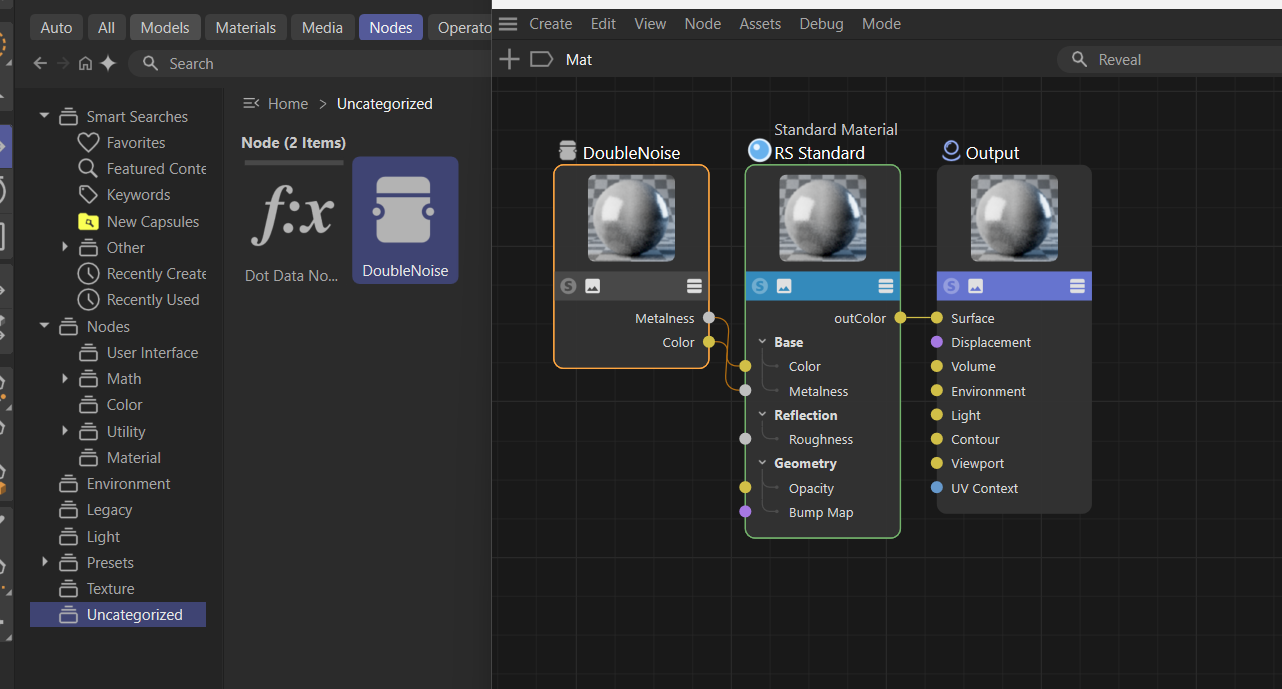
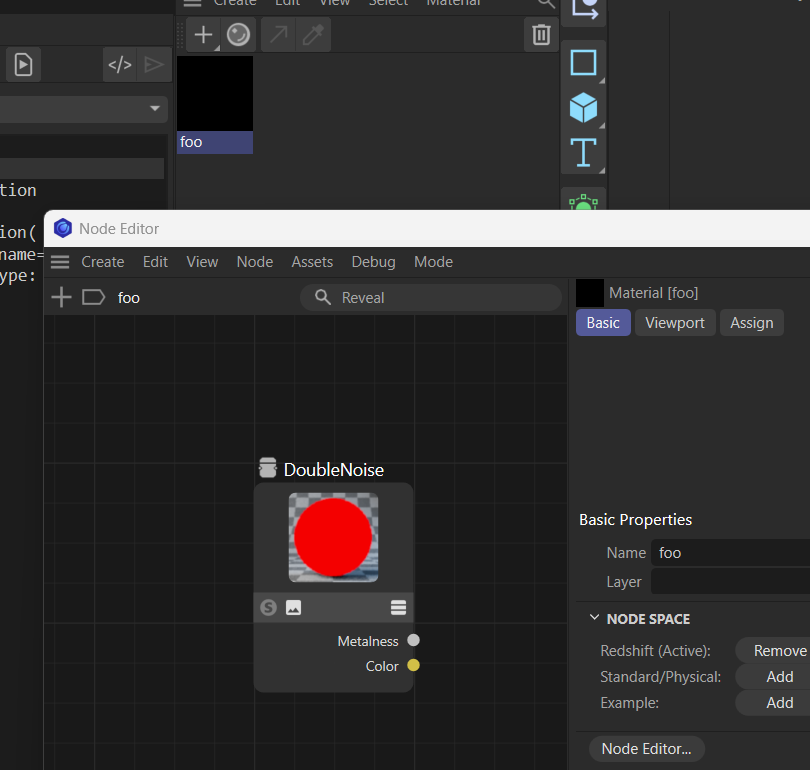
And then instantiated it like this. You can also access the ports just like for builtin nodes via their human readable name.
import math
import maxon
from maxon import GraphDescription

GraphDescription.ApplyDescription(
    GraphDescription.GetGraph(name="foo"), {
            GraphDescription.Type: "DoubleNoise",
    }
)
-
Hi Ferdinand,
Thanks a lot for the detailed explanation! Your insights on GraphDescription were super helpful.
Just wanted to share what finally worked for me, in case it helps others. I found that a hybrid approach was the most reliable for my custom asset:
Creation: graph.AddChild() worked best to instantiate the custom asset itself (I had some "missing type" errors trying to do this via description).
Wiring: GraphDescription was absolutely the key for connections! Standard connect methods were failing on my custom ports, but your description syntax worked perfectly.
So: AddChild to build it, GraphDescription to wire it. Best of both worlds!
Thanks again for guiding me there.
Cheers,
Anthony -
Good to hear that things worked out for you!
