[Python] Best practice for creating multiple custom tabs in a .res file (ObjectData)
-
Hi everyone,
I am currently developing a Python Generator plugin (ObjectData) and I'm struggling to get a clean, multi-tabbed interface in the Attribute Manager using the .res file.
My goal is to have the standard "Basic" and "Coord" tabs, followed by several custom tabs of my own (e.g., "General", "Spirals", "Wind Settings" ...).
If I use GROUP ID_OBJECTPROPERTIES for my first set of parameters, it works fine. However, if I try to add more root-level GROUP blocks next to it to create additional standalone tabs, the UI either merges them into the bottom of the previous tab or breaks entirely depending on how I format it.
I've looked at examples, but I keep running into parsing issues.
Could someone share the recommended, minimal .res hierarchy to properly define multiple independent custom tabs alongside the default Obase inclusions?
Thanks in advance for your time and help!

-
Hello @rndm_cg,
Welcome to the Maxon developers forum and its community, it is great to have you with us!
Getting Started
Before creating your next postings, we would recommend making yourself accustomed with our forum and support procedures. You did not do anything wrong, we point all new users to these rules.
- Forum Overview: Provides a broad overview of the fundamental structure and rules of this forum, such as the purpose of the different sub-forums or the fact that we will ban users who engage in hate speech or harassment.
- Support Procedures: Provides a more in detail overview of how we provide technical support for APIs here. This topic will tell you how to ask good questions and limits of our technical support.
- Forum Features: Provides an overview of the technical features of this forum, such as Markdown markup or file uploads.
It is strongly recommended to read the first two topics carefully, especially the section Support Procedures: How to Ask Questions.
About your First Question
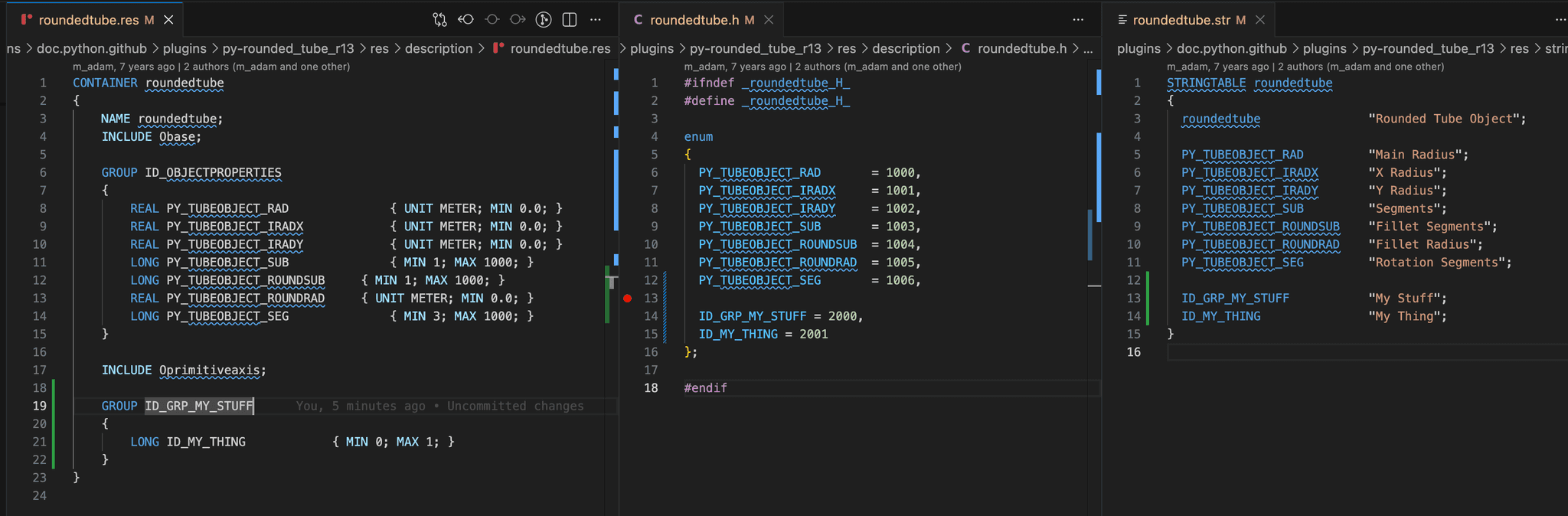
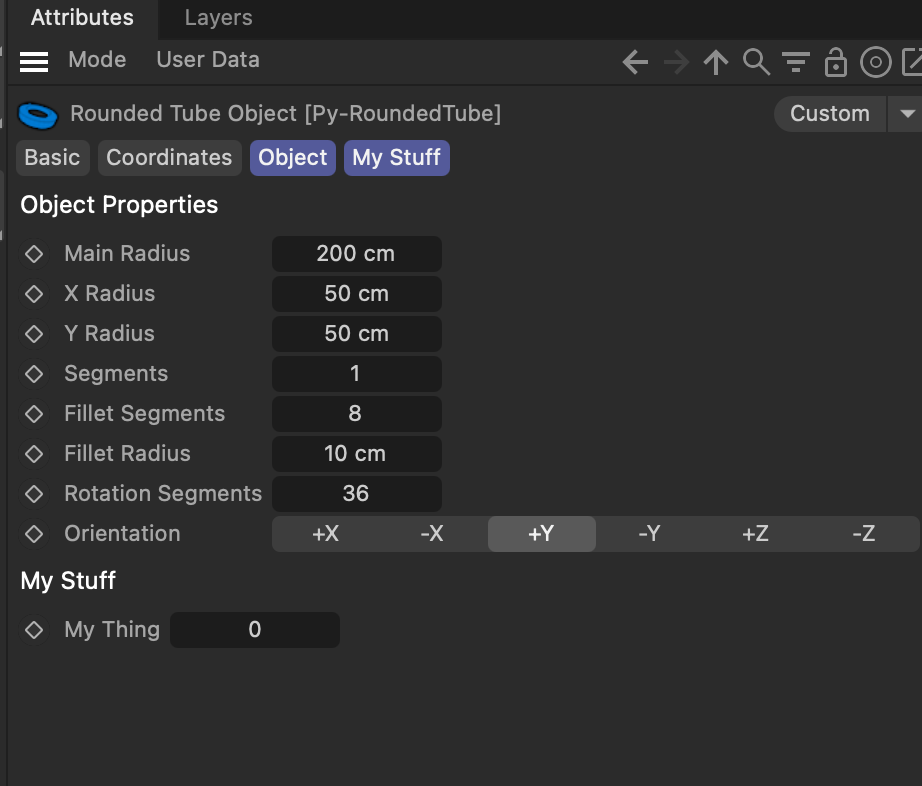
It is pretty straight forward, you just add top level groups and they will automatically be turned into tabs. I used here the rounded tube example to add an extra tab. Make sure to reflect your group in all files (res, h, and str).
CONTAINER roundedtube
{
	NAME roundedtube;
	INCLUDE Obase;

	GROUP ID_OBJECTPROPERTIES
	{
		REAL PY_TUBEOBJECT_RAD				{ UNIT METER; MIN 0.0; }
		REAL PY_TUBEOBJECT_IRADX			{ UNIT METER; MIN 0.0; }
		REAL PY_TUBEOBJECT_IRADY			{ UNIT METER; MIN 0.0; }
		LONG PY_TUBEOBJECT_SUB				{ MIN 1; MAX 1000; }
		LONG PY_TUBEOBJECT_ROUNDSUB		{ MIN 1; MAX 1000; }
		REAL PY_TUBEOBJECT_ROUNDRAD		{ UNIT METER; MIN 0.0; }
		LONG PY_TUBEOBJECT_SEG				{ MIN 3; MAX 1000; }
	}

	INCLUDE Oprimitiveaxis;

  // The new tab group, all top level groups in a container will become tabs.
	GROUP ID_GRP_MY_STUFF
	{
		LONG ID_MY_THING			{ MIN 0; MAX 1; }
	}
}
Groups are elements as any other, and when you want them to be tabs, they need an ID and should have string (see my screen).
Cheers,
Ferdinand -
@ferdinand thanks so much, problem solved!