How to change the Node spaces
-
Hello Everyone Good day!
I just want to ask on how to change the Node Spaces using Python under the Render menu, refer to the image above. Many Thanks in Advance.
-
Hello @gelobui,
Welcome to the Maxon developers forum and its community, it is great to have you with us!
Getting Started
Before creating your next postings, we would recommend making yourself accustomed with our forum and support procedures. You did not do anything wrong, we point all new users to these rules.
- Forum Overview: Provides a broad overview of the fundamental structure and rules of this forum, such as the purpose of the different sub-forums or the fact that we will ban users who engage in hate speech or harassment.
- Support Procedures: Provides a more in detail overview of how we provide technical support for APIs here. This topic will tell you how to ask good questions and limits of our technical support.
- Forum Features: Provides an overview of the technical features of this forum, such as Markdown markup or file uploads.
It is strongly recommended to read the first two topics carefully, especially the section Support Procedures: How to Ask Questions.
About your First Question
It depends a bit on how you mean your question. There is GetActiveNodeSpaceId which allows you to get the ID of the current node space. But there is no setting equivalent of that function. So, you cannot set a node space by its ID.
What you can do, is call the command which switches node spaces. These are however dynamically assigned and can have a different meaning, depending on how many render engines are installed. You can just check the script log after changing the space.
On this installation I have for example no extra render engines or node spaces installed, therefore Redshift is there
72000, 4.
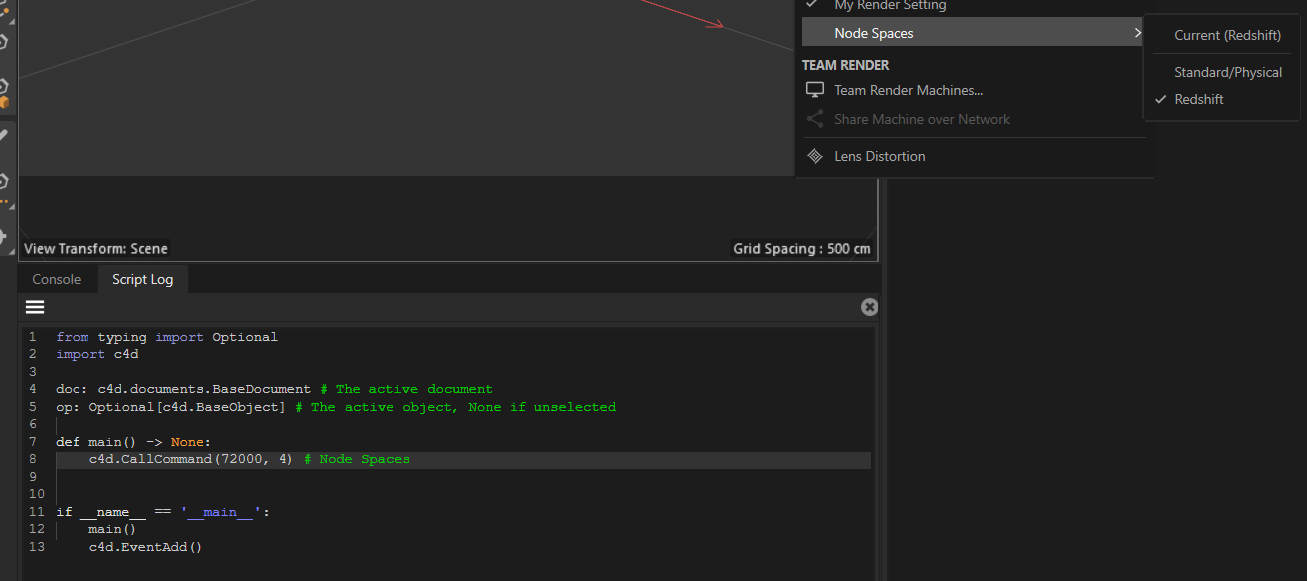
But on this machine I have the C++ SDK installed and therefore the
Examplenodes space, so Redshift is now72000, 5: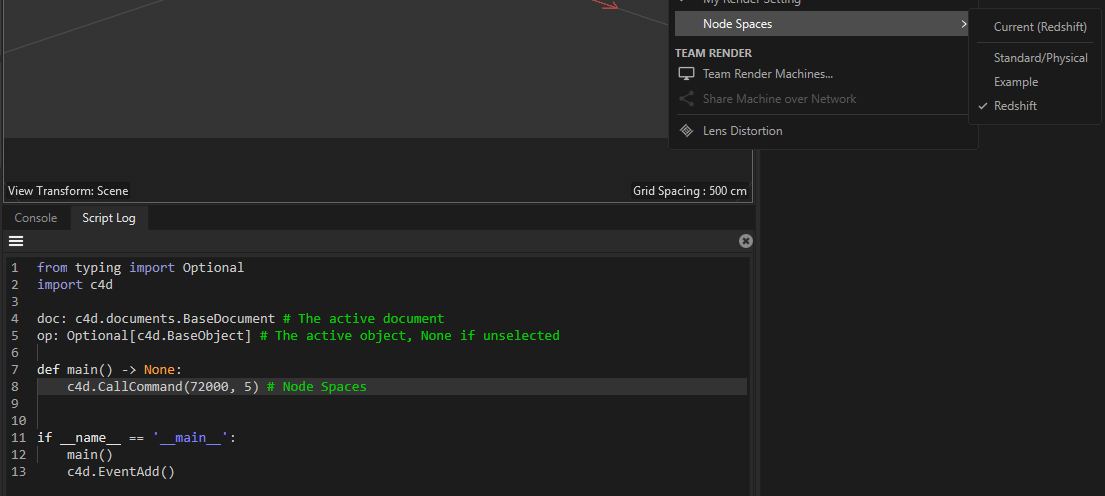
When you really want to do this in a fail safe manner, you would have to parse the menu of Cinema 4D to know with which sub-id to call
CallCommand.Cheers,
Ferdinand
