Maxon Developers Maxon Developers
    • Documentation
      • Cinema 4D Python API
      • Cinema 4D C++ API
      • Cineware API
      • ZBrush Python API
      • ZBrush GoZ API
      • Code Examples on Github
    • Forum
    • Downloads
    • Support
      • Support Procedures
      • Registered Developer Program
      • Plugin IDs
      • Contact Us
    • Categories
      • Overview
      • News & Information
      • Cinema 4D SDK Support
      • Cineware SDK Support
      • ZBrush 4D SDK Support
      • Bugs
      • General Talk
    • Recent
    • Tags
    • Users
    • Login
    The Maxon SDK Team is currently short staffed due to the winter holidays. No forum support is being provided between 15/12/2025 and 5/1/2026. For details see Maxon SDK 2025 Winter Holidays.

    Customizing the Layout and Palettes
    Scheduled Pinned Locked Moved Cinema 4D SDK
    r20windowssdk
    3 Posts 2 Posters 923 Views 1 Watching
    Loading More Posts
    • Oldest to Newest
    • Newest to Oldest
    • Most Votes
    Reply
    • Reply as topic
    Log in to reply
    This topic has been deleted. Only users with topic management privileges can see it.
    • O Offline
      Ogers
      last edited by

      Hello,
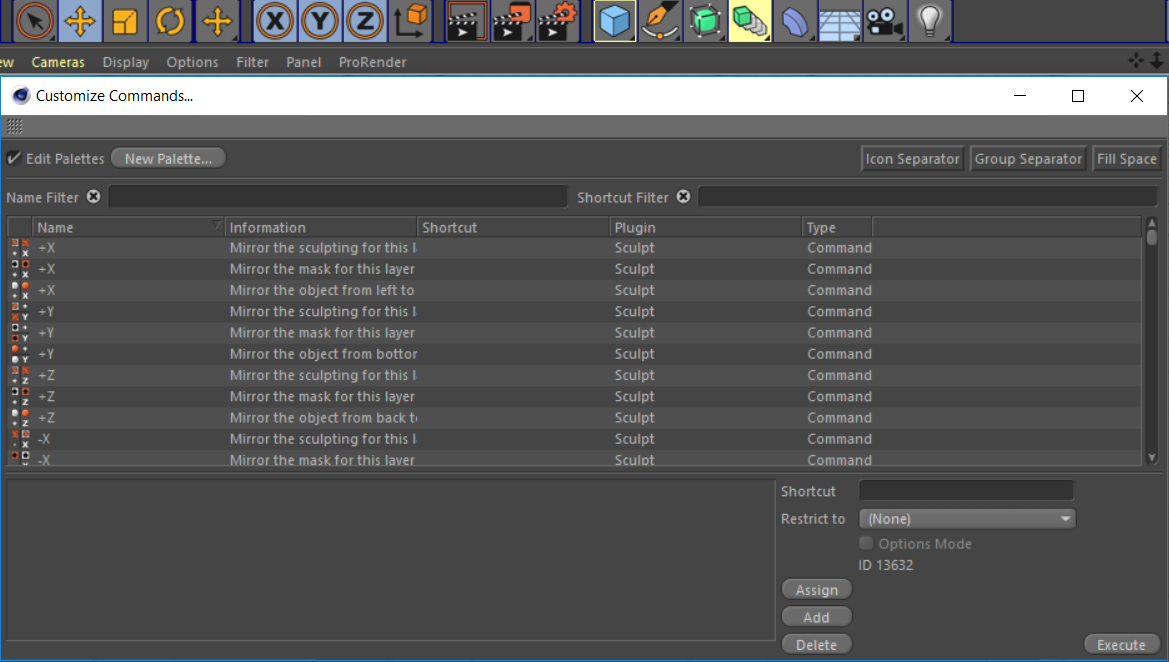
      I need to customize Cinema4D's interface by redesigning it's layout and palettes. Customizing Menus seems to have some hints on the documentation on how to do it but for the commands it doesn't seem so or maybe I am just not finding it. I can just redesign it using drag and drop feature from the Customize Commands dialog but I need to do this using Maxon API.

      Palette.PNG
      Is there any way on how I can do this?
      Thank you in advance.

      1 Reply Last reply Reply Quote 0
      • M Offline
        m_adam
        last edited by

        Hi @Ogers,

        Unfortunately, I'm afraid is not possible.
        To be clear here are the possibilities.

        • list item Extends the menu for all layouts by accessing the Menu BaseContainer with c4d.gui.GetMenuResource and modify this BaseContainer. For more information see Enhancing the Main Menu
        • You can load a layout and it will set it as active with c4d.documents.LoadFile. This way you can force which layout to be active. Default Layouts are stored in C:\Program Files\MAXON\Cinema 4D R20\library\layout)
        • It's not possible to customize/create/edit palette through the SDK.
        • It's not possible to retrieve the active layout.

        Cheers,
        Maxime.

        MAXON SDK Specialist

        Development Blog, MAXON Registered Developer

        1 Reply Last reply Reply Quote 2
        • O Offline
          Ogers
          last edited by

          Hello @m_adam
          I see, I will have to use one of the other alternatives then.
          Thank you.

          1 Reply Last reply Reply Quote 0
          • First post
            Last post