Example sys_timeline_camera
Demonstrates how to create a turntable animation for the current tool in ZBrush.
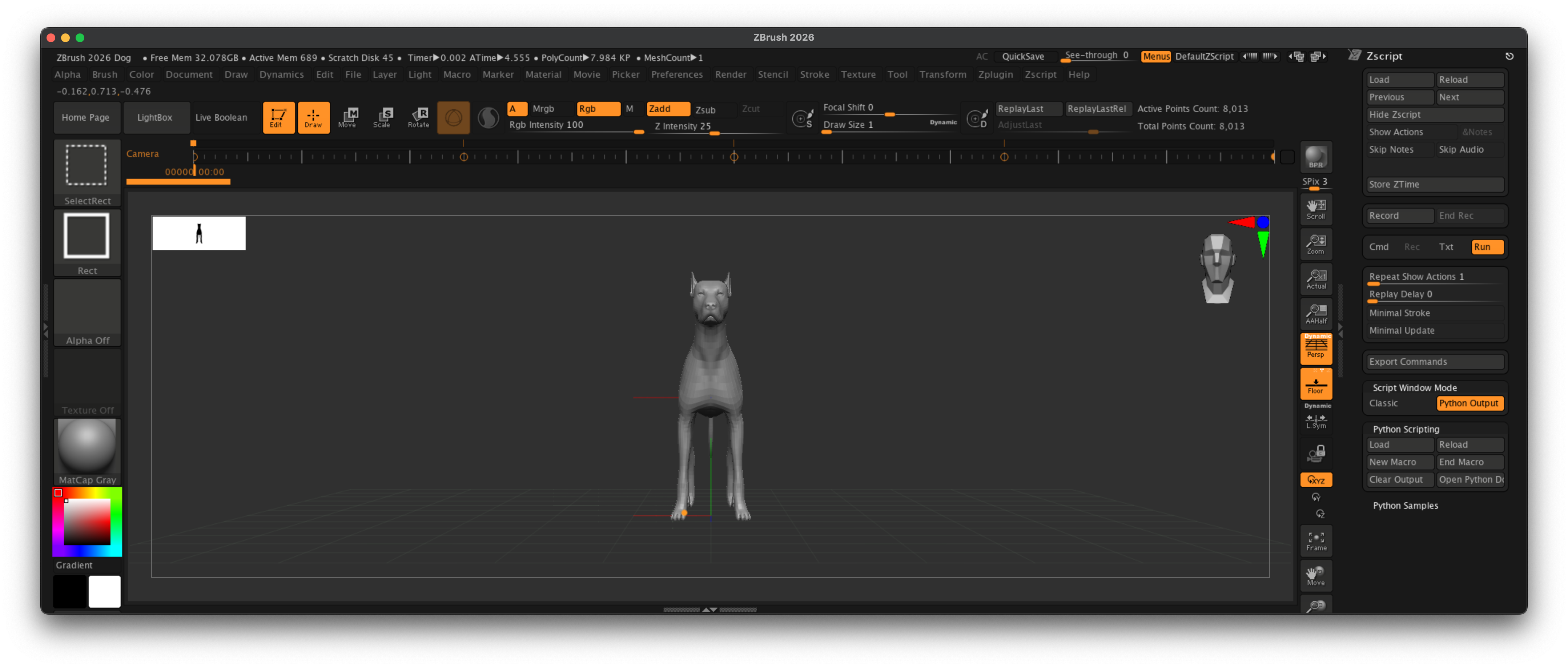
Fig. I: A possible outcome of the example.
Code
"""Demonstrates how to create a turntable animation for the current tool in ZBrush.

This script will frame the current tool and create a turntable animation by rotating the camera
around it. The animation will always span over full timeline duration of the document.

Note:
    See `sys_timeline_colors.py` for a more basic example on timeline animations, explaining the
    key concepts.
"""
__author__ = "Ferdinand Hoppe"
__date__ = "21/08/2025"
__copyright__ = "Maxon Computer"

from zbrush import commands as zbc

def main() -> None:
    """Executed when ZBrush runs this script.
    """
    # Make sure the timeline is unfolded, the Camera track is active, and delete all existing
    # camera keyframes.
    zbc.set("Movie:TimeLine:Show", True)
    zbc.set("Movie:TimeLine Tracks:Edit", True)
    zbc.set("Movie:TimeLine Tracks:Camera", True)
    for i in range(zbc.get_keyframes_count()):
        zbc.delete_keyframe(i)

    # Now get the canvas and active tool (a.k.a. mesh) dimensions, and then figure out the largest
    # axis of the mesh. query_mesh3d returns the bounding box (property 2) in the format (min_x,
    # min_y, min_z, max_x, max_y, max_z).
    canvas_width: float = zbc.get("Document:Width")
    canvas_height: float = zbc.get("Document:Height")
    try:
        mesh_bounds: tuple[float, float, float, float, float, float] = zbc.query_mesh3d(2, None)
    except:
        print("No Polygon mesh found. Please load a polygonal mesh to run this script.")
        return

    mesh_width: float = abs(mesh_bounds[3] - mesh_bounds[0])
    mesh_height: float = abs(mesh_bounds[4] - mesh_bounds[1])
    mesh_depth: float = abs(mesh_bounds[5] - mesh_bounds[2])
    mesh_max_size: float = max(mesh_width, mesh_height, mesh_depth)

    # Now we compute a scaling factor over the smallest axis of the canvas and the largest axis of
    # the mesh. Simply put, when tool would fit 200 times on its largest axis into the smallest axis
    # of the canvas, we want 200 to be our scaling factor. We could make this more complicated by
    # doing this on a more intricate per axis basis but this is good enough for an example. We scale
    # this value by 75% so that we have a nice safe frame, as our mesh would otherwise touch the
    # borders of the frame.
    scale_factor: float = (min(canvas_width, canvas_height) / mesh_max_size) * 0.75
    print(f"Mesh bounds: {mesh_bounds}")
    print(f"Canvas size: {canvas_width} x {canvas_height}")
    print(f"Mesh size: {mesh_width} x {mesh_height} x {mesh_depth}")
    print(f"Scale factor: {scale_factor}")

    # Now we can compute and animate our camera transform. The position and scale are fixed, because
    # ZBrush actually moves the tool when we manipulate the camera.
    position: tuple[float] = (canvas_width / 2, canvas_height / 2, 0)
    scale: tuple[float] = (scale_factor, scale_factor, scale_factor)

    # We want to rotate around the y-axis. So, we animate it to 0°, 90°, 180°, 270° and 360° in four
    # steps. But as you can see, we also animate the z-axis by 180° between the first two and
    # following frames : (0, 0, [0]) -> (0, 90, [180]). This is because we use here simple Euler
    # angles and we are otherwise subject to interpolation flipping ("gimbal lock"). The tool would
    # flip on its head between the first two keyframes and then again between the second and third.
    # So, we compensate by also animating the z-axis.
    rotations: list[tuple[float]] = [(0, 0, 0), (0, 90, 180), (0, 180, 180), (0, 270, 0), (0, 360, 0)]
    count: int = len(rotations) - 1

    # Now we just loop over our rotations and animate them. We make here use of the normalized
    # document time ZBrush uses to place each rotation value at the corresponding time in percent
    # in the document timeline.
    for i, rotation in enumerate(rotations):
        zbc.set_transform(*position, *scale, *rotation)
        zbc.new_keyframe(i / count)

if __name__ == "__main__":
    main()