Example hello_world
Demonstrates how to write a basic script to create an editable cube in the center of the canvas and sets up the view.
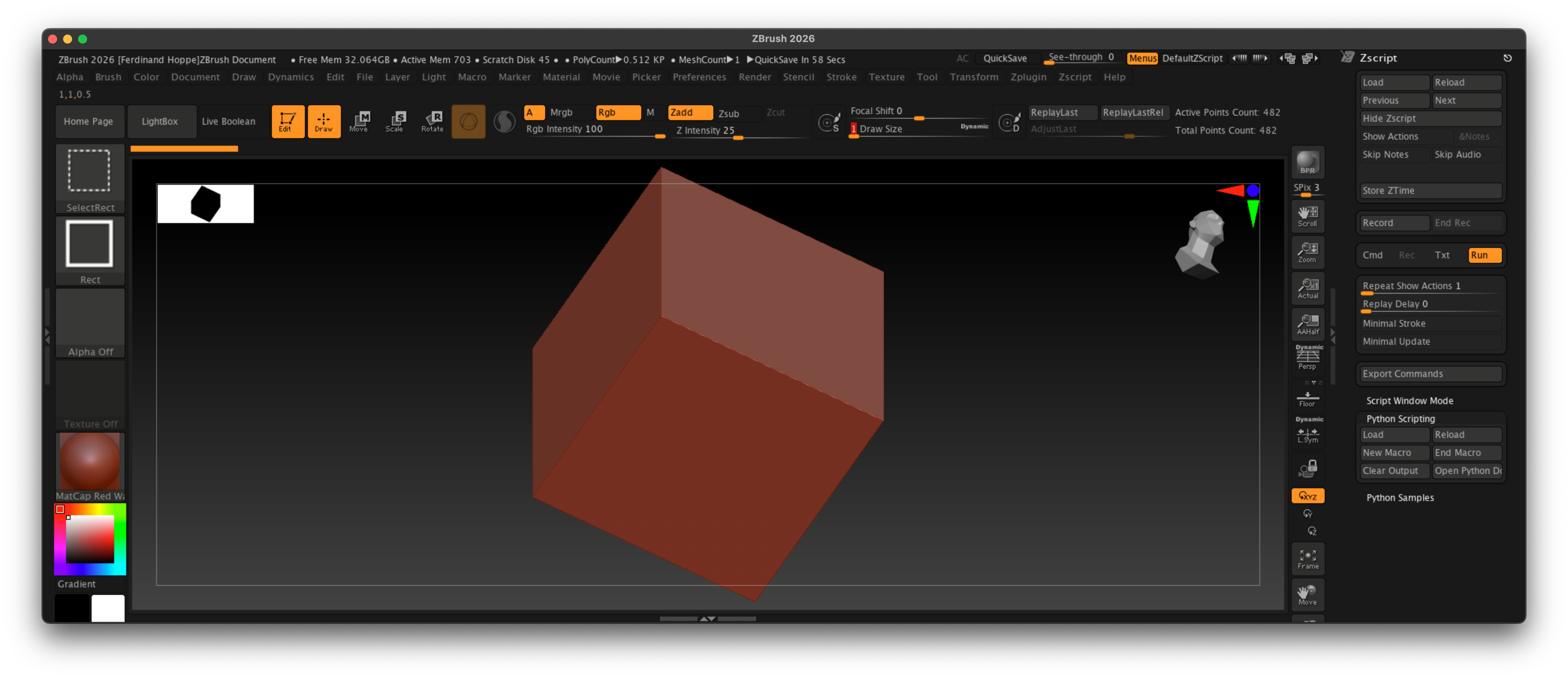
Fig. I: A possible outcome of the example.
Code
"""Demonstrates how to write a basic script to create an editable cube in the center of the canvas
and sets up the view.
"""

import zbrush.commands as zbc

def main() -> None:
    """Runs when Zbrush executes this script.
    """
    # We set ZBrush into its 2026 configuration state, to start with a known UI state.
    zbc.config(2026)

    # We select the Cube 3D tool and convert it to a polymesh.
    zbc.press("Tool:Cube3D")
    zbc.press("Tool:Make PolyMesh3D")

    # We draw a stroke on the canvas to place the cube. This string is a pre-recorded brush stroke.
    stroke: zbc.Stroke = zbc.Stroke(
        "(ZObjStrokeV03n27%p2377BA8p191C7ACPnA63An234Fn-BF76s100672Cs100672Cs100672Cz-7E6B=H231V219H230"
        "V216H22FV214h22E55v210AAH22Ev20C40h22D40v203C0H22Dv1F980H22DV1EEH22DV1E2h22D40v1D5C0h22DC0v1C9"
        "80h22E40v1BD40h22EC0v1B040H22Fv1A280H22Fv19380h22EC0v18480h22DC0v17640h22C40v16980h22A80v15F40"
        "h228C0v15740h227C0v15240h22740v14F40h226C0v14D80h22680v14C80h22640v14B80H226v14A80H226v149C0)")
    zbc.canvas_stroke(stroke)

    # Now we enable edit mode to edit the cube.
    zbc.press("Transform: Edit")

    # And finally, we rotate the camera into a 45°, 45° angle to get a better view on the cube, and
    # then frame the object in the view.
    zbc.set_transform(x_rotate=45, y_rotate=45, z_rotate=0)
    zbc.press("Transform:Fit Mesh To View")


# This code, the "if _name__ ..." is called the main guard and ensures that the main() function
# is only executed when this script is run directly, not when it is imported as a module.
if __name__ == "__main__":
    main()