• Adding image to GeDialog - Python Plugin/Script

    Cinema 4D SDK python
    8
    0 Votes
    8 Posts
    2k Views
    DunhouD
    @ferdinand fine for that, like I think, this is not perfect solution for this, thanks for your confirm! Cheers~ DunHou
  • 0 Votes
    4 Posts
    860 Views
    i_mazlovI
    Hi @ezeuz, Great to hear you've figured it out and thanks for sharing the solution with the community! Cheers, Ilia
  • 2024.5.0 SDK Release

    News & Information cinema 4d news c++ python sdk
    1
    0 Votes
    1 Posts
    13k Views
    No one has replied
  • Correct Tangent Values

    Cinema 4D SDK python
    5
    0 Votes
    5 Posts
    969 Views
    T
    Hallo Mazlov, lot of thanks for your explanation. I think I don't will get deeper in the math of generic Bezier and Cubic Hermite spline. But this is good to know how Ae and C4D interpret these tangent values. Meanwhile I finished my script that push every selected Ae-Shape direct to C4D. Works fine so far. Thanks for your help! Tudor
  • Tool Tabs and foldable groups

    Cinema 4D SDK python
    2
    0 Votes
    2 Posts
    674 Views
    ferdinandF
    Hello @BretBays, Thank you for reaching out to us. Please provide code and a clear problem description as statements like `How do you create the tabs ... I tried X but it only creates tabs' are a bit confusing for us. There are two ways to create tab interfaces, one is via groups and the method GeDialog.TabGroupBegin and the other one is via CUSTOMGUI_QUICKTAB. We have a code example for it in Python here. The "tab-look" of descriptions, i.e., what you usually see in the Attribute Manager, is achieved with CUSTOMGUI_QUICKTAB. There is no group folding in dialogs anymore, this feature has been deprecated (we probably should update the docs). There is a difference between dialogs and descriptions. They use similar UI elements but they are not the same. Folding in descriptions is still supported, in dialogs not (but you can implement it yourself when you really need it). You should also be aware that there are ToolData and DescriptionToolData plugins. The former tool type uses dialogs to display its UI in the Attribute Manager, and the latter uses descriptions. Most tools these days in Cinema 4D are implemented as DescriptionToolData which leads to a distinctive look and set of features which are not trivial to emulate with a plain ToolData. ToolData is exposed in Python and C++, DescriptionToolData is only exposed in C++. My colleague @m_adam likes to point out whenever this subject comes up that the type SculptBrushToolData is exposed in Python (which is derived from DescriptionToolData) and that you can (ab)use it to implement a DescriptionToolData in Python. I never tried doing that and what consequences that would have (and neither did Maxime AFAIK). For my taste that would be way too hacky, and I would rather just live with the minor restrictions of ToolData plugin and its dialog based UI. Cheers, Ferdinand
  • 0 Votes
    5 Posts
    1k Views
    i_mazlovI
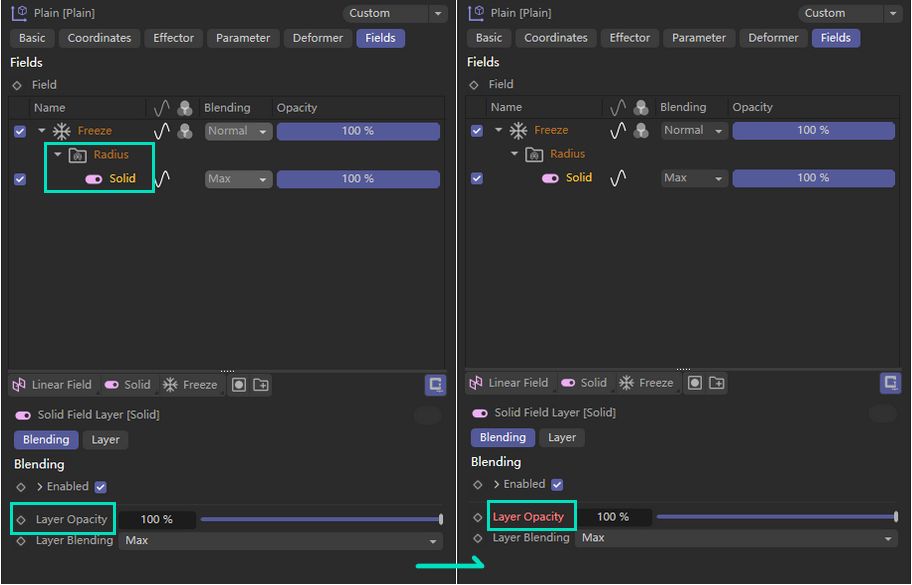
    Hi @mikeudin , To me it sounds pretty much like this issue here: issue with inserting fieldlayers in r2024, particularly after I couldn't reproduce this issue with the internally available next version of cinema. Cheers, Ilia
  • 0 Votes
    5 Posts
    1k Views
    M
    Hi sorry for not answering this topic earlier, I finally found some time to investigate and sadly there is nothing you can do in your side, this memory leak is coming from the Illustrator Importer and can be big, since all the points and tangents of the file are leaking. A fix will be available in the next update. Thanks for the report ! Cheers, Maxime.
  • 0 Votes
    6 Posts
    1k Views
    O
    Thanks a LOT @ferdinand and @mikeudin , for sharing your insights and suggestions! They are definitely valuable and am sure will come in handy in the future!!!
  • BitmapButton not work

    Cinema 4D SDK 2024 python
    5
    1
    0 Votes
    5 Posts
    1k Views
    chuanzhenC
    @ferdinand Thanks
  • Get information about BasePlugin

    Cinema 4D SDK windows python 2024
    8
    1
    0 Votes
    8 Posts
    2k Views
    gheyretG
    Thanks for your explaination @ferdinand Now I understand what's going on here. Cheers!
  • 0 Votes
    2 Posts
    2k Views
    ferdinandF
    Hey @moghurt, Thank you for reaching out to us. I tried using the pyp plugin to execute Python scripts when starting the software to modify the project file, but when I use the '-render' parameter, the Python code in the pyp plugin is executed after the rendering is complete. I can only speculate as to what exactly you have been doing here, as you do not provide any details or code. Please have a look at Support Procedures: Asking Questions for how to ask good technical questions. The general workflow for what you want to do here (given that one really wants to follow the plugin route) would be to implement PluginMessage for your plugin, and then try to run your code from there at a fitting point of time in the startup sequence of Cinema 4D. And while I would not rule out that -render has an impact on the startup sequence of Cinema 4D, the general claim that your Python code only runs after the rendering seems a bit far fetched. Because for events such as C4DPL_INIT_SYS and C4DPL_INIT modules and plugins have not been loaded yet, i.e., rendering is literally impossible at these points. The plugin approach also assumes that you can inject without problems alien command line arguments into a Cinema 4D app call, e.g., \CINEMA 4D.exe"-nogui -render "render.c4d" -script "myscript.py" with -script being the alien argument. I am not quite sure that this would work, I would have to try myself. What also is problematic, is that you are likely not able to get hold of the render document on this route. The active document will be the empty document, not the render document, i.e., you cannot get hold of the BaseDocument for render.c4d. And you cannot just open and modify the document yourself, as Cinema might have already a lock on that file or is even already loading it. All this makes using c4dpy instead much more attractive as you won't have these problems there. It is also the intended solution for what you want to do here: Modify one or many documents without a GUI in a fire and forget manner. A while ago we had the topic Extending the Command Line with Python where I showed a workflow for how to treat c4dpy as a Script Manager environment. The thread is four years old, written in Python 2 syntax (you will have to convert to Python 3 syntax), and I was then not yet a Maxon employee but a student. So, you might run into some issues. But the principle is definitively reproduceable and I also do not see anything in my old code which seems like a really bad idea. Your workflow could then look like this for doing the pre and post rendering events (as a bat, ps1, sh, or command file and assuming that you do not want to overwrite files): c4dpy script_manager_environment.py -script my_script.py -in my_doc.c4d -out my_doc_pre.c4d CommandLine -my_doc_pre.c4d ... c4dpy script_manager_environment.py -script my_script.py -in my_doc_pre.c4d -out my_doc_post.c4d Cheers, Ferdinand
  • Change texture node colorspace

    Cinema 4D SDK 2024 python windows
    6
    0 Votes
    6 Posts
    1k Views
    ferdinandF
    Please open a new topic for new subjects. See our Support Procedures: Asking Questions. GetBit is a BaseList2D method, your node is not a BaseList2D.
  • How to Set Void Type Attributes in GraphNode?

    Cinema 4D SDK python 2023 2024
    6
    0 Votes
    6 Posts
    1k Views
    E
    @m_adam Thank you for providing an alternative method to set parameters.
  • 0 Votes
    5 Posts
    1k Views
    B
    Thank you so much! That was it. I was thinking I would try to create this standalone, before moving it into creating a GUI, and I didn't know about the Timer in GeDialog. This is now working, and all I needed to do is remove the multithreading and change it to the timer.
  • 0 Votes
    2 Posts
    693 Views
    i_mazlovI
    Hi @pyxelrigger , Unfortunately your question is out of the scope of support on this forum, namely: We cannot provide support on learning C++, Python, or one of their popular third-party libraries. With that's said, I'm kind of missing the main idea behind your question, in other words what are you trying to achieve? Is it just another (e.g. simply more convenient) data structure for the hierarchy? If so, then you're free to create whatever data structure fits your need the best. For example, check a very fast draft code snippet below. Is it that you want to track changes of the hierarchy? If so, then you might need to come up with some more complex setup, e.g. involving using the c4d.EVMSG_CHANGE message. Please, refer to a great Ferdinand's answer here: Best way to detect an object has been deleted? Please also consider visiting our How to ask Questions section of the support procedures for your future postings. Cheers, Ilia A super draft example of nested lists hierarchy representation: import c4d doc: c4d.documents.BaseDocument class HierarchyObject: def __init__(self, op): self.op = op self.children = [] child = self.op.GetDown() if op else doc.GetFirstObject() # recursion entry point while child: self.addChild(HierarchyObject(child)) # recursion child = child.GetNext() def addChild(self, child): self.children.append(child) def toString(self, indentation: int = 0): indentStr: str = '\t' * indentation name: str = self.op.GetName() if self.op else '___root___' s: str = f'{indentStr}<{name}' if self.children: s += ':' for child in self.children: s += f'\n{child.toString(indentation + 1)}' s += f'\n{indentStr}' s += '>' return s def __str__(self): return self.toString() if __name__=='__main__': root: HierarchyObject = HierarchyObject(None) print(root)
  • 0 Votes
    7 Posts
    2k Views
    S
    Yes, I know about not using multiple events. I was playing with that, I thought that's the reason the button was not being called Thank you @ferdinand
  • 0 Votes
    3 Posts
    823 Views
    kangddanK
    Thank you @m_adam It seems that the best approach is to manually create a null object and calculate its correct rotation matrix through certain methods to achieve the same effect. Once again, thank you for your code; it has been very useful to me!
  • TagData plugin undo issues

    Cinema 4D SDK python windows
    6
    0 Votes
    6 Posts
    1k Views
    ferdinandF
    No need to be sorry, a good to hear that you found your solution!