• How to start a new line in plugin help with localization?

    windows python 2026
    1
    0 Votes
    1 Posts
    14 Views
    No one has replied
  • How do I retrieve a command call from it's index number ?

    python
    6
    0 Votes
    6 Posts
    101 Views
    ferdinandF
    The second ID is the sub ID. You can have a command (FOO = 100) which supports the sub-commands (BAR=1, and BAZ=2). So, you can then call CallCommand(100, 1) or CallCommand(100, 2) to invoke the two different things FOO can do. But as you said yourself, this is a rather unusual thing, and it is even more unusual that I manged to randomly click five things in a row that all have sub IDs What should also be said is that my little "extrude" log there does not really reproduce the modelling operations I carried out. It just runs the tools in the order they are invoked. And because when you run this right after your created the log, the extrude tool will for example still have set the same extrude depth from the last operation. But when you manually extrude something, and then run the script again, it will use these new current extrude tool settings, i.e., and not the ones from when your 'recorded' the log. The script log can be useful, but it is not the auto-script-recording feature users often whish it was.
  • Executing a Redshift texture bake from Python

    python 2026
    2
    0 Votes
    2 Posts
    43 Views
    ferdinandF
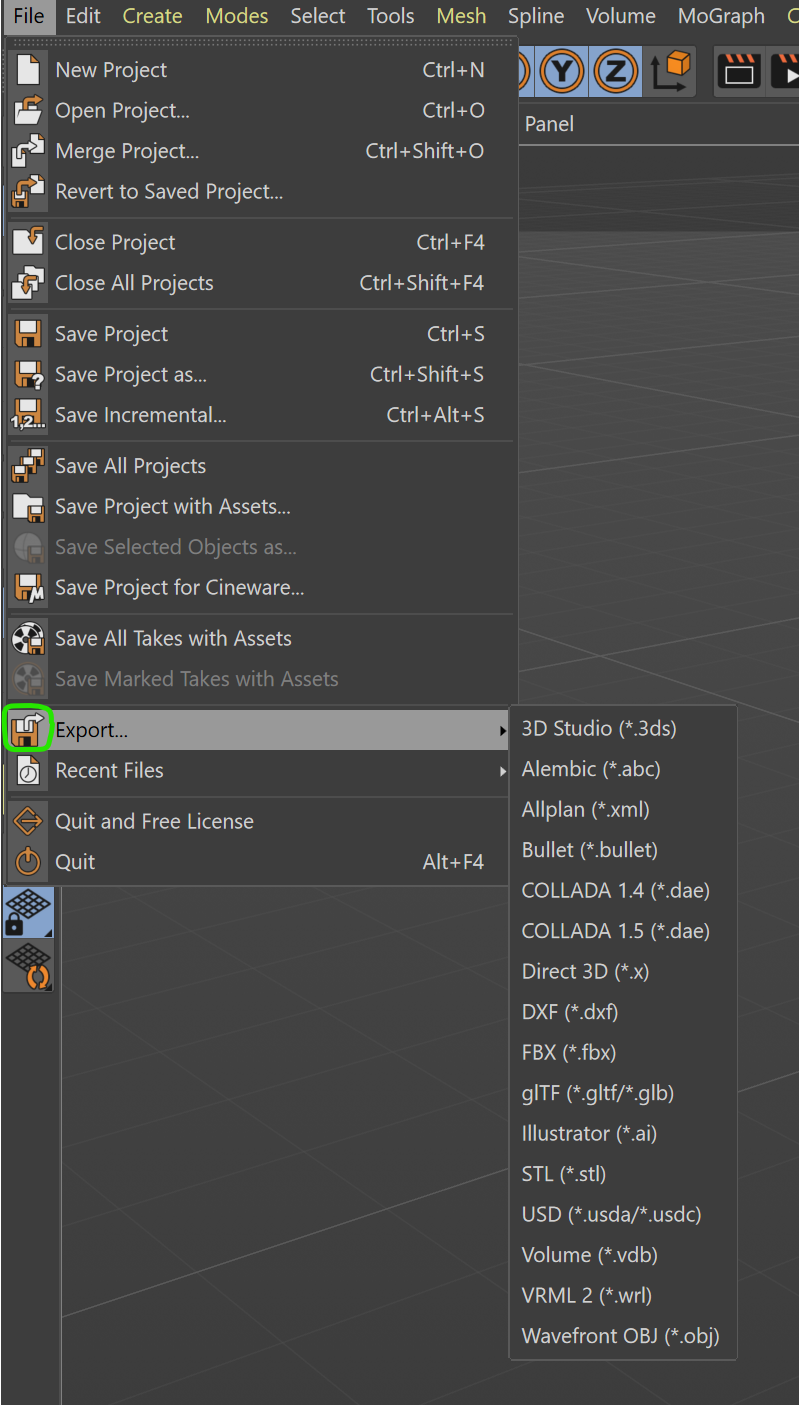
    Hello @mplec1, Welcome to the Maxon developers forum and its community, it is great to have you with us! Getting Started Before creating your next postings, we would recommend making yourself accustomed with our forum and support procedures. You did not do anything wrong, we point all new users to these rules. Forum Overview: Provides a broad overview of the fundamental structure and rules of this forum, such as the purpose of the different sub-forums or the fact that we will ban users who engage in hate speech or harassment. Support Procedures: Provides a more in detail overview of how we provide technical support for APIs here. This topic will tell you how to ask good questions and limits of our technical support. Forum Features: Provides an overview of the technical features of this forum, such as Markdown markup or file uploads. It is strongly recommended to read the first two topics carefully, especially the section Support Procedures: How to Ask Questions. About your First Question The bake tag and by extension cinema::BakeTexture (and its Python equivalent c4d.utils.BakeTexture) unfortunately do not support Redshift, even for the older Xpresso based materials. Redshift uses the tools found in Redshift/Tools/Texture Baking for baking. And while you can programmatically create a bake set and then programmatically click the 'Bake' button in it (which both would also work in a headless version of Cinema 4D, such as c4dpy), the following dialog which opens to set baking details and actually start the rendering is sealed, i.e., you cannot interact with it from the public API. And opening such dialog would also fail in a headless Cinema 4D instance. So, I am afraid there is currently no solution for your problem. You can technically export the whole scene to a format such FBX or USD, and use the builtin baking output (which would also work in a headless environment, as long as you do NOT pass SAVEDOCUMENTFLAGS_DIALOGSALLOWED to the save/export operation). But the output of that automated baking is often of poor quality compared to manually baking object(s) via bake sets. Cheers, Ferdinand
  • Using the Bridge Tool

    python
    9
    0 Votes
    9 Posts
    267 Views
    ferdinandF
    Hello @Dimitris_Derm. No, with islands I do not mean different objects. With islands are polygon (selection) islands meant. And that is just the term that is used for these things. The "Plane" object below has two polygon islands, the left and right rectangle shown in the viewport, each composed out of 4 * 5 polygons. They are islands because they are topological disjunct from each other - you cannot 'get' from one island to another without jumping over a gap. [image: 1777019034509-a88ac530-c105-430c-bd11-f922f5688881-image.png] The same can be applied to selections, as shown below. Now the left polygon island in the mesh has two polygonal selection islands. You cannot get from one selection island to another without jumping over a gap (they are topologically disjunct). [image: 1777019065284-bf41be6a-3993-4eb1-b603-438df9aa1bb3-image.png] This is a requirement because as my code example demonstrates, when bridging in island mode, you just specify a polygon and a point (and set the flags), and the tool then 'grows out' the to be bridged patch from the given polygon, based on the active polygon selection. And this growing will stop at topological boundaries. So, when you would bridge from the selection in the lower left corner of the left rectangle (to some unspecified target in another mesh), it would only grow into these four polygons. The selection in the top right corner would never be part of the operation. Cheers, Ferdinand
  • Tile rendering with Cinema 4D

    python 2026
    7
    0 Votes
    7 Posts
    516 Views
    ferdinandF
    Hey, just as an FYI, I added this as an example to the 2026.2 rendering examples. You will be able to find it under \scripts\04_3d_concepts\rendering\render_document_tiles_2026_2.py. Since the script will use some 2026.2 features, it does not make much sense to post a preview here, as you will not be able to run it right now. The example also does the kernel border thing we discussed here. Cheers, Ferdinand
  • Reading Immutable Selection Tags

    python
    3
    0 Votes
    3 Posts
    140 Views
    D
    Ah ! They are called Proxy Tags and I can see the actual tag with the MSG_GETREALTAGDATA ! Thank you ️
  • 0 Votes
    6 Posts
    196 Views
    ferdinandF
    Your approach is not necessarily worse, one could even argue that it is better. I personally would always avoid manually binding to an OS DLL via ctypes, but that is more a personal preference.
  • Effector Objects written in Python

    python
    3
    0 Votes
    3 Posts
    139 Views
    ferdinandF
    Hey @Dimitris_Derm. , no there is currently no dedicated plugin class for MoGraph effectors and fields in Python, only the scripting objects exist at the moment. Cheers, Ferdinand
  • Can I have access to the Loop and Ring Selection algorithm ?

    python
    5
    0 Votes
    5 Posts
    206 Views
    ferdinandF
    Hey, well, "intended" would be the wrong word, but I am aware. The whole resource parsing situation is a bit of a mess at the moment, both in C++ and the Python API. Why is it like this? A description is defined by a res file (more or less its GUI declaration) and an h file which declares symbols for parameter IDs. The resource for the loop tool looks like this: CONTAINER ToolLoopSelection { NAME ToolLoopSelection; INCLUDE ToolBase; GROUP MDATA_MAINGROUP { BOOL MDATA_LOOP_SEL_STOP_AT_SELECTIONS { } BOOL MDATA_LOOP_SEL_STOP_AT_NON_QUADS { } BOOL MDATA_LOOP_SEL_STOP_AT_POLES { } } HIDE MDATA_COMMANDGROUP; } I.e., it indeed only defines three parameters. But the header file looks like this: #ifndef TOOLLOOPSELECTION_H__ #define TOOLLOOPSELECTION_H__ enum { MDATA_LOOP_SEL_STOP_AT_SELECTIONS = 1100, // BOOL MDATA_LOOP_SEL_STOP_AT_NON_QUADS = 1110, // BOOL MDATA_LOOP_SEL_STOP_AT_POLES = 1120, // BOOL MDATA_LOOP_FIRST_VERTEX = 1130, // LONG MDATA_LOOP_SECOND_VERTEX = 1131, // LONG MDATA_LOOP_POLYGON_INDEX = 1132, // LONG MDATA_LOOP_BOTH_SIDES = 1133, // BOOL MDATA_LOOP_SWAP_SIDES = 1134, // BOOL MDATA_LOOP_SELECTION_TYPE = 1140, // LONG (must be SELECTION_NEW, SELECTION_ADD or SELECTION_SUB) MDATA_LOOP_SEL_POLYGON_OBJECT = 1150, // LINK }; #endif // TOOLLOOPSELECTION_H__ I.e., it not only defines these three parameters, but also all the others. Because there are all these "hidden" parameters which are written into the data container of the tool, but never show up in the GUI. What collides here is (a) the a bit irregular (but not illegal) behavior of a resource to define more parameters in its header file than are used in the resource and (b) the questionable decision of our resource parser to ignore hidden parameters. Our resource parsing is automated, i.e., I cannot just go into a file and just add these parameters for a docs build. I could touch the resource parsers for Python and C++, but I do not have the time for that right now as they has been written in a very opaque manner. My advice is simply what the docs suggest: Search in the header files directly. Go to your Cinema folder, make sure that the resource.zip is either unpacked to the local folder (the folder existing does not mean necessarily that it has been fully unpacked) or an external folder of your choice. And then simply search in that folder with an editor of your choice. [image: 1775557617243-c122abc5-8cfc-40da-90be-534532600b4a-image-resized.png] At some point I will replace the resource and symbols parsing for Python and C++, because we made there quite a mess in the past with questionable parsers and manually curated lists. But for now this cannot be changed and using the files directly is the way to go when you want to look at descriptions. Cheers, Ferdinand PS: The C++ docs are NOT inherently better in that regard. The parser shares there the same flaws. The reason why you find some symbols there is because developers have duplicated them from the resources into the frameworks.
  • 0 Votes
    2 Posts
    192 Views
    ferdinandF
    Hello @vaishhg, Thank you for reaching out to us and your comprehensive yet sparse problem description, this really makes things easier for us. The problem is a bit that you somewhat forgot a crucial part: The scene data :). You provided this: Create a Cinema 4D scene with a Main take (frame range 0-6) Create child takes (V, E, R, A) and override the render data's frame range on each (e.g., V: 0-9, E: 0-23, R: 0-13, A: 0-17) But I cannot recreate a scene with these instructions, unless you meant the second step in a rather metaphorical way (switching the render data itself via takes). I also talked with some of our support specialists, and the consensus seems to be that what you claim to be the case - a scene with take overwritten FROM/TO values - is not possible. What you can do, is create multiple render settings and then activate them via takes. But Takes are a tricky subject, and I would not rule out that you somehow found a way to create take overrides for parameters of a render data instance. If so, please share the scene. Find also a scene attached which demonstrates what I discussed above: A scene that switches the active render data based on takes. It will print this with your script: Take 'Main': FRAMEFROM=0, FRAMETO=90 Take '0_45': FRAMEFROM=0, FRAMETO=45 Take '0_90': FRAMEFROM=0, FRAMETO=90 take_renderdata.c4d So, to formally answer your main question: When my assumptions above are true, your scene is printing the same values because each take does have the same values, as these two parameters are not directly overridable. Cheers, Ferdinand
  • NETWORK_CONNECTTIMEOUT with SSL

    2024 c++ 2025 2026
    5
    0 Votes
    5 Posts
    265 Views
    R
    For now I am good. If I need further help, I will send the endpoint and function by email.
  • Create Motion Clip Source with Python API

    python windows 2026
    3
    0 Votes
    3 Posts
    184 Views
    J
    Hi @ferdinand, and thank you! Your proof-of-concept and pointing me toward mxutils.GetSceneGraphString() was exactly what I needed to solve this. By using the scene graph dumper on a native UI-generated Motion Source from a rigged character, I realized it's just a standard Ojoint hierarchy with normal CTrack objects. I used GetClone(c4d.COPYFLAGS_NO_HIERARCHY) to perfectly replicate the Ojoint skeleton and injected the time variables into the container, and it maps and plays back perfectly. Thanks again.
  • Best way to hide a child and get best perfomance

    2025 python windows
    7
    0 Votes
    7 Posts
    364 Views
    T
    Here's my prototype, if you are interested in my goal Right now, everything works as expected, but only with these lines of code. profile = GetCloneSpline(profile_orig) path = GetCloneSpline(path_orig) I'm happy with the current result. So, I'd love to get some additional advice on correctness and optimization. I think your previous answer was comprehensive enough, so I'll try to integrate some of it. But I'd also be very grateful if you could take a look at my plugin and perhaps give me some more specific optimization tips. If that's not too much trouble, of course! @ferdinand @ThomasB Anyway, thanks for your replies and advices!
  • Batching Slider messages

    c++ 2026
    5
    0 Votes
    5 Posts
    310 Views
    SteveHill3DS
    Thank you. MSG_DESCRIPTION_USERINTERACTION_END is just what was needed.
  • Advice on implementing undo/redo in a Tool

    c++ 2026
    5
    0 Votes
    5 Posts
    291 Views
    ferdinandF
    Hey @SteveHill3D, Storing a tool state in a tag is possible, but a bit unusual. But generally you are on the right track. Tags are also internally often used as hidden data containers. When you write a modelling tool, you probably already found out that points and polygons are are actually stored in hidden tags on objects. I am not sure though if using tags in tools is a good advice, as injecting all that data all the time into the scene graph is probably not the fastest. It depends a bit on what you are doing, but in general the solution is a bit unusual. Cheers, Ferdinand
  • How to detect Global Illumination state via Python API?

    python 2024
    3
    0 Votes
    3 Posts
    227 Views
    mfersaouiM
    @ferdinand Hey @ferdinand, Thank you again for the clarification — checking the Video Post list was indeed the right direction. Just to share what worked on my side (Standard/Physical renderer), I check the presence of the GI Video Post and use its BIT_VPDISABLED state to determine whether it’s enabled. Here’s the small helper function I’m using: def is_gi_active(doc): rd = doc.GetActiveRenderData() if not rd: return False # GI Video Post IDs (verified on C4D 2024) GI_IDS = [ 1021096, # Global Illumination Video Post (C4D 2024) 300001038, # VPglobalillumination (older versions) ] vp = rd.GetFirstVideoPost() while vp: if vp.GetType() in GI_IDS: return not vp.GetBit(c4d.BIT_VPDISABLED) vp = vp.GetNext() return False Thanks again for your help. Best regards, Mustapha
  • 2025 SDKs missing files

    2025 c++ windows
    2
    0 Votes
    2 Posts
    203 Views
    ferdinandF
    Hello @atg, Welcome to the Maxon developers forum and its community, it is great to have you with us! Getting Started Before creating your next postings, we would recommend making yourself accustomed with our forum and support procedures. You did not do anything wrong, we point all new users to these rules. Forum Overview: Provides a broad overview of the fundamental structure and rules of this forum, such as the purpose of the different sub-forums or the fact that we will ban users who engage in hate speech or harassment. Support Procedures: Provides a more in detail overview of how we provide technical support for APIs here. This topic will tell you how to ask good questions and limits of our technical support. Forum Features: Provides an overview of the technical features of this forum, such as Markdown markup or file uploads. It is strongly recommended to read the first two topics carefully, especially the section Support Procedures: How to Ask Questions. About your First Question I can see why would think that, but you mixed things there a bit up. The CMake SDK build system was introduced with 2025.2.0 and became the standard with 2026.0.0. Between 2025.2 and 2025.3 we supported both build systems as a grace period for developers to get accustomed. Chances are very good, that you can just copy the CMake setup, i.e., the cmake folder and files such as CMakeLists.txt, CMakePresets.json, and sdk_modules.txt to a 2025.0 folder and it will generate a correct build system for you. But the supported range is only 2025.2+. For older projects you would have to use the old project tool based build system. Since I know what you are trying to do, I would recommend trying copying before you get into the old build system of ours. 2025.2 Release Notes 2025.2 Build System Docs (which covered both the old Project Tool and CMake) Cheers, Ferdinand edit: You will only find the old project tool tooling in old extended SDKs which supported it, such as 2025.2 or 2025.0.1
  • CUSTOMGUI_QUICKTAB trigger twice when click

    sdk python 2023 windows
    7
    0 Votes
    7 Posts
    750 Views
    ferdinandF
    hey @Gene, So, you were just trying to add information for future readers? That is of course very welcome and explains my inability to extract a question from your posting. I would not have been that generous with the word bug either. Since this has never been fixed, chances are high that we came to the same conclusion internally. In general, you should not expect Command calling patterns to make perfect sense in every case. There are multiple cases where Command is triggered more often than one would think at first glance. I would also not try to interpret some deeper sense into all that. Cheers, Ferdinand
  • C++ SDK Matrix object style distribution

    2026 c++
    3
    0 Votes
    3 Posts
    333 Views
    dexD
    Thank you so much Ferdinand! I have a way forward now for my plugin using the EffectorData ModifyPoints() method. Kind regards Fredrik
  • EventAdd doesn't work with a modal dialog in C4D 2026

    2026 python windows
    2
    0 Votes
    2 Posts
    276 Views
    ferdinandF
    Hey @aturtur, Thank you for reaching out to us. EventAdd will never really work in script manager scripts in the sense you mean it, unless you use hacks like dangling async dialogs (which as I always point out are a really bad idea). The reason is that Script Manager scripts are blocking, i.e., all scene and GUI execution is being halted until the script finishes. You can hack yourself around this with a dangling async dialog, i.e., a dialog that lives beyond the life time of its script. But that is not a good idea, you should implement some form of plugin to host your asnyc dialog, as you otherwise risk crashes. A modal dialog is just an extension of this. It is right in the name, it is modal, i.e., synchronous. All scene and GUI execution is being halted while this dialog is open and only resumes once it closes. When you want updates while your dialog is open, you need an async dialog (and a plugin which hosts it). Cheers, Ferdinand Since you also might misunderstand the nature of EventAdd() I am also putting here the C++ docs I updated a few weeks ago, to better reflect the nature of it (not yet live): /// @brief Enqueues an update event for the active document. /// @details Only must be called when modifying the active document and is without meaning for other documents. The typical example of using `EventAdd` is after adding or removing elements from the active document; and wanting these changes to be reflected in the UI. The function itself is technically thread-safe, but the vast majority of operations that require calling `EventAdd` are not thread-safe and must be called from the main thread (and therefore calling this function is usually main thread bound). The function also does not enqueue a dedicated event item, but rather sets a flag that is checked when the next update event is processed. Therefore, calling `EventAdd` multiple times in one function scope is unnecessary overhead which must be avoided. Because such multiple event flags cannot be consumed while a function on the main thread is still running, and instead the event will only be consumed after that function returns. /// @code /// Result<void> AddCubes() /// { /// CheckState(maxon::ThreadInterface::IsMainThread(), "AddCubes must be called from the main thread."_s); /// /// // EventAdd(); // We could also technically call it here with the same effect. The event /// // will only happen after this function returns. /// /// BaseDocument* doc = GetActiveDocument(); /// for (int i = 0; i < 10; ++i) /// { /// BaseObject* cube = BaseObject::Alloc(Ocube); /// if (!cube) /// return maxon::OutOfMemoryError(MAXON_SOURCE_LOCATION, "Failed to allocate cube object."_s); /// /// doc->InsertObject(cube); /// /// // Calling EventAdd here would have no extra effect, since this event cannot be consumed while /// // our main thread function is still running. And such extra calls on a large scale can cause /// // considerable overhead. /// } /// /// // Notify C4D that the active document has changed. The very end of a function or scope is the /// // canonical place to call EventAdd(). /// EventAdd(); /// } /// @endcode /// @see The article @link page_manual_coremessages Core Messages@endlink for more information. /// @param[in] eventflag The event to add: @enumerateEnum{EVENT}