• Objects are still not displayed after ChangeNBit is works

    Moved python 2024 2025
    3
    0 Votes
    3 Posts
    1k Views
    gheyretG
    Thank you for your reply and solution! Cheers~
  • 3d Connector problem after 2024.4 update

    Moved c++ 2024 windows
    10
    0 Votes
    10 Posts
    4k Views
    ferdinandF
    addendum, I briefly spoke with the dev: In SetDParameter, there is code that sets the correct group automatically if force_type or force_type_mode is specified, and the other way around. One thing to keep in mind is that, when you set the parameter force_type_group, the mode is set to default value for that group, i.e., ball and socket for spherical, hinge for angular, slider for linear. This is what you see ig you play in with the dropdown menus in the UI as well. So, if one first sets force_type_mode and then force_type_group, the latter resets the mode to a possibly different value. But in the code snippet attached it looks though like the order is correct (assuming is the actual code used in the plugin). In a way, I understand that if you are setting mode and group manually from you plugin and you know what you are doing, you are setting a combination that makes sense. But in general, to be extra safe, I decided to go with this solution, so if you change the group the mode is automatically set to something that makes sense. And, btw, also when you set the mode there is a check on the group, and if the values don't match it gets overwritten with the correct group. so, valid options are: simply set force_type (as before) set force_type_group and force_type_mode (in this order) only set force_type_mode (group set automatically) If any of these don't give the expected combination it is a bug I think he too struggled a bit with understanding what you did concretely, so I would recommend creating a bug report as lined out above. Cheers, Ferdinand
  • Python reading fields issue

    Moved python 2023 2024
    4
    2
    0 Votes
    4 Posts
    2k Views
    ferdinandF
    Yes, we will treat it as a bug. Apparently we implemented it, but then someone disabled the implementation (probably because it caused performance issues or something like that), and then we forgot do follow up on that disabled implementation. Generally we cannot give ETA's for fixes but we try to do them in a timely fashion, i.e., within a couple of minor releases such as 2024.1, 2024.2, 2024.3, etc. I am not the dev here, so I can give even less guarantees. We will update this thread when something blocks us from fixing this in the near future. And yes, it does work in C++. The reason why this is not working in Python is because of the C++ API changes with 2024.0. This link shows how you sample things in C++, the changes revolved around making sampling a field a const operation, i.e., an operation which does not change data on the object. Which was before not the case and now requires that mutable data to be manually passed arround as the extraData as shown in the example. The changes were carried out to speed up the core of Cinema 4D. Cheers, Ferdinand
  • 0 Votes
    8 Posts
    3k Views
    ferdinandF
    Hey everyone, I fixed the issue, the legacy SDKs now have again the correct line endings, the downloads have been updated. Cheers, Ferdinand
  • use thicken generator inside a python generator

    Moved windows 2024 python
    4
    1
    0 Votes
    4 Posts
    2k Views
    D
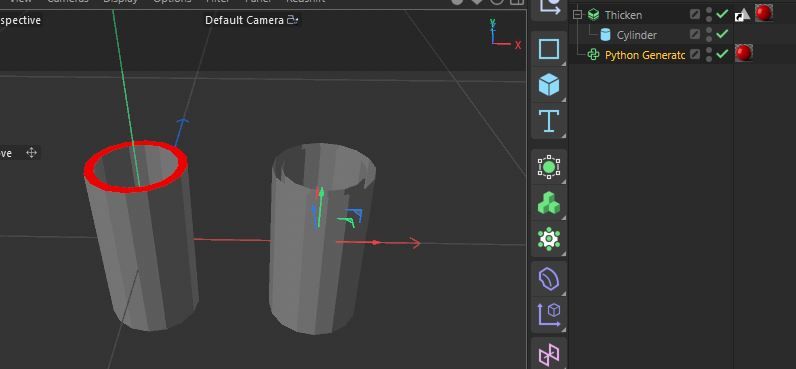
    hi @i_mazlov, ok, good to know. i also tried to insert the thicken generator into a temp_doc, activating the selections and executing passes. but that didn't work either.
  • 0 Votes
    4 Posts
    2k Views
    M
    Hi just to let you know that the bug has been fixed, this will be available in one of the next releases. I will post on this topic once the fix is available. Cheers, Maxime.
  • 0 Votes
    6 Posts
    2k Views
    i_mazlovI
    Hi @qq475519905, You issue is likely a bug in the material export code, I've created a ticket (ITEM#530704) in our internal bug tracking system. Thank you for reporting the issue! Cheers, Ilia
  • ToolData Linkbox does not retain object when one is dragged in.

    Moved python
    7
    0 Votes
    7 Posts
    2k Views
    B
    Blah! Bummer. Seemed like a bug to me. I guess I will just convert this to a CommandData plugin and use GeDialog.
  • Volume Builder GetInputObject returns something different?

    Moved 2024 c++ macos
    5
    0 Votes
    5 Posts
    2k Views
    D
    Thanks for the info! Dan
  • Particles and RenderDocument

    Moved c++ 2024
    12
    0 Votes
    12 Posts
    4k Views
    ferdinandF
    Hey @peter_horvath, Just as an FYI, you are currently limited by the issues lined out in the video, i.e., you will have to use LoadFile at the moment to get a meaningful particle simulation (or let the document be cloned by RenderDocument). The Simulation team has already fixed that issue, it will be delivered with the next major release of Cinema 4D, i.e., 2025.0.0. In case you want to test that fix, I would recommend moving this discussion over to the beta forum. Cheers, Ferdinand
  • 2024.4.0 crashes when setting key-values

    Moved 2024 python windows
    5
    0 Votes
    5 Posts
    2k Views
    M
    Hi @ThomasB, sorry for the issue. This is going to be fixed in the next version of Cinema 4D. With that's said you can workaround the issue by using directly SetParameter like so: # key[c4d.ID_CKEY_PRESET] = 2 key.SetParameter(c4d.DescID(c4d.ID_CKEY_PRESET), 2, c4d.DESCFLAGS_SET_NONE) Thanks for the report ! Cheers, Maxime.
  • Browsing field layers causes dangling/not alive references

    Moved 2024 python
    4
    0 Votes
    4 Posts
    2k Views
    ferdinandF
    Hey @baca, feel free to send us a mail to sdk_support(at)maxon(dot)net in case you cannot share code publicly. But we have to have a look at your code to see what is going on. When you say this worked before, we either have a soft regression (you did something which you should not but it somehow worked and we now broke that) or a strong one (we broke something that should work) on our hands. And for that we will need code to see what is going on. And I would not say that the performance penalty is dramatic, it more likely will be neligable. But if everyone would do that everywhere, Cinema 4D would come to a crawl. I would say you can ship your plugin with that "fix" when it does not cause any issues for you. But we should work towards solving this properly. Cheers, Ferdinand
  • issue with inserting fieldlayers in r2024

    Moved windows python 2024
    4
    0 Votes
    4 Posts
    2k Views
    M
    Hey thanks for the report, I indeed fix one issue with the InsertLayer but in your case it was another one, sadly there is no workaround for you (except the one you found). The fix will be provided in the next release. Cheers, Maxime.
  • 0 Votes
    3 Posts
    1k Views
    T
    Hi Adam, thanks for the update and the workaround!
  • 0 Votes
    5 Posts
    2k Views
    B
    Awesome, Thank you so much @m_adam ! Cheers and best regards Ben
  • 0 Votes
    2 Posts
    763 Views
    ferdinandF
    Hey @JACK0319, thank you for reaching out to us and reporting this. You are right, up is incorrect and upvector is the correct keyword. I fixed this and double checked the other keywords for the next upcoming Python documentation release. Cheers, Ferdinand
  • 0 Votes
    4 Posts
    1k Views
    ferdinandF
    @datamilch said in Calling BaseDocument.SetMode twice in a row leads to freezes: always had the feeling, that i could print feedback while it is running That is a misconception many users have. This is because most code usually runs very fast, so you do not realize it. Note that I also wrote Script Manager script. While it technically applies to all Python Scripting scene elements, the execution of the Python VM is there always blocking, it is much more prominent for a Script Manager script. Because there the module is only executed once and it is also okay to run scripts here which take seconds to execute. But it also applies for example to a Python Programming tag, the execution of the module is there also blocking. But because the module of a Python Programming tag is called many times - on each scene update at least once, and you are anyway in a world of hurt when your Python Programming tag module takes more than ~100 ms to run, it is not that obvious there. Syntax errors are evaluated before the VM actually runs because then the compilation of your code into byte code fails (which is then later interpreted by the VM). But the error is here also displayed only after the VM stopped (just as a RuntimeError which is raised by the VM and not by the compiler), but syntax errors prevent the VM from running your code in the first place. Cheers, Ferdinand import time def main() -> None: """Run as a Python Script Manager script to see that the execution of a scope in the Python VM is blocking. This will not print five 'A's with a stride of one second, but five 'A's after five seconds. """ for _ in range(5): print('A') time. Sleep(1) if __name__ == '__main__': main()
  • 0 Votes
    8 Posts
    3k Views
    sasha_janvierS
    @ferdinand Yay! Amazing. I can confirm that my solution builds without any problems in 2024.3.2. Big thanks to you and the dev team at Maxon!
  • Undo method for LayerShaderLayer

    Moved python 2024 limitation
    11
    0 Votes
    11 Posts
    3k Views
    John_DoJ
    Oof, that's an unfortunate end for me but at least I have a clear explanation. Thanks @ferdinand
  • Can REAL MIN / MAX value be changed on Init?

    Moved 2023 python s26 sdk
    20
    0 Votes
    20 Posts
    5k Views
    mocolocoM
    Hi there, Was the issue fixed on R2023 or R2024? Thanks, Christophe