• This topic is deleted!

    1
    1
    0 Votes
    1 Posts
    4 Views
    No one has replied
  • Frozen Matrix different

    2025 python
    4
    1
    0 Votes
    4 Posts
    1k Views
    kangddanK
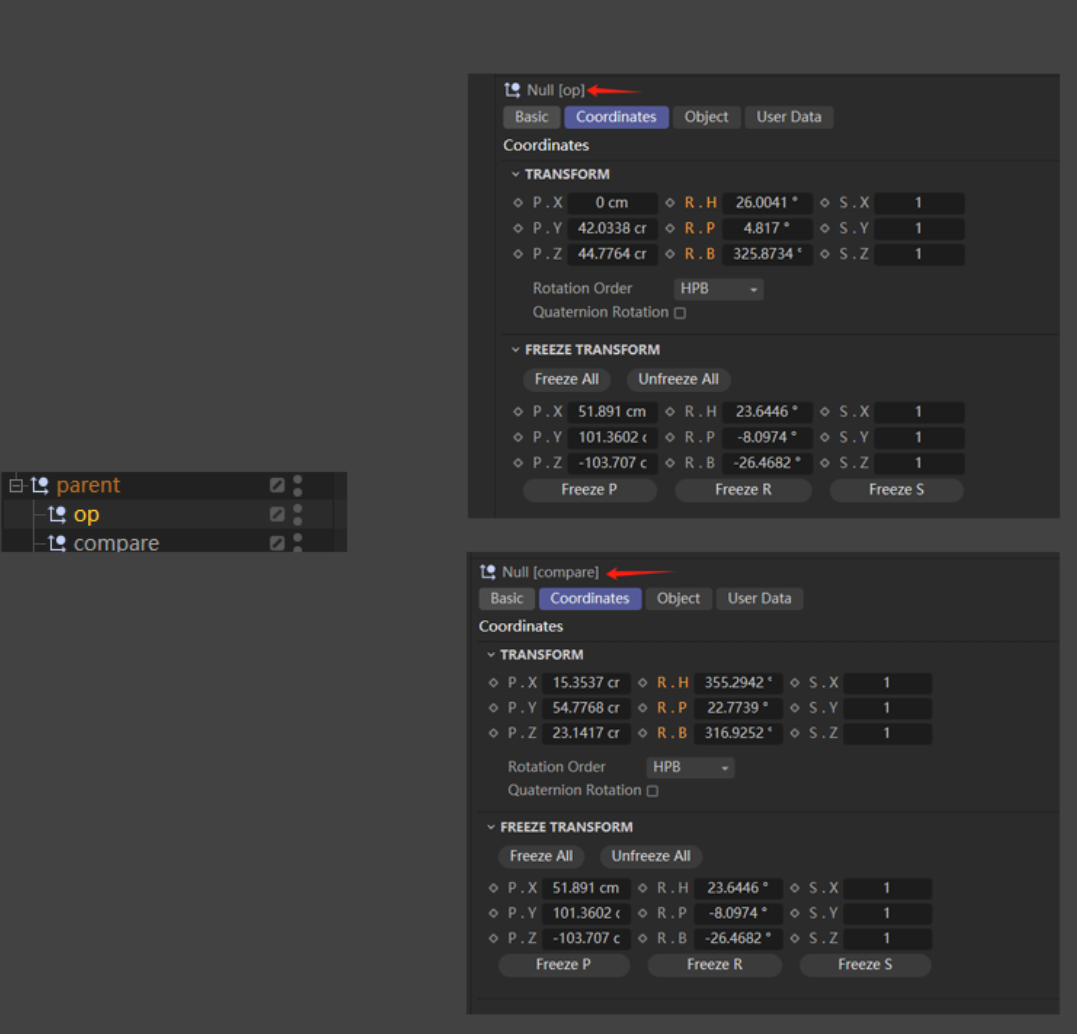
    @i_mazlov said in Frozen Matrix different: 象,并且没有其 I found that it's very similar to the offsetParentMatrix attribute introduced in Maya 2020.:)
  • Render Settings Videopost

    2025 c++ windows
    3
    1
    0 Votes
    3 Posts
    723 Views
    J
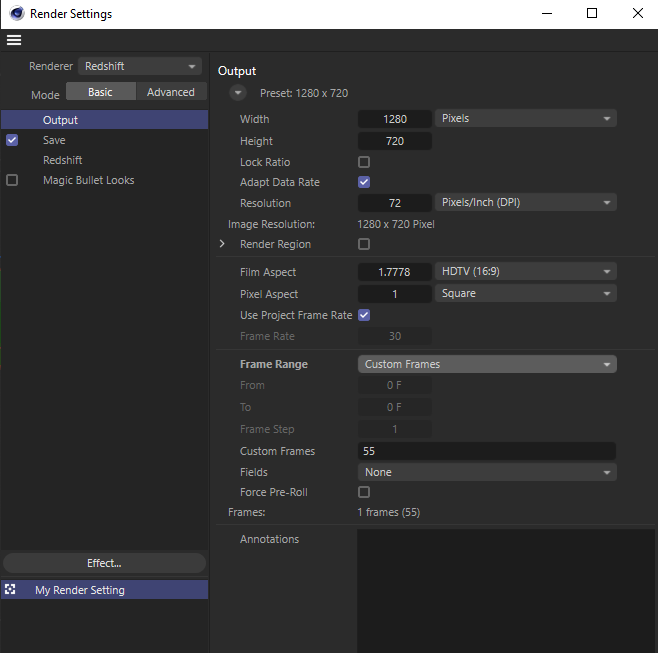
    @ferdinand Thanks for the response, I figured that would be the case. John Thomas
  • plugin Loupedeck CT with Redshift

    python 2025 windows
    2
    2
    0 Votes
    2 Posts
    578 Views
    M
    Hi @shafy sorry for the delay I was away for few times. Before we start please read the Support Procedure - About AI-Supported Development. Keep in mind we are not there to develop for you neither integrate or guide you with 3rd party module that you will most likely need in order to control knobs. With that's said what you are asking (at least retrieving a parameter and defining it) is possible for Redshift light intensity. It is as easy as drag and dropping the parameter you are interested by into the Cinema 4D Python Console as explained in Python Script Manager Manual - Drag And Drop. Additionally you can also use the Script Log to record a script or change and therefor re-execute it. Cheers, Maxime.
  • How to handle AddDependence hh deprecation in 2024 onwards

    python 2024 2025
    6
    0 Votes
    6 Posts
    1k Views
    ferdinandF
    Hey @kbar, Thank you for reaching out to us and the heads up, much appreciated. Looks like we forgot to update the function documentation, because the change is in the change notes. I updated the docs for the upcoming release. Cheers, Ferdinand
  • Is it really not possible to create a sound track through python?

    python
    2
    0 Votes
    2 Posts
    481 Views
    ferdinandF
    Hello @phillipg, Welcome to the Maxon developers forum and its community, it is great to have you with us! Getting Started Before creating your next postings, we would recommend making yourself accustomed with our forum and support procedures. You did not do anything wrong, we point all new users to these rules. Forum Overview: Provides a broad overview of the fundamental structure and rules of this forum, such as the purpose of the different sub-forums or the fact that we will ban users who engage in hate speech or harassment. Support Procedures: Provides a more in detail overview of how we provide technical support for APIs here. This topic will tell you how to ask good questions and limits of our technical support. Forum Features: Provides an overview of the technical features of this forum, such as Markdown markup or file uploads. It is strongly recommended to read the first two topics carefully, especially the section Support Procedures: How to Ask Questions. About your First Question I am not quite sure where you came across the information that it would be impossible to do this, but you can allocate and add a sound track just as any other special track as documented. Please post your code for future support requests. Cheers, Ferdinand """Adds a sound track to the selected object, unless it already has one. """ import c4d doc: c4d.documents.BaseDocument # The currently active document. op: c4d.BaseObject | None # The primary selected object in `doc`. Can be `None`. def main() -> None: """Called by Cinema 4D when the script is being executed. """ if not op: return c4d.gui.MessageDialog("Please select an object.") # The description ID for a sound track and check if it already exists on the object. did: c4d.DescID = c4d.DescID(c4d.DescLevel(c4d.CTsound, c4d.CTsound, 0)) if op.FindCTrack(did): return c4d.gui.MessageDialog("The object already has a sound track.") # Create a new sound track and add it to the object. track: c4d.CTrack = c4d.CTrack(op, did) op.InsertTrackSorted(track) c4d.EventAdd() if __name__ == '__main__': main()
  • 0 Votes
    4 Posts
    832 Views
    ferdinandF
    Hey @lionlion44, Well, doing what you want to do is only halfway possible. An object being soloed just means setting the flag EHIDE on all othe objects. And while there is OHIDE which can be used to hide scene elements in managers, e.g., an object in the Object Manager, it is not being used by the 'Set as Root/Path Bar'-function of the Object Manager. So, you cannot hook into that. What you can do is just write a simple script which operates both flags for you. But to make this air-tight, you will have to implement a plugin (to avoid accidentally saving a scene with hidden elements). Cheers, Ferdinand Result vid.mp4 Code """Demonstrates how to set the visibility of objects in the viewport and the managers. - When CTRL is not pressed while the script is invoked, the visibility state of the selected objects is set, i.e., everything that is not selected will be hidden. - When CTRL is pressed, the visibility state of the selected objects is cleared. - When HIDE_DESCENDANTS_OF_SELECTED_OBJECTS is set to True, the descendants of selected objects will be considered selected as well. WARNING: The visibility state is written PERMANENTLY into the scene graph, i.e., when one hides objects and saves the scene, the visibility state will be saved as well. One can of course just run the script while pressing CTRL to clear the visibility state of such saved and then loaded back scene, but this could possibly brick scenes for other users. To make this air-tight, one would have to implement a plugin which handles un-hiding objects before a scene is being saved (which is not super trivial in Python atm). Use this script at your own risk. """ __author__ = "Ferdinand Hoppe" __copyright__ = "Copyright 2025, Maxon Computer GmbH" import c4d import mxutils doc: c4d.documents.BaseDocument # The currently active document. op: c4d.BaseObject | None # The primary selected object in `doc`. Can be `None`. # Wether to hide objects that are descendants of selected objects. I.e., when you have A-> B -> C, # and A is selected, B and C will be considered selected as well. HIDE_DESCENDANTS_OF_SELECTED_OBJECTS: bool = True def IsSelected(node: c4d.BaseObject) -> bool: """Returns if #node is selected or if any of its predecessors are selected (when selecting descendants implicitly is enabled). """ while node: if node.GetBit(c4d.BIT_ACTIVE): return True if not HIDE_DESCENDANTS_OF_SELECTED_OBJECTS: break node = node.GetUp() return False def SetObjectVisibility(doc: c4d.documents.BaseDocument, clearSate: bool = False) -> None: """Sets the visibility of the object in the managers and the viewport. """ for node in mxutils.IterateTree(doc.GetFirstObject(), True, True, True): isSelected: bool = clearSate or IsSelected(node) node.ChangeNBit(c4d.NBIT_OHIDE, c4d.NBITCONTROL_CLEAR if isSelected else c4d.NBITCONTROL_SET) node.ChangeNBit(c4d.NBIT_EHIDE, c4d.NBITCONTROL_CLEAR if isSelected else c4d.NBITCONTROL_SET) def main() -> None: """Called by Cinema 4D whhen the """ if not op: c4d.gui.MessageDialog("No object selected.") return state: c4d.BaseContainer = c4d.BaseContainer() if not c4d.gui.GetInputState(c4d.BFM_INPUT_MOUSE, 0, state): raise RuntimeError("Failed to get input state") ctrlIsPressed: bool = state[c4d.BFM_INPUT_QUALIFIER] & c4d.QUALIFIER_CTRL # If Ctrl is pressed, clear the visibility state, otherwise set it. SetObjectVisibility(doc, True if ctrlIsPressed else False) c4d.EventAdd() if __name__ == '__main__': main()

  • Move the plane in random effect

    windows 2025
    2
    0 Votes
    2 Posts
    484 Views
    M
    Hi @Fabio-B Thank you for reaching out to us. Unfortunately, your question is off topic for the forum you have posted in. Please check the Forum Overview for an overview of the scope of the different forums. On this forum we only provide support for third party software developers about the Cinema 4D Software Development Kit. We unfortunately cannot provide end user support, as we lack the tools and the knowledge to do so. To receive end-user support, please visit our Support Center and create a ticket for your issue Cheers, Maxime.
  • 0 Votes
    4 Posts
    841 Views
    uogygiuolU
    This is fantastic, thank you so much! This works beautifully. I see your confusion with the "offset". This is absolutely my fault in formulating the question. Sorry about that. I also wanted the clones to follow a spline with an individual offset, but then thought to remove this part to not overcomplicate the question and accidentally left some traces. However, in your video you gave me valuable insight in how to achieve this as well. I already have a working sketch where I'm daisy chaining your script with a Spline Effector in the right order. Giving these thoughtful answers is incredibly valuable, you can't believe how motivating this is to go further.
  • The code entered in the Python emitter has no effect.

    r25 python windows
    4
    0 Votes
    4 Posts
    1k Views
    ferdinandF
    Hey @Fabio-B, Please note that we cannot provide support for AI generated code. See Support Procedures: Scope of Support for details. When you want the clones to move, or in other words to be animated over time, you will need a noise and cannot use hashes or random values, as they are not interpolated, i.e., continous. """Realizes an effector that attracts MoGraph particles spherically around its origin. Add the example to a Matrix object to understand its effect. In Full Control mode we can realize a true attraction force as we have full control over the particle values. Compare this example to Parameter Control mode to understand the difference. """ import c4d import mxutils op: c4d.BaseObject # The Python Effector object containing this code. gen: c4d.BaseObject # The MoGraph Generator executing `op`. doc: c4d.documents.BaseDocument # The document `op` and `gen`are contained in. def main() -> bool: """Called by Cinema 4D to evaluate the effector. """ # Get the particle data for the effector #op. Get out when either the data cannot be retrieved. data: c4d.modules.mograph.MoData = c4d.modules.mograph.GeGetMoData(op) if data is None: return 1.0 # Get the matrices of the particles. This is the array we will modify. matrices: list[c4d.Matrix] = data.GetArray(c4d.MODATA_MATRIX) # For each particle write a new persistent random height value, hashed over the index of the # particle. This will cause the height each time to be the same, as long as the index of the # particle does not change. One could also hash the position of the original particle to get a # height value that is not dependent on the index of the particle (e.g., when the user changes # the order of the particles in the Matrix object). for i in range(data.GetCount()): pos: c4d.Vector = matrices[i].off y: float = c4d.utils.noise.Noise(matrices[i].off, doc.GetTime().Get()) * 25.0 matrices[i].off = c4d.Vector(pos.x, y, pos.z) # Hash a height value over the position of the particle. # y: float = mxutils.g_random.HashVectorToNumber(matrices[i].off) * 25.0 # Write the new data back. data.SetArray(c4d.MODATA_MATRIX, matrices, op[c4d.FIELDS].HasContent()) return True Recording 2025-05-02 141611.mp4 Cheers, Ferdinand
  • C4D Python: Redshift IPR Start/Stop Control

    python windows 2025
    5
    0 Votes
    5 Posts
    975 Views
    M
    @hoganXYZ hi if it does not appear in the script log then there is no clear rules. Sometimes there is another way sometimes now it depends on how it is implemented. For the one you asked I do not think it is possible. Best bet would be to ask Redshift on their forum. Cheers, Maxime.
  • lhit from BaseVolumeData

    r21 python windows
    3
    0 Votes
    3 Posts
    664 Views
    JH23J
    Hey @m_adam, Thanks for the reply! What you’re saying makes a lot of sense C++ is clearly the better option for this kind of stuff, especially when you need more control and better performance. I haven’t had much chance to dive into C++ yet, but I’m well aware it’s way more powerful than Python when it comes to working with the engine. It’s a bit of a shame that there’s no way to directly access polygon info from Python, since that’s exactly what I needed. But still, I really appreciate you taking the time to explain it. Cheers, James H.
  • DrawHudText interferes with Polygon Pen Tool etc

    4
    0 Votes
    4 Posts
    928 Views
    i_mazlovI
    Hi @FlavioDiniz, thanks for providing more information on the issue. Regarding your "Issue 2". I see no reason for the background color (and other properties) to not work in your setup, hence I've created a bug report for that (ITEM#587756). Thanks for reporting the issues you face during your development. We are happy to handle your "Issue 1" about "constantly unsaved document" in a separate thread, once you create it yourself. Cheers, Ilia
  • Links on Tag are not animated when in Extrude Object cache

    c++
    3
    1
    0 Votes
    3 Posts
    585 Views
    E
    Thanks Ferdinand, that was kind of what I expected the awnser to be. I'll use a creative solution that doesnt trigger an unnessesary recreation of the Extrude cache
  • Cache Proxy Tag

    2025 c++ windows
    5
    0 Votes
    5 Posts
    856 Views
    J
    @ferdinand Thanks for the detailed response, unfortunately what I'm trying to do doesn't seem viable. John Thomas
  • Maxon API for Python

    python 2025 windows
    3
    0 Votes
    3 Posts
    607 Views
    ThomasBT
    @ferdinand Thank you for your detailed explanation, it shed some light on the whole matter for me.
  • Adding an Object to a New Cinema 4D Asset Database

    python macos 2025
    5
    2
    0 Votes
    5 Posts
    1k Views
    i_mazlovI
    Hi @d_keith, I would kindly ask you to check our Support Procedures, namely the "How To Ask Questions" paragraph: Singular Question: The initial posting of a support topic must contain a singular question. Do not ask ten things at once, that makes it extremely hard to answer topics. Break up your questions into multiple topics. Here you effectively have 4 different questions about Asset Browser, and these are candidates for 4 different threads on the forum. In your further postings please try to follow the aforementioned rules. Regarding your questions: Should I be able to mount a directory and have it auto-create a DB? Mounting database is effectively executing the AssetDataBasesInterface.SetDatabases. It has nothing to do with creating database neither semantically, nor is this mentioned in the docu. If you need to create repository, please use maxon.AssetInterface.CreateRepositoryFromUrl(), it will scan the directory for being already a database and create proper dir structure if it's not. Any idea why I need to re-try creating the Repo for it to work? If you face any errors in the script, please always attach at least the error message! In this case I assume you receive the following error, when executing the maxon.AssetRepositoryTypes.AssetDatabase() for the first time after Cinema 4D started. Looks like a bug to me, I've created a bug report for that (ITEM#585831). The error message: Traceback (most recent call last): File "console", line 1, in <module> File "C:\Program Files\Maxon Cinema 4D 2025\resource\modules\python\libs\python311\maxon\interface.py", line 5049, in __call__ self._cachedObj.R = _maxon_mapping.GetAssociatedDataType(dt) ^^^^^^^^^^^^^^^^^^^^^^^^^^^^^^^^^^^^^^^^ Exception: unable to find datatype As a workaround you can just execute the following line first in your main(): maxon.AssetRepositoryTypes.AssetDatabase() ... about multiple DBs ... You're giving your databases unique IDs with the line repo_id = maxon.AssetInterface.MakeUuid(str(url), True). If you need them to be the same, just pick one instead, e.g. repo_id = maxon.Id('net.maxon.sdk.cool.things.repo') ... revealing assets doesn't work... I've created a bug report for that, as it looks like a bug with refreshing in the Asset Browser. As a workaround you can reload databases and reopen the AB before reveling your assets, e.g.: def RepenAssetBrowser(): CID_ASSET_BROWSER = 1054225 # Close the Asset Browser if it's alredy opened if c4d.IsCommandChecked(CID_ASSET_BROWSER): c4d.CallCommand(CID_ASSET_BROWSER) # Open again c4d.CallCommand(CID_ASSET_BROWSER) def main(): # ... # assets = [] # ... # assets.append(asset) # ... maxon.AssetDataBasesInterface.ReloadAssetRepositories(True) RepenAssetBrowser() maxon.AssetManagerInterface.RevealAsset(assets) Cheers, Ilia
  • Enables or disables all Emission in the scene

    python 2025 windows
    3
    1
    0 Votes
    3 Posts
    579 Views
    I
    Hi Ferdinand, Thanks a lot for the clear explanation and for taking the time to share the code. The part about accessing BaseVideoPost and using REDSHIFT_RENDERER_EMISSION_ENABLE was spot on. Exactly what I needed. Works perfectly! Really appreciate it. Anthony
  • How to Execute a Modifier plugin in Expression priority

    2024 python
    7
    0 Votes
    7 Posts
    1k Views
    chuanzhenC
    @i_mazlov Thanks,it works!
  • Access the Output Folder path from a RS BakeSet

    2025 python windows
    3
    0 Votes
    3 Posts
    665 Views
    I
    Hi Ilia, Thanks a lot for the quick and clear reply! That makes sense. I had a feeling it might be a limitation of the current API. I’ll definitely follow up with the Redshift team on their forum to confirm whether there’s any workaround or future support planned for accessing those fields. Appreciate your help and the reference to the related thread! Cheers, Anthony