• Best guess at active user selection

    c++ 2023
    4
    0 Votes
    4 Posts
    706 Views
    i_mazlovI
    Hi Andy, Welcome to the Maxon developers forum and its community, it is great to have you with us! Getting Started Before creating your next postings, we would recommend making yourself accustomed with our forum and support procedures. You did not do anything wrong, we point all new users to these rules. Forum Overview: Provides a broad overview of the fundamental structure and rules of this forum, such as the purpose of the different sub-forums or the fact that we will ban users who engage in hate speech or harassment. Support Procedures: Provides a more in detail overview of how we provide technical support for APIs here. This topic will tell you how to ask good questions and limits of our technical support. Forum Features: Provides an overview of the technical features of this forum, such as Markdown markup or file uploads. It is strongly recommended to read the first two topics carefully, especially the section Support Procedures: Asking Questions. About your First Question Yes, unfortunately it's not possible to catch the "hover" event as there's no such event. So yes, you're right, you can somehow emulate the desired behavior. The suggestion for that would be to work with Core Messages, namely do your stuff (i.e. change the mode) as a reaction on catching the EVMSG_CHANGE message. For checking the selections part, you can refer to the DunHou's pointer to the Ferdinand's script. Cheers, Ilia
  • BitmapButton in Resource file

    2024 c++
    8
    0 Votes
    8 Posts
    2k Views
    i_mazlovI
    Hi @JohnThomas, sorry again for a long delay in the answer. Now I see that in this specific setup when the bitmap button is used inside the field layer plugin, the message MSG_DESCRIPTION_COMMAND is not propagated to the field layer plugin, which sounds like a bug to me. I've checked the code and it's likely due to the field layer data object being somewhat special comparing to others. I will double check this with a corresponding developer, once he's back from parental leave, and create a bug report for this to be fixed. Unfortunately, I cannot offer you any workaround for this before it's fixed. Cheers, Ilia
  • Easier Way to Offset an Animation of an Object?

    python r25 windows r21
    4
    0 Votes
    4 Posts
    1k Views
    B
    @ferdinand yea python is much more forgiving than C++. i was just wondering if there was an already existing API for such task.
  • Projecting Points from Object/World Space into Texture Space

    2024 python
    1
    1
    4 Votes
    1 Posts
    737 Views
    No one has replied
  • In the UV Manager,cubic's c4d.CallCommand()

    python 2024
    4
    1
    0 Votes
    4 Posts
    713 Views
    1
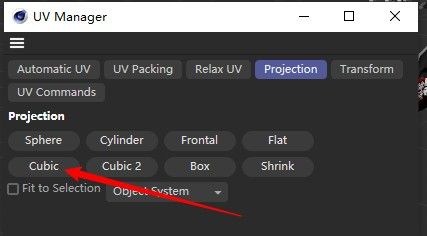
    Okay, thank you!
  • How to run UVCOMMAND_OPTIMALCUBICMAPPING

    4
    0 Votes
    4 Posts
    941 Views
    ferdinandF
    Hello @ADCMHI, your code contains syntax errors, you have index arguments after a keyword argument in your CallUVCommand call and you also refer to module attributes that do not exist in your script, uvw and cmdid. You also did not properly follow the code example I provided. Your script could either be a product of some chat bot which is not knowing what is doing (but at least CoPilot/ChatGPT write better Cinema 4D code these days) or the struggles of a beginner. And while we understand that CoPilot is a useful tool (we use it ourselves) and that everyone has to start, we cannot help you with chatbot gibberish or with learning the basics of programming. See our Support Procedures for details. I personally operate by the rule: "Newcomers have one free" and therefore fixed here your script for you. Please understand that we cannot help you with further questions that are on such a fundamental level of non-functional code. Please also understand that this is not a commitment of SDK to always provide solutions for newcomers, no matter in which state their code is. Cheers, Ferdinand Result [image: 1714386772669-357f8ac9-f2a4-4d43-983b-53e9f9d1f4c0-image-resized.png] Code """Demonstrates how to apply the `UVCOMMAND_OPTIMALCUBICMAPPING` to a list of selected objects. """ import c4d import mxutils from mxutils import CheckIterable, CheckType from c4d.modules import bodypaint def apply_cube_mapping(targets: list[c4d.PolygonObject], settings: c4d.BaseContainer) -> None: """Applies `UVCOMMAND_OPTIMALCUBICMAPPING` to each element in `targets` using the `settings` provided. """ # Check the input types. CheckType(settings, c4d.BaseContainer) CheckIterable(targets, c4d.PolygonObject, list) for obj in targets: doc: c4d.documents.BaseDocument = CheckType(obj.GetDocument(), c4d.documents.BaseDocument) # Make sure the object is the only selected object in the scene, as otherwise the UV command # will get confused. doc.SetActiveObject(obj) # EMake sure the document is in UV mode. if doc.GetMode() not in [c4d.Muvpoints, c4d.Muvpolygons]: doc.SetMode(c4d.Muvpolygons) # Acquire the active UVSet, if it doesn't exist, create one by opening the UV editor. handle: bodypaint.TempUVHandle | None = bodypaint.GetActiveUVSet(doc, c4d.GETACTIVEUVSET_ALL) if handle is None: c4d.CallCommand(170103) if c4d.API_VERSION >= 22000: c4d.modules.bodypaint.UpdateMeshUV(False) handle = c4d.modules.bodypaint.GetActiveUVSet(doc, c4d.GETACTIVEUVSET_ALL) if handle is None: raise RuntimeError("There is no Active UVSet") # Retrieve the UVW data for the active UVSet. uvw: list[dict] = handle.GetUVW() if uvw is None: raise RuntimeError(f"Failed to retrieve the uvw data for: {obj}") # Call the uv command. if not c4d.modules.bodypaint.CallUVCommand( handle.GetPoints(), handle.GetPointCount(), handle.GetPolys(), handle.GetPolyCount(), uvw, handle.GetPolySel(), handle.GetUVPointSel(), obj, handle.GetMode(), c4d.UVCOMMAND_OPTIMALCUBICMAPPING, settings): raise RuntimeError("CallUVCommand failed.") # Update the handle with the new UVW data and release it. if not handle.SetUVWFromTextureView(uvw, True, True, True): raise RuntimeError("UVW from Texture View failed to be set.") c4d.modules.bodypaint.FreeActiveUVSet(handle) print(f"Applied UV mapping to: {obj}") def main(): """Entry point of the script. """ # Your settings. settings = c4d.BaseContainer() settings[c4d.OPTIMALMAPPING_PRESERVEORIENTATION] = True settings[c4d.OPTIMALMAPPING_STRETCHTOFIT] = False settings[c4d.OPTIMALMAPPING_TWOD] = False settings[c4d.OPTIMALMAPPING_AREAFAK] = 0.0 settings[c4d.OPTIMALMAPPING_RELAXCOUNT] = 0 settings[c4d.OPTIMALMAPPING_SPACING] = 0.02 # Get all the selected objects in the scene. Your code used here BaseDocument.GetObjects() which # does not make too much sense, as it will only return all the top-level objects in the scene. selection: list[c4d.BaseObject] = doc.GetActiveObjects(c4d.GETACTIVEOBJECTFLAGS_CHILDREN) if not selection: c4d.gui.MessageDialog("Please select at least one object.") return apply_cube_mapping(selection, settings) if __name__ == "__main__": main()

  • 0 Votes
    7 Posts
    2k Views
    M
    Hi sadly no news, except we kind of know the issue, sadly this issue is somehow by design and will require an architectural change. While we still want to fix this issue, everything is about priority and this is not a urgent priority at the moment so I can't tell you when it will be fixed. But it's on our list. Cheers, Maxime.
  • MacOS : Matplotlib in C4D

    python macos 2024
    7
    0 Votes
    7 Posts
    954 Views
    M
    Hi I'm not a big expert of PyQt5, but I think you need to set the attribute Qt.AA_DontCreateNativeWidgetSiblings Attribute. Cheers, Maxime.
  • pass Variable from After Effects to C4D

    python macos 2024
    7
    0 Votes
    7 Posts
    1k Views
    M
    Hi with Cinema4D you can pass an absolute path to a python script, and it will be executed. You do not need any other argument just "Cinema 4D.exe" {ABSOLUTE_PATH_TO_PYTHON_FILES.py}. Note that this only work with Cinema 4D and not commandline ore c4dpy. Cheers, Maxime.
  • 0 Votes
    3 Posts
    698 Views
    D
    Thanks @ferdinand, you answered my question brilliantly, as you always do. Cheers
  • Extraction of indexes out of range of safeframe

    windows python 2024
    3
    0 Votes
    3 Posts
    749 Views
    S
    @ferdinand Thank you, I got the script I wanted using the answer code!
  • Tags Under Cloners

    2024 c++ windows
    3
    2
    0 Votes
    3 Posts
    691 Views
    J
    @ferdinand Thanks for the response. That's what I was afraid of. John Thomas
  • Get alls ID User Data of Object

    2024 python windows
    2
    0 Votes
    2 Posts
    457 Views
    ferdinandF
    Hey @pyxelrigger, Thank you for reaching out to us. BaseList2D.GetUserDataContainer should do the trick. Cheers, Ferdinand
  • Comparing render settings

    windows 2024 python
    2
    0 Votes
    2 Posts
    683 Views
    ferdinandF
    Hello @hoganXYZ, Welcome to the Maxon developers forum and its community, it is great to have you with us! Getting Started Before creating your next postings, we would recommend making yourself accustomed with our forum and support procedures. You did not do anything wrong, we point all new users to these rules. Forum Overview: Provides a broad overview of the fundamental structure and rules of this forum, such as the purpose of the different sub-forums or the fact that we will ban users who engage in hate speech or harassment. Support Procedures: Provides a more in detail overview of how we provide technical support for APIs here. This topic will tell you how to ask good questions and limits of our technical support. Forum Features: Provides an overview of the technical features of this forum, such as Markdown markup or file uploads. It is strongly recommended to read the first two topics carefully, especially the section Support Procedures: Asking Questions. About your First Question While you obviously have put a lot of effort in your posting, the somewhat brutal truth is that it is too long and does not pose a specific question, or that it is at least very hard to pinpoint them. I would recommend having a look at the support procedures lined out above and the section for how to ask good questions. The briefer the better and the question should be ideally in the first sentence. So, when I read here a bit between the lines, you want to access the data container of a node, for example for the render data. You somehow landed there on description access, but that is a little bit backwards way of doing things. I tried to untangle a few things in the code example shown below. I hope this helps. Cheers, Ferdinand Code """Demonstrates how to access the parameter data of a node at the example of the active render data. """ import c4d doc: c4d.documents.BaseDocument # The currently active document. op: c4d.BaseObject | None # The primary selected object in `doc`. Can be `None`. def main() -> None: """Called by Cinema 4D when the script is being executed. """ # Get the active render data for the document. rdata: c4d.documents.RenderData = doc.GetActiveRenderData() # Each scene element (e.g. objects, materials, tags, etc.) has a a data container and a # description. The data container holds the actual data, while the description holds the # UI data for that data. We get here an instance of the data container, i.e., all changes # made to #data will be reflected in the actual render data. data: c4d.BaseContainer = rdata.GetDataInstance() description: c4d.Description = rdata.GetDescription(c4d.DESCFLAGS_DESC_0) # Data containers are realized as c4d.BaseContainer objects. They are a list of key-value pairs # where the key is an integer and the value is one of the many types a BaseContainer can hold. # For these integer values then exist symbols to make things a bit more readable. We can iterate # over a container, but unlike for descriptions this will not unfold nested containers. for key, value in data: print(f"Key: {key}, Type: {type(value)}, Value: {value}") # Key: 6014, Type: <class 'int'>, Value: 1 # Key: 5008, Type: <class 'float'>, Value: 1280.0 # Key: 5009, Type: <class 'float'>, Value: 720.0 # Key: 6004, Type: <class 'float'>, Value: 72.0 # Key: 6006, Type: <class 'float'>, Value: 1.7777777777777777 # ... # Or we can use a symbol to access a value directly, here with __getitem__ syntax (the square # brackets) unique to Python (there are also GetInt32, GetFloat, GetString, etc. methods). print(f"{data[c4d.RDATA_XRES] = }") # data[c4d.RDATA_XRES] = 1280.0 print ("\n", "-" * 100, "\n") # A description is the somewhat GUI counter part to the data container of a node, it holds for # example the name of a parameter (in the currently active language) and also its API symbol # (when there is one, not all parameters have one). Descriptions also expose more data "entries" # then a data container, as we will also see here things like groups and basic parameters shared # by all nodes. descData: c4d.BaseContainer # The data container of the currently yielded parameter. pid: int # The ID of the currently yielded parameter. # Iterate over all parameters in the description, this will unfold nested data. for descData, pid, _ in description: label: str = descData[c4d.DESC_NAME] # Get the label of the parameter as seen in Cinema 4D. # One of the more fringe values of a description are the API symbol strings. Here we better # use a getter function as there is no guarantee that these symbols are actually present. apiSymbol: str | None = descData.GetString(c4d.DESC_IDENT, None) if not apiSymbol: apiSymbol = descData.GetString(c4d.DESC_IDENT_ORIGIN, None) # The value for the parameter can be accessed with the yielded DescID and and the node itself, # (not the data container). We use here C4DAtom.GetParameter() which in Python is again # wrapped as __getitem__ (in this case as GeListNode.__getitem__ for some reason and not as # C4DAtom.__getitem__). # We have to be however a bit cautious as not all parameter values are wrapped for Python # and accessing them will then fail. Other than the data container, the description will # relentlessly iterate over everything in that node, intended for public consumption or not. value: any = "Inaccessible in Python" try: value: any = rdata[pid] except Exception as e: pass print (f"Label: {label}, API Symbol: {apiSymbol}, Value: {value}") # Label: Basic Properties, API Symbol: Obaselist, Value: Inaccessible in Python # Label: Icon, API Symbol: ID_BASELIST_ICON_SETTINGS_GROUP, Value: Inaccessible in Python # Label: Icon File / ID, API Symbol: ID_BASELIST_ICON_FILE, Value: # Label: Icon Color, API Symbol: None, Value: 0 # Label: Color, API Symbol: ID_BASELIST_ICON_COLOR, Value: Vector(1, 0.9, 0.4) # For more details about description containers see: # https://developers.maxon.net/docs/py/2024_4_0a/modules/c4d/Description/ # What to do here from here on out is up to you. You could technically accumulate all # parameter values that have an API symbol and then store them in a dictionary but the # question would be "why?" as that is not how Cinema 4D works. If you just want to store # aka serialize some Cinema 4D data, you should HyperFile as it can store things like a # BaseContainer directly. # # Finally, regarding the unsupported types when accessing parameters, you will run into # this a lot when working with Redshift as it does not expose its specialized data # types to Python. The somewhat counter intuitive answer to that is then multi-level # DescIDs. Parameters can be nested in Cinema 4D and while you might not have access to # # myNode[c4d.RS_FANCY_PARAM] # # which returns FancyType, you might have access to # # myNode[c4d.RS_FANCY_PARAM, c4d.RS_STRING_COMPONENT] # # I.e., a string component within the FancyType. This is a bit of a rabbit hole and you # should open a new thread if you run into this issue. if __name__ == '__main__': main() Full output (yikes!): Key: 6014, Type: <class 'int'>, Value: 1 Key: 5008, Type: <class 'float'>, Value: 1280.0 Key: 5009, Type: <class 'float'>, Value: 720.0 Key: 6004, Type: <class 'float'>, Value: 72.0 Key: 6006, Type: <class 'float'>, Value: 1.7777777777777777 Key: 6025, Type: <class 'int'>, Value: 1 Key: 6002, Type: <class 'int'>, Value: 0 Key: 6008, Type: <class 'float'>, Value: 1.0 Key: 5300, Type: <class 'int'>, Value: 1036219 Key: 5002, Type: <class 'int'>, Value: 1 Key: 6016, Type: <class 'int'>, Value: 1 Key: 6017, Type: <class 'int'>, Value: 1 Key: 6018, Type: <class 'int'>, Value: 1 Key: 6019, Type: <class 'int'>, Value: 1 Key: 6020, Type: <class 'int'>, Value: 0 Key: 6021, Type: <class 'int'>, Value: 0 Key: 6027, Type: <class 'int'>, Value: 0 Key: 5007, Type: <class 'int'>, Value: 2 Key: 5010, Type: <class 'int'>, Value: 0 Key: 5011, Type: <class 'float'>, Value: 320.0 Key: 5012, Type: <class 'float'>, Value: 240.0 Key: 5013, Type: <class 'float'>, Value: 1.0 Key: 5014, Type: <class 'float'>, Value: 1.0 Key: 5016, Type: <class 'int'>, Value: 1 Key: 5081, Type: <class 'int'>, Value: 1 Key: 5017, Type: <class 'c4d.BaseTime'>, Value: <c4d.BaseTime object at 0x7f8364192080> Key: 5018, Type: <class 'c4d.BaseTime'>, Value: <c4d.BaseTime object at 0x7f8364190a00> Key: 5019, Type: <class 'int'>, Value: 0 Key: 5020, Type: <class 'float'>, Value: 30.0 Key: 5021, Type: <class 'int'>, Value: 0 Key: 5022, Type: <class 'int'>, Value: 1 Key: 5024, Type: <class 'int'>, Value: 1 Key: 5025, Type: <class 'int'>, Value: 15 Key: 5026, Type: <class 'int'>, Value: 15 Key: 5027, Type: <class 'float'>, Value: 0.001 Key: 5028, Type: <class 'float'>, Value: 0.5 Key: 28508, Type: <class 'float'>, Value: 2.0 Key: 28509, Type: <class 'float'>, Value: 2.0 Key: 28510, Type: <class 'int'>, Value: 0 Key: 5061, Type: <class 'float'>, Value: 1.0 Key: 5063, Type: <class 'int'>, Value: 5 Key: 5064, Type: <class 'int'>, Value: 1 Key: 5033, Type: <class 'int'>, Value: 1100 Key: 5035, Type: <class 'int'>, Value: 0 Key: 5076, Type: <class 'int'>, Value: 1 Key: 5077, Type: <class 'int'>, Value: 0 Key: 5036, Type: <class 'int'>, Value: 0 Key: 5038, Type: <class 'int'>, Value: 0 Key: 5039, Type: <class 'int'>, Value: 0 Key: 5219, Type: <class 'int'>, Value: 0 Key: 5040, Type: <class 'int'>, Value: 0 Key: 5065, Type: <class 'int'>, Value: 320 Key: 5066, Type: <class 'int'>, Value: 240 Key: 5041, Type: <class 'str'>, Value: Key: 5043, Type: <class 'int'>, Value: 36 Key: 5044, Type: <class 'float'>, Value: 0.0 Key: 5045, Type: <class 'float'>, Value: 6.283185307179586 Key: 5046, Type: <class 'int'>, Value: 19 Key: 5047, Type: <class 'float'>, Value: 1.5707963267948966 Key: 5048, Type: <class 'float'>, Value: -1.5707963267948966 Key: 5052, Type: <class 'int'>, Value: 1 Key: 5079, Type: <class 'int'>, Value: 0 Key: 5080, Type: <class 'int'>, Value: 0 Key: 5069, Type: <class 'int'>, Value: 1 Key: 5071, Type: <class 'float'>, Value: 0.1 Key: 5078, Type: <class 'float'>, Value: 0.5 Key: 5070, Type: <class 'int'>, Value: 0 Key: 5072, Type: <class 'int'>, Value: 0 Key: 5073, Type: <class 'int'>, Value: 2 Key: 5074, Type: <class 'int'>, Value: 1 Key: 5082, Type: <class 'int'>, Value: 0 Key: 5075, Type: <class 'int'>, Value: 1 Key: 5200, Type: <class 'int'>, Value: 1 Key: 5201, Type: <class 'int'>, Value: 1 Key: 5606, Type: <class 'int'>, Value: 0 Key: 5211, Type: <class 'int'>, Value: 0 Key: 9200, Type: <class 'int'>, Value: 0 Key: 5212, Type: <class 'int'>, Value: 0 Key: 5202, Type: <class 'int'>, Value: 1 Key: 5203, Type: <class 'int'>, Value: 1106 Key: 5205, Type: <class 'int'>, Value: 0 Key: 5206, Type: <class 'str'>, Value: Key: 5207, Type: <class 'int'>, Value: 1 Key: 5208, Type: <class 'int'>, Value: 2 Key: 5210, Type: <class 'int'>, Value: 1 Key: 5401, Type: <class 'int'>, Value: 1 Key: 5301, Type: <class 'int'>, Value: 0 Key: 5603, Type: <class 'float'>, Value: 1.0 Key: 5604, Type: <class 'int'>, Value: 1 Key: 6023, Type: <class 'int'>, Value: 0 Key: 6024, Type: <class 'int'>, Value: 1 Key: 5502, Type: <class 'float'>, Value: 128.0 Key: 6013, Type: <class 'int'>, Value: 1 Key: 6012, Type: <class 'int'>, Value: 1 Key: 7002, Type: <class 'int'>, Value: 1 Key: 7000, Type: <class 'int'>, Value: 64 Key: 7001, Type: <class 'int'>, Value: 64 Key: 7003, Type: <class 'int'>, Value: 0 Key: 7004, Type: <class 'int'>, Value: 0 Key: 7005, Type: <class 'int'>, Value: 0 Key: 7006, Type: <class 'int'>, Value: 0 Key: 7007, Type: <class 'int'>, Value: 0 Key: 7008, Type: <class 'int'>, Value: 0 Key: 6003, Type: <class 'int'>, Value: 0 Key: 6005, Type: <class 'int'>, Value: 1 Key: 28507, Type: <class 'c4d.bitmaps.ColorProfile'>, Value: sRGB IEC61966-2.1 Key: 5204, Type: <class 'c4d.BaseContainer'>, Value: <c4d.BaseContainer object at 0x7f836ac2c700> Key: 5702, Type: <class 'c4d.BaseContainer'>, Value: <c4d.BaseContainer object at 0x7f836ac2ca80> Key: 8000, Type: <class 'int'>, Value: 0 Key: 8018, Type: <class 'int'>, Value: 0 Key: 8001, Type: <class 'int'>, Value: 2 Key: 8023, Type: <class 'int'>, Value: 1 Key: 8002, Type: <class 'int'>, Value: 0 Key: 8003, Type: <class 'int'>, Value: 0 Key: 8004, Type: <class 'int'>, Value: 2 Key: 8007, Type: <class 'int'>, Value: 0 Key: 8005, Type: <class 'int'>, Value: 4 Key: 8006, Type: <class 'int'>, Value: 0 Key: 8013, Type: <class 'int'>, Value: 0 Key: 8014, Type: <class 'c4d.Vector'>, Value: Vector(1, 0, 0) Key: 8015, Type: <class 'c4d.Vector'>, Value: Vector(0, 1, 0) Key: 8009, Type: <class 'int'>, Value: 0 Key: 8011, Type: <class 'int'>, Value: 0 Key: 8010, Type: <class 'int'>, Value: 0 Key: 8012, Type: <class 'int'>, Value: 0 Key: 8017, Type: <class 'int'>, Value: 0 Key: 8021, Type: <class 'int'>, Value: 1 Key: 8022, Type: <class 'int'>, Value: 0 Key: 8500, Type: <class 'int'>, Value: 0 Key: 8501, Type: <class 'int'>, Value: 0 Key: 8502, Type: <class 'int'>, Value: 0 Key: 9000, Type: <class 'int'>, Value: 1 Key: 9001, Type: <class 'int'>, Value: 1 Key: 9002, Type: <class 'int'>, Value: 1 Key: 9003, Type: <class 'int'>, Value: 0 Key: 9004, Type: <class 'int'>, Value: 1 Key: 10002, Type: <class 'int'>, Value: 1 Key: 10003, Type: <class 'c4d.InExcludeData'>, Value: <c4d.InExcludeData object at 0x7f836ac0f300> Key: 10004, Type: <class 'int'>, Value: 0 Key: 10006, Type: <class 'int'>, Value: 0 Key: 10007, Type: <class 'int'>, Value: 1 Key: 10008, Type: <class 'int'>, Value: 0 Key: 10011, Type: <class 'int'>, Value: 1 Key: 10012, Type: <class 'int'>, Value: 1 Key: 10013, Type: <class 'int'>, Value: 1 Key: 10015, Type: <class 'int'>, Value: 1 Key: 10000, Type: <class 'int'>, Value: 0 Key: 10001, Type: <class 'NoneType'>, Value: None Key: 1041671, Type: <class 'c4d.Vector'>, Value: Vector(1, 0.9, 0.4) data[c4d.RDATA_XRES] = 1280.0 ---------------------------------------------------------------------------------------------------- Label: Basic Properties, API Symbol: Obaselist, Value: Inaccessible in Python Label: Icon, API Symbol: ID_BASELIST_ICON_SETTINGS_GROUP, Value: Inaccessible in Python Label: Icon File / ID, API Symbol: ID_BASELIST_ICON_FILE, Value: Label: Icon Color, API Symbol: None, Value: 0 Label: Color, API Symbol: ID_BASELIST_ICON_COLOR, Value: Vector(1, 0.9, 0.4) Label: , API Symbol: None, Value: Inaccessible in Python Label: , API Symbol: ID_BASELIST_ICON_PRESET_BUTTONS, Value: Inaccessible in Python Label: Name, API Symbol: ID_BASELIST_NAME, Value: My Render Setting Label: Layer, API Symbol: ID_LAYER_LINK, Value: None Label: Node Space, API Symbol: ID_BASELIST_NODESPACE_ADD_REMOVE_GROUP, Value: Inaccessible in Python Label: , API Symbol: ID_BASELIST_NODESPACE_ADD_REMOVE_BUTTONS, Value: Inaccessible in Python Label: , API Symbol: None, Value: Inaccessible in Python Label: Save, API Symbol: RDATA_GLOBALSAVE, Value: 1 Label: Enable Multi-Pass Rendering, API Symbol: RDATA_MULTIPASS_ENABLE, Value: 1 Label: Enable Stereoscopic Rendering, API Symbol: RDATA_STEREO, Value: 0 Label: Material Override, API Symbol: RDATA_MATERIAL_OVERRIDE, Value: 0 Label: , API Symbol: None, Value: Inaccessible in Python Label: Renderer, API Symbol: RDATA_RENDERENGINE, Value: 1036219 Label: Enable Magic Bullet Looks, API Symbol: None, Value: 0 Label: None, API Symbol: None, Value: Inaccessible in Python Label: Enable Post Effects Pass, API Symbol: None, Value: 1 Label: Output, API Symbol: RDATA_GROUP_OUTPUT, Value: Inaccessible in Python Label: , API Symbol: None, Value: Inaccessible in Python Label: , API Symbol: RDATA_PRESET, Value: None Label: , API Symbol: RDATA_PRESETTEXT, Value: Preset: 1280 x 720 Label: , API Symbol: None, Value: Label: , API Symbol: None, Value: Inaccessible in Python Label: Width, API Symbol: RDATA_XRES, Value: 1280.0 Label: Width, API Symbol: RDATA_XRES_VIRTUAL, Value: 1280.0 Label: , API Symbol: RDATA_SIZEUNIT, Value: 0 Label: , API Symbol: None, Value: Label: Height, API Symbol: RDATA_YRES, Value: 720.0 Label: Height, API Symbol: RDATA_YRES_VIRTUAL, Value: 720.0 Label: , API Symbol: None, Value: Label: , API Symbol: None, Value: Label: Lock Ratio, API Symbol: RDATA_LOCKRATIO, Value: 0 Label: , API Symbol: None, Value: Label: , API Symbol: None, Value: Label: Adapt Data Rate, API Symbol: RDATA_ADAPT_DATARATE, Value: 1 Label: , API Symbol: None, Value: Label: , API Symbol: None, Value: Label: Resolution, API Symbol: RDATA_PIXELRESOLUTION, Value: 72.0 Label: Resolution, API Symbol: RDATA_PIXELRESOLUTION_VIRTUAL, Value: 72.0 Label: , API Symbol: RDATA_PIXELRESOLUTIONUNIT, Value: 1 Label: , API Symbol: None, Value: Label: Image Resolution: , API Symbol: RDATA_INFOTEXT, Value: 1280 x 720 Pixel Label: , API Symbol: None, Value: Label: , API Symbol: None, Value: Label: Warning:, API Symbol: RDATA_PIXELRESOLUTION_WARNING, Value: Label: , API Symbol: None, Value: Label: , API Symbol: None, Value: Label: Render Region, API Symbol: RDATA_RENDERREGION, Value: 0 Label: , API Symbol: None, Value: Label: , API Symbol: None, Value: Label: Left Border, API Symbol: RDATA_RENDERREGION_LEFT, Value: 0 Label: Copy from IRR, API Symbol: RDATA_FROMIRR, Value: Inaccessible in Python Label: , API Symbol: RDATA_FROMIRR_STATICTEXT, Value: Label: , API Symbol: None, Value: Label: Top Border, API Symbol: RDATA_RENDERREGION_TOP, Value: 0 Label: , API Symbol: None, Value: Label: , API Symbol: None, Value: Label: Right Border, API Symbol: RDATA_RENDERREGION_RIGHT, Value: 0 Label: , API Symbol: None, Value: Label: , API Symbol: None, Value: Label: Bottom Border, API Symbol: RDATA_RENDERREGION_BOTTOM, Value: 0 Label: , API Symbol: None, Value: Label: , API Symbol: None, Value: Label: , API Symbol: None, Value: Inaccessible in Python Label: , API Symbol: None, Value: Label: , API Symbol: None, Value: Label: Film Aspect, API Symbol: RDATA_FILMASPECT, Value: 1.7777777777777777 Label: , API Symbol: RDATA_FILMPRESET, Value: 3 Label: , API Symbol: None, Value: Label: Pixel Aspect, API Symbol: RDATA_PIXELASPECT, Value: 1.0 Label: , API Symbol: RDATA_PIXELPRESET, Value: 1 Label: , API Symbol: None, Value: Label: Frame Rate, API Symbol: RDATA_FRAMERATE, Value: 30.0 Label: , API Symbol: None, Value: Label: , API Symbol: None, Value: Label: , API Symbol: None, Value: Inaccessible in Python Label: , API Symbol: None, Value: Label: , API Symbol: None, Value: Label: Frame Range, API Symbol: RDATA_FRAMESEQUENCE, Value: 1 Label: , API Symbol: None, Value: Label: , API Symbol: None, Value: Label: From, API Symbol: RDATA_FRAMEFROM, Value: <c4d.BaseTime object at 0x7f836ab60500> Label: , API Symbol: None, Value: Label: , API Symbol: None, Value: Label: To, API Symbol: RDATA_FRAMETO, Value: <c4d.BaseTime object at 0x7f836ab60500> Label: , API Symbol: None, Value: Label: , API Symbol: None, Value: Label: Frame Step, API Symbol: RDATA_FRAMESTEP, Value: 1 Label: , API Symbol: None, Value: Label: , API Symbol: None, Value: Label: Fields, API Symbol: RDATA_FIELD, Value: 0 Label: , API Symbol: None, Value: Label: , API Symbol: None, Value: Label: Frames: , API Symbol: RDATA_FRAMEOUTPUT, Value: 1 (from 0 to 0) Label: , API Symbol: None, Value: Label: , API Symbol: None, Value: Label: , API Symbol: None, Value: Inaccessible in Python Label: , API Symbol: None, Value: Label: , API Symbol: None, Value: Label: Annotations, API Symbol: RDATA_HELPTEXT, Value: Label: , API Symbol: None, Value: Label: , API Symbol: None, Value: Label: Save, API Symbol: RDATA_GROUP_SAVE, Value: Inaccessible in Python Label: Regular Image, API Symbol: RDATA_GROUP_SAVEIMAGE, Value: Inaccessible in Python Label: , API Symbol: None, Value: Inaccessible in Python Label: Save, API Symbol: RDATA_SAVEIMAGE, Value: 1 Label: , API Symbol: None, Value: Label: File, API Symbol: RDATA_PATH, Value: Label: , API Symbol: None, Value: Label: , API Symbol: None, Value: Inaccessible in Python Label: Format, API Symbol: RDATA_FORMAT, Value: 1100 Label: , API Symbol: None, Value: Label: Warning:, API Symbol: RDATA_FORMAT_WARNING, Value: Label: , API Symbol: None, Value: Label: Options..., API Symbol: RDATA_SAVEOPTIONS, Value: <c4d.BaseList2D object called with ID 300001078 at 140202407763456> Label: , API Symbol: None, Value: Label: Depth, API Symbol: RDATA_FORMATDEPTH, Value: 0 Label: , API Symbol: None, Value: Label: Name, API Symbol: RDATA_NAMEFORMAT, Value: 0 Label: , API Symbol: None, Value: Label: Image Color Profile, API Symbol: RDATA_IMAGECOLORPROFILE, Value: sRGB IEC61966-2.1 Label: , API Symbol: None, Value: Label: Alpha Channel, API Symbol: RDATA_ALPHACHANNEL, Value: 0 Label: , API Symbol: None, Value: Label: Straight Alpha, API Symbol: RDATA_STRAIGHTALPHA, Value: 0 Label: , API Symbol: None, Value: Label: Separate Alpha, API Symbol: RDATA_SEPARATEALPHA, Value: 0 Label: , API Symbol: None, Value: Label: 8 Bit Dithering, API Symbol: RDATA_TRUECOLORDITHERING, Value: 1 Label: , API Symbol: None, Value: Label: Include Sound, API Symbol: RDATA_INCLUDESOUND, Value: 0 Label: , API Symbol: None, Value: Label: Bake View Transform, API Symbol: RDATA_BAKE_OCIO_VIEW_TRANSFORM, Value: 0 Label: , API Symbol: None, Value: Label: QuickTime VR Options, API Symbol: RDATA_GROUP_QUICKTIMEVR, Value: Inaccessible in Python Label: Generate File, API Symbol: RDATA_VRGENERATE, Value: 0 Label: Horizontal Steps, API Symbol: RDATA_HSTEPS, Value: 36 Label: Start Angle, API Symbol: RDATA_HSTART, Value: 0.0 Label: End Angle, API Symbol: RDATA_HEND, Value: 6.283185307179586 Label: Vertical Steps, API Symbol: RDATA_VSTEPS, Value: 19 Label: Start Angle, API Symbol: RDATA_VSTART, Value: 1.5707963267948966 Label: End Angle, API Symbol: RDATA_VEND, Value: -1.5707963267948966 Label: Default X Resolution, API Symbol: RDATA_VRDEFAULTX, Value: 320 Label: Default Y Resolution, API Symbol: RDATA_VRDEFAULTY, Value: 240 Label: Multi-Pass Image, API Symbol: RDATA_GROUP_SAVEMULTIPASSIMAGE, Value: Inaccessible in Python Label: , API Symbol: None, Value: Inaccessible in Python Label: Save, API Symbol: RDATA_MULTIPASS_SAVEIMAGE, Value: 1 Label: , API Symbol: None, Value: Label: File, API Symbol: RDATA_MULTIPASS_FILENAME, Value: Label: , API Symbol: None, Value: Inaccessible in Python Label: Format, API Symbol: RDATA_MULTIPASS_SAVEFORMAT, Value: 1106 Label: , API Symbol: None, Value: Label: Warning:, API Symbol: RDATA_MULTIPASS_SAVEFORMAT_WARNING, Value: Label: , API Symbol: None, Value: Label: Options..., API Symbol: RDATA_MULTIPASS_SAVEOPTIONS, Value: <c4d.BaseList2D object called with ID 300001078 at 140202407771904> Label: , API Symbol: None, Value: Label: Depth, API Symbol: RDATA_MULTIPASS_SAVEDEPTH, Value: 1 Label: , API Symbol: None, Value: Label: Multi-Layer File, API Symbol: RDATA_MULTIPASS_SAVEONEFILE, Value: 1 Label: , API Symbol: None, Value: Label: Layer Name as Suffix, API Symbol: RDATA_MULTIPASS_SUFFIX, Value: 1 Label: , API Symbol: None, Value: Label: User Defined Layer Name, API Symbol: RDATA_MULTIPASS_USERNAMES, Value: 0 Label: , API Symbol: None, Value: Label: Straight Alpha, API Symbol: RDATA_MULTIPASS_STRAIGHTALPHA, Value: 0 Label: , API Symbol: None, Value: Label: Compositing Project File, API Symbol: RDATA_GROUP_PROJECTFILE, Value: Inaccessible in Python Label: Save, API Symbol: RDATA_PROJECTFILE, Value: 0 Label: Target Application, API Symbol: RDATA_PROJECTFILETYPE, Value: 0 Label: Relative, API Symbol: RDATA_PROJECTFILELOCAL, Value: 0 Label: Include Timeline Marker, API Symbol: RDATA_PROJECTFILEMARKER, Value: 0 Label: Include 3D Data, API Symbol: RDATA_PROJECTFILEDATA, Value: 0 Label: Save FBX File, API Symbol: RDATA_PROJECTFILEFBX, Value: 0 Label: Save Alembic File, API Symbol: RDATA_PROJECTFILEABC, Value: 0 Label: Save Project File..., API Symbol: RDATA_PROJECTFILESAVE, Value: Inaccessible in Python Label: Multi-Pass, API Symbol: RDATA_GROUP_MULTIPASS, Value: Inaccessible in Python Label: Separate Lights, API Symbol: RDATA_MULTIPASS_LIGHTS, Value: 0 Label: Mode, API Symbol: RDATA_MULTIPASS_LIGHTMODE, Value: 2 Label: Shadow Correction, API Symbol: RDATA_MULTIPASS_SHADOWCORRECTION, Value: 0 Label: Anti-Aliasing, API Symbol: RDATA_GROUP_ANTIALIASING, Value: Inaccessible in Python Label: Anti-Aliasing, API Symbol: RDATA_ANTIALIASING, Value: 1 Label: , API Symbol: None, Value: Label: Min Level, API Symbol: RDATA_AAMINLEVEL, Value: 0 Label: , API Symbol: None, Value: Label: Max Level, API Symbol: RDATA_AAMAXLEVEL, Value: 2 Label: , API Symbol: None, Value: Label: Threshold, API Symbol: RDATA_AATHRESHOLD, Value: 0.1 Label: , API Symbol: None, Value: Label: Use Object Properties, API Symbol: RDATA_AAOBJECTPROPERTIES, Value: 1 Label: , API Symbol: None, Value: Label: Consider Multi-Passes, API Symbol: RDATA_AACONSIDERMULTIPASSES, Value: 0 Label: , API Symbol: None, Value: Label: , API Symbol: None, Value: Inaccessible in Python Label: , API Symbol: None, Value: Label: Filter, API Symbol: RDATA_AAFILTER, Value: 0 Label: , API Symbol: None, Value: Label: Custom Size, API Symbol: RDATA_AACUSTOMFILTERSIZE, Value: 0 Label: , API Symbol: None, Value: Label: Filter Width, API Symbol: RDATA_AAFILTERSIZEX, Value: 2.0 Label: , API Symbol: None, Value: Label: Filter Height, API Symbol: RDATA_AAFILTERSIZEY, Value: 2.0 Label: , API Symbol: None, Value: Label: Clip Negative Component, API Symbol: RDATA_AACLIPNEGATIVE, Value: 0 Label: , API Symbol: None, Value: Label: , API Symbol: None, Value: Inaccessible in Python Label: , API Symbol: None, Value: Label: MIP Scale, API Symbol: RDATA_AAMIPGLOBAL, Value: 0.5 Label: , API Symbol: None, Value: Label: Small Fragments, API Symbol: RDATA_SMALLFRAGMENTS, Value: 0 Label: Material Override, API Symbol: RDATA_GROUP_OVERRIDEMAT, Value: Inaccessible in Python Label: , API Symbol: None, Value: Inaccessible in Python Label: Custom Material, API Symbol: RDATA_MATERIAL_OVERRIDE_LINK, Value: None Label: , API Symbol: None, Value: Label: , API Symbol: None, Value: Label: Mode, API Symbol: RDATA_MATERIAL_OVERRIDE_EXCLUSION_MODE, Value: 1 Label: , API Symbol: None, Value: Label: , API Symbol: None, Value: Label: Materials, API Symbol: RDATA_MATERIAL_OVERRIDE_EXCLUSION_LIST, Value: <c4d.InExcludeData object at 0x7f836ab66f80> Label: , API Symbol: None, Value: Label: , API Symbol: None, Value: Label: Preserve, API Symbol: RDATA_GROUP_OVERRIDEMAT_PRESERVE, Value: Inaccessible in Python Label: Diffuse Color, API Symbol: RDATA_MATERIAL_OVERRIDE_COLOR, Value: 0 Label: Luminance, API Symbol: RDATA_MATERIAL_OVERRIDE_LUMINANCE, Value: 0 Label: Transparency, API Symbol: RDATA_MATERIAL_OVERRIDE_TRANS, Value: 1 Label: Reflectance, API Symbol: RDATA_MATERIAL_OVERRIDE_REFL, Value: 0 Label: Bump, API Symbol: RDATA_MATERIAL_OVERRIDE_BUMP, Value: 1 Label: Normal, API Symbol: RDATA_MATERIAL_OVERRIDE_NORM, Value: 1 Label: Alpha, API Symbol: RDATA_MATERIAL_OVERRIDE_ALPHA, Value: 1 Label: Displacement, API Symbol: RDATA_MATERIAL_OVERRIDE_DSPL, Value: 1 Label: The node materials are not supported., API Symbol: RDATA_GROUP_OVERRIDEMAT_PRESERVE_STR, Value: Label: Options, API Symbol: RDATA_GROUP_OPTIONS, Value: Inaccessible in Python Label: , API Symbol: None, Value: Inaccessible in Python Label: Transparency, API Symbol: RDATA_OPTION_TRANSPARENCY, Value: 1 Label: Ray Threshold, API Symbol: RDATA_THRESHOLD, Value: 0.001 Label: , API Symbol: None, Value: Label: Refraction, API Symbol: RDATA_OPTION_REFRACTION, Value: 1 Label: Ray Depth, API Symbol: RDATA_RAYDEPTH, Value: 15 Label: , API Symbol: None, Value: Label: Reflection, API Symbol: RDATA_OPTION_REFLECTION, Value: 1 Label: Reflection Depth, API Symbol: RDATA_REFLECTIONDEPTH, Value: 5 Label: , API Symbol: None, Value: Label: Shadow, API Symbol: RDATA_OPTION_SHADOW, Value: 1 Label: Shadow Depth, API Symbol: RDATA_SHADOWDEPTH, Value: 15 Label: , API Symbol: None, Value: Label: , API Symbol: None, Value: Inaccessible in Python Label: , API Symbol: None, Value: Label: , API Symbol: None, Value: Label: Limit Reflections to Floor/Sky, API Symbol: RDATA_LIMITREFLECTION, Value: 0 Label: Level of Detail, API Symbol: RDATA_LOD, Value: 1.0 Label: , API Symbol: None, Value: Label: Blurriness, API Symbol: RDATA_ENABLEBLURRY, Value: 1 Label: Global Brightness, API Symbol: RDATA_GLOBALBRIGHTNESS, Value: 1.0 Label: , API Symbol: None, Value: Label: Limit Shadows to Soft, API Symbol: RDATA_LIMITSHADOW, Value: 0 Label: Motion Scale, API Symbol: RDATA_MOTIONLENGTH, Value: 128.0 Label: , API Symbol: None, Value: Label: Cache Shadow Maps, API Symbol: RDATA_CACHESHADOWMAPS, Value: 0 Label: , API Symbol: None, Value: Label: Active Object Only, API Symbol: RDATA_ACTIVEOBJECTONLY, Value: 0 Label: , API Symbol: None, Value: Label: Default Light, API Symbol: RDATA_AUTOLIGHT, Value: 1 Label: , API Symbol: None, Value: Label: Textures, API Symbol: RDATA_TEXTURES, Value: 1 Label: , API Symbol: None, Value: Label: Show Texture Errors, API Symbol: RDATA_TEXTUREERROR, Value: 1 Label: , API Symbol: None, Value: Label: Volumetric Lighting, API Symbol: RDATA_VOLUMETRICLIGHTING, Value: 1 Label: , API Symbol: None, Value: Label: Use Display Tag LOD, API Symbol: RDATA_USELOD, Value: 0 Label: , API Symbol: None, Value: Label: Render HUD, API Symbol: RDATA_SHOWHUD, Value: 0 Label: , API Symbol: None, Value: Label: Render Doodle, API Symbol: RDATA_RENDERDOODLE, Value: 1 Label: , API Symbol: None, Value: Label: Sub Polygon Displacement, API Symbol: RDATA_ENABLESPD, Value: 1 Label: , API Symbol: None, Value: Label: Post Effects, API Symbol: RDATA_POSTEFFECTS_ENABLE, Value: 1 Label: , API Symbol: None, Value: Label: Identical Noise Distribution, API Symbol: RDATA_NOISE_LOCK, Value: 0 Label: , API Symbol: None, Value: Label: Subsurface Scattering, API Symbol: RDATA_SSS, Value: 1 Label: , API Symbol: None, Value: Label: , API Symbol: None, Value: Inaccessible in Python Label: Bucket Sequence, API Symbol: RDATA_BUCKETSEQUENCE, Value: 0 Label: , API Symbol: None, Value: Label: Automatic Size, API Symbol: RDATA_AUTOMATICBUCKETSIZE, Value: 1 Label: , API Symbol: None, Value: Label: Bucket Width, API Symbol: RDATA_BUCKETSIZEX, Value: 64 Label: , API Symbol: None, Value: Label: Bucket Height, API Symbol: RDATA_BUCKETSIZEY, Value: 64 Label: , API Symbol: None, Value: Label: Stereoscopic, API Symbol: RDATA_GROUP_STEREO, Value: Inaccessible in Python Label: , API Symbol: None, Value: Inaccessible in Python Label: Calculate Stereoscopic Images, API Symbol: RDATA_STEREO_CALCRESULT, Value: 1 Label: , API Symbol: None, Value: Label: , API Symbol: None, Value: Label: Single Channel, API Symbol: RDATA_STEREO_SINGLECHANNEL, Value: 1 Label: , API Symbol: None, Value: Label: , API Symbol: None, Value: Label: Non-Stereoscopic Image, API Symbol: RDATA_STEREO_CALCULATE_ORIGINAL, Value: 0 Label: , API Symbol: None, Value: Label: , API Symbol: None, Value: Label: Use Folder for Saving, API Symbol: RDATA_STEREO_SAVE_FOLDER, Value: 0 Label: , API Symbol: None, Value: Label: , API Symbol: None, Value: Label: Channels, API Symbol: RDATA_STEREO_CHANNELS, Value: 2 Label: , API Symbol: None, Value: Label: , API Symbol: None, Value: Label: Mode, API Symbol: RDATA_STEREO_MODE, Value: 0 Label: , API Symbol: None, Value: Label: , API Symbol: None, Value: Label: Additional Parallax (pixel), API Symbol: RDATA_STEREO_PARALLAX, Value: 0 Label: , API Symbol: None, Value: Label: , API Symbol: None, Value: Label: Swap Left/Right, API Symbol: RDATA_STEREO_SWAP, Value: 0 Label: , API Symbol: None, Value: Label: , API Symbol: None, Value: Label: Anaglyph, API Symbol: RDATA_GROUP_STEREO_ANA, Value: Inaccessible in Python Label: , API Symbol: None, Value: Inaccessible in Python Label: System, API Symbol: RDATA_STEREO_ANAGLYPH_SYSTEM_FULL, Value: 2 Label: System, API Symbol: RDATA_STEREO_ANAGLYPH_SYSTEM_NON_FULL, Value: 0 Label: , API Symbol: None, Value: Inaccessible in Python Label: Left, API Symbol: RDATA_STEREO_ANAGLYPH_COL_LEFT, Value: Vector(1, 0, 0) Label: Right, API Symbol: RDATA_STEREO_ANAGLYPH_COL_RIGHT, Value: Vector(0, 1, 0) Label: Method, API Symbol: RDATA_STEREO_ANAGLYPH_METHOD, Value: 4 Label: Side-by-Side, API Symbol: RDATA_GROUP_STEREO_SBS, Value: Inaccessible in Python Label: Alignment, API Symbol: RDATA_STEREO_SBS_ALIGN, Value: 0 Label: , API Symbol: None, Value: Label: , API Symbol: None, Value: Label: Left Mirror X, API Symbol: RDATA_STEREO_SBS_LEFT_MX, Value: 0 Label: Left Mirror Y, API Symbol: RDATA_STEREO_SBS_LEFT_MY, Value: 0 Label: , API Symbol: None, Value: Label: Right Mirror X, API Symbol: RDATA_STEREO_SBS_RIGHT_MX, Value: 0 Label: Right Mirror Y, API Symbol: RDATA_STEREO_SBS_RIGHT_MY, Value: 0 Label: , API Symbol: None, Value: Label: Interlaced, API Symbol: RDATA_GROUP_STEREO_INTER, Value: Inaccessible in Python Label: Type, API Symbol: RDATA_STEREO_INTERLACED_TYPE, Value: 0 Label: , API Symbol: None, Value: Label: , API Symbol: None, Value: Label: Team Render, API Symbol: RDATA_GROUP_NET, Value: Inaccessible in Python Label: Single Image, API Symbol: RDATA_GROUP_NET_SINGLEIMAGE, Value: Inaccessible in Python Label: Distribute Subsurface Caches, API Symbol: RDATA_NET_CACHES_SSS, Value: 1 Label: Distribute Ambient Occlusion Caches, API Symbol: RDATA_NET_CACHES_AO, Value: 1 Label: Distribute Irradiance Caches, API Symbol: RDATA_NET_CACHES_GI, Value: 1 Label: Distribute Light Mapping Caches, API Symbol: RDATA_NET_CACHES_LM, Value: 1 Label: Distribute Radiosity Map Caches, API Symbol: RDATA_NET_CACHES_RM, Value: 0 Label: Magic Bullet Looks, API Symbol: None, Value: <c4d.documents.BaseVideoPost object called Magic Bullet Looks/Magic Bullet Looks with ID 1054755 at 140202407811328> Label: Magic Bullet Looks, API Symbol: None, Value: <c4d.documents.BaseVideoPost object called Magic Bullet Looks/Magic Bullet Looks with ID 1054755 at 140202407811584> Label: Redshift, API Symbol: None, Value: <c4d.documents.BaseVideoPost object called Redshift/Redshift with ID 1036219 at 140202407811072> Label: Redshift, API Symbol: None, Value: <c4d.documents.BaseVideoPost object called Redshift/Redshift with ID 1036219 at 140202407811328> Label: Post Effects Pass, API Symbol: None, Value: <c4d.BaseList2D object called Post Effects/Post Effects with ID 300001048 at 140202407811584> Label: Post Effects, API Symbol: None, Value: <c4d.BaseList2D object called Post Effects/Post Effects with ID 300001048 at 140202407811072>
  • BaseContainer::GetDirty() doesn't always change in C4D 2024

    2024 c++
    2
    0 Votes
    2 Posts
    523 Views
    ferdinandF
    Hello @fwilleke80, thank you for reaching out to us. I noticed that, in C4D 2024, the return value of BaseContainer::GetDirty() does not always change after changing a value in the container. Is this a bug? I am using BaseContainer::GetDirty() to detect changes to a container, and now this doesn't work anymore. While this certainly sounds like a bug, without something more concrete we can do nothing to help you here. Which parameter types have been changed? The context somewhat implies that this does happen when writing custom data types? We will need code to do anything concrete here. If a fairy granted me three wishes, I would greatly appreciate ... I think the problem with both are custom data types and that our tech team is probably a bit reluctant to rely for collision resistance on external developers (when we would offer a CustomDataTypeClass::GetHashCode). We could of course implement it and then not use it ourself, but that is not how we tend to do things. Cheers, Ferdinand
  • Use new node in an RS material

    c++ 2024 windows
    4
    0 Votes
    4 Posts
    922 Views
    M
    One things I forget, is that if you want to extend redshift currently the only way would be via the OSL node they provide, and provide an asset for this OSL node. Cheers, Maxie.
  • Adding material node to menu category

    c++ 2024 windows
    3
    2
    1 Votes
    3 Posts
    598 Views
    M
    Hi @spedler regarding your issue, it's correct all changes done within the resource editor need to be saved, via the menu (file -> Save Database) otherwise change will get lost. Regarding the needs for the double-click, that's a missing refresh in our cache, I've reported to the responsible dev, thanks a lot ! Cheers, Maxime.
  • ProjectTool & visual studio: Treat Specific Warnings As Errors

    windows c++
    3
    0 Votes
    3 Posts
    654 Views
    B
    Thanks for the reply, @ferdinand
  • ProjectTool & visual studio: /DELAYLOAD

    windows 2024 c++
    3
    0 Votes
    3 Posts
    690 Views
    B
    Thanks for the reply, @ferdinand. I can confirm that below syntax doesn't work. I still get the same error. AdditionalLinkOptions=%(AdditionalOptions) /DELAYLOAD:"mydll.dll" I'll see what alternatives I could use.
  • GvNodeMaster::Execute() returns error

    c++ 2023
    5
    0 Votes
    5 Posts
    986 Views
    F
    @ferdinand said in GvNodeMaster::Execute() returns error: Since you do your own stuff, this could for example fail in the DL_TERMINAL node you implemented in addition to some of the init stuff going wrong. I have confirmed that the error seems to come from my own GvOperatorData()-plugins (shader nodes). When I delete all my own nodes in the graph and only use the build in c4d xpresso nodes, then GvNodeMaster updates correctly. I will look into this, but now I know where to look! We can mark this as solved for now. "I can of course also just have a look at it, but I will not be able to run your project to see and tell you why it fails exactly" At this stage, I was just looking for general feedback on how and when the Execute() function was supposed to work correctly, i.e., if it needed to be called in a special context or similar. This is also why I did not post detailed code initially. I don´t fully agree that detailed code is always needed to discuss an issue, even if it of course sometimes helps in clarifying things! Anyway, thanks a lot for the good support, it is really helpful and I appreciate the availability of this forum - it really helps! Best regards /Filip