• 0 Votes
    13 Posts
    4k Views
    K
    Hi @ferdinand , We are starting to run here in circles. Please consider applying for MRD as lined out here and via chat. I think that makes sense. I'll apply for MRD right away.
  • Render Settings Videopost

    Cinema 4D SDK 2025 c++ windows
    3
    1
    0 Votes
    3 Posts
    924 Views
    J
    @ferdinand Thanks for the response, I figured that would be the case. John Thomas
  • 0 Votes
    3 Posts
    1k Views
    K
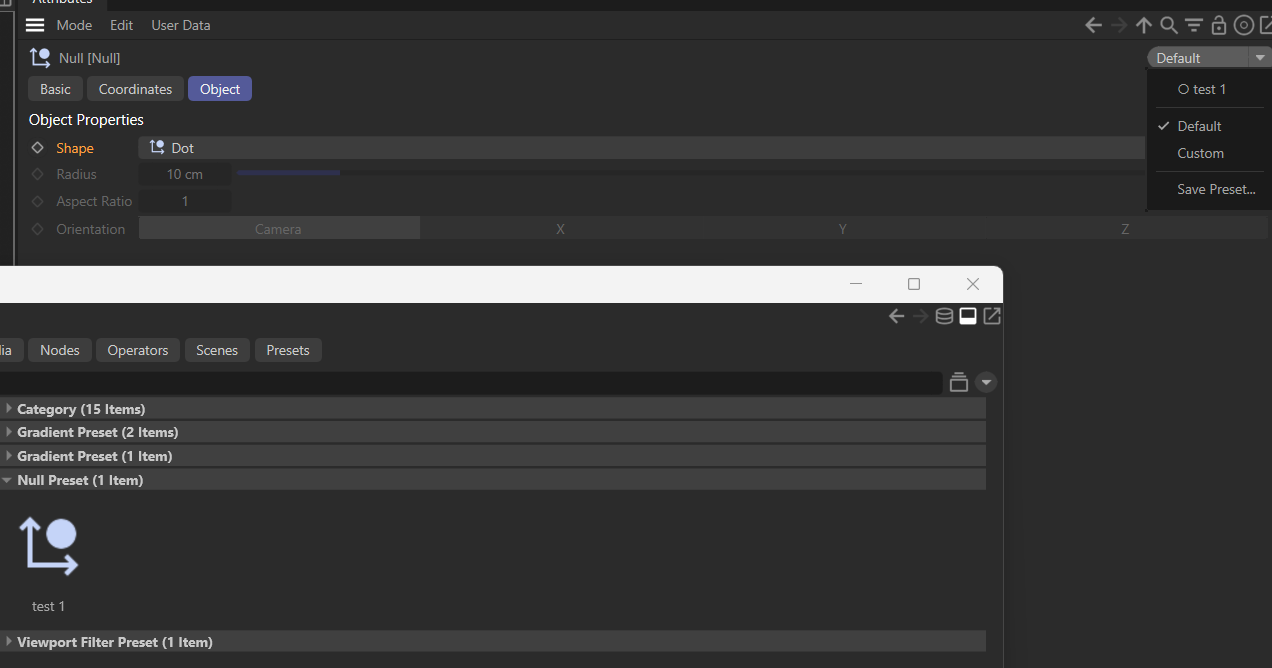
    Thansk so much for the video, that was a deep dive! For my issue, I resolved it like this: def message(id, data): if(id==c4d.MSG_DESCRIPTION_POSTSETPARAMETER): userDataID = eval(str(data['descid']))[1][0] if userDataID in [2, 4, 5]: c4d.CallButton(op, c4d.OPYTHON_MAKEDIRTY) so, if any user data touched (including fieldlist), the generator updates itself.
  • Load presets args in python?

    Moved Bugs windows python 2025
    7
    1
    0 Votes
    7 Posts
    3k Views
    DunhouD
    It sounds worth a try, but there may be latency issues when it comes to changes, or data changes can be manually processed during the changes Perhaps for my needs, I can force the database to be use GetSceneRepository, anyway, it's worth a try. Thank you for your guidance
  • 5 Votes
    10 Posts
    3k Views
    ferdinandF
    Hey @Dunhou, I am still not 100% clear about what you are trying to do. But I guess what you want to do is distinguish a single-drag -click, i.e., the user is dragging something, from a single click. The issue with that is that we are in your code inside a while loop which just polls the input state as fast as it can and not in message stream, where we only get events for state changes. So, this means unless there is Speedy Gonzales at the mouse, even the quickest of single clicks will produce more than one iteration in the loop. What is still unclear to me why you are doing all this, as knowing that the mouse is outside of the UA does not mean that we know if the user dropped the payload on an object. But this is how I would solve distinguishing a 'light click' (a single click) from a drag event. A cleaner solution might be to let the convenance function InputEvent be a convenance function and move to the source Message. There you should be issue start and stop events for drag operations. But since you want to start it yourself, we are sort of in a pickle. I would have to play around a bit with the code to see if there is a better way with Message, Cheers, Ferdinand def InputEvent(self, msg: c4d.BaseContainer) -> bool: """Called by Cinema 4D when the user area receives input events. Here we implement creating drag events when the user drags from this user area. The type of drag event which is initiated is determined by the drag type selected in the combo box of the dialog. """ # When this is not a left mouse button event on this user area, we just get out without # consuming the event (by returning False). if msg[c4d.BFM_INPUT_DEVICE] != c4d.BFM_INPUT_MOUSE and msg[c4d.BFM_INPUT_CHANNEL] != c4d.BFM_INPUT_MOUSELEFT: return False dragType: int = self._host.GetInt32(self._host.ID_DRAG_TYPE) mx = int(msg[c4d.BFM_INPUT_X]) my = int(msg[c4d.BFM_INPUT_Y]) mx -= self.Local2Global()["x"] my -= self.Local2Global()["y"] state = c4d.BaseContainer() self.MouseDragStart(c4d.BFM_INPUT_MOUSELEFT,mx,my,c4d.MOUSEDRAGFLAGS_DONTHIDEMOUSE|c4d.MOUSEDRAGFLAGS_NOMOVE) lastPos: tuple[float, float] | None = None while True: res, dx, dy, channels = self.MouseDrag() if res != c4d.MOUSEDRAGRESULT_CONTINUE: break self.GetInputState(c4d.BFM_INPUT_MOUSE, c4d.BFM_INPUT_MOUSELEFT, state) # This is how I debugged this, GetContainerTreeString (in the beta it might be already # contained) is a feature of a future version of the SDK. # print(f"{mxutils.GetContainerTreeString(state, 'BFM_')}") # State: Root (None , id = -1): # ├── BFM_INPUT_QUALIFIER (DTYPE_LONG): 0 # ├── BFM_INPUT_MODIFIERS (DTYPE_LONG): 0 # ├── BFM_INPUT_DEVICE (DTYPE_LONG): 1836021107 # ├── BFM_INPUT_CHANNEL (DTYPE_LONG): 1 # ├── BFM_INPUT_VALUE (DTYPE_LONG): 1 # ├── BFM_INPUT_VALUE_REAL (DTYPE_REAL): 0.0001 # ├── BFM_INPUT_X (DTYPE_REAL): 203.13671875 # ├── BFM_INPUT_Y (DTYPE_REAL): 88.0390625 # ├── BFM_INPUT_Z (DTYPE_REAL): 0.0 # ├── BFM_INPUT_ORIENTATION (DTYPE_REAL): 0.0 # ├── 1768977011 (DTYPE_REAL): 1.0 # ├── BFM_INPUT_TILT (DTYPE_REAL): 0.0 # ├── BFM_INPUT_FINGERWHEEL (DTYPE_REAL): 0.0 # ├── BFM_INPUT_P_ROTATION (DTYPE_REAL): 0.0 # └── BFM_INPUT_DOUBLECLICK (DTYPE_LONG): 0 # I.e., we are unfortunately neither being issued a BFM_DRAGSTART nor an # c4d.BFM_INTERACTSTART, I assume both or only emitted in the direct Message() loop. # But we can write code like this. # if state[c4d.BFM_INPUT_DOUBLECLICK]: # print(f"Double click detected at {mx}, {my}") # break # elif state[c4d.BFM_INPUT_VALUE] != 1: # print(f"Mouse button not pressed anymore at {mx}, {my}") # break # else: # print(f"Non double click at {mx}, {my}") # The issue with this is that we are here just in a loop polling the current left button # state, not inside a message function where we get a state stream. So, for a single # click, we end up with somewhat like this, and here I made sure to click really fast # Non double click at 96.8515625, 58.37109375 # Non double click at 96.8515625, 58.37109375 # Non double click at 96.8515625, 58.37109375 # Non double click at 96.8515625, 58.37109375 # Mouse button not pressed anymore at 96.8515625, 58.37109375 # And this is a short drag event. # Non double click at 84.875, 56.5859375 # Non double click at 84.875, 56.5859375 # Non double click at 84.875, 56.5859375 # Non double click at 84.875, 56.5859375 # Non double click at 84.59765625, 56.5859375 # Non double click at 83.49609375, 56.94921875 # Non double click at 83.49609375, 56.94921875 # Non double click at 82.39453125, 57.3125 # Non double click at 82.39453125, 57.3125 # Non double click at 80.74609375, 58.1328125 # Non double click at 80.74609375, 58.1328125 # Non double click at 77.7265625, 58.6328125 # ... # Non double click at -8.35546875, 80.16796875 # Non double click at -8.35546875, 80.16796875 # Non double click at -8.35546875, 80.16796875 # Mouse button not pressed anymore at -8.35546875, 80.16796875 # So they are very similar, and we cannot go by the pure logic "when the coordinates # do not change, we are in a drag event" because this is not an event stream, i.e., we # might poll the same input state multiple times, depending on how fast our #while loop # runs. # But what we could do, is postpone all actions until we see a change. In extreme cases, # where the user is swiping very fast with the mouse and then clicks on a tile, this might # fail. mx -= dx my -= dy currentPos: tuple[float, float] = (mx, my) if lastPos is None and currentPos != lastPos: lastPos = currentPos # The mouse is not being pressed anymore. if not state[c4d.BFM_INPUT_VALUE]: if currentPos != lastPos: print("Drag event") else: print("Click event") break return True Click event Drag event Click event Click event Click event Drag event
  • Move the plane in random effect

    Cinema 4D SDK windows 2025
    2
    0 Votes
    2 Posts
    622 Views
    M
    Hi @Fabio-B Thank you for reaching out to us. Unfortunately, your question is off topic for the forum you have posted in. Please check the Forum Overview for an overview of the scope of the different forums. On this forum we only provide support for third party software developers about the Cinema 4D Software Development Kit. We unfortunately cannot provide end user support, as we lack the tools and the knowledge to do so. To receive end-user support, please visit our Support Center and create a ticket for your issue Cheers, Maxime.
  • plugin Loupedeck CT with Redshift

    Cinema 4D SDK python 2025 windows
    2
    2
    0 Votes
    2 Posts
    861 Views
    M
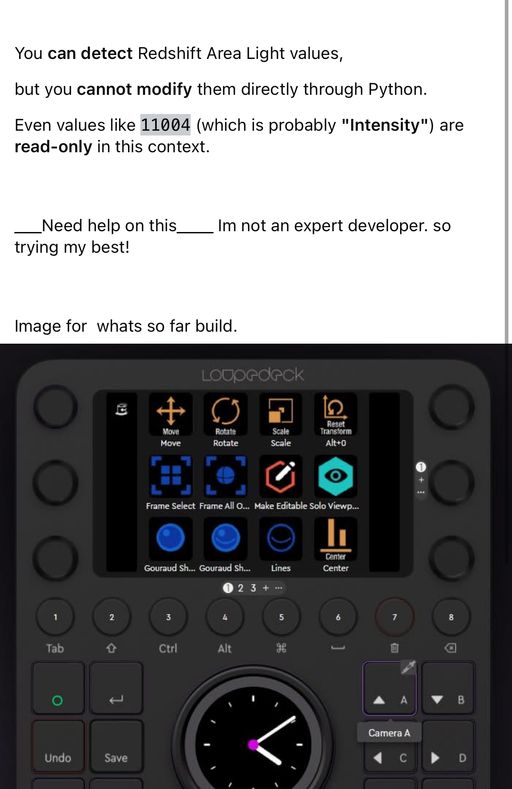
    Hi @shafy sorry for the delay I was away for few times. Before we start please read the Support Procedure - About AI-Supported Development. Keep in mind we are not there to develop for you neither integrate or guide you with 3rd party module that you will most likely need in order to control knobs. With that's said what you are asking (at least retrieving a parameter and defining it) is possible for Redshift light intensity. It is as easy as drag and dropping the parameter you are interested by into the Cinema 4D Python Console as explained in Python Script Manager Manual - Drag And Drop. Additionally you can also use the Script Log to record a script or change and therefor re-execute it. Cheers, Maxime.
  • 0 Votes
    4 Posts
    1k Views
    uogygiuolU
    This is fantastic, thank you so much! This works beautifully. I see your confusion with the "offset". This is absolutely my fault in formulating the question. Sorry about that. I also wanted the clones to follow a spline with an individual offset, but then thought to remove this part to not overcomplicate the question and accidentally left some traces. However, in your video you gave me valuable insight in how to achieve this as well. I already have a working sketch where I'm daisy chaining your script with a Spline Effector in the right order. Giving these thoughtful answers is incredibly valuable, you can't believe how motivating this is to go further.
  • Maxon API for Python

    Cinema 4D SDK python 2025 windows
    3
    0 Votes
    3 Posts
    856 Views
    ThomasBT
    @ferdinand Thank you for your detailed explanation, it shed some light on the whole matter for me.
  • Frozen Matrix different

    Cinema 4D SDK 2025 python
    4
    1
    0 Votes
    4 Posts
    1k Views
    kangddanK
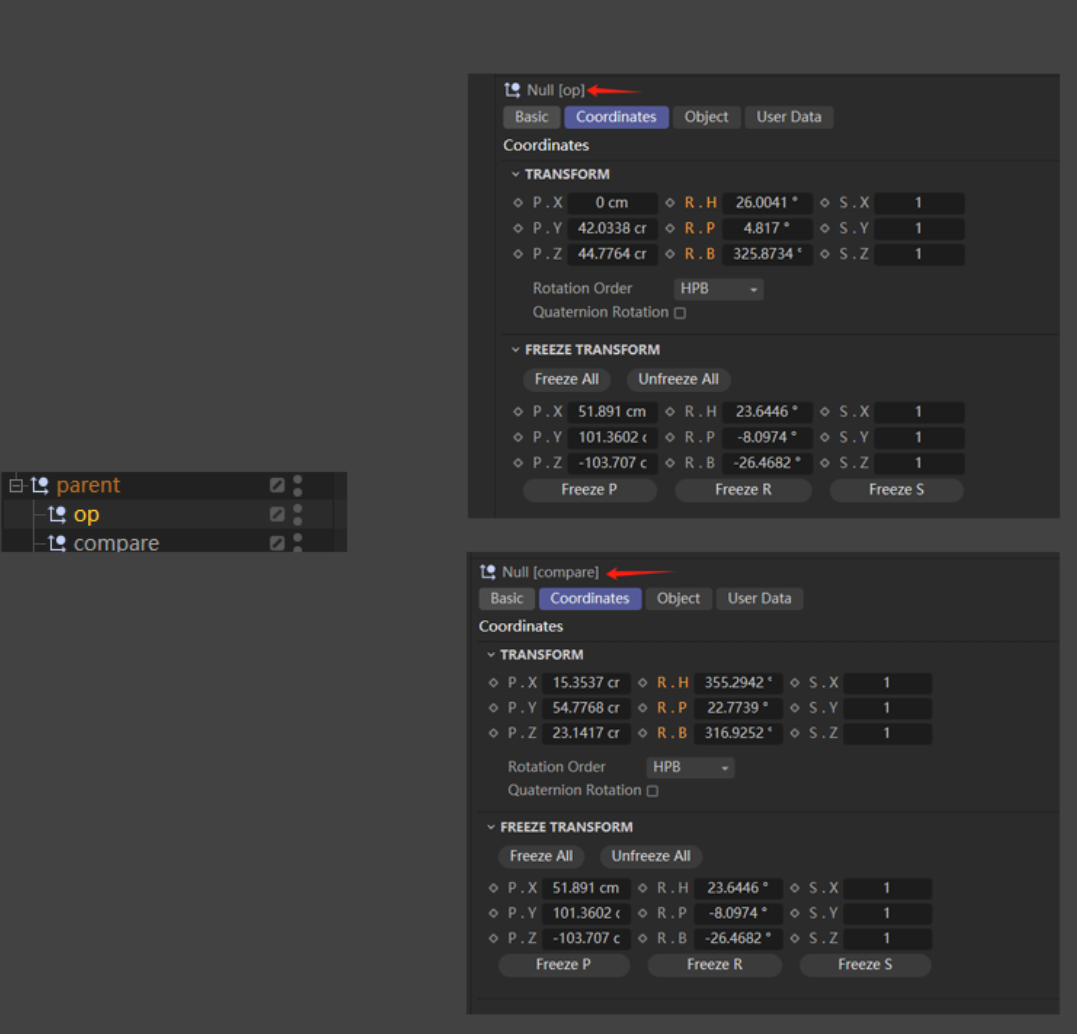
    @i_mazlov said in Frozen Matrix different: 象,并且没有其 I found that it's very similar to the offsetParentMatrix attribute introduced in Maya 2020.:)
  • C4D Python: Redshift IPR Start/Stop Control

    Cinema 4D SDK python windows 2025
    5
    0 Votes
    5 Posts
    1k Views
    M
    @hoganXYZ hi if it does not appear in the script log then there is no clear rules. Sometimes there is another way sometimes now it depends on how it is implemented. For the one you asked I do not think it is possible. Best bet would be to ask Redshift on their forum. Cheers, Maxime.
  • Cache Proxy Tag

    Cinema 4D SDK 2025 c++ windows
    10
    0 Votes
    10 Posts
    1k Views
    DunhouD
    This is how I’ve implemented it at the moment, although users can’t drag and drop selection tags in the same way as with C4D’s built-in generator. Hope there are plans to expose the proxy tags. Thanks for tour time!
  • Set RenderData framerate causing C4D to crash

    Moved Bugs python 2025
    4
    0 Votes
    4 Posts
    24k Views
    M
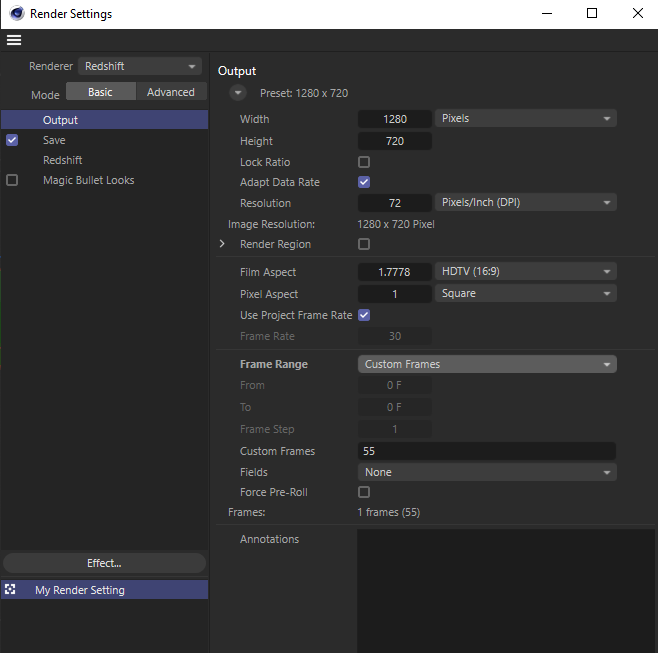
    Hi I was able to reproduce the issue and fix it for the next version. The bug is that setting RDATA_FRAMERATE require the RenderData to be part of a document in case the "Use Project Frame Rate" is enabled on the render settings. If this is enabled and this is enabled by default the value you enter will be disregarded. "Use Project Frame Rate" is a new setting added in 2025.2. I will ping you once the fix is available. Cheers, Maxime.
  • 0 Votes
    3 Posts
    821 Views
    I
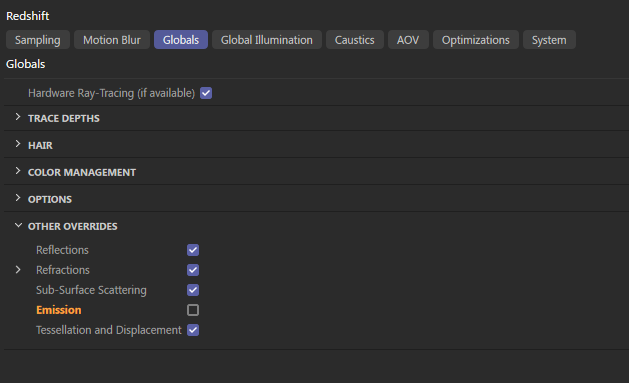
    Hi Ferdinand, Thanks a lot for the clear explanation and for taking the time to share the code. The part about accessing BaseVideoPost and using REDSHIFT_RENDERER_EMISSION_ENABLE was spot on. Exactly what I needed. Works perfectly! Really appreciate it. Anthony
  • 0 Votes
    3 Posts
    898 Views
    I
    Hi Ilia, Thanks a lot for the quick and clear reply! That makes sense. I had a feeling it might be a limitation of the current API. I’ll definitely follow up with the Redshift team on their forum to confirm whether there’s any workaround or future support planned for accessing those fields. Appreciate your help and the reference to the related thread! Cheers, Anthony
  • 0 Votes
    5 Posts
    2k Views
    i_mazlovI
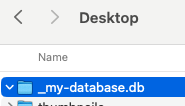
    Hi @d_keith, I would kindly ask you to check our Support Procedures, namely the "How To Ask Questions" paragraph: Singular Question: The initial posting of a support topic must contain a singular question. Do not ask ten things at once, that makes it extremely hard to answer topics. Break up your questions into multiple topics. Here you effectively have 4 different questions about Asset Browser, and these are candidates for 4 different threads on the forum. In your further postings please try to follow the aforementioned rules. Regarding your questions: Should I be able to mount a directory and have it auto-create a DB? Mounting database is effectively executing the AssetDataBasesInterface.SetDatabases. It has nothing to do with creating database neither semantically, nor is this mentioned in the docu. If you need to create repository, please use maxon.AssetInterface.CreateRepositoryFromUrl(), it will scan the directory for being already a database and create proper dir structure if it's not. Any idea why I need to re-try creating the Repo for it to work? If you face any errors in the script, please always attach at least the error message! In this case I assume you receive the following error, when executing the maxon.AssetRepositoryTypes.AssetDatabase() for the first time after Cinema 4D started. Looks like a bug to me, I've created a bug report for that (ITEM#585831). The error message: Traceback (most recent call last): File "console", line 1, in <module> File "C:\Program Files\Maxon Cinema 4D 2025\resource\modules\python\libs\python311\maxon\interface.py", line 5049, in __call__ self._cachedObj.R = _maxon_mapping.GetAssociatedDataType(dt) ^^^^^^^^^^^^^^^^^^^^^^^^^^^^^^^^^^^^^^^^ Exception: unable to find datatype As a workaround you can just execute the following line first in your main(): maxon.AssetRepositoryTypes.AssetDatabase() ... about multiple DBs ... You're giving your databases unique IDs with the line repo_id = maxon.AssetInterface.MakeUuid(str(url), True). If you need them to be the same, just pick one instead, e.g. repo_id = maxon.Id('net.maxon.sdk.cool.things.repo') ... revealing assets doesn't work... I've created a bug report for that, as it looks like a bug with refreshing in the Asset Browser. As a workaround you can reload databases and reopen the AB before reveling your assets, e.g.: def RepenAssetBrowser(): CID_ASSET_BROWSER = 1054225 # Close the Asset Browser if it's alredy opened if c4d.IsCommandChecked(CID_ASSET_BROWSER): c4d.CallCommand(CID_ASSET_BROWSER) # Open again c4d.CallCommand(CID_ASSET_BROWSER) def main(): # ... # assets = [] # ... # assets.append(asset) # ... maxon.AssetDataBasesInterface.ReloadAssetRepositories(True) RepenAssetBrowser() maxon.AssetManagerInterface.RevealAsset(assets) Cheers, Ilia
  • connect material to reference node

    Cinema 4D SDK 2025 python
    6
    0 Votes
    6 Posts
    2k Views
    ferdinandF
    Hey, Node attributes are things that are directly present on a GraphNode. You could also call them fields, because a GraphNode like many things in our API has qualities of a DataDictionay, i.e., you can write values over keys into it, just like for Python's own dict. Such node attributes (for true nodes) are then rendered out quite similarly to port values in the Attribute Manager but they are fundamentally different from ports, as users cannot drive their value with a connection, i.e., the value of a port of another node. And a port also always requires another GraphNode attached to the true node¹ for which they are a port, while the attribute sits directly on the true node. An attribute, e.g., the name of a node, will also never show up in the node representation in the graph. In the screen below I for example right clicked on the RS Reference node and invoked Add Input > All; but things like Name, Color, Show Preview etc. are alle not listed. [image: 1744368637847-174097cf-d777-49d2-b0ea-0057c8474a5e-image.png] That is because they are all attributes and not ports. There is unfortunately no absolute rule like 'everything in Basic is attributes and everything else is ports'. While it holds (for now) true that everything in Basic is an attribute, especially Redshift also puts attributes into other tabs. They usually only appear in more complex scenarios when dealing with port bundles and variadic ports, but they exist. And just for clarity, attributes do not only exist on nodes that are what our API calls 'true nodes'¹, but also on other GraphNode types, e.g., a GraphNode representing a port. It is just that they are usually not rendered out to the GUI there and more of an internal nature (nodes have a lot of internal attributes). Cheers, Ferdinand ¹ GraphNode instances that represent what the end user would consider a 'node', e.g., the RS Reference node, and with that excluding GraphNode instances that for example represent an input port.
  • Xpresso python tag issue

    Cinema 4D SDK 2025 python
    5
    0 Votes
    5 Posts
    1k Views
    A
    Ah, super! thank you.
  • 0 Votes
    3 Posts
    958 Views
    D
    @ferdinand said in SAVEDOCUMENTFLAGS_AUTOSAVE still added to the recent file list?: But please provide instructions on how to use your code when required in the future. oh shit, i'm so sorry. you're right. completly missed this one. ... and of cause thanks for the explaination / clarification.
  • 0 Votes
    3 Posts
    909 Views
    chuanzhenC
    @i_mazlov Thanks