The Maxon SDK Team is currently short staffed due to the winter holidays. No forum support is being provided between 15/12/2025 and 5/1/2026. For details see Maxon SDK 2025 Winter Holidays.
  • Userarea keyboard focus issues in 2025.3

    Moved Bugs 2025 c++
    5
    0 Votes
    5 Posts
    549 Views
    ferdinandF
    Hey @ECHekman, you can find our general answer here. This is unfortunately an unintended regression caused by an intentional bugfix, not taking API stability into account. The flag USERAREAFLAGS::HANDLEFOCUS is meant to signal if a user area is focusable or not. But before user areas were always focusable, as this flag was erroneously being ignored. We then 'fixed' this, causing the chain of events. The in detail logic is then that some types of events are not possible for non-focusable gadgets, as for example keyboard events. I will touch up the docs a bit in that area, as things are indeed a bit thin there. But the doc changes will probably not make it into the next release, given how close it is, unless I patch them in there manually. So, long story short, compiling with USERAREAFLAGS::HANDLEFOCUS against the 2025.0.0 SDK will result in a binary that will be compatible with all versions of 2025, you did the right thing. Cheers, Ferdinand
  • CAMERA_ZOOM and Pparallel

    Cinema 4D SDK c++
    4
    1
    0 Votes
    4 Posts
    454 Views
    ferdinandF
    Hey @WickedP, It did not come across as abrupt or rude, but it was clear that you were a bit frustrated, and I was just trying to make clear that they had to choose some magic number, as that is the nature of rendering an orthographic projection. As to why we chose this number, I have no idea, as this happened 20 years or an even longer time back, long before I was at Maxon. It could either be because programmers simply love powers of two, or something more concrete such as that a power of two leads to less floating precision losses when multiplying other numbers with them, or simply that they did chose 1024x576 as the norm render size then. And you can set the camera width and height, but you just do this in the render settings with the render resolution, which was pretty standard for 3D software I would say. The new Redshift camera then uses a more complex model with an actual sensor and fitting the sensor to the render resolution (which I ignored here since you showed us using a Standard camera). Cheers, Ferdinand
  • 2025.3.0 SDK Release

    News & Information news cinema 4d c++ python sdk information
    4
    3 Votes
    4 Posts
    3k Views
    E
    Ok? will do
  • 2025.3.1 SDK Release

    News & Information cinema 4d news c++ python sdk information
    1
    0 Votes
    1 Posts
    4k Views
    No one has replied
  • Edge ring selection

    Cinema 4D SDK 2024 python windows
    2
    0 Votes
    2 Posts
    442 Views
    M
    Hi @Tpaxep, Welcome to the Maxon developers forum and its community, it is great to have you with us! Getting Started Before creating your next postings, we would recommend making yourself accustomed with our forum and support procedures. You did not do anything wrong, we point all new users to these rules. Forum Overview: Provides a broad overview of the fundamental structure and rules of this forum, such as the purpose of the different sub-forums or the fact that we will ban users who engage in hate speech or harassment. Support Procedures: Provides a more in detail overview of how we provide technical support for APIs here. This topic will tell you how to ask good questions and limits of our technical support. Forum Features: Provides an overview of the technical features of this forum, such as Markdown markup or file uploads. It is strongly recommended to read the first two topics carefully, especially the section Support Procedures: How to Ask Questions. About your First Question The tool has indeed been updated, but the docs were not. Here is how to call it. Note that you have to pass a polygon index, this is mandatory and it needs to be adjacent to one of the vertex to indicate a direction of the ring selection. Here is your script adapted, to be run on a sphere that was made editable. import c4d from c4d import utils def select_ring_edge(obj, v1Id, v2Id, polyId): bc = c4d.BaseContainer() bc.SetData(c4d.MDATA_RING_SEL_STOP_AT_SELECTIONS, False) bc.SetData(c4d.MDATA_RING_SEL_STOP_AT_NON_QUADS, False) bc.SetData(c4d.MDATA_RING_SEL_STOP_AT_POLES, True) bc.SetData(c4d.MDATA_RING_BOTH_SIDES, False) bc.SetData(c4d.MDATA_RING_SWAP_SIDES, False) bc.SetData(c4d.MDATA_RING_FIRST_VERTEX, v1Id) bc.SetData(c4d.MDATA_RING_SECOND_VERTEX, v2Id) bc.SetData(c4d.MDATA_RING_POLYGON_INDEX, polyId) bc.SetData(c4d.MDATA_RING_SELECTION, c4d.SELECTION_NEW) result = c4d.utils.SendModelingCommand( command=c4d.ID_MODELING_RING_TOOL, list=[obj], mode=c4d.MODELINGCOMMANDMODE_EDGESELECTION, bc=bc, doc=c4d.documents.GetActiveDocument(), flags=c4d.MODELINGCOMMANDFLAGS_NONE ) c4d.EventAdd() return result def main(): doc = c4d.documents.GetActiveDocument() obj = doc.GetActiveObject() if obj is None: c4d.gui.MessageDialog("select obj.") return firstVertex = 346 secondVertex = 347 polygonIndex = 312 result = select_ring_edge(obj, firstVertex, secondVertex, polygonIndex) if result: print("DONE") else: print("ERROR") if __name__ == '__main__': main() Note that the same settings also apply for the ID_MODELING_LOOP_TOOL, just modify RING by LOOP in the constant so MDATA_RING_SEL_STOP_AT_SELECTIONS become MDATA_LOOP_SEL_STOP_AT_SELECTIONS. Cheers, Maxime.
  • Dynamic desription issue

    Cinema 4D SDK c++
    4
    0 Votes
    4 Posts
    383 Views
    ferdinandF
    You do not have to do that; I only recommended this for the case when you happen to have to override a dynamic parameter of the same ID with a new GUI/datatype, then you should also set a new default value. But as I said and as you can see here at the Python dynamic description example (in C++ we have a similar one), Cinema 4D will do the bookkeeping for you. Here we read the value of Dynamic REAL 6 at 1106. [image: 1750479817421-4361ae57-21f3-47d2-87e4-84709bf6f809-image.png] Once we have modified the description, in this case removed Dynamic REAL 6, Cinema 4D will update the data container for us and remove the data at 1106. [image: 1750479903921-2712461d-c0c7-4280-96f5-ca9be93dfd8b-image.png] Cheers, Ferdinand
  • 5 Votes
    10 Posts
    2k Views
    ferdinandF
    Hey @Dunhou, I am still not 100% clear about what you are trying to do. But I guess what you want to do is distinguish a single-drag -click, i.e., the user is dragging something, from a single click. The issue with that is that we are in your code inside a while loop which just polls the input state as fast as it can and not in message stream, where we only get events for state changes. So, this means unless there is Speedy Gonzales at the mouse, even the quickest of single clicks will produce more than one iteration in the loop. What is still unclear to me why you are doing all this, as knowing that the mouse is outside of the UA does not mean that we know if the user dropped the payload on an object. But this is how I would solve distinguishing a 'light click' (a single click) from a drag event. A cleaner solution might be to let the convenance function InputEvent be a convenance function and move to the source Message. There you should be issue start and stop events for drag operations. But since you want to start it yourself, we are sort of in a pickle. I would have to play around a bit with the code to see if there is a better way with Message, Cheers, Ferdinand def InputEvent(self, msg: c4d.BaseContainer) -> bool: """Called by Cinema 4D when the user area receives input events. Here we implement creating drag events when the user drags from this user area. The type of drag event which is initiated is determined by the drag type selected in the combo box of the dialog. """ # When this is not a left mouse button event on this user area, we just get out without # consuming the event (by returning False). if msg[c4d.BFM_INPUT_DEVICE] != c4d.BFM_INPUT_MOUSE and msg[c4d.BFM_INPUT_CHANNEL] != c4d.BFM_INPUT_MOUSELEFT: return False dragType: int = self._host.GetInt32(self._host.ID_DRAG_TYPE) mx = int(msg[c4d.BFM_INPUT_X]) my = int(msg[c4d.BFM_INPUT_Y]) mx -= self.Local2Global()["x"] my -= self.Local2Global()["y"] state = c4d.BaseContainer() self.MouseDragStart(c4d.BFM_INPUT_MOUSELEFT,mx,my,c4d.MOUSEDRAGFLAGS_DONTHIDEMOUSE|c4d.MOUSEDRAGFLAGS_NOMOVE) lastPos: tuple[float, float] | None = None while True: res, dx, dy, channels = self.MouseDrag() if res != c4d.MOUSEDRAGRESULT_CONTINUE: break self.GetInputState(c4d.BFM_INPUT_MOUSE, c4d.BFM_INPUT_MOUSELEFT, state) # This is how I debugged this, GetContainerTreeString (in the beta it might be already # contained) is a feature of a future version of the SDK. # print(f"{mxutils.GetContainerTreeString(state, 'BFM_')}") # State: Root (None , id = -1): # ├── BFM_INPUT_QUALIFIER (DTYPE_LONG): 0 # ├── BFM_INPUT_MODIFIERS (DTYPE_LONG): 0 # ├── BFM_INPUT_DEVICE (DTYPE_LONG): 1836021107 # ├── BFM_INPUT_CHANNEL (DTYPE_LONG): 1 # ├── BFM_INPUT_VALUE (DTYPE_LONG): 1 # ├── BFM_INPUT_VALUE_REAL (DTYPE_REAL): 0.0001 # ├── BFM_INPUT_X (DTYPE_REAL): 203.13671875 # ├── BFM_INPUT_Y (DTYPE_REAL): 88.0390625 # ├── BFM_INPUT_Z (DTYPE_REAL): 0.0 # ├── BFM_INPUT_ORIENTATION (DTYPE_REAL): 0.0 # ├── 1768977011 (DTYPE_REAL): 1.0 # ├── BFM_INPUT_TILT (DTYPE_REAL): 0.0 # ├── BFM_INPUT_FINGERWHEEL (DTYPE_REAL): 0.0 # ├── BFM_INPUT_P_ROTATION (DTYPE_REAL): 0.0 # └── BFM_INPUT_DOUBLECLICK (DTYPE_LONG): 0 # I.e., we are unfortunately neither being issued a BFM_DRAGSTART nor an # c4d.BFM_INTERACTSTART, I assume both or only emitted in the direct Message() loop. # But we can write code like this. # if state[c4d.BFM_INPUT_DOUBLECLICK]: # print(f"Double click detected at {mx}, {my}") # break # elif state[c4d.BFM_INPUT_VALUE] != 1: # print(f"Mouse button not pressed anymore at {mx}, {my}") # break # else: # print(f"Non double click at {mx}, {my}") # The issue with this is that we are here just in a loop polling the current left button # state, not inside a message function where we get a state stream. So, for a single # click, we end up with somewhat like this, and here I made sure to click really fast # Non double click at 96.8515625, 58.37109375 # Non double click at 96.8515625, 58.37109375 # Non double click at 96.8515625, 58.37109375 # Non double click at 96.8515625, 58.37109375 # Mouse button not pressed anymore at 96.8515625, 58.37109375 # And this is a short drag event. # Non double click at 84.875, 56.5859375 # Non double click at 84.875, 56.5859375 # Non double click at 84.875, 56.5859375 # Non double click at 84.875, 56.5859375 # Non double click at 84.59765625, 56.5859375 # Non double click at 83.49609375, 56.94921875 # Non double click at 83.49609375, 56.94921875 # Non double click at 82.39453125, 57.3125 # Non double click at 82.39453125, 57.3125 # Non double click at 80.74609375, 58.1328125 # Non double click at 80.74609375, 58.1328125 # Non double click at 77.7265625, 58.6328125 # ... # Non double click at -8.35546875, 80.16796875 # Non double click at -8.35546875, 80.16796875 # Non double click at -8.35546875, 80.16796875 # Mouse button not pressed anymore at -8.35546875, 80.16796875 # So they are very similar, and we cannot go by the pure logic "when the coordinates # do not change, we are in a drag event" because this is not an event stream, i.e., we # might poll the same input state multiple times, depending on how fast our #while loop # runs. # But what we could do, is postpone all actions until we see a change. In extreme cases, # where the user is swiping very fast with the mouse and then clicks on a tile, this might # fail. mx -= dx my -= dy currentPos: tuple[float, float] = (mx, my) if lastPos is None and currentPos != lastPos: lastPos = currentPos # The mouse is not being pressed anymore. if not state[c4d.BFM_INPUT_VALUE]: if currentPos != lastPos: print("Drag event") else: print("Click event") break return True Click event Drag event Click event Click event Click event Drag event
  • Debug Scene / Generators (Scene heat map)

    Cinema 4D SDK windows macos
    2
    0 Votes
    2 Posts
    264 Views
    ferdinandF
    Hey @indexofrefraction, Thank you for reaching out to us. The Object Profiler should do what you want to do. [image: 1750425151882-7f8ba2c2-8af1-448e-a0d4-f120e3b91e0b-image.png] It is part of Cinema 4D since 2025.0.0. Cheers, Ferdinand
  • 0 Votes
    13 Posts
    2k Views
    K
    Hi @ferdinand , We are starting to run here in circles. Please consider applying for MRD as lined out here and via chat. I think that makes sense. I'll apply for MRD right away.
  • 0 Votes
    6 Posts
    876 Views
    ferdinandF
    FYI: This has been fixed and will be shipped in a future version of Cinema 4D.
  • Sweep Modifier

    Cinema 4D SDK 2025 c++ windows
    4
    0 Votes
    4 Posts
    629 Views
    ferdinandF
    Hey, Please note that both options, a modifier that changes the number of points of its host, and a spline generator that has another spline as an input, are not great. We have internally two cases that do exactly these two things: The bevel deformer and the spline mask spline generator. But third parties do not easily replicate both because they require detailed knowledge of our API and in some cases access to non-public things. For deformers, Ilia already gave a great explanation. In short, if you are not careful, you can crash Cinema 4D. For the other case, a spline generator which takes another spline as an input, you will run into the issue that splines are not intended to have as objects as inputs. This means you are not getting passed a HierarchyHelp in ObjectData::GetContour with which you could ensure that your child object dependencies are up to date (because by default they are being built after you). There are patterns to solve this, and you run here at worst into the problem of a laggy/malfunctioning plugin and no crashes. But I would still advise going down that rabbit hole when avoidable. When you really must do this and now want to go down the spline generator road, I would recommend opening a new topic on that before you start. Cheers, Ferdinand
  • 0 Votes
    4 Posts
    510 Views
    L
    Thank you very much @ferdinand for your suggestions—I really appreciate your input and support. I will definitely experiment with your leads and see what works best for me. It’s always helpful to get an outside perspective, and your advice has given me some new things to think about. Thanks again!
  • Getting debugbreak in atom.cpp

    Cinema 4D SDK c++ 2025
    2
    0 Votes
    2 Posts
    432 Views
    ferdinandF
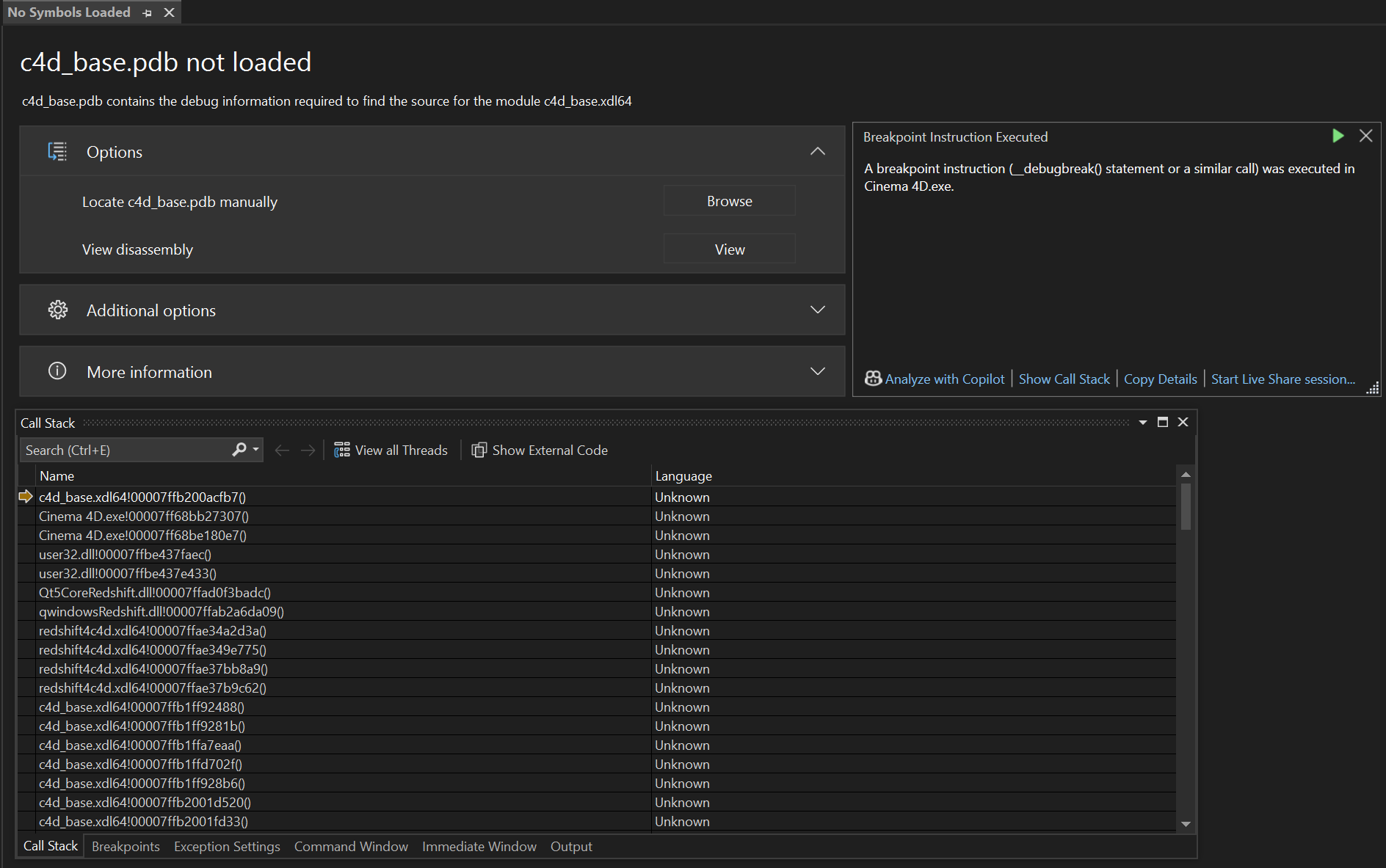
    Hey @ECHekman, Thank you for reaching out to us. @ECHekman said in Getting debugbreak in atom.cpp: Here is how i create the UI // in MyData::GetDDescription() BaseContainer bc = GetCustomDataTypeDefault(DA_CONTAINER); bc.SetInt32(DESC_CUSTOMGUI, CUSTOMGUI_OCIOCYCLE); bc.SetString(DESC_NAME, String(pinInfo->mStaticLabel)); bc.SetBool(DESC_SCALEH, TRUE); description->SetParameter(IDCopy, bc, groupID); That, the GetCustomDataTypeDefault(DA_CONTAINER) call, is illegal code. Check our documentation for the function. It could probably be put a bit more verbosely into the docstring, but: [image: 1749817720636-cb400f4a-9cf9-43eb-83b2-0bd37b7127f8-image.png] DA_CONTAINER is not a resource data type. Which is a fancy way of saying that a C4DAtom parameter cannot be of data type DA_CONTAINER. On line 439 in atom.cpp is no crit stop (at least in the version of atom.cpp for 2025.2.x.yyyyyy I looked at), but on line 476 there is. This is inside C4DAtom::SetParameter, and it gets there the ID of the parameter container of the description element which shall be written, then switches through all the atomic DTYPE_ and when none matches, calls at the end FindResourceDataTypePlugin() on the ID of the parameter container, i.e., what you initialized as DA_CONTAINER. When it cannot find anything there, it raises the crit stop. When you want to have there some OCIO data bundle, you probably should also implement a data type for it. Otherwise you should try DTYPE_SUBCONTAINER. But I am not sure how nicely DTYPE_SUBCONTAINER will play with custom GUIs. In general I would lean towards that writing a container as a singular parameter with a GUI like this is not intended, but you can try your luck. What will work in any case, is implementing your own data type. And to be verbose, a resource data type is a data type that can be used in resources, i.e., res files. Cheers, Ferdinand
  • 0 Votes
    9 Posts
    1k Views
    M
    Hi @wen I've moved your topic to the bug section since it's indeed a bug, I will ping you on this topic once the fix is available, it should come in one of the next update. The issue is that the internal cache is not properly updated and therefor this is failing. With that's said there is a ugly workaround which consist of calling it twice so the cache is properly updated. Find bellow a version that is going to work in all versions import c4d import maxon import os def CreateRepFromUrl(url: maxon.Url) -> maxon.UpdatableAssetRepositoryRef: """Create a new repository from a given database URL. If there is no valid database at the given URL, it creates a database at the URL. It always create a new repository and the associated database asset, even if there are existing repositories for that database. """ # Make type checks if not isinstance(url, maxon.Url): raise TypeError("First argument is not a maxon.Url") # Create a unique identifier for the repository. rid = maxon.AssetInterface.MakeUuid(str(url), True) # Repositories can be composed out of other repositories which are called bases. In this # case no bases are used to construct the repository. But with bases a repository for all # user databases could be constructed for example. bases = maxon.BaseArray(maxon.AssetRepositoryRef) # Create a writable and persistent repository for the database URL. If #_dbUrl would point # to a location where no database has been yet stored, the necessary data would be created. if c4d.GetC4DVersion() < 2025200: try: repository = maxon.AssetInterface.CreateRepositoryFromUrl( rid, maxon.AssetRepositoryTypes.AssetDatabase(), bases, url, True, False, False, None) except Exception as e: repository = maxon.AssetInterface.CreateRepositoryFromUrl( rid, maxon.AssetRepositoryTypes.AssetDatabase(), bases, url, True, False, False, None) else: try: repository = maxon.AssetInterface.CreateRepositoryFromUrl( rid, maxon.AssetRepositoryTypes.AssetDatabase(), bases, url, True, False, False) except Exception as e: repository = maxon.AssetInterface.CreateRepositoryFromUrl( rid, maxon.AssetRepositoryTypes.AssetDatabase(), bases, url, True, False, False) if not repository: raise RuntimeError("Repository construction failed.") return repository if __name__ == '__main__': if not maxon.AssetDataBasesInterface.WaitForDatabaseLoading(): raise RuntimeError("Could not load asset databases.") dbPath = os.path.join(os.path.dirname(os.path.abspath(__file__)), "testdb") print(CreateRepFromUrl(maxon.Url(dbPath))) Cheers, Maxime.
  • 0 Votes
    6 Posts
    978 Views
    ferdinandF
    Hey @itstanthony, sorry for the delay. So, here is how you could do this. It is not the pretiest solution, but the only that works at the moment for graph descriptions. You could of course also use the full Nodes API to do this. I hope this helps and cheers, Ferdinand import c4d import maxon import mxutils doc: c4d.documents.BaseDocument # The active Cinema 4D document. def CreateMaterials(count: int) -> None: """Creates #count materials with relevant "Store Color To AOV" setup. """ mxutils.CheckType(count, int) for i in range(count): graph: maxon.NodesGraphModelRef = maxon.GraphDescription.GetGraph( name=f"AovSetup.{i}", nodeSpaceId=maxon.NodeSpaceIdentifiers.RedshiftMaterial) maxon.GraphDescription.ApplyDescription(graph, [ { "$type": "Color", "Basic/Name": "Base Color", "Inputs/Color": maxon.Vector(1, 1, 1), "$id": "base_color" }, { "$type": "Color", "Basic/Name": "Metallic", "Inputs/Color": maxon.Vector(0.0, 0.0, 0.0), "$id": "metallic_color" }, { "$type": "Color", "Basic/Name": "Roughness", "Inputs/Color": maxon.Vector(0.5, 0.5, 0.5), "$id": "roughness_color" }, { "$type": "Color", "Basic/Name": "Normal", "Inputs/Color": maxon.Vector(0.5, 0.5, 1), "$id": "normal_color" }, { "$type": "Color", "Basic/Name": "AO", "Inputs/Color": maxon.Vector(1, 1, 1), "$id": "ao_color" }, { "$type": "Color", "Basic/Name": "Emissive", "Inputs/Color": maxon.Vector(0, 0, 0), "$id": "emissive_color" }, { "$type": "Output", "Surface": { "$type": "Store Color To AOV", "AOV Input 0": "#base_color", "AOV Name 0": "BaseColor", "AOV Input 1": "#metallic_color", "AOV Name 1": "Metallic", "AOV Input 2": "#roughness_color", "AOV Name 2": "Roughness", "AOV Input 3": "#normal_color", "AOV Name 3": "Normal", "AOV Input 4": "#ao_color", "AOV Name 4": "AO", "AOV Input 5": "#emissive_color", "AOV Name 5": "Emissive", "Beauty Input": { "$type": "Standard Material", "Base/Color": "#base_color", "Base/Metalness": "#metallic_color", "Reflection/Roughness": "#roughness_color", "Geometry/Bump Map": "#normal_color", "Geometry/Overall Tint": "#ao_color", "Emission/Color": "#emissive_color", } } } ] ) def ModifyMaterials() -> None: """Modifies all materials in the scene, with the goal of removing the "Store Color To AOV" node in material setups as created above. """ for graph in maxon.GraphDescription.GetMaterialGraphs(doc, maxon.NodeSpaceIdentifiers.RedshiftMaterial): try: # Remove a "Store Color To AOV" node from the graph that matches the given AOV names. nodes: dict[maxon.Id, maxon.GraphNode] = maxon.GraphDescription.ApplyDescription(graph, { "$query": { # Match the fist node of type "Store Color To AOV" ... "$qmode": maxon.GraphDescription.QUERY_FLAGS.MATCH_FIRST, "$type": "Store Color To AOV", # ... that has the following AOV names. Graph queries currently do not yet # support nested queries, i.e., query to which nodes a node is connected to. # This will come with the next major version of Cinema 4D/the SDK. "AOV Name 0": "BaseColor", "AOV Name 1": "Metallic", "AOV Name 2": "Roughness", "AOV Name 3": "Normal", "AOV Name 4": "AO", "AOV Name 5": "Emissive", }, "$commands": "$cmd_remove" } ) # At this point we have to cheat a little bit, as the query abilities of graph # descriptions are not yet up to the task of what we would have to do here, as we # would have to query for a node by its type and at the same time set its ID, which is # not possible yet (I will also add this in a future version, but I am not yet sure when). # So what we do, is exploit the fact that #GraphDescription.ApplyDescription() will turn # dictionary/map of id:node relations and we can predict how a Redshift Output and # Standard Material will start (with "output@" and "standardmaterial@"). outputNodeId: str | None = next( str(key) for key in nodes if str(key).startswith("output@")) standardMaterialNodeId: str | None = next( str(key) for key in nodes if str(key).startswith("standardmaterial@")) if not outputNodeId or not standardMaterialNodeId: raise ValueError("Could not find Output or Standard Material node in the graph.") # Now that we have this information, we could either use the traditional Nodes API to # wire these two nodes together, or we can use the GraphDescription API to do this. # Connect the existing Output node to the existing Standard Material node. maxon.GraphDescription.ApplyDescription(graph, { "$query": { "$qmode": maxon.GraphDescription.QUERY_FLAGS.MATCH_FIRST, "$id": outputNodeId, }, "Surface": f"#{standardMaterialNodeId}" } ) except Exception as e: print(e) continue # Some concluding thoughts: This task, although it might look trivial, has actually some # complexities. The main issue is that while we have the quasi-guarantee that there will # only be one Output (i.e., 'end node') in a Redshift material graph, we cannot # guarantee that there will only be one Standard Material node in the graph. # # To truly solve all this, we would need the 2026.0.0 graph query capabilities, so that we # can more precisely select which nodes we mean. # # What occurred to me while writing this, is that it would also be very nice to have a # command like "$cmd_remove_smart" which attempts to remove a node while maintaining the # connection flow, in your case wire the Standard Material node to the Output node. # # In general, this an unsolvable riddle, but many node relations in a material graph are # trivial, i.e., there is only one ingoing and one outgoing connection, so that it would # be easy to try to connect these two nodes together. In your case, deleting the # "Store Color To AOV" node, this would however never be possible as we have here seven # color inputs and one color output. From an abstract API perspective, it is impossible to # determine which one of the seven inputs should be connected to the output, as we do not # have the higher human insight to determine that the Standard Material node is the relevant # node to connect to the Output node. if __name__ == '__main__': CreateMaterials(5) # Create five materials with the "Store Color To AOV" setup. ModifyMaterials() # Remove the "Store Color To AOV" node from all materials. c4d.EventAdd() # Refresh Cinema 4D to show changes
  • Marquee Selection of Items in GeUserArea

    Cinema 4D SDK windows python 2025
    5
    1
    0 Votes
    5 Posts
    1k Views
    N
    @ferdinand Got it. Thanks you for the tips. Much appreciated
  • Crash when using C4D shader in Redshift

    Moved Bugs 2024 c++ windows
    7
    0 Votes
    7 Posts
    1k Views
    S
    Tried to send the crash report on 6/6/25 at 22:08 but I got a message saying there was a problem sending it. The message also says to send it by email so I've sent it to sdk_support(at)maxon(dot)net. Steve
  • 0 Votes
    2 Posts
    543 Views
    ferdinandF
    Hello @popandchop, Welcome to the Maxon developers forum and its community, it is great to have you with us! Getting Started Before creating your next postings, we would recommend making yourself accustomed with our forum and support procedures. You did not do anything wrong, we point all new users to these rules. Forum Overview: Provides a broad overview of the fundamental structure and rules of this forum, such as the purpose of the different sub-forums or the fact that we will ban users who engage in hate speech or harassment. Support Procedures: Provides a more in detail overview of how we provide technical support for APIs here. This topic will tell you how to ask good questions and limits of our technical support. Forum Features: Provides an overview of the technical features of this forum, such as Markdown markup or file uploads. It is strongly recommended to read the first two topics carefully, especially the section Support Procedures: How to Ask Questions. About your First Question The question is impossible to answer in this form, we would need something concrete (a plugin and a scene which crashes for you) or a time stamp of a submitted crash report. What you do there is this code snippet looks a bit unusual. I assume from the screen shot that you are inside a GeDialog, the code looks a bit like this could be GeDialog.Command or Message. Please read the Threading Manual, invoking an event, e.g., a command, is forbidden off-main thread. But in a dialog you are usually on the main thread (but you should still check with c4d,.threading.GeIsMainThread()). What is also rather odd, is what you call there: if id == BTN_SceneRenderPictureViewer: self.Close() # This will shut down the dialog, think of it as a return statement. c4d.StopAllThreads() # This is generally the biggest nuke you can drop on Cinema 4D and should # be avoided. But in this context (a dialog that has been closed) this # seems extra dangerous. Why are you doing this? time.sleep(0.1) # This makes things even worse, as it increases the chance that the dialog # has been destroyed before the last line of this function has been # executed. If I had to guess, this is probably crashing here. c4d.CallCommand(12099) I assume you hve a modal dialog and that you run into issues with opening the picture viewer due to that? Either make your dialog non-modal (in GeDialog.Open) and then first send the command and then close the dialog or keep using a modal dialog and detach the code from the instance of the dialog. import c4d class MyModalDialog (c4d.gui.GeDialog): BTN_SceneRenderPictureViewer: int = 1000 # ... def Command(self, cid: int, msg: c4d.BaseContainer) -> bool: if cid == MyModalDialog.BTN_SceneRenderPictureViewer: MyModalDialog.CloseAndAction(self, 12099) return True @staticmethod def CloseAndAction(dlg: "MyModalDialog", cid: int) -> None: """Closes the passed dialog and executes a command. Args: dlg (MyModalDialog): The dialog instance to close. cid (int): The command ID to execute after closing the dialog. """ if not dlg or not c4d.threading.GeIsMainThread(): return dlg.Close() c4d.CallCommand(cid) if __name__ == '__main__': dlg = MyModalDialog() dlg.Open(c4d.DLG_TYPE_MODAL, defaultw=400, defaulth=300, title="My Modal Dialog") Cheers, Ferdinand
  • 0 Votes
    3 Posts
    708 Views
    O
    @ferdinand Got it, thanks for the heads-up!
  • 0 Votes
    3 Posts
    681 Views
    ferdinandF
    Hello @Amazing_iKe, Welcome to the Maxon developers forum and its community, it is great to have you with us! Getting Started Before creating your next postings, we would recommend making yourself accustomed with our forum and support procedures. You did not do anything wrong, we point all new users to these rules. Forum Overview: Provides a broad overview of the fundamental structure and rules of this forum, such as the purpose of the different sub-forums or the fact that we will ban users who engage in hate speech or harassment. Support Procedures: Provides a more in detail overview of how we provide technical support for APIs here. This topic will tell you how to ask good questions and limits of our technical support. Forum Features: Provides an overview of the technical features of this forum, such as Markdown markup or file uploads. It is strongly recommended to read the first two topics carefully, especially the section Support Procedures: How to Ask Questions. About your First Question @Dunhou is right, this, querying for values is not possible with graph descriptions at the moment (querying for nodes is possible to some extent) . What you could do, is use a graph query to select some node over its properties, and then just write its ID. ApplyDescription returns the true nodes of a graph sorted over their IDs. Then you could grab that node you are interested in, get the port you want, and write the value based on the existing value. Or you could let graph descriptions be graph descriptions and just use the low level API directly. You can have a look at the Nodes API examples for some inspiration how this lower level API works. On of the things I am working on at the moment, is extending the query ability of graph descriptions. What I have implemented so far, is nested queries (you can select nodes over them being connected in a specific way), more query operators (<, >, !=, regex, etc.), and something I dubbed query compositions that allows you to query one node property for more than one value, so that can do stuff like checking if something is smaller than 1, AND bigger than 0, AND not exactly 0.5, or that something matches the regex "$foo." OR "$bar.". What has been also added so far, is a new function called EvaluateQuery which allows you to run queries without having to apply a description. But this function also operates on the level that it will return nodes, and not ports or even values. I of course also have thought about this, querying for values directly, but I have not implemented it for now, as you can do it somewhat easily yourself with EvaluateQuery (and to some extent even with ApplyDescription) by just getting the port and then its value. But I understand the alure, maybe when I have time, I will fit in a EvaluateValueQuery. The update was planned for one of later 2025.X releases, but at the moment it looks more like that it will be 2026.0.0. When you need help with the lower level Nodes API, just open a posting here on the forum with what you got. Cheers, Ferdinand