• This topic is deleted!

    1
    0 Votes
    1 Posts
    7 Views
    No one has replied
  • Copy over additional nodes with a Node Material

    c++
    5
    1 Votes
    5 Posts
    1k Views
    P
    Sure, no worries, it's not a high priority, more like a nice to have feature. We can manage without this. I was just wondering if something like this could be possible already in the context of node materials. Thanks.
  • 0 Votes
    3 Posts
    644 Views
    jochemdkJ
    OK, clear, thx!
  • Files and modules organization

    3
    0 Votes
    3 Posts
    839 Views
    R
    AWESOME! Thanks @ferdinand!!!
  • Reading Display scale factor? <Retina,non-Retina>

    c++
    3
    0 Votes
    3 Posts
    709 Views
    WTools3DW
    Thank you Ferdinand! I'll continue in backstage with this topic. V.
  • 0 Votes
    5 Posts
    992 Views
    R
    Thanks Ferdinand and that does seem very plausible given that I am very new to type hinting in my code, and I have actually caught myself swapping the colon for the equals sign already. Learning from you guys every day though! I'm off to break some more sh!t! Thanks so much for your time, will let you know when I get stuck...
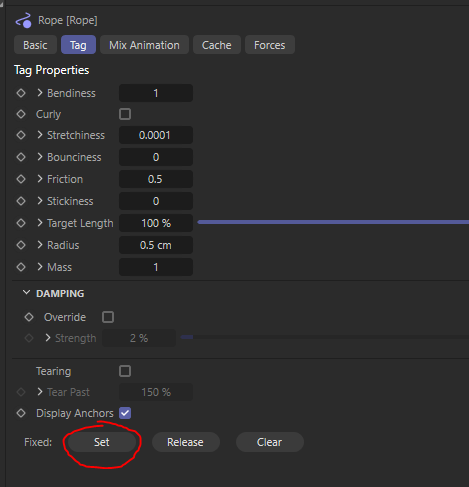
  • Use buttons in tags. Rope tag.

    windows python 2024
    3
    1
    0 Votes
    3 Posts
    725 Views
    S
    @i_mazlov Thank you for your reply. That was very helpful!
  • MCOMMAND_SELECTALL and MCOMMAND_SELECTINVERSE not working?

    python 2024 windows
    3
    0 Votes
    3 Posts
    685 Views
    D
    @i_mazlov Thanks! makes sens. seems i only used the forgiving commands until now. the code is run in a python generator. so by returning the object, it will be inserted into the scene.
  • How do I sort the plug-in menu?

    python
    8
    2
    0 Votes
    8 Posts
    2k Views
    treezwT
    @ferdinand Thank you very much for your help, I have solved the problem!
  • 0 Votes
    3 Posts
    906 Views
    ferdinandF
    Hello, Thank you for reaching out to us. @Dunhou is right, the Picture Viewer is sealed, which means that you can put images into it (with c4d.bitmaps.ShowBitmap or c4d.documents.LoadFile) but you cannot get images or information out of it. This generally applies to all UIs, we do not expose UIs, but the data structures behind them. So, there is for example no Object or Material Manager API interface, their functionalities are exposed via the scene graph. For the Picture Viewer there is no data structure exposed. Cheers, Ferdinand
  • Changing the angle of spline-aligned objects

    python 2024 windows
    5
    2
    0 Votes
    5 Posts
    1k Views
    ferdinandF
    Good to hear that you found your solution!
  • Right aligned button

    c++
    3
    0 Votes
    3 Posts
    705 Views
    B
    This works! Thank you very much, @i_mazlov.
  • Accessing Dev Tools in Webview / CUSTOMGUI_HTMLVIEWER

    python 2024 windows macos
    7
    2
    0 Votes
    7 Posts
    1k Views
    justintaylor-devJ
    @ferdinand Great thanks!
  • How to prevent handle drawing

    c++
    3
    0 Votes
    3 Posts
    707 Views
    fwilleke80F
    Ha, right, I should've thought of that ^_^ Thank you, it works! Cheers, Frank
  • Get all BaseListLink parameters using specific BaseObject

    python 2024
    4
    0 Votes
    4 Posts
    884 Views
    C
    Thank you for this write up, I started writing something similar, but this is a huge help understanding how to get and set the data for BaseLink. I'll need to add FieldList and InExcludeData as you mentioned, knowing the getting and adding the new object is a little more involved than just setting the property id directly. I'll reach out here again if I have any followups.
  • How to modify python tags as generators first?

    Moved programming
    2
    1
    0 Votes
    2 Posts
    634 Views
    ferdinandF
    Hello @treezw, Welcome to the Maxon developers forum and its community, it is great to have you with us! Getting Started Before creating your next postings, we would recommend making yourself accustomed with our forum and support procedures. You did not do anything wrong, we point all new users to these rules. Forum Overview: Provides a broad overview of the fundamental structure and rules of this forum, such as the purpose of the different sub-forums or the fact that we will ban users who engage in hate speech or harassment. Support Procedures: Provides a more in detail overview of how we provide technical support for APIs here. This topic will tell you how to ask good questions and limits of our technical support. Forum Features: Provides an overview of the technical features of this forum, such as Markdown markup or file uploads. It is strongly recommended to read the first two topics carefully, especially the section Support Procedures: Asking Questions. About your First Question Please have a look at our forum guidelines. You must accompany your postings by a reasonable description of what you want. We cannot start deciphering screenshots. I understand that language can be a barrier but your title does not offer much meaning either. I can read here between the lines but we expect you to provide a meaningful problem description in future postings. I assumed that your question is 'how to set the priority value of a Python programming tag?' You must use the parameter access syntax myNode[ID_SOME_PARAM] = value. To discover parameter values, you can use parameter drag and drop in the console. A little hurdle is here the data type of the parameter you want to write, c4d.PriorityData, which is a bit of an oddball. PS: You also posted in the wrong forum, this must go into Cinema 4D SDK since this is a question about this SDK. I have moved your topic. Cheers, Ferdinand import c4d from mxutils import CheckType doc: c4d.documents.BaseDocument # The active document. op: c4d.BaseObject | None # The active object, can be `None`. def main(): """ """ # Allocate a cloner. Object allocation can fail in the C++ backend when you run out of memory. # The constructor will return `None` in that case. One way to handle this is to ensure with # a `CheckType` call that the object is not `None`. cloner: c4d.BaseObject = CheckType(c4d.BaseObject(c4d.Omgcloner)) # Create a Python tag, insert it into the cloner and check for success in one line. tag: c4d.BaseTag = CheckType(cloner.MakeTag(c4d.Tpython)) # Get the priority data of the Python tag, change its value and write it back. Priority data # bundle up three values, the mode, the priority and the camera dependency which are all written # with the method `SetPriorityValue`. priority: c4d.PriorityData = tag[c4d.EXPRESSION_PRIORITY] priority.SetPriorityValue(c4d.PRIORITYVALUE_MODE, c4d.CYCLE_GENERATORS) priority.SetPriorityValue(c4d.PRIORITYVALUE_PRIORITY, -100) tag[c4d.EXPRESSION_PRIORITY] = priority # Insert the cloner into the document and invoke an update. doc.InsertObject(cloner) c4d.EventAdd() if __name__ == '__main__': main()
  • Access Unfreeze All in the Object's Coordinate Tab?

    2023 windows python
    3
    1
    0 Votes
    3 Posts
    724 Views
    B
    @ferdinand Gotcha. Thanks for the response. c4d.CallButton(op, c4d.ID_BASEOBJECT_FROZEN_RESET) works as expected.
  • Redshift constants

    2023 python
    7
    1
    0 Votes
    7 Posts
    2k Views
    ferdinandF
    Hey @fastrube, The bump map type is an integer value as explained above by @Manuel and as explained here in a bit more verbose form in the graph description manual. Cheers, Ferdinand
  • Workplane Manipulation Within a ToolData-Derived Plugin

    c++
    4
    0 Votes
    4 Posts
    809 Views
    ferdinandF
    Good to hear! And your question was not 'messy', but to ensure efficient support, we must enforce certain rules. Cheers, Ferdinand
  • 0 Votes
    3 Posts
    573 Views
    lakpoL
    Hi Ferdinand, I just wanted to thank you for your invaluable help! Thanks to your guidance, I was able to solve my issue with toggling the default gravity in Cinema 4D. Honestly, I didn't think it would be this complicated! For anyone who might encounter a similar problem, here's the script I used, based on your code. It allows access to the global default simulation scene in the simulation hook and toggles the gravity value between 0 and -981: import c4d doc: c4d.documents.BaseDocument # The currently active document. op: c4d.BaseObject | None # The primary selected object in the document. Can be None. c4d.SHsimulation: int = 1057220 # The ID of the simulation hook. def main() -> None: """Called by Cinema 4D when the script is executed.""" # Get the simulation hook of the active document simulationHook: c4d.BaseList2D | None = doc.FindSceneHook(c4d.SHsimulation) if not simulationHook: raise RuntimeError("Cannot find the simulation hook.") # Retrieve the object branch from the simulation hook branches: list[dict] = simulationHook.GetBranchInfo() data: dict | None = next(n for n in branches if n["id"] == c4d.Obase) # We're looking for the object branch. if not data: raise RuntimeError("Malformed simulation hook with missing object branch.") # Get the simulation scene simulationScene: c4d.BaseObject | None = data["head"].GetFirst() if not simulationScene: raise RuntimeError("Malformed simulation hook with missing object branch children.") # Toggle gravity between 0 and -981 if simulationScene[c4d.PBDSCENE_DEFAULTGRAVITY] == 0: simulationScene[c4d.PBDSCENE_DEFAULTGRAVITY] = -981 else: simulationScene[c4d.PBDSCENE_DEFAULTGRAVITY] = 0 c4d.EventAdd() if __name__ == '__main__': main() This script toggles the default gravity of the simulation scene between 0 and -981 depending on its current value. Thanks again for your help! I hope this can be useful to others who might face the same issue.