• Delete marker with python

    Moved
    3
    0 Votes
    3 Posts
    898 Views
    G
    Thank you @m_adam markers[0].Remove() worked in the Python Generator without crashing. I hope it isn't stupid to try this. I do plan on converting it to a plugin. Thanks, you can solve this question.
  • Re-Initialize dialog if already opened

    python sdk
    3
    0 Votes
    3 Posts
    406 Views
    mfersaouiM
    @m_magalhaes Hello, Right. Duly noted. Thanks for your time.
  • How to force resize the Native and 3rd Party Plug-in Icons?

    r21 python
    3
    0 Votes
    3 Posts
    439 Views
    B
    @m_adam Thanks for the response. Works as expected.
  • Cloner objects missing in Commandline FBX export

    python
    7
    0 Votes
    7 Posts
    2k Views
    ManuelM
    hello, this thread will be considered as "solved" tomorrow if you have nothing to add. Cheers, Manuel
  • Using AddEditNumberArrows

    python
    2
    0 Votes
    2 Posts
    434 Views
    ManuelM
    hello, you have to use the step parameter as showned in the documentation here self.SetFloat(datafield_displacement, 1.0, min=0.0, step=0.1) Cheers, Manuel
  • How to layout a dialog that is smaller than its components?

    c++ python
    7
    0 Votes
    7 Posts
    884 Views
    CairynC
    Thanks for the confirmation. I guess I'll use an empty group then and fill in the scrolling group in the code.
  • Isolating a Cloner.

    r20 python
    3
    1
    0 Votes
    3 Posts
    439 Views
    P
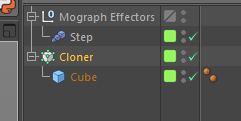
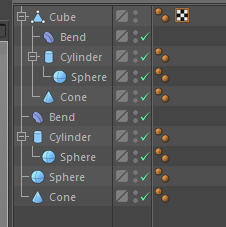
    Yes, I already expected that. One comment, the same behavior occurs when you Copy and Paste a node into a new document. -Pim
  • How to access Built-in Icons?

    r21 python
    3
    0 Votes
    3 Posts
    422 Views
    B
    @zipit I see. It's the same as the object ID. I also tried it with external plug-in icons. It works as expected. Thanks for the clarification!
  • Creating a Clickable Floating GUI Dialog?

    python r21
    2
    0 Votes
    2 Posts
    386 Views
    B
    Stupid me. I already asked the same question a year ago here: https://developers.maxon.net/forum/topic/11472/dialogue-box-manager-through-plug-in-vs-vanilla-script/5 Anyhow, for anyone interested on the working plug-in code. Here it is import c4d from c4d import bitmaps, documents, gui, plugins, threading, utils PLUGIN_ID = 1011323 class MyDialog(gui.GeDialog): def CreateLayout(self): #self.SetTitle('Colorizer') # Prepare a red bitmap for the button. w = 50 h = 50 bmpRed = c4d.bitmaps.BaseBitmap() bmpRed.Init(w, h) for y in xrange(w): for x in xrange(h): bmpRed.SetPixel(x, y, 255, 0, 0) # BitmapButton configuration bcBitmapButton = c4d.BaseContainer() bcBitmapButton[c4d.BITMAPBUTTON_BUTTON] = True # Add a BitmapButton to the dialog. # _bitmapButton is a member variable of the dialog class buttonId = 2000 _bitmapButton = self.AddCustomGui(buttonId, c4d.CUSTOMGUI_BITMAPBUTTON, "", c4d.BFH_CENTER|c4d.BFV_CENTER, w, h, bcBitmapButton) if _bitmapButton is None: print "Handle this error!" # Assign the image to the button. # Note: Let it create an internal copy as the created bitmap will be free'd, when scope is left. _bitmapButton.SetImage(bmpRed, True) def Command(self, id, msg): if id==2000: # corresponds to the button ID used in the code snippet in the first answer in this thread print "My Bitmap Button" return True class MyMenuPlugin(plugins.CommandData): dialog = None def Execute(self, doc): # create the dialog if self.dialog is None: self.dialog = MyDialog() return self.dialog.Open(dlgtype=c4d.DLG_TYPE_ASYNC, pluginid=PLUGIN_ID, defaultw=200, defaulth=150, xpos=-1, ypos=-1) def RestoreLayout(self, sec_ref): # manage the dialog if self.dialog is None: self.dialog = MyDialog() return self.dialog.Restore(pluginid=PLUGIN_ID, secret=sec_ref) if __name__ == "__main__": okyn = plugins.RegisterCommandPlugin(PLUGIN_ID, "Cubey",0, None, "Cubey initialized", MyMenuPlugin()) if (okyn): print "Cubey initialized"

  • Storing node data in a Tag plugin

    r20 python
    8
    2
    0 Votes
    8 Posts
    1k Views
    P
    @zipit, thanks for this extra information! Indeed my assumption is / was that Write is only called, when you save the scene file. -Pim
  • More Examples for GeUserArea?

    r21 python
    7
    0 Votes
    7 Posts
    2k Views
    B
    Hi @zipit Apologies for the late response. Your code sample looks interesting. And yep, close to what I was looking for. Stacking columns of clickable images/text I keep looking back at it every now and then but I have to admit, it's beyond me at the moment really beyond me at the moment. Maybe I was just a bit spoiled with other GUI interface such as tkinter or PyQT, where it is relatively easy to implement. Just copy some code and modify some parts. Or maybe there are just more available examples in tkinter and PyQT that fits my need. Will get back to this topic when I have the necessary skillset. Sorry for the trouble and thanks again.
  • AdditionalCompileOptions breaks any plugin

    6
    0 Votes
    6 Posts
    1k Views
    F
    Thx for the answers, @Manuel I was just trying to set some library specific defines. I tried with a random define text and it breaks plugins. @Kent I will try that, thank you. Shouldn't it however also work how I did it? Regards Fritz
  • python combobox get current value

    r21 r20 r19 python
    4
    0 Votes
    4 Posts
    874 Views
    ManuelM
    Hello, For your next threads, please help us keeping things organised and clean. I know it's not your priority but it really simplify our work here. Q&A New Functionality. How to Post Questions especially the tagging part. I've already done for this thread. I can just confirm what @zipit said. Nothing to add Cheers, Manuel
  • Objects created in real time

    python r19 r21 r20
    6
    0 Votes
    6 Posts
    1k Views
    ManuelM
    Hello, For your next threads, please help us keeping things organised and clean. I know it's not your priority but it really simplify our work here. Q&A New Functionality. How to Post Questions especially the tagging part. @zipit and @Cairyn have already answer here (thanks a lot) nothing to add. Cheers, Manuel
  • Bake Texture within ObjectData

    13
    0 Votes
    13 Posts
    2k Views
    mfersaouiM
    @m_adam said in Bake Texture within ObjectData: bakeBmp = c4d.bitmaps.MultipassBitmap(512, 512, c4d.COLORMODE_RGBf) This example helped me a lot. Thank you so much. Regards, Mustapha
  • ID_MODELING_LOOP_TOOL still broken ?

    r20
    4
    0 Votes
    4 Posts
    754 Views
    A
    @m_adam Anyway, thanks for your time!
  • How to print in the console ?

    3
    0 Votes
    3 Posts
    669 Views
    KantroninK
    I used the frame of your code to make plugins from scripts that I wrote, and now I can send my results to the console. Thanks
  • Storing a part of the hierarchy

    r20 c++
    20
    0 Votes
    20 Posts
    2k Views
    P
    Thanks for all the support. I will use all the knowledge gained and start testing. I am sure, I will be back with more questions. -Pim
  • Custom Object Icon in R21 python

    python
    2
    0 Votes
    2 Posts
    559 Views
    M
    Hi @affa May I ask you in which context you are? Can you share your code? Did you take a look to the py-custom_icon.pyp plugin example. Cheers, Maxime.
  • IsolateObjects question

    r20 python
    7
    2
    0 Votes
    7 Posts
    812 Views
    P
    Aha, thanks.