• Programmatically create a palette?

    Cinema 4D SDK c++ sdk
    4
    0 Votes
    4 Posts
    2k Views
    ferdinandF
    Hello @ECHekman, It is very unlikely that this will ever change unless we do a fundamental rewrite of our UI core (which itself is not that unlikely but there are no current concrete plans or an ETA, Cinema 4D could keep using its current UI core for another decade). What Redshift, or more concretely things like the foreground object, are doing, is not loading or modifying palettes. They are modifying the state of the command via CMD_HIDDEN. For things where you usually do not have control over the command implementation, you can register a CommandGetStateDelegate for a specific command ID. This delegate will be called whenever the state of the command is queried, and you can then modify the state as you see fit. Cheers, Ferdinand Code // Demonstrates how to register a CommandGetStateDelegate for a specific command ID, allowing us to // override the CommandData::GetState behavior of the command, i.e., how its enabled/checked/ // hidden (and more) behavior is. // // Doing this is usually only necessary if the command implementation is not under our control, as // for example, for scene elements (NodeData, ObjectData, etc.) where we usually do not implement the // command ourselves but let Cinema 4D handle it. // // NEVER IMPLEMENT ANY STATE DELEGATES FOR COMMANDS THAT YOU DO NOT OWN. // This is the state handler for the foreground object command. It will hide the command if the active // renderer is Redshift. namespace maxon { MAXON_DECLARATION_REGISTER(CommandGetStateDelegates, NumToString<Oforeground>::value) { CommandGetStateDelegate delegate = [](cinema::BaseDocument* doc) -> Int32 { Int32 state = cinema::CMD_ENABLED; if (doc) { cinema::RenderData* rd = doc->GetActiveRenderData(); if (rd) { const Bool isRedshiftActiveRenderer = rd->GetDataInstance()->GetInt32(RDATA_RENDERENGINE) == VPrsrenderer; if (isRedshiftActiveRenderer) state |= cinema::CMD_HIDDEN; } } return state; }; return delegate; } } // namespace maxon

  • Retrieving camera view volume

    Cinema 4D SDK sdk c++ maxon api
    3
    1
    0 Votes
    3 Posts
    1k Views
    U
    @cairyn Thank you!
  • Add Database to the Asset Browser

    Cinema 4D SDK c++ r25 s26 sdk
    2
    0 Votes
    2 Posts
    743 Views
    ferdinandF
    Hey @kbar, thank you for reaching out to us. How to add asset databases and others things are all explained in the Asset API Handbook. Your specific case is dealt with in the example Add User Databases. You can technically also take a route via the Asset Browser preferences in the Cinema 4D Preferences dialog and the GUI gadget showing these database entries, completely ignoring the Asset API, but I would not recommend doing this. Cheers, Ferdinand
  • How to use GeUserArea.DrawCustomButton()

    Cinema 4D SDK python sdk s26
    5
    1
    0 Votes
    5 Posts
    1k Views
    K
    Hi @m_adam , It is unfortunate because I thought it would be useful if it were available, but I understand. Thank you for your prompt response!
  • 0 Votes
    6 Posts
    2k Views
    ferdinandF
    Hello @m_adam, without any further questions or other postings, we will consider this topic as solved and flag it as such by Friday, 17/06/2022. Thank you for your understanding, Ferdinand
  • Limit On the Number Of Takes

    Cinema 4D SDK c++ r20 sdk
    4
    0 Votes
    4 Posts
    2k Views
    J
    @m_magalhaes Thanks for the response. Might be able to use your idea as potential solution. John Terenece
  • GeDialog Update

    Cinema 4D SDK r20 c++ sdk
    4
    0 Votes
    4 Posts
    2k Views
    fwilleke80F
    I would recommend against changing anything in the scene from within GetVirtualObjects(). Rather do it in Execute(). Cheers, Frank
  • 0 Votes
    4 Posts
    1k Views
    M
    Hi this bug was fixed with release 2023.0 of Cinema 4D. Cheers, Maxime.
  • S26 SDK and API Documentation Release

    News & Information news sdk
    1
    1 Votes
    1 Posts
    28k Views
    No one has replied
  • BaseTake AddTake

    Cinema 4D SDK c++ r20 sdk
    4
    1 Votes
    4 Posts
    2k Views
    J
    Thanks for the response Ferdinand, I thought that that would be the case. John Terenece
  • Another question for animated data extraction

    Cineware SDK c++ sdk
    3
    0 Votes
    3 Posts
    3k Views
    ferdinandF
    Hello @khor, without any further questions and other postings, we will consider this topic as solved and flag it as such by Friday, 17/06/2022. Thank you for your understanding, Ferdinand
  • Can't get assets info in c4dpy

    Cinema 4D SDK python r21 sdk
    4
    2
    0 Votes
    4 Posts
    871 Views
    ferdinandF
    Hello @sol87, without any further questions and other postings, we will consider this topic as solved and flag it as such by Friday, 17/06/2022. Thank you for your understanding, Ferdinand
  • R21 c4dpy LoadFile always return False

    Cinema 4D SDK sdk python
    6
    2
    0 Votes
    6 Posts
    1k Views
    S
    @ferdinand wow, awesome. It works! thank you so much.
  • Layers checker

    Cinema 4D SDK python s24 sdk
    4
    0 Votes
    4 Posts
    2k Views
    ROMANR
    @mogh I didn't know about this function @ferdinand Thank you a lot for your detailed response. I will chek posts which you recommended
  • 0 Votes
    11 Posts
    3k Views
    ferdinandF
    Hello @pyxelrigger, without any further activity before Wednesday, the 16.03.2022, we will consider this topic as solved and remove the "unsolved" state from this topic. Thank you for your understanding, Ferdinand
  • Thinking Particles in ParallelFor

    Cinema 4D SDK r20 c++ windows sdk
    5
    0 Votes
    5 Posts
    2k Views
    N
    Hello @ferdinand, thank you again for this very detailed and helpful reply! I tried both methods, allocating beforehand and like the previous setup, just have it after the ParallelFor altogether. Both worked, although allocating beforehand introduced some weird flickering in the particles and was (at least it feels that way) more unstable. Which is why I opted to go for the second solution as with some exstensive testing it didn't seem to cause any issues. For anyone maybe reading this in the future and having the same issues: Do not allocate the particle group inside the plugin but use a link field and have the user handle the particle group creation inside c4d, that solved a lot of weird behaviours and seemed to work better/more stable. (at least in my not so intended usecase) I will mark this thread as solved, as it works now and I can fix the main-thread issue as well without too much trouble. So thank you very much for your quick and very detailed replies! Best Regards, Florian
  • 0 Votes
    5 Posts
    2k Views
    pyxelriggerP
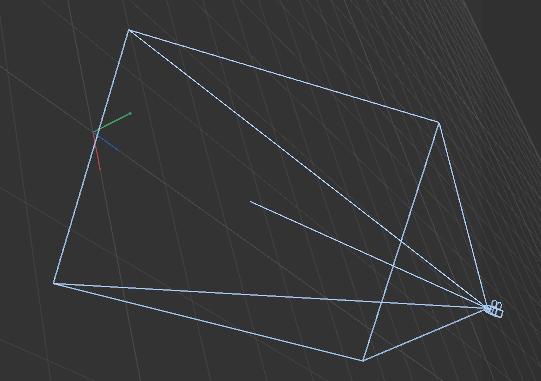
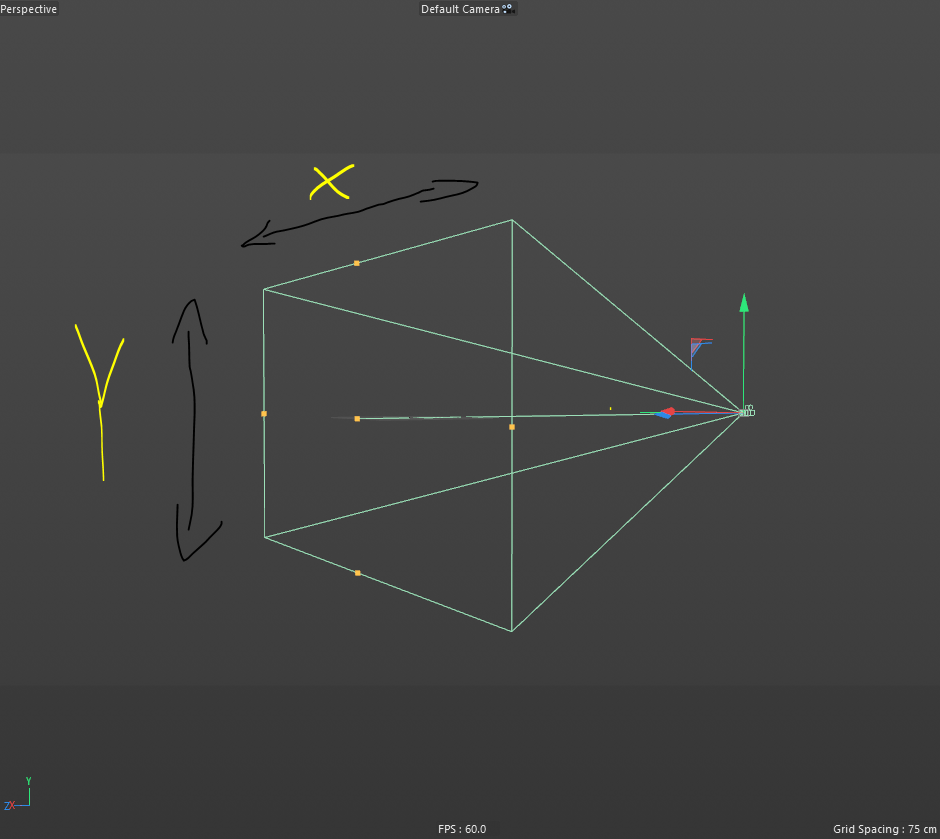
    Hmm thank you!! It's not as difficult as I imagined I just had to make a change in the formula for some case, I used: x = focaldistance*math.tan(h/2)*1 [image: 1644929034240-96f1960e87e92c0bd8b3f677b453172d.gif]
  • 0 Votes
    3 Posts
    1k Views
    D
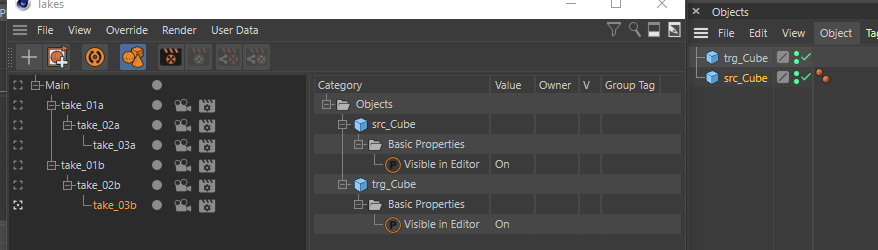
    @m_magalhaes said in Copying Take Overrides from an object to another via Python not working properly: adding the backupvalue You are master! thanks my friend, it's working!
  • 1 Votes
    2 Posts
    630 Views
    M
    Thanks, this is going to be fixed in the next documentation release. Cheers, Maxime.
  • Getting material 'use' flag

    Cinema 4D SDK sdk c++
    3
    0 Votes
    3 Posts
    671 Views
    WickedPW
    Thanks Frank, @fwilleke80 said in Getting material 'use' flag: BaseMaterial* const materialPtr = textureTagPtr->GetMaterial(); Yep, that's what I was missing. I was thinking the texture tag was the material, but it wasn't and I needed to get the link to the material from the texture tag. Cheers, WP.