• 0 Votes
    3 Posts
    1k Views
    M
    @m_adam wow! I did what you say,it works!! you are so cool!! thank you very much!!! yeah!!
  • Memory leak after plugin migration R16 -> R20

    Cinema 4D SDK
    14
    1 Votes
    14 Posts
    3k Views
    r_giganteR
    Thanks a lot Daniel for following up here. Glad to listen that the update actually fixed it, although even on 20.030 I had no better luck to reproduce. Best, Riccardo
  • 0 Votes
    5 Posts
    2k Views
    D
    @s_bach i see. thx, nevertheless. well, as said, the only way to avoid that collision seems to be: put the plugins into the plugin-folder of the main application. while discussing the other part of my problem (see symbolcache-topic) on other forums (the german c4dnetwork, that is), it became apparent, that other ppl also do have those collision-messages with r20 - and they, too, do not experience those plugins to be not working. if at any time this "problem" should become of interest for you, let me know, if there's something that i could do/deliver/add any detail, to support you in your efforts. cheers, mesut.

  • MAXON_OPERATOR_MOVE_ASSIGNMENT and virtual destructor

    Cinema 4D SDK
    3
    0 Votes
    3 Posts
    808 Views
    C4DSC
    I am still a C++ dinosaur, and particularly not experienced with the move operator. So thanks for pointing out the need for the manually written assignment operator. Together with the already implemented move constructor I had, I now more clearly see the point.
  • maxon::String in classic API

    Cinema 4D SDK
    6
    1
    0 Votes
    6 Posts
    1k Views
    C4DSC
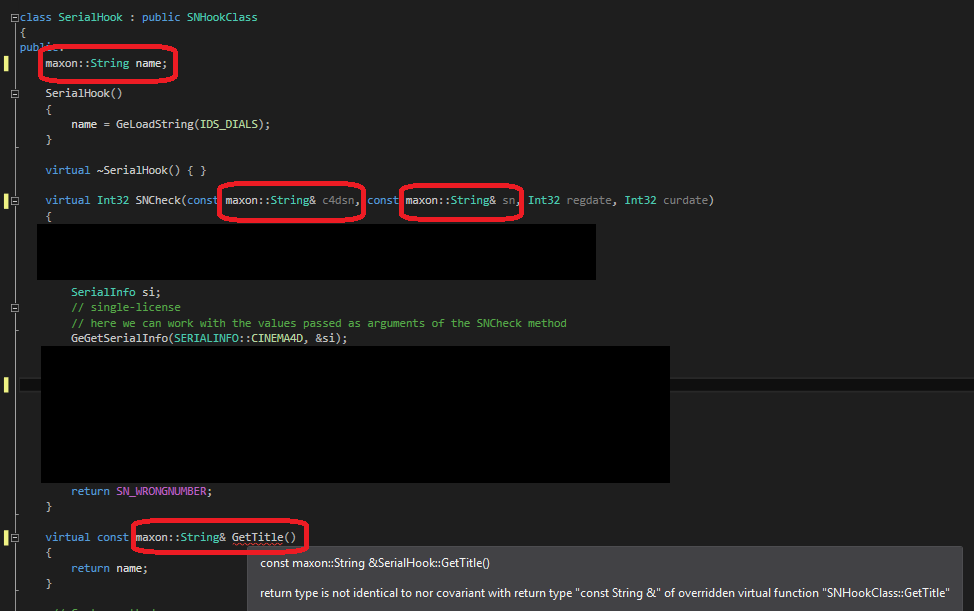
    Thanks for the confirmation SNHookClass still using the legacy String.
  • Quit Cinema after SAVE_AFTER message

    Cinema 4D SDK r20 python
    3
    0 Votes
    3 Posts
    763 Views
    B
    Hi @m_adam! Thank you for your response. I looked for a way to mark the post as a question while submitting, I didn't think to look at the submitted post again for that option. I'll remember next time. KillDocument and Exiting were never ment to run consecutively, they were just two things I wanted to try for different scenarios. I should have clarified that. StopAllThreads() unfortunately wasn't enough, but adding in a small message plugin to trigger the exit from the CoreMessage() did the trick. I'm now changing a global boolean for the CoreMessage() to look for. Is that what you had in mind? Thank you for your help, everything works now. I'll make sure and try and find the "mark as solved" button on my way out Edit: I can't actually mark your comment as the solution, only this one...
  • Shortcuts for buttons from gui.GeDialog

    Cinema 4D SDK r20 python
    4
    0 Votes
    4 Posts
    2k Views
    FlavioDinizF
    Thanks a lot @C4DS @m_adam ! So I think it's better to create separate CommandDataplugins to perform the same action of each button, it's less complicated and allow the user to change the keyboard shortcuts and exclude the need of the GUI being always open. Although the m_adam suggestions may be useful for other plugins ideas I have. I'll try it later. Thanksss !
  • Bevel selection after a CSTO

    Cinema 4D SDK python r20
    2
    3
    0 Votes
    2 Posts
    565 Views
    a_blockA
    Hi Pim, no, I don't think so. Basically the Selection tag reacts to MSG_POINTS_CHANGED and MSG_POLYGONS_CHANGED, in the end adding or removing the needed amount of points or polygons in the selection array. But there's no information, what to do with for example additional points. And so it heavily depends on where the new points/polygons are added and also which tool does so, what the outcome for those selected entities will be. Something that will probably be addressed in future with the CustomDataTag introduced in R20. Cheers, Andreas
  • Checknames option

    Cinema 4D SDK python r20
    3
    0 Votes
    3 Posts
    945 Views
    P
    Works great, thanks. -Pim
  • Separator in plugins menu

    Cinema 4D SDK c++ r19 r20
    3
    0 Votes
    3 Posts
    712 Views
    a_blockA
    Hi, yes, this is still the "official" way to add separators to the Plugins menu. Cheers, Andreas
  • Bevel Object Type

    Cinema 4D SDK python r20
    3
    0 Votes
    3 Posts
    786 Views
    P
    Thanks. And yes, I used that value already. -Pim
  • Field Layer Description Names

    Cinema 4D SDK c++ r20 macos
    5
    0 Votes
    5 Posts
    1k Views
    D
    Thank you so much, that's exactly what I needed! Dan
  • Bitmap scaling up

    Cinema 4D SDK c++ r19 r20
    3
    0 Votes
    3 Posts
    784 Views
    M
    Thanks, @C4DS for pointing out this issue. It will be fixed in the next version. Cheers, Maxime.
  • Confusing ToolData content

    Cinema 4D SDK python c++ r19 r20
    20
    1 Votes
    20 Posts
    5k Views
    S
    Congrats on the new forum! it is very informative About time
  • CallButton in C++

    Cinema 4D SDK c++ r19 r20
    7
    0 Votes
    7 Posts
    2k Views
    C4DSC
    Working as expected now ... didn't think of playing with the PLUGINTYPE_xxx Thanks for details.
  • Objectdata and Bevel objects

    Cinema 4D SDK python r20
    6
    2
    0 Votes
    6 Posts
    2k Views
    P
    Hi Riccardo, I am not sure what you mean, but I guess you mean that you define selection tags on one of the children and use that selection on the resulting objectdata object? -Pim
  • SetDocumentData options for exporting

    Cinema 4D SDK r20 python
    4
    0 Votes
    4 Posts
    1k Views
    M
    Hi @Rage I guess export_OBJ example on our Github repository is what you are looking for. Note for the moment values of the BaseContainer are not available in the Python Documentation. But you could find them in the C++ documentation about fobjexport2.h. If you have any question please let me know. Cheers, Maxime.
  • CheckDropArea documentation "typo" ?

    Cinema 4D SDK r19 r20 c++
    2
    0 Votes
    2 Posts
    651 Views
    M
    Hi @C4DS, thanks a lot for your message. Documentation tag have been added. Drag and Drop Manual, changed to: GeDialog Drag and Drop GeUserArea Drag and Drop GUI Message Drag and Drop Links will work correctly in the next update of the doc. However you are right, the code sample in the old manual was wrong. It should have been if (CheckDropArea(DLG_GROUP, msg, true, true)) {} Note, you could also create your own function as demonstrated in the AsyncTest Example. Cheers, Maxime.
  • UserArea and EditText

    Cinema 4D SDK c++ r19 r20
    4
    0 Votes
    4 Posts
    1k Views
    C4DSC
    Thanks to both of you. I originally thought solution 2 would be the way to go, and have proceeded in that direction ... but the more I look at the result the more I am getting convinced that this wasn't the right approach to deal with the issue. So, I am still open for solution 1. But will try yet another solution, inspired by the reply from WickedP. I intentionally didn't include a solution where I would create iCustomGui / GeUserArea for each separate gadget. As I thought this would result in drag and drop to only work when hovered over the separate gadgets, and failing when mouse would hover over the space between these gadgets. But using a global drag and drop function on the dialog itself (instead of all separate gadgets) will actually provide for a complete solution. EDIT: Set the state of this post to "Solved". In the end I went for a complete different solution. Not using any GeUserArea at all. As such, I could simply position and use EditText the way it was intended.
  • Project tool and non-cpp file extensions

    Cinema 4D SDK
    4
    0 Votes
    4 Posts
    1k Views
    S
    That's great, Andreas. Thanks! I'll kludge on until then.