• Setting Parameters from JSON File

    Cinema 4D SDK r21 python
    3
    0 Votes
    3 Posts
    914 Views
    B
    @m_adam Thanks! Works as expected!
  • CurrentStateToObject returning Null

    Cinema 4D SDK
    10
    0 Votes
    10 Posts
    1k Views
    ManuelM
    hello @rui_mac without futher information i'll change this thread as resolved tomorrow.
  • 0 Votes
    11 Posts
    2k Views
    H
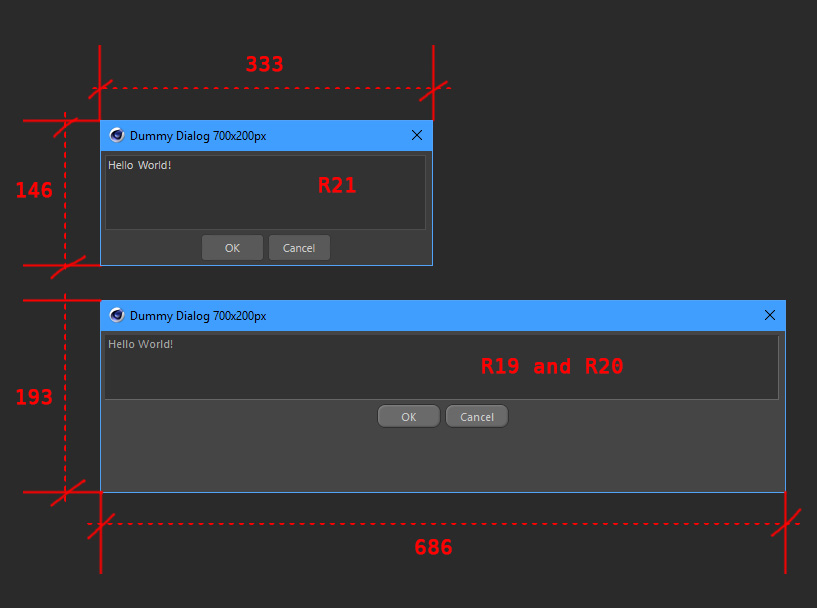
    I know this is an old topic, but just for the record... The same thing seems to happen on macOS as well (Cinema 4D R21.207, macOS Catalina 10.15.3). If xpos and ypos are -2 (i.e. show the dialog in the middle of the screen), and pluginID is not given as parameter, the dialog dimensions are about half of what they're supposed to be. If a pluginID is given, dialog dimensions are correct.
  • Restrict Input Dialog to Numbers?

    Cinema 4D SDK r21 python
    3
    0 Votes
    3 Posts
    434 Views
    B
    Hi @m_adam Thank you for reference. It works as expected. Have a great day ahead!
  • Issues Modifying Cloned Document

    Cinema 4D SDK python r21
    3
    0 Votes
    3 Posts
    586 Views
    ManuelM
    Hello, Really sorry about this issue. Would it be possible to send us a scene and some screenshot maybe to reproduce the behaviour ? That would be really appreciate. I will send that to our devs. You can use our mailbox [email protected] Thanks and cheers, Manuel
  • 0 Votes
    5 Posts
    749 Views
    B
    @m_adam RE: The A seems to be present until there is a target. Thanks for the clarification. That make sense. Your code works as expected. This is just a trivial question. In the documentation for the CAPoseMorphTag.ExitEdit it says: Must be called before doing anything to a morph tag. Shouldn't it be named EnderEdit? Since we are editing the morph tag or calling the ExitEdit after actually editing the morph tag? Again trivial but just seeking some clarification.
  • Gray Out Custom UI Bitmap Button?

    Cinema 4D SDK r21 python
    9
    0 Votes
    9 Posts
    1k Views
    B
    @Cairyn Gotcha. Thanks for sharing! @m_adam ". . . but until everything is moved to the new core" That's a nice tease there
  • 0 Votes
    3 Posts
    450 Views
    B
    @m_adam Thanks for the response. Works as expected.
  • Delete marker with python

    Moved Cinema 4D SDK
    3
    0 Votes
    3 Posts
    949 Views
    G
    Thank you @m_adam markers[0].Remove() worked in the Python Generator without crashing. I hope it isn't stupid to try this. I do plan on converting it to a plugin. Thanks, you can solve this question.
  • GetContour and GetVirtualObjects in one Plugin

    Cinema 4D SDK python
    4
    0 Votes
    4 Posts
    1k Views
    P
    @rsodre works flawless!
  • Using AddEditNumberArrows

    Cinema 4D SDK python
    2
    0 Votes
    2 Posts
    469 Views
    ManuelM
    hello, you have to use the step parameter as showned in the documentation here self.SetFloat(datafield_displacement, 1.0, min=0.0, step=0.1) Cheers, Manuel
  • Re-Initialize dialog if already opened

    Cinema 4D SDK python sdk
    3
    0 Votes
    3 Posts
    413 Views
    mfersaouiM
    @m_magalhaes Hello, Right. Duly noted. Thanks for your time.
  • Unable to Detect Mouse Click

    Cinema 4D SDK r21 python
    7
    0 Votes
    7 Posts
    1k Views
    ManuelM
    hello, Please @unti open your own thread. The context is maybe a bit different and your question is a bit different. Cheers, Manuel.
  • 0 Votes
    9 Posts
    1k Views
    B
    @s_bach Thanks for the clarification
  • How to access Built-in Icons?

    Cinema 4D SDK r21 python
    3
    0 Votes
    3 Posts
    484 Views
    B
    @zipit I see. It's the same as the object ID. I also tried it with external plug-in icons. It works as expected. Thanks for the clarification!
  • Creating a Clickable Floating GUI Dialog?

    Cinema 4D SDK python r21
    2
    0 Votes
    2 Posts
    397 Views
    B
    Stupid me. I already asked the same question a year ago here: https://developers.maxon.net/forum/topic/11472/dialogue-box-manager-through-plug-in-vs-vanilla-script/5 Anyhow, for anyone interested on the working plug-in code. Here it is import c4d from c4d import bitmaps, documents, gui, plugins, threading, utils PLUGIN_ID = 1011323 class MyDialog(gui.GeDialog): def CreateLayout(self): #self.SetTitle('Colorizer') # Prepare a red bitmap for the button. w = 50 h = 50 bmpRed = c4d.bitmaps.BaseBitmap() bmpRed.Init(w, h) for y in xrange(w): for x in xrange(h): bmpRed.SetPixel(x, y, 255, 0, 0) # BitmapButton configuration bcBitmapButton = c4d.BaseContainer() bcBitmapButton[c4d.BITMAPBUTTON_BUTTON] = True # Add a BitmapButton to the dialog. # _bitmapButton is a member variable of the dialog class buttonId = 2000 _bitmapButton = self.AddCustomGui(buttonId, c4d.CUSTOMGUI_BITMAPBUTTON, "", c4d.BFH_CENTER|c4d.BFV_CENTER, w, h, bcBitmapButton) if _bitmapButton is None: print "Handle this error!" # Assign the image to the button. # Note: Let it create an internal copy as the created bitmap will be free'd, when scope is left. _bitmapButton.SetImage(bmpRed, True) def Command(self, id, msg): if id==2000: # corresponds to the button ID used in the code snippet in the first answer in this thread print "My Bitmap Button" return True class MyMenuPlugin(plugins.CommandData): dialog = None def Execute(self, doc): # create the dialog if self.dialog is None: self.dialog = MyDialog() return self.dialog.Open(dlgtype=c4d.DLG_TYPE_ASYNC, pluginid=PLUGIN_ID, defaultw=200, defaulth=150, xpos=-1, ypos=-1) def RestoreLayout(self, sec_ref): # manage the dialog if self.dialog is None: self.dialog = MyDialog() return self.dialog.Restore(pluginid=PLUGIN_ID, secret=sec_ref) if __name__ == "__main__": okyn = plugins.RegisterCommandPlugin(PLUGIN_ID, "Cubey",0, None, "Cubey initialized", MyMenuPlugin()) if (okyn): print "Cubey initialized"
  • Isolating a Cloner.

    Cinema 4D SDK r20 python
    3
    1
    0 Votes
    3 Posts
    458 Views
    P
    Yes, I already expected that. One comment, the same behavior occurs when you Copy and Paste a node into a new document. -Pim
  • Storing node data in a Tag plugin

    Cinema 4D SDK r20 python
    8
    2
    0 Votes
    8 Posts
    1k Views
    P
    @zipit, thanks for this extra information! Indeed my assumption is / was that Write is only called, when you save the scene file. -Pim
  • Objects created in real time

    Cinema 4D SDK python r19 r21 r20
    6
    0 Votes
    6 Posts
    1k Views
    ManuelM
    Hello, For your next threads, please help us keeping things organised and clean. I know it's not your priority but it really simplify our work here. Q&A New Functionality. How to Post Questions especially the tagging part. @zipit and @Cairyn have already answer here (thanks a lot) nothing to add. Cheers, Manuel
  • python combobox get current value

    Cinema 4D SDK r21 r20 r19 python
    4
    0 Votes
    4 Posts
    917 Views
    ManuelM
    Hello, For your next threads, please help us keeping things organised and clean. I know it's not your priority but it really simplify our work here. Q&A New Functionality. How to Post Questions especially the tagging part. I've already done for this thread. I can just confirm what @zipit said. Nothing to add Cheers, Manuel