• 1 Votes
    4 Posts
    1k Views
    C
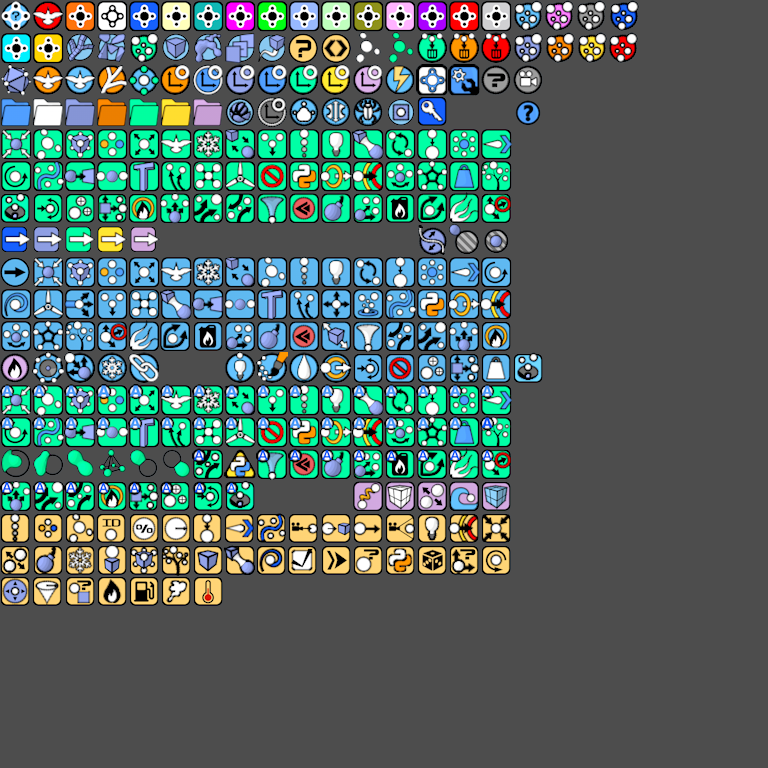
    Did GetClonePart and it works Cinema4D Preview Icon [image: 1584841017304-unknown.png] [image: 1584841026677-demoicons.png] [CODE HERE] # // Imports // import os import sys # // Imports for Cinema 4D // import c4d from c4d import plugins, gui, bitmaps, documents, storage, utils # Icons Image Paths OneImageIcons = os.path.join(os.path.dirname(__file__), 'icons', "demoIcons.png") # --------------------------------------------------------------------- # Creating GUI Instance Functions UI Elements Operations # Hepler Methods. # --------------------------------------------------------------------- # Get Icon from Icons one image. def GetCustomIcon(size, locCordX, locCordY): """ Get Texture Atlas Image """ bmp = c4d.bitmaps.BaseBitmap() bmp.InitWith(OneImageIcons) w = size h = size x = locCordX y = locCordY selectIcon = bmp.GetClonePart(x, y, w, h) return selectIcon # Create a Bitmap Button Custom GUI. def CustomImageButton_GUI(ui_ins, btn_id, toolname, tooltip, image): ui_ins.GroupBegin(0, c4d.BFH_MASK, 1, 0, "") bc = c4d.BaseContainer() # Create a new container to store the button image bc.SetLong(c4d.BITMAPBUTTON_BORDER, c4d.BORDER_NONE) # Sets the border flag to look like a button look. eg.( c4d.BORDER_NONE or c4d.BORDER_THIN_OUT or c4d.BORDER_OUT ) bc.SetBool(c4d.BITMAPBUTTON_BUTTON, True) # Clickable button / Does not seem to to work in R13? bc.SetBool(c4d.BITMAPBUTTON_TOGGLE, True) # Toggle button, like a checkbox. bc.SetString(c4d.BITMAPBUTTON_TOOLTIP, "<b>"+ toolname + "</b><br>" + tooltip) ui_ins.myBitButton = ui_ins.AddCustomGui(btn_id, c4d.CUSTOMGUI_BITMAPBUTTON, "Bitmap Button", c4d.BFH_MASK, 10, 10, bc) ui_ins.myBitButton.SetImage(image) ui_ins.GroupEnd() return True # ---------------------------------------- # // UI Main Window // # ---------------------------------------- class Tool_WindowDialog(c4d.gui.GeDialog): # GUI Ids IDS_VER = 999 IDS_OverallGrp = 1000 IDS_StaticText = 1001 IDS_BTN_01 = 1002 IDS_BTN_02 = 1003 IDS_BTN_03 = 1004 IDS_BTN_04 = 1005 # // Main GeDialog Overrides // """ The __init__ is an Constuctor and help get and passes data on from the another class. """ def __init__(self): super(Tool_WindowDialog, self).__init__() # UI Layout def CreateLayout(self): # Dialog Title self.SetTitle("Tool Ui") # Adding the GUI Buttons and inside a empty group with 4 rows. self.GroupBegin(0, c4d.BFH_SCALEFIT, 4, 0, "") self.GroupBorderSpace(5, 5, 5, 5) CustomImageButton_GUI(ui_ins=self, btn_id=self.IDS_BTN_01, toolname="Go UP", tooltip="HelloWorld", image=GetCustomIcon(size=32, locCordX=0, locCordY=37)) CustomImageButton_GUI(ui_ins=self, btn_id=self.IDS_BTN_02, toolname="Go Right", tooltip="HelloWorld", image=GetCustomIcon(size=32, locCordX=0, locCordY=0)) self.GroupEnd() self.GroupEnd() # End of the overall group. return True # Called when the dialog is initialized by the GUI / GUI's with startup values basically. def InitValues(self): print("Yang Ultimate Tools Dialog is open.") return True # Adding Excuting Commands Functions for UI Elements. def Command(self, id, msg): if id == id: print(str(id)) return True # Override this function if you want to react to Cinema 4D core messages. # The original message is stored in msg def CoreMessage(self, id, msg): if id == c4d.EVMSG_CHANGE: #self.add_images() pass return True """ DestroyWindow Override this method - this function is called when the dialog is about to be closed temporarily, for example for layout switching. """ def DestroyWindow(self): print("Tools Dialog Close.") if __name__=='__main__': class_dialog = Tool_WindowDialog() class_dialog.Open(c4d.DLG_TYPE_ASYNC, defaultw=200, defaulth=10)

  • Apply a step value in SetHandle function

    Cinema 4D SDK python
    4
    0 Votes
    4 Posts
    723 Views
    mfersaouiM
    @zipit Hi, Thank you.
  • 0 Votes
    3 Posts
    913 Views
    M
    Hi sorry I overlook your answers, There is no way to directly change the path in the RenderQueue to do so, you have to edit the document. So before adding a document, you need to load them, then define the path in the render setting and then resave the file. Here a quick example. import c4d # Load the document docPath = r"PATHtoc4dFile.c4d" doc = c4d.documents.LoadDocument(docPath, c4d.SCENEFILTER_OBJECTS | c4d.SCENEFILTER_MATERIALS, None) # Retrieves the active render setting renderData = doc.GetActiveRenderData() # Set the new path for the picture renderData[c4d.RDATA_PATH] = r"MyPicturePath.exr" # Save the document c4d.documents.SaveDocument(doc, docPath, c4d.SAVEDOCUMENTFLAGS_DONTADDTORECENTLIST, c4d.FORMAT_C4DEXPORT) Cheers, Maxime.
  • How to Solo a Layer

    Cinema 4D SDK
    3
    0 Votes
    3 Posts
    920 Views
    r_giganteR
    Hi @dskeith thanks for reaching out us. As pointed out by @PluginStudent, the NBIT_SOLO_LAYER behavior is explained in the Layer Manuel although it make sense to add a note to the Python API as well. With regard to a complete example, I've partially reworked your code to make sure that by executing the script multiple times you can run across all the solo configurations that the scene can handle. import c4d # Main function def main(): layer_root = doc.GetLayerObjectRoot() if not layer_root: return # Get the first layer in the scene layer = layer_root.GetDown() if not layer: return soloSet = False while layer is not None: # Set `rawdata` to True flag so to get the original layer values without any additional global changes layer_data = layer.GetLayerData(doc, rawdata=True) # check the current layer solo state: if layer_data["solo"] == False: # if not "solo" then set to True layer_data["solo"] = True # update the layer layer.SetLayerData(doc, layer_data) # update the flag soloSet = True break # deactivate if layer solo was True layer_data["solo"] = False layer.SetLayerData(doc, layer_data) # go to next layer layer = layer.GetNext() # if one (or more) solo was set the set NBIT_SOLO_LAYER otherwise clear if soloSet == True: doc.ChangeNBit(c4d.NBIT_SOLO_LAYER, c4d.NBITCONTROL_SET) else: doc.ChangeNBit(c4d.NBIT_SOLO_LAYER, c4d.NBITCONTROL_CLEAR) # Add an event c4d.EventAdd() # Execute main() if __name__=='__main__': main() Cheers
  • Matrix.__mul__(self, other) documentation ambiguity

    Cinema 4D SDK python
    2
    0 Votes
    2 Posts
    276 Views
    r_giganteR
    Thanks a lot @zipit . I indeed agree and will update the documentation accordingly. Best and stay safe! R
  • How can i render/add render queue in Python ?

    Moved Cinema 4D SDK
    4
    0 Votes
    4 Posts
    1k Views
    ManuelM
    hi, I've moved the answer about the output path to this thread Cheers, Manuel
  • c4d.ObjectData plugin code execution sequence

    Cinema 4D SDK python
    8
    0 Votes
    8 Posts
    1k Views
    ManuelM
    hi, without further feedback i'll set this thread as solved tomorrow. Cheer, Manuel
  • 0 Votes
    5 Posts
    718 Views
    ?
    @m_magalhaes Thank you for this workaround. I hope to see that bug fixed soon! It seems like one that would affect many scripts & plugins.
  • Avoid: IsActive()

    Cinema 4D SDK python classic api
    10
    0 Votes
    10 Posts
    2k Views
    lasselauchL
    Thanks @m_adam for the insights! Works like a charm!! Cheers, Lasse
  • "History" xpresso node python analogue?

    Moved Cinema 4D SDK
    12
    0 Votes
    12 Posts
    2k Views
    ManuelM
    hi, can we considered this thread as solved ? (at least we answered your question) Without further feedback i'll set it to solved tomorrow. Cheers, Manuel
  • Create a circle with specific area size.

    Cinema 4D SDK python
    3
    0 Votes
    3 Posts
    690 Views
    mfersaouiM
    @PluginStudent Thank you.
  • 0 Votes
    6 Posts
    563 Views
    M
    Thanks Both of you @zipit @m_adam , Quote: "keep in mind coping data is expensive" I had the feeling that the very nice example I am building on has some limitations (speed) as you mentioned. I guess I have to re organice this section (selecting points) and clean up. My aproach as a beginner is more or less like this. try get it to work anyhow try to understand it by cleaning try to make a compact function so it doesn't break my code everytime i touch it ... I have an old C++ code as an cheat sheet to get a general idea how a perfomant code could look like (selecting & working just inside one big point object list, as far as I understand it) , but at this stage I can't combine them jet hence the different selecting aproach. Anyway I try to get somethingmore robust ... Thank you for your time. mogh
  • 0 Votes
    9 Posts
    2k Views
    A
    @m_magalhaes Hi Manuel, Thank you for giving me some time to check this out. So after a bit of testing and changing the code to work with Cinema I cannot replicate the issue. As you mention it seems to be related to Pyblish. I did find interesting that when running the code in Cinema without Pyblish you can't see the active frame running through the timeline, while you do see it when running through Pyblish. Perhaps that's the correlation with the crash. I will close this as solve, for the fact that it does not crash in the Cinema context. Thanks again! Andre
  • Baking MoGraph color animation to keyframes.

    Cinema 4D SDK python r20
    6
    0 Votes
    6 Posts
    3k Views
    ManuelM
    hi, I will mark that thread as resolved tomorrow if you don't have anything to add Cheers, Manuel
  • Logging in Cinema 4D

    Cinema 4D SDK sdk python
    4
    0 Votes
    4 Posts
    1k Views
    M
    Hi @blastframe unfortunately for the moment is not possible to implement its own logger in python. However, you could use any existing loggers. Here an example that writes into the Application (Default) Logger. import maxon txt = "My Wonderfull Text" defaultLogger = maxon.Loggers.Default() defaultLogger.Write(maxon.TARGETAUDIENCE.ALL, txt, maxon.MAXON_SOURCE_LOCATION(1), maxon.WRITEMETA.DEFAULT) Note that the print simply reroutes to the Python logger. But it can be useful to directly use the logger to write if you pass the write meta maxon.WRITEMETA.UI_SYNC_DRAW this way you can force a redraw of the console (slower) after each print, this can be used to avoid the limitation mentioned in the second part of this post. Cheers, Maxime
  • 0 Votes
    4 Posts
    474 Views
    ?
    @PluginStudent Thanks for the idea of how to solve this! I was doing what you described before posting my example, but probably making it too complicated. The documentation for the Link gadget describes the pointer LINKBOX_ACCEPT_MESSAGE_ACCEPT as 'A pointer to a boolean value. Set this value to true to accept the object.' so that sounded like what I needed. I've rewritten the approach you described and have it seemingly working.
  • Dynamic automated handle interface

    Cinema 4D SDK python
    7
    0 Votes
    7 Posts
    1k Views
    ManuelM
    hi, I will mark this thread as solved tomorrow. Cheers, Manuel
  • Access Clone of Cloners?

    Cinema 4D SDK r21 python
    6
    0 Votes
    6 Posts
    1k Views
    ManuelM
    hi, tomorrow, I will consider that thread as solved without further news. Cheers, Manuel
  • GetId() returns a long and not a int!

    Cinema 4D SDK r21 python
    5
    1
    0 Votes
    5 Posts
    658 Views
    P
    Great, thank you.
  • 0 Votes
    9 Posts
    2k Views
    ManuelM
    hi, must be monday, sorry, the 21.207 IS the current last public version (and after another test, the bug is definitely there). It's already out the next update we can't tell what and when. Cheers, Manuel