• Cinema crashes renaming items in a TreeView

    Moved Bugs r20 s26 python windows macos
    11
    0 Votes
    11 Posts
    3k Views
    ferdinandF
    Hello @HerrMay, Thank you for your reply, and please excuse that I have overlooked it. Maybe a little bit off topic but since we're already talking Treeviews. There seems to be a bug too when it comes to multi-selecting objects in the Treeview. At least when using c4ds native BaseList2D objects. Without wanting to be rude, that statement is too vague to make a bug report out of it. The thread is quite old and therefore not the most reliable source of information, geared towards C++, and from what I see, not even conclusive in the assessment if there is a bug or not. I see there a user claiming that there is a bug, and another user, probably a Maxon employee, being skeptical about it. We are happy to file bugs, but we need a reproducible case. And just as a heads up, us filing a bug does not necessarily mean that we will fix soon or at all. I understand that this can be disheartening, but we must prioritize where our bug fixing efforts are most needed, which can lead to minor bugs being pushed for a long time. I have closed this thread due to its age, please feel free to open a new thread when you want to discuss that other bug. The thread is still be tracked due to its to_fix tag. Cheers, Ferdinand
  • How to Add Child Shaders to a Fusion Shader?

    Cinema 4D SDK python r20
    6
    1
    0 Votes
    6 Posts
    2k Views
    H
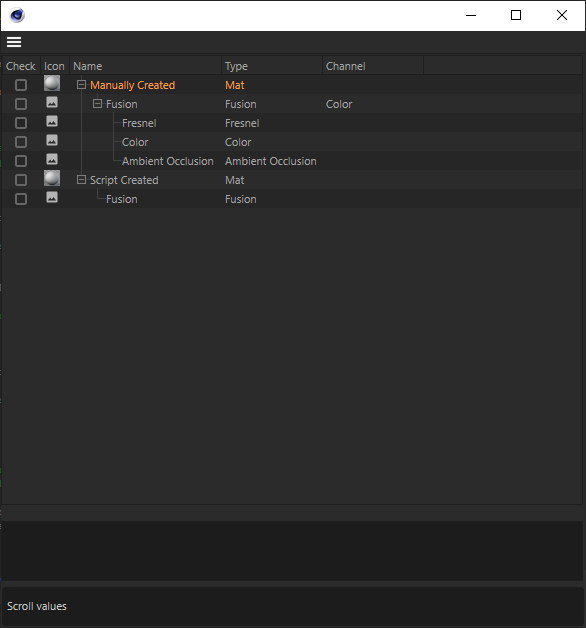
    Hello @ferdinand, when trying out your function to traverse shaders I noticed that for two materials in the scene it yields for the first material all the shaders of itself but also all the shaders of the second material. For second material it works like expected and yields only the shaders of itself. After fiddling around a bit with some other code of you from this post I think I ended up with a function that is yielding all the shaders from a material iteratively. Find the code below. Maybe this will help others. Cheers, Sebastian def iter_shaders(node): """Credit belongs to Ferdinand from the Plugincafe. I added only the part with the material and First Shader checking. Yields all descendants of ``node`` in a truly iterative fashion. The passed node itself is yielded as the first node and the node graph is being traversed in depth first fashion. This will not fail even on the most complex scenes due to truly hierarchical iteration. The lookup table to do this, is here solved with a dictionary which yields favorable look-up times in especially larger scenes but results in a more convoluted code. The look-up could also be solved with a list and then searching in the form ``if node in lookupTable`` in it, resulting in cleaner code but worse runtime metrics due to the difference in lookup times between list and dict collections. """ if not node: return # The lookup dictionary and a terminal node which is required due to the # fact that this is truly iterative, and we otherwise would leak into the # ancestors and siblings of the input node. The terminal node could be # set to a different node, for example ``node.GetUp()`` to also include # siblings of the passed in node. visisted = {} terminator = node while node: if isinstance(node, c4d.Material) and not node.GetFirstShader(): break if isinstance(node, c4d.Material) and node.GetFirstShader(): node = node.GetFirstShader() # C4DAtom is not natively hashable, i.e., cannot be stored as a key # in a dict, so we have to hash them by their unique id. node_uuid = node.FindUniqueID(c4d.MAXON_CREATOR_ID) if not node_uuid: raise RuntimeError("Could not retrieve UUID for {}.".format(node)) # Yield the node when it has not been encountered before. if not visisted.get(bytes(node_uuid)): yield node visisted[bytes(node_uuid)] = True # Attempt to get the first child of the node and hash it. child = node.GetDown() if child: child_uuid = child.FindUniqueID(c4d.MAXON_CREATOR_ID) if not child_uuid: raise RuntimeError("Could not retrieve UUID for {}.".format(child)) # Walk the graph in a depth first fashion. if child and not visisted.get(bytes(child_uuid)): node = child elif node == terminator: break elif node.GetNext(): node = node.GetNext() else: node = node.GetUp()
  • Struggling on SetParameter for OLight

    Cinema 4D SDK python s26
    4
    0 Votes
    4 Posts
    1k Views
    mocolocoM
    Hi @m_adam, Thanks a lot for the flags, it does work as expected now. Are c4d.DESCFLAGS_GET_NONE and c4d.DESCFLAGS_GET_0 similars? Cheers, Christophe.
  • Plugin opens on Mac not correctly

    Cinema 4D SDK 2023 python macos
    13
    1
    0 Votes
    13 Posts
    2k Views
    ferdinandF
    Hello @pim, In addition to my answer via mail, I will also answer here, as this might be interesting for the rest of the community. Cheers, Ferdinand So, the question was here "Why does my tree view not open with the right size?". The easy answer to this is that: You did neither set a minimum size for the dialog in GeDialog.Open(). Nor one for the tree view itself via GeDialog.AddCustomGui(). Both in conjunction did result in your dialog collapsing down to zero height. What can I do? Not much, the TreeViewCustomGui is not designed to scale to the size of its content. The underlying question is what you expect to happen here. a. Just have the tree view have some fixed minimum size, regardless of its content. b. Have the tree view initialize automatically to size, i.e., when the view has 10 items upon opening, it should have exactly 10 items height. When it is (a.) what you want, then this is easily doable with the minimum size passed to GeDialog.AddCustomGui(). When it is (b.), then you are more or less out of luck, as a tree view cannot scale automatically to the size of its content. You can adjust the minimum size dynamically based on the content which is going to be placed in the tree view, but when the content changes, you will have to flush your layout in order to be able to set a new minimum size. On a practical level it is also not so desirable to have a tree view scale like this, as this minimum height is not well defined. Should it be all items, or just all top level items, i.e., fully collapsed or fully expanded (which is implied by your example as all nodes start out as expanded). Let's say we choose fully collapsed. What happens when you have so many root nodes that the tree view will not fit on screen when making space for all root nodes. Example Result The dialog is set to have a minimum height which matches the total number of nodes in it. [image: 1675704054022-58d6b1aa-de83-484f-9d48-d6a0d327a98f-image.png] Code I had to cut here a bit, but the relevant parts are: class TreeNode: # ... def __len__(self): """(f_hoppe): Counts all descendants of this node, including the node itself. Implemented fully recursively. Should be implemented iteratively for production due to stack overflows and Python's recursion limit preventing them. Or the data should be acquired when textures are collected. """ count: int = 1 for child in self.children: count += len(child) class ListView(c4d.gui.TreeViewFunctions): COLUMN_COUNT: int = 1 MIN_LINE_HEIGHT: int = 24 MIN_WIDTH: int = 500 def __init__(self): # The root nodes of the tree view. self._rootNodes: list[TreeNode] = [] def __len__(self): """(f_hoppe): Returns the number of tree nodes in the instance. """ return sum([len(node) for node in self._rootNodes]) def GetMinSize(self) -> tuple[int, int]: """(f_hoppe): Returns the minimum GUI size for the data of this ListView instance. """ # But all these classic API pixel values are quite wonky anyways and the tree view does # many custom things. So we must do some ugly magic number pushing. Subtracting nine units # from the actual height of each row gave me sort of the best results, but the tree view # GUI does not scale linearly in height with the number of rows. Meaning that what looks # good for 5 items might not look good for 50 items. return (ListView.MIN_WIDTH, (ListView.MIN_LINE_HEIGHT - 9) * len(self)) def GetColumnWidth(self, root: TreeNode, userdata: None, obj: TreeNode, col: int, area: c4d.gui.GeUserArea): """(f_hoppe): This cannot be a constant value, as we will otherwise clip data. """ return area.DrawGetTextWidth(obj.textureName) + 24 def GetLineHeight(self, root, userdata, obj, col, area): """(f_hoppe): Used constant value. """ return ListView.MIN_LINE_HEIGHT # ... class SimpleDialog (c4d.gui.GeDialog): ID_TRV_TEXTURES: int = 1000 def __init__(self) -> None: self._treeView: c4d.gui.TreeViewCustomGui = None # This builds the tree node data so that self._listView._rootNodes holds the top level # node(s) for the tree managed by this ListView instance. self._listView: ListView = self.GetTree() super().__init__() def CreateLayout(self) -> bool: """(f_hoppe): I substantially rewrote this. """ # Because we already initialized the ListView data, we can use it to compute the minimum # size of the gadget. w, h = self._listView.GetMinSize() print(f"{self._listView.GetMinSize() = }, {len(self._listView) = }") # Use these values to define a default size so that it shows all columns. What you want to # be done here is sort of not intended by the TreView GUI, although admittedly desirable. # The closest thing we can do is set the minimum size for the gadget, so that all lines # will fit into it. This will then ofc also have the side effect that the GUI cannot be # scaled down beyond this point. You might want to implement ListView.GetMinSize() in a # different manner, so that it does not take into account all nodes and instead just the # top level nodes. self._treeView = self.AddCustomGui( id=SimpleDialog.ID_TRV_TEXTURES, pluginid=c4d.CUSTOMGUI_TREEVIEW, name="", flags=c4d.BFH_SCALEFIT | c4d.BFV_SCALEFIT, minw=w, minh=h, customdata=SimpleDialog.SETTINGS_TREEVIEW) if not isinstance(self._treeView, c4d.gui.TreeViewCustomGui): raise MemoryError(f"Could not allocate tree view.") # If you want to do this at runtime, i.e., load a new texture path, you would have to # call GeDialog.LayoutChanged() on the layout group which contains the tree view, add # the tree view again (with new min size values), and then call GeDialog.LayoutChanged() # on the group. It might be easier to just live with a fixed minimum size just as # (300, 300) return True # ...

  • IN_EXCLUDE list with virtual objects with parameters

    Moved Bugs python
    3
    1
    0 Votes
    3 Posts
    1k Views
    mikeudinM
    Thank you for response @ferdinand! Will try to make it with hidden tags
  • Get material / texture resolution.

    Cinema 4D SDK 2023 python
    3
    1
    0 Votes
    3 Posts
    686 Views
    P
    Thanks for the good explanation and the example. Regards, Pim
  • 0 Votes
    2 Posts
    626 Views
    ManuelM
    Hi, Welcome to the forum, you do not need to be sorry, we all ask basic question. There are differences between creating a script and plugins. Script is something you create inside the Script Manager. You can save them in a file and this file extension is .py. Plugins are something you must create in an external editor and save the file with the extension .pyp or .pypv (for encrypted files) with a certain plugin structure There are differents way to create an icon and a shortcut. icon for script: as state here, you can just use the command in the Script Manager to load a file that will be used as the icon for that script. If you save the script or already saved it, the picture will be saved in the same directory with the same name as the script. save the picture you want to use for a script in the same directory than your script with the same filename. icon for plugins: Plugins are registered using register commands like RegisterCommandPlugin, most of those commands allow you to pass as an argument the bitmap that will be used as the icon for that plugin. Shortcuts: To create shortcuts you must use the function AddShortcut you can check this thread where Maxime answer the question in the second part of his thread. Finally, you might want to create a palette to store your different icons and add the possibility to load the palette. Ferdinand answer this question in this thread. Cheers, Manuel
  • Redshift constants

    Cinema 4D SDK 2023 python
    7
    1
    0 Votes
    7 Posts
    2k Views
    ferdinandF
    Hey @fastrube, The bump map type is an integer value as explained above by @Manuel and as explained here in a bit more verbose form in the graph description manual. Cheers, Ferdinand
  • 0 Votes
    6 Posts
    1k Views
    P
    Ok, thank you.
  • Back on "message after tag delete" post

    Cinema 4D SDK python s26 sdk
    5
    0 Votes
    5 Posts
    1k Views
    mocolocoM
    Hi @ferdinand, Thanks a lot one more time for all the detailed examples and informations. I finally opt to a data container of the node, mostly due to the fact that the hooks are volatile and need to be set all the time. I also ran some tests with globals without having encounter issues, but indeed you need to be careful when handling this approach. Cheers, Christophe
  • Possible typo in documentation

    Cinema 4D SDK python
    3
    0 Votes
    3 Posts
    715 Views
    .
    Thanks for the info and adding the tag. I totally forgot that the Cafe' merged. I'm so used to approaching from my view. I actually answered somebodies question yesterday and at the very end saw the C++ tag and hit delete Thanks for tips on the GUI. I was able to implement what I needed.
  • Changing DataType of a Value Node

    Cinema 4D SDK 2023 python
    3
    1
    0 Votes
    3 Posts
    632 Views
    ManuelM
    Hi @bentraje, Nodes and ports are GraphNode. A GraphNode can store any kind of maxon Data. Using SetValue or SetDefaultValue on the "True Node" level will not change the value of a port. That is why you still need to find the port you want to change the value. SetDefaultValue internally encapsulate the value in a maxon.Data and use the SetValue function to define the value for the ID DESCRIPTION::DATA::BASE::DEFAULTVALUE. I do not see any advantage using SetValue instead of SetDefaultValue. While the GraphNode can receive any kind of Maxon Data, you can still define the DataType it should use. You must use the function SetValue to define the ID "fixedtype". In c++ you would do something like this: port.SetValue(nodes::FixedPortType, GetDataType<neutron::OBJECT_FLAGS>()) iferr_return;. Unfortunately, you cannot do it with python because you cannot define the datatype. If the Datatype is not defined, it will be deducted from the incoming or outgoing connection. In the case of the "Type" node, you are defining the port's value with this ID "net.maxon.parametrictype.vec<2,float>". This ID will allow the system to call the right CoreNode to manage this kind of DataType. The Datatype of this port is maxon::Id. I hope it is a bit clearer. I will try to add that to one of our manuals or in the documentation itself. Cheers, Manuel
  • 0 Votes
    8 Posts
    2k Views
    J
    @ferdinand Thank you so much. Adding: inheritance1.Message(c4d.MSG_MEUPREPARE, doc) Solved the issue.
  • FindNodesByName Not Working As Expected

    Cinema 4D SDK 2023 python
    10
    0 Votes
    10 Posts
    2k Views
    B
    @m_adam slr. can confirm the FindNodesByName now works as expected on the illustration code I used previously. Thanks
  • 0 Votes
    3 Posts
    524 Views
    B
    @manuel said in Unable to Retrieve the Input Port of Value Node: port = node.GetInputs().FindChild("in") Ah I gotcha. I always forget about displaying IDs in hte preferences since I'm hopping between old and newest versions of C4D. My bad. Anyhow, works as expected.
  • API for Adding a Port on a Group Node?

    Cinema 4D SDK 2023 python
    5
    1
    0 Votes
    5 Posts
    935 Views
    B
    @manuel Thanks for the illustration. Works as expected. When you have this statement: maxon.GraphModelHelper.FindNodesByAssetId(graph,"net.maxon.node.type", True, value) valueNode = value[0] inputNode = valueNode.GetInputs().FindChild("in") I'm guessing this part of my previous code is no longer working and so we need to reestablish the variable again. value = selectedNodes[0] Anyhow, thanks again. Closing this thread now
  • Set PYP file syntax highlighting in VS Code?

    General Talk r25 python
    4
    0 Votes
    4 Posts
    1k Views
    M
    Btw if you install the Cinema 4D Vs Code extension, pyp extension should be added as Python.
  • 0 Votes
    3 Posts
    991 Views
    M
    Hi @FSS first of all happy new year ! And I'm glad that you found a solution however even if this is in the documentation we don't explicitly support PyCharm and only provide a dummy package to have autocompletion working with any Python instance. But C4dpy is not supported by all IDE and we can't provide any support there. If you want to have a better IDE workflow we released a plugin for Visual Studio Code, requiring a Cinema 4D plugin and a VS Code plugin. Finally I moved this topic to general talk as it this is nothing related to Cinema 4D API. Cheers, Maxime.
  • 0 Votes
    5 Posts
    1k Views
    ManuelM
    @kng_ito said in How to get weights from a Vertex Map tag on an uneditable object: Sorry for asking a question that has already been resolved in another thread. Don't worry, we are glad to help. Cheers, Manuel
  • 0 Votes
    6 Posts
    819 Views
    ferdinandF
    Hey @thomasb, Thank you for the clarification. Yeah, this setup requires you modifying the cache. So, the slow performance version with disabling the optimization is the best you can do when approaching things in such brutish manner. FYI: I do not have much time this week, so this is all the help you will get this week from me, but I am happy to help you next week if you still need help then. Things you can do: Turning off the optimization will calculate the cache every time Cinema 4D asks for it. Depending on how your blinking works, you might not have to calculate the cache every frame. Just determine when a new cache is needed and when not, as demonstrated in my first posting. When in 99% of the cases 99% of your old invalid cache is still good, nothing prevents you from either caching expensive to compute parts yourself or modifying the existing cache and return that as the new one. Changing a selection state is such an example of where 99.9% of the expensive work is still valid. It would be quite easy to do, when selection tags could reach into caches, but they cannot. So, you cannot have a selection tag on a generator (in Python) which indexes elements of the cache. But you can have a selection tag inside the cache which is referenced by for example a material on the generator holding the cache. With this knowledge, you can: Write a solution following (2.) where everything happens in the object, but in most cases, you just modify an existing cache instead of creating a new one. Do the same, but here you use a tag to modify the cache. This is a little bit dicey, as you should not mess with caches. But in this specific form, where we only change the selection state of a selection tag inside the cache, it should be okay. All other external cache modifications are off limits and can lead to crashes when you do not know what you are doing. In a nicer variant, you would implement the tag as a TagData plugin, but I provided a simple Python programming tag version below. The shader solution is not viable in Python; it will be too slow. You will also need quite some math knowledge and reverse engineering skills, as you would have to sort of reimplement texture mapping. PS: In your more complex setup, this could mean that you just change the materials on things. Although consolidating things inside caches is always advantageous. The more generators your cache contains, the more expensive it will be to evaluate the cache of your object. When possible, it is always better to return a single polygon object as your cache result, or at least a tree which contains only null objects and polygon objects, and no generator objects as the Sphere object, instance-objects, cloners, etc., i.e., things which must be cached themselves. When the cache for an object is being built, all that stuff is converted to polygons anyway. But when you return one hundred instance objects which reference a sphere generator each, cinema will have to build 102 caches in total: one for your object, one for the sphere object, and one hundred for the instance objects. When you just return one polygon object which contains all the geometry, Cinema 4D must build only one cache. In Python this fact is a little bit mitigated by the slowness of Python, and it can be advantageous to push things to C++, but your cache is too complicated IMHO. Just construct your LED once, then build the cache for it, copy the cache thirty-five times, modify the position and material of each copy, and return these thirty-five copies under a null object as your object cache. Cheers, Ferdinand File: led.c4d Result:[image: 1674038759398-led_ani.gif] Python Generator object: import c4d op: c4d.BaseObject # The Python Generator object containing this code. def main() -> c4d.BaseObject: """Returns a clone of the polygon object linked in its first user data field. """ source: c4d.PolygonObject = op[c4d.ID_USERDATA, 1] if not isinstance(source, c4d.PolygonObject): return c4d.BaseObject(c4d.Onull) clone: c4d.PolygonObject = source.GetClone(c4d.COPYFLAGS_NO_HIERARCHY | c4d.COPYFLAGS_NO_BITS) clone.SetMg(c4d.Matrix()) return clone Python Programming tag: import c4d doc: c4d.documents.BaseDocument # The document evaluating this tag. op: c4d.BaseTag # They Python Programming tag containing this code. def main(): """Reaches into the cache of its host object and modifies it. """ # Get the host object, its cache, and find the polygon selection tag on it. obj: c4d.BaseObject = op.GetMain() if not isinstance(obj, c4d.BaseObject): return cache: c4d.BaseObject = obj.GetCache() if not isinstance(cache, c4d.PolygonObject): return tag: c4d.SelectionTag = cache.GetTag(c4d.Tpolygonselection) if not isinstance(tag, c4d.SelectionTag): return # Get the current document frame and the selection of the tag and flush it. In practice you could # also make this parameter driven, but for expressions, tags, it is also fine to make things # automatic as such. frame: int = doc.GetTime().GetFrame(doc.GetFps()) bs: c4d.BaseSelect = tag.GetBaseSelect() bs.DeselectAll() # Define the indices of 100 cap polygons, and pick the polygon which matches the current time. states: list[int] = [n for n in range(4, 599, 6)] i: int = states[frame % 100] # Set the new selected element. bs.Select(i)