• 1 Votes
    6 Posts
    2k Views
    ferdinandF
    Hello @HerrMay, Thank you for the updated information. I had a look at your problem, and I could reproduce it, but it is primarily a problem of your code as suspected. I document below how I analyzed this problem not as a passive aggressive expression of "look how easy that is!". But to give an insight on how to approach such debugging task. The core rule is here to question one's own assumptions and assure that things are indeed how we think they are. Debugging So, when one follows your steps, one indeed ends up with something like this: [image: 1694702115621-8fdef1aa-1a5e-43d8-8cdb-42b480fd4f0d-image.png] Your assumption here was that the icon handling is bugged on our side. For that to be true, the tag on Null.2 would have to be IDC_ACTIVE_ON but with the icon handling failing and Cinemas 4D rendering it as disabled. So, I checked the value with this code: # Set custom icon for node. if id == c4d.MSG_GETCUSTOMICON: host: c4d.BaseObject = tag.GetObject() isFirst: bool = host.GetUp() == None and host.GetPred() == None if isFirst: print(f"TOP: {host.GetName() = }, {tag[IDC_ACTIVE] = }") else: print(f"OTHER: {host.GetName() = }, {tag[IDC_ACTIVE] = }") icon = self.PLUGIN_ICON_INACTIVE if tag[IDC_ACTIVE] == IDC_ACTIVE_OFF else self.PLUGIN_ICON_ACTIVE data["bmp"] = icon data["w"] = icon.GetBw() data["h"] = icon.GetBh() data["filled"] = True Which will print this when you add the tags: [image: 1694702486106-baebed6a-fdc0-4d53-8214-1d6b2011cad8-image.png] So, the topmost tag is indeed inactive and the icon rendering is correct. The question is now: 'Why is that tag inactive because we initialize all tags as node[IDC_ACTIVE] = IDC_ACTIVE_ON ?' The likely culprit is just a few lines above, as we toggle there the active state of our tag. # Handle double click on tag. if id == c4d.MSG_EDIT: if tag[IDC_ACTIVE] == IDC_ACTIVE_OFF: tag[IDC_ACTIVE] = IDC_ACTIVE_ON else: tag[IDC_ACTIVE] = IDC_ACTIVE_OFF And indeed, when we comment out these lines, we end up with this when creating multiple new tags. [image: 1694702820259-ebddd8e2-ff78-47f3-a4ca-40cbd26ac047-image.png] Moreover, when we revert our change of commenting out that code and test our assumption 'only happens for multi-object selections', we can see that this does not hold true: [image: 1694703033146-e5f2a8dd-2ebd-4555-8188-d769b84895e3-image.png] We can now check our own comment: # Handle double click on tag. if id == c4d.MSG_EDIT: ... and check MSG_EDIT: [image: 1694703119443-de39ee11-81d9-4e68-a2a6-a4c4dd182b84-image.png] The documentation says, "for example". So, the event does not capture a double click, but double clicking a BaseObject to edit its name is one example of an edit event. Adding a tag to an object apparently also emits MSG_EDIT to the tag, and when you have a multi-selection, MSG_EDIT is only emitted to the first element in the selection. Conclusion That behavior of MSG_EDIT in regard to tags and multi-selections is of course quite odd, but I would not consider it to be a bug, as an edit event is not really defined for tags in the first place. And while I understand what you want to do here, I would also say that what you do in MSG_EDIT is a violation of the UX principles of Cinema 4D. Double clicking a tag should not edit a random parameter in it. We strive for Cinema 4D having a seamless UX-experience for users including plugins. So, we rather not support it when plugin authors are trying to break these UX rules. But I will nevertheless talk with my colleagues about the subject and if we want to consider this behavior of MSG_EDIT to be a bug. Cheers, Ferdinand
  • Script path instead of call command in Python

    Cinema 4D SDK 2023 python
    2
    0 Votes
    2 Posts
    677 Views
    ferdinandF
    Hello @specnazspe, Welcome to the Plugin Café forum and the Cinema 4D development community, it is great to have you with us! Getting Started Before creating your next postings, we would recommend making yourself accustomed with our Forum and Support Guidelines, as they line out details about the Maxon SDK Group support procedures. Of special importance are: Support Procedures: Scope of Support: Lines out the things we will do and what we will not do. Support Procedures: Confidential Data: Most questions should be accompanied by code but code cannot always be shared publicly. This section explains how to share code confidentially with Maxon. Forum Structure and Features: Lines out how the forum works. Structure of a Question: Lines out how to ask a good technical question. It is not mandatory to follow this exactly, but you should follow the idea of keeping things short and mentioning your primary question in a clear manner. About your First Question Command IDs are assigned dynamically to a script and therefore can change. It seems also a bit overly complicated to have a tag that evaluates user data interactions on its host to call a command wrapping a script. Commands are based on IDs, so you cannot pass them a script path, but Python itself has one million and one way to have Python code execute other Python code. Since you want to use the content of your script just as a library, you should make it one. Place the logic of it in a library apth of your liking and import that logic both into your Script manager script and Python tag when needed. You could use the std lib function runpy to run the code found at a script path yourself. Basically, what I did in run_script here. Find here the matching thread. You could also just manipulate sys.path from your tag to inject the path where your script lies, so you can then import the script like a module. I would not recommend doing point 2 or 3 because they are both error prone. Just expose the commonly used functionality used both by the script and tag as a lib. edit: As pointed out by @m_adam, since S26, you can also evaluate the dynamic ID of scripting objects from Python. Finde an example in load_python_script_r26.py. The bread and butter of this is c4d.GetDynamicScriptID. Cheers, Ferdinand
  • Converting ABC file to AEC using c4dpy?

    Cinema 4D SDK windows python
    3
    0 Votes
    3 Posts
    571 Views
    S
    Hi Maxime, thanks for the information - so just to clarify, I need to use RDATA_PROJECTFILESAVE in order to export as an AEC?
  • 0 Votes
    5 Posts
    1k Views
    F
    @m_adam OK. Thank you very much. Cheers
  • Nesting Pivot object causes parent to shoot up into space

    Cinema 4D SDK
    6
    0 Votes
    6 Posts
    1k Views
    ferdinandF
    Hey @HerrMay, Great to hear that you solved your problem. Cheers, Ferdinand
  • How can I use Plane Cut in Python

    Cinema 4D SDK python 2023 windows
    3
    0 Votes
    3 Posts
    773 Views
    C
    Thank you very much! Now it is working.
  • Can't install pygrib module

    Cinema 4D SDK
    2
    1
    0 Votes
    2 Posts
    380 Views
    M
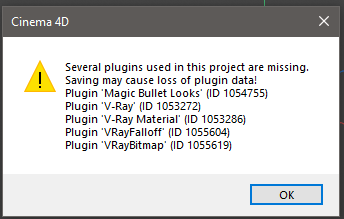
    Hi @peteclear, my recommendation would be to install Cinema 4D again on another directory, to be sure you did not forget any reference to Vray. Think about environment variable that may force cinema 4d to load Vray from some other locations. If this does not solve you can run the same command with the python interpreter located in {C4D_INSTALLATION_PATH}\resource\modules\python\libs\python37.win64.framework. Make sure to have Cinema 4D closed when you run it, once done you should be able to start Cinema 4D and use your 3rd party library. Final note, R23 is out of support scope and installing pip packing with the second method I mention is not recommended since this is untested, so some part of the installed modules may not work. Cheers, Maxime.
  • 0 Votes
    3 Posts
    726 Views
    DunhouD
    Hi @ferdinand , @ferdinand said in Can I use both MouseDown() and DoubleClick() in treeview?: In general, you should keep in mind that the concept of a double click is only represented very weakly in Cinema 4D, with TreeViewFunctions being one of the very few cases which uses that term. In the backbone of the API, the GUI message stream, the concept of a double click does not exist. Things are actions (BFM_ACTION_...) and inputs (BFM_INPUT_...) and each mouse click counts as an input and/or action. It is up to specific gadgets to bundle up multiple clicks into a double click. That helps foe better unstand how it worked, thanks! And this kind solution is a much more mature solution than what I used a simple one in my Octane Light Manager, I try to stop the set check event duplicate many times, I will keep more condition as your suggestion. [image: 1693920299018-e0be12a8-f277-400d-9d7a-14065e55ffee-image.png] Thanks again for your detailed explain for all the answer. Cheers~ DunHou
  • urllib.request module is missing

    Cinema 4D SDK
    5
    0 Votes
    5 Posts
    2k Views
    B
    @ferdinand Brilliant, thank you.
  • 0 Votes
    4 Posts
    1k Views
    ThomasBT
    @ferdinand Thank you Ferdinand for your leniency regarding the three questions.. Will take note of that in the future. =====BaseTime===== Which just surprises me about the BaseTime problem is, that it worked in the Python tag. I didn't get an error message and the prototype worked very well. So I also tried instead of BaseTime int type value in the plugin, but it crashed. It confused me a bit. So I try your suggestion. # In the python tag it worked with int # starf_frame was an int frame = doc.GetTime().GetFrame(doc.GetFps()) - op[c4d.ID_USERDATA,start_frame] ====PoseMorph Symbol==== Regarding the posmorph ID, I should have figured that out myself Thanks for your quick respond Tom
  • Problem with plugin example

    Cinema 4D SDK 2023 python
    7
    0 Votes
    7 Posts
    2k Views
    ferdinandF
    Hey @filipst, please adhere to our rule for a topic being a singular subject/line of questioning. I strongly doubt that Current State to Object (CSTO) and Make Editable (ME) were ever the same for splines; and if so, this was probably a bug. There is a fundamental difference between these two operations. Current State to Object: Collapses the cache of the entity it is being called upon and inserts it into the scene. Make Editable: Replaces an object with its (direct and uncollapsed) cache. Aside from the obvious difference that CTSO produces a new object and ME replaces its input, there is a fundamental difference in getting the cache of something (ME) or getting the collapsed cache of something (CSTO). Caches tend to be hierarchical structures in Cinema 4D and can become very complex. A simple example would be to collapse a spline with a bend deformer attached to it. Input: [image: 1693570672626-735753e6-3276-4ae8-b19a-369d5e9aaf01-image.png] Make Editable output (with deformer disabled for clarity): [image: 1693571275301-c20a09cd-83a4-47c4-bd4c-7dd774733144-image.png] CSTO output: [image: 1693571349405-787e44c3-bb86-4efd-9633-94271266326d-image.png] I went over the topic of caches and our geometry model here. For this hierarchy, [image: 1693571575544-5bb9fe31-178b-4967-821f-ebfccb153e47-image.png] the Circle object will have a cache tree as follows: + 1: Circle (BaseObject Generator) + 2: Cache of 1: Circle (SplineObject Generator) + 3: Cache of 2: Circle (LineObject) + 4: Deform Cache of 3: Circle (LineObject) The Circle object is a BaseObject generator which has a SplineObject as its cache which itself is a generator and has a LineObject as its cache (i.e., the discrete representation of the spline for its current interpolation settings). The bend deformer deforms this terminal node in the cache chain, the LineObject, and not the SplineObject. CSTO collapses the whole cache of an object, i.e., exhausts it. In this case this means returning 4, which includes deformation and the Bezier spline converted to its linear spline representation. CSTO can also mean joining objects in a cache, which is not represented by this simple example. ME on the other hand returns 2, i.e., whatever is the direct cache of the entity it has been invoked on. We do not collapse the cache of the cache and therefore neither include the LineObject cache nor its deform cache (they are of course still implicitly generated as the cache for the SplineObject we return because ME replaces its input object). Cheers, Ferdinand
  • 0 Votes
    2 Posts
    590 Views
    i_mazlovI
    Hello @wuzelwazel, Depending on the size and complexity of objects on your scene (namely on the objects that are processed with the script) adding an undo can be quite an expensive operation to execute. There was some recent work done that should affect the undo-stack in a positive way in the following releases. Let me know if you have any further questions. Cheers, Ilia
  • 0 Votes
    10 Posts
    3k Views
    HerzogVonWieselH
    @ferdinand you are amazing! Thank you so much for your help, this is it. Now only remains the last step until my script to automatically recognize and replace duplicate objects with instances is complete: The UI. But that should be a quick one. Thank you so much for your help again Ferdinand, you are a saint. Have a superb week and best wishes from Potsdam! Jerome
  • Automatic UV Rectangularize / MDATA_UVRECTANGULARIZE

    Cinema 4D SDK
    2
    0 Votes
    2 Posts
    735 Views
    M
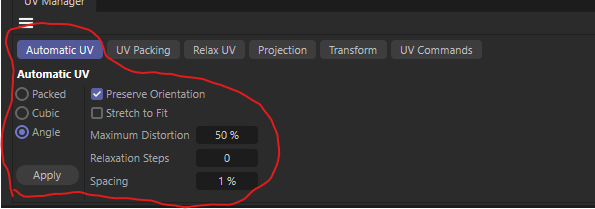
    Hi sadly the only way is to use c4d.CallCommand(1055347) which does not open the window but directly execute the command. You can change the setting as you could in the windows, by editing the value in the BaseContainer of the document. Finally it act on the selected polygon, so the best way would be to select them. Find bellow a script that you can execute in the script manager that will select all polygon of an object and run the command. from typing import Optional import c4d doc: c4d.documents.BaseDocument # The active document op: Optional[c4d.BaseObject] # The active object, None if unselected def main() -> None: # Enables UV Polygon Mode if not already in any UV mode (needed for GetActiveUVSet to works) if doc.GetMode() not in [c4d.Muvpoints, c4d.Muvpolygons]: doc.SetMode(c4d.Muvpolygons) # Retrieves active UVSet, The UV windows need to be opened at least one time handle = c4d.modules.bodypaint.GetActiveUVSet(doc, c4d.GETACTIVEUVSET_ALL) if handle is None: # If fail it may be because the Texture view is not open # Open A texture View c4d.CallCommand(170103) # In S22 you need to update the UV Mesh if c4d.API_VERSION >= 22000: c4d.modules.bodypaint.UpdateMeshUV(False) # Retrieves active UVSet, The UV windows need to be opened at least one time handle = c4d.modules.bodypaint.GetActiveUVSet(doc, c4d.GETACTIVEUVSET_ALL) if handle is None: raise RuntimeError("There is no Active UVSet") # Select the polygon you want to operate on currentSel = op.GetPolygonS() previousSel = currentSel.GetClone() # Will be used to restore the initial selection state at the end currentSel.SelectAll(op.GetPolygonCount() - 1 ) # Update the UV mesh to properly take into account the new selection c4d.modules.bodypaint.UpdateMeshUV(True) # Define the settings settings = doc.GetSettingsInstance(c4d.DOCUMENTSETTINGS_MODELING) settings[c4d.MDATA_UVRECTANGULARIZE_ALIGN] = True settings[c4d.MDATA_UVRECTANGULARIZE_EQUIDISTANT] = False # Execute the command c4d.CallCommand(1055347) # Restore the initial selection previousSel.CopyTo(currentSel) c4d.modules.bodypaint.UpdateMeshUV(True) c4d.EventAdd() if __name__ == '__main__': main() Cheers, Maxime.
  • 0 Votes
    3 Posts
    628 Views
    V
    @ferdinand Thank you for the hint and the superfast response! I was not aware that these symbols dissolve into these numbers, which of course makes it much easier to work with them now. I was able to solve it with CallUVCommand: settings = c4d.BaseContainer() settings[c4d.RELAXUV_KEEP_BORDER] = False settings[c4d.RELAXUV_KEEP_NEIGHBORS] = False settings[c4d.RELAXUV_KEEP_POINTSEL] = False settings[c4d.RELAXUV_CUT_EDGESEL] = True settings[c4d.RELAXUV_EDGESEL_POINTER] = edge_sellection settings[c4d.RELAXUV_MAX_ITERATIONS] = 1 settings[c4d.RELAXUV_MODE] = c4d.RELAXUV_MODE_ABF ret = c4d.modules.bodypaint.CallUVCommand(handle.GetPoints(), handle.GetPointCount(), handle.GetPolys(), handle.GetPolyCount(), uvw, handle.GetPolySel(), handle.GetUVPointSel(), obj, handle.GetMode(), c4d.UVCOMMAND_RELAX, settings)
  • using c4d.threading with (python) thinking particles

    General Talk python
    7
    0 Votes
    7 Posts
    2k Views
    ferdinandF
    Hello @jenandesign, Thank you for reaching out to us, I appreciate sharing your customer journey with us. I cannot make any further statements on the ongoing development of Cinema 4D, but we are of course happy to hear that you see value and potential in Cinema 4D. I will make sure that your input does reach the simulation Team. Cheers, Ferdinand
  • Need help fixing export to GLTF script

    General Talk
    3
    0 Votes
    3 Posts
    1k Views
    i_mazlovI
    Hello @joel_motion, Welcome to the Plugin Café forum and the Cinema 4D development community, it is great to have you with us! Getting Started Before creating your next postings, we would recommend making yourself accustomed with our Forum and Support Guidelines, as they line out details about the Maxon SDK Group support procedures. Of special importance are: Support Procedures: Scope of Support: Lines out the things we will do and what we will not do. Support Procedures: Confidential Data: Most questions should be accompanied by code but code cannot always be shared publicly. This section explains how to share code confidentially with Maxon. Forum Structure and Features: Lines out how the forum works. Structure of a Question: Lines out how to ask a good technical question. It is not mandatory to follow this exactly, but you should follow the idea of keeping things short and mentioning your primary question in a clear manner. About your First Question Support for redshift materials on gltf export first appeared with the 2023.2 release. That version also included numerous gltf exporter stability improvements. Please note, that debugging the code is out of scope in this forum. You are very welcome to ask specific questions with well-defined scope. In general your code seems reasonable. The approach with cloning objects onto a new document is the one I would suggest anyways. However, one should be careful with the dependencies that objects in the subtree might loose during cloning. AliasTrans helps to overcome such side effects to some extent. Cheers, Ilia
  • 0 Votes
    3 Posts
    1k Views
    ferdinandF
    Hello @HerzogVonWiesel, Thank you for reaching out to us. Using the message system could be possible here but seems a bit overkill. Since you own both implementations, it would be best if you simply tie together the dialog instances you want to exchange information between. E.g.: import c4d class ConnectedDialog(c4d.gui.GeDialog): """Realizes a dialog type which has a binding to another dialog instance. Note that all methods in this example are not part of the GeDialog interface scheme, i.e., "custom" methods. """ def __init__(self) -> None: """ """ # The list of dialogs this dialog instance does exchange information with. self._connectedDialogs: list[ConnectedDialog] = [] super().__init__() def Bind(self, other: "ConnectedDialog", twoWay: bool = True) -> None: """Binds the dialog #other to #self and makes the connection optionally two-way. Also ensures that bindings are unique, i.e, two dialogs cannot be bound more than once in one direction. """ if not isinstance(other, ConnectedDialog): raise TypeError(f"{other = }") if other not in self._connectedDialogs: self._connectedDialogs.append(other) if twoWay and self not in other._connectedDialogs: other._connectedDialogs.append(self) def SpecialMessage(self, sender: "ConnectedDialog", *args) -> None: """Receives message stream from all connected dialogs. """ print (args) def Action(self, value: any, condition: any) -> None: """Exemplifies a method which informs all other dialog instances about an event. """ if condition: for dlg in self._connectedDialogs: dlg.SpecialMessage(self, value, condition) if __name__ == "__main__": # Instantiate five dialogs and creating bindings between all of them. dialogCollection: tuple[ConnectedDialog] = (ConnectedDialog() for _ in range(5)) for a in dialogCollection: for b in dialogCollection: a.Bind(b) You could do three million and one thing differently here; this is just an example to illustrate a pattern. The crucial information might be here for you (since we just talked about threading and dialogs before) that: The methods both of modal and async dialogs run on the main thread. Async in an async dialog are only the drawing routines which you do not have access to, even when you implement a dialog with a custom GeUserArea. That area only enqueues drawing instructions into a buffer and does not do the actual drawing. So, there is no danger of access violations, which Python of course does not know in the first place due to its GIL. When tying dialogs together is not possible then you can use the message system of Cinema 4D. But tying objects together is always possible in Python even when the objects live in two modules which do not have access to each other. You can either use sockets (a bit overkill) or be lazy and just setup shop in a commonly accessible object, e.g., the sys module. When you go for messages, I would recommend having a look at the Message Manual first as I gave there a rough overview. In short: GeDialog.Message is for UI messages and just like its NodeData.Message counter part instance specific. It is not meant to establish a binding between two dialog instances but to let Cinema 4D or elements in a UI tree communicate with the dialog ("button to dialog: I have been pressed"). What you can do, is set off a core event with c4d.SpecialEventAddd to then catch that core message in all other dialogs using GeDialog.CoreMessage. Note that the Python API does filter message streams, and unlike in C++, you cannot just "invent" a new message type, except for using c4d.SpecialEventAdd. But there you are limited to sending three integers in Python (in C++ the p1 and p2 arguments are meant to be pointers to arbitrary data). Cheers, Ferdinand PS: Yeah using the CPython API you can cast/wrap things (in order to use p1 and p2 actually in the manner they are intended to) but be aware that any C magic is not officially supported by us.
  • 0 Votes
    3 Posts
    892 Views
    E
    @ferdinand Thank you very much for your help, your code has been extremely useful to me. Cheers!
  • Sampling a point in space from a userdata Field List

    Cinema 4D SDK python
    7
    0 Votes
    7 Posts
    2k Views
    ferdinandF
    Hey @jenandesign, you can edit your postings, just click on the three dots button below a posting of yours. You will not be able to move a post like I can, but except for that have the same options as I do: [image: 1692289705372-46c3d9dd-ed4c-4fe4-a683-684eb5553f80-image-resized.png] Cheers, Ferdinand