Hello @eegoridze,
Welcome to the Maxon developers forum and its community, it is great to have you with us!
Getting Started
Before creating your next postings, we would recommend making yourself accustomed with our forum and support procedures. You did not do anything wrong, we point all new users to these rules.
Forum Overview: Provides a broad overview of the fundamental structure and rules of this forum, such as the purpose of the different sub-forums or the fact that we will ban users who engage in hate speech or harassment.
Support Procedures: Provides a more in detail overview of how we provide technical support for APIs here. This topic will tell you how to ask good questions and limits of our technical support.
Forum Features: Provides an overview of the technical features of this forum, such as Markdown markup or file uploads.
It is strongly recommended to read the first two topics carefully, especially the section Support Procedures: Asking Questions.
About your First Question
I would like to point you to four sections in our Support Procedures:
Scope of Support: "It doesn't work" is not a support request and we cannot debug your code for you, but instead provide answers to specific problems.
Asking Questions: Repeatable: Your claims or problem should be repeatable for us. In most cases this means posting executable code which demonstrates your problem, with the emphasis being on executable. We should be able to paste this code into an editor and then run or compile it without having to write code ourselves. When you just post snippets, this usually means that we will not run your code, as we do not have the time to invent all the code around it. Ignoring this also comes with the substantial risk that you do not post the code which contains your actual mistake/problem..
Asking Questions: Sparseness: Your problems should be sparse, or in other words you should spend some time on boiling down more complex problems. When you, for example, are writing a plugin with which one can create trees with physics and all sorts of fancy things, and you run into a problem, you should spend time on removing as many fancy things as possible, so that we have an easier time helping you. Code examples should only very rarely have more than one thousand lines of code.
Reporting Bugs & Crashes: The whole section applies here.
While it is understandable that users sometimes violate some of these rules, it is here a bit much.
Sparseness: You certainly could have spent some time on pruning your script from things you can remove without removing your problem.
Repeatable: We cannot run your code. While you have provided the source code, you have not provided the scene file and possibly other files which are necessary to run this.
Reporting Bugs & Crashes: When you have provided (2), you should follow the pattern we require to report bugs and crashes, even when they are your own. It is all about reproducibility and clear instructions.
General Advice
It is obvious that you have put quite some work into your script and also work into your question here. Thousands lines of code do not write themself and screenshots also do not make themself.
But my major advice would be here: "Be more strategic about how you approach things." Writing software is all about breaking things into manageable problems and you seem to try to do everything at once. Which is fine if you are a pro and never make mistakes, but it usually bites you royally in the butt when you run into problems.
Remove Non-Const Code from Module Scope
In the first 100 lines you have a lot of code in the module scope. You can initialize global constants in the module scope, but you should certainly not open dialogs there. This is just a big no-no as it not only makes your code hard to read - when is happening what, you cannot just start reading in the main function -, but also comes with the problem that some of the code will run when the module is initialized and some when the execution context __name__ is "__main__".
[image: 1707760026417-2189247f-36d5-4980-a0ca-aa44f1a95f40-image.png]
Divide and Conquer & Abstract
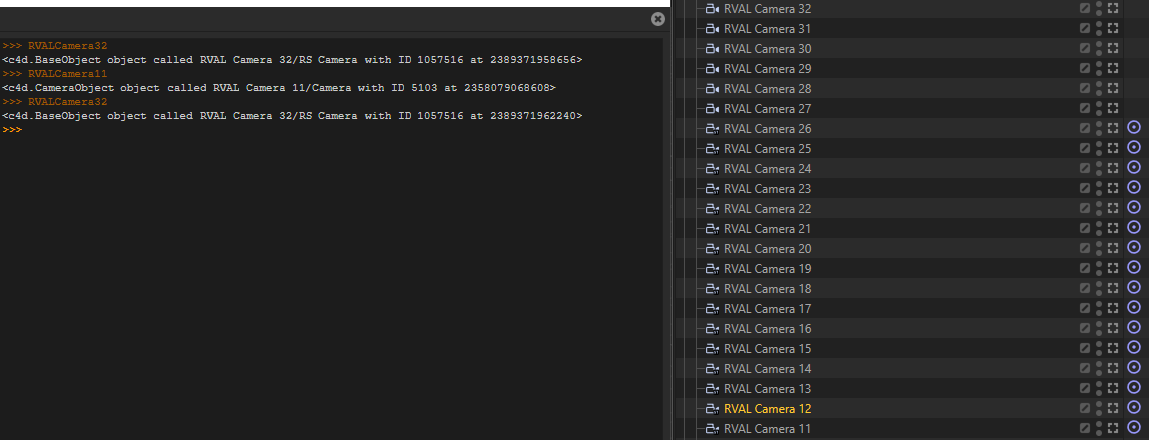
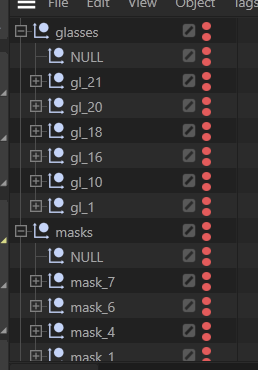
There is very little abstraction in your code, which again is fine when you are pro who never makes mistakes, but becomes a problem when you must debug things, as you then have to deal a monolithic piece of code where it is hard to turn off things or understand what is happening. When I take the first lines of your main function:
[image: 1707764358023-223b2359-9eec-48c0-9f7b-51bc9a774c4e-image.png]
If I would rewrite this, it would look like this:
import c4d
import mxutils
class ObjectGroup:
"""A class to group objects and set their visibility.
"""
def __init__(self, groupName: str, parent: c4d.BaseObject) -> None:
"""Initializes the class.
"""
self.groupName = groupName
self.objects = mxutils.CheckType(parent, c4d.BaseObject).GetChildren()
# It seems a bit questionable to me to store the names of the objects in a separate list,
# since the data is so easy to access on a node, but I went with it here.
self.names = [i.GetName() for i in self.objects]
self.SetVisibility()
def SetVisibility(self, state: int) -> None:
"""Sets the editor and render visibility of the objects in the group.
"""
for obj in self.objects:
obj[c4d.ID_BASEOBJECT_VISIBILITY_EDITOR] = state
obj[c4d.ID_BASEOBJECT_VISIBILITY_RENDER] = state
def __iter__(self) -> tuple[str, c4d.BaseObject]:
"""Iterates over name, object pairs.
"""
for name, obj in zip(self.names, self.objects):
yield name, obj
def __getitem__(self, index: int) -> tuple[str, c4d.BaseObject]:
"""Gets the name, object tuple at the given index.
"""
if index < 0 or index >= len(self.objects):
raise IndexError("Index out of range.")
return self.names[index], self.objects[index]
def GetObjects(doc: c4d.documents.BaseDocument) -> dict[str, ObjectGroup]:
"""Gets the objects from the document.
"""
# Get the objects from the document, be defensive about our assumptions, here we assume that
# the document contains at least eight objects, but we should check it.
objects: list[c4d.BaseObject] = doc.GetObjects()
if len(objects) < 8:
raise ValueError("The document must contain at least eight objects.")
# Now we create one data structure to hold all the object groups, this makes it easier to use.
# I personally would crate a class to hold the object groups, but I went with a dictionary here
# to keep it simple.
return {
"glasses": ObjectGroup("glasses", objects[0]),
"masks": ObjectGroup("masks", objects[1]),
"jewelery": ObjectGroup("jewelery", objects[2]),
"headgear": ObjectGroup("headgear", objects[3]),
"clothes": ObjectGroup("clothes", objects[4]),
"hairs": ObjectGroup("hairs", objects[5]),
"eyes": ObjectGroup("eyes", objects[6]),
"special_accessories": ObjectGroup("special_accessories", objects[7])
}
def main():
"""
"""
# Now can just call #GetObjects and get the data we need.
data: dict[str, ObjectGroup] = GetObjects(doc)
# Now we continue in this style, where we "divide and conquer" the problem, i.e., split things
# into sub-problems and solve them one by one. So that we can have here in the main function only
# the high-level logic.
restrictions: list[str] = GetRestrictions(RESTRICTIONS_FILE)
ApplyRestrictions(data, restrictions)
# ...
Doing this will help you to help yourself, as you would get more control over your own code.
Conclusion
Some of my colleagues are a bit less squeamish than me when I comes to spaghetti code, but I doubt that they are willing to debug your 800 lines of single letter variables.
Try to make your code more abstract and clean, you will likely fix the problem yourself in the process. For me it is currently not really possible to follow your code and with that give you meaningful advice.
If not, come back with a pruned version of your code, provide all data, and reproduction steps. And with pruning I mean really prune it. Try to remove as many things as possible. You should also be verbose about what your problem is. I think you are encountering freezes, "the program just hangs" but you only mention that somewhere in the middle of your posting.
Cheers,
Ferdinand