• ParseTupleAndKeywords in R20

    Cinema 4D SDK c++ r20 python
    5
    0 Votes
    5 Posts
    2k Views
    V
    @y_puech said in ParseTupleAndKeywords in R20: Hi Victor, There's a logic error in the code you posted from the first post. The condition for R20 if (str.IsEmpty()!=false) returns false if the string has content. It makes more sense to call IsPopulated() for the R20 code instead of IsEmpty(). You are right, thank you!!!
  • Pointcount from bevel deformer

    Moved Cinema 4D SDK python
    5
    0 Votes
    5 Posts
    2k Views
    B
    Sorry
  • 0 Votes
    3 Posts
    2k Views
    eZioPanE
    @s_bach, thank you, I'll start to do some hard reading!
  • 0 Votes
    4 Posts
    2k Views
    P
    @s_bach said in Which message do I receive when a command plugin dialog is closed?: DestroyWindow Thanks. By the way, compliments on the latest R20 C++ manual. It is great!
  • resource errors with SPLINE in R20

    Cinema 4D SDK python r20
    4
    1
    0 Votes
    4 Posts
    2k Views
    Y
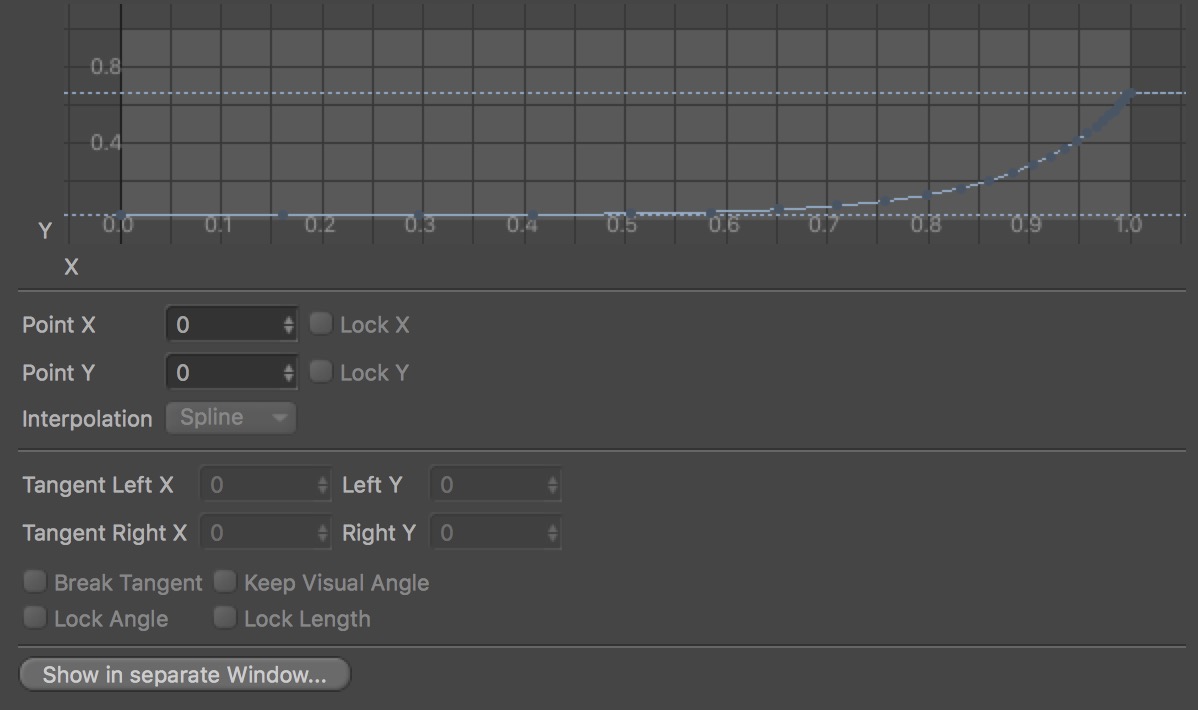
    Hi, Are you using the Spline GUI inside a dialog? It looks like so if there's no arrow. If that's the case you can call SetLayoutMode(c4d.LAYOUTMODE_MINIMIZED) on the Spline custom GUI to change its layout to the minimized/spline element only.
  • 0 Votes
    4 Posts
    2k Views
    B
    @eziopan Thanks mate. It works as expected. @a_block Thanks. Will double check next time.
  • deformer object priority

    Cinema 4D SDK
    3
    0 Votes
    3 Posts
    2k Views
    M
    Thank you for your answer!@m_adam Although object go back normal after i clicked 'Redraw' (I guess that's the reason),it isn't make sure problem is 'refresh the viewport'. 'refresh the viewport' can also fix Priority error result . 'Shift Priority Tag' just effective Expression.It can't help. After asking questions,i try to use Python Tag to replace 'Spline Deformer Object' ,because Python Tag have Priority.Fortunately,even though it looks very complicated, but everything become ok!
  • Print console logs in terminal

    Moved Cinema 4D SDK python r20
    5
    0 Votes
    5 Posts
    3k Views
    Y
    Hi, As I turned this discussion into a Q&A topic, if you're satisfied with my last post's solution then you can mark it as the correct answer or mark the topic as solved. For more information see Q&A New Functionality.
  • read active render data

    Cinema 4D SDK python
    2
    0 Votes
    2 Posts
    837 Views
    S
    Hello and welcome, when creating a new post, please use tags and the Q&A system. See Read Before Posting. I tried your code in a R20 script and it seems to work perfectly fine: rd = doc.GetActiveRenderData() if rd is None: return fromSlice = rd[c4d.RDATA_FRAMEFROM] toSlice = rd[c4d.RDATA_FRAMETO] fps = doc.GetFps() print(fromSlice.GetFrame(fps)) print(toSlice.GetFrame(fps) What exactly is not working for you? In what context do you execute your code? best wishes, Sebastian
  • Coding a Python Plugin for fields

    Cinema 4D SDK python r20 windows
    4
    0 Votes
    4 Posts
    2k Views
    D
    @s_bach I was beginning to wonder if I was beating my head against a brick wall. Apparently so. Thanks so much for alleviating the pain! Well, I learned quite a bit about Python in the process so not really a loss. Guess I'll try moving on directly to the C++ version.
  • 0 Votes
    5 Posts
    4k Views
    P
    Thank you all, great answers! I will take a different approach. I convert the circle to a spline and then divide that spline into the wanted number of points. -Pim
  • Underlying of "doc" and "op" ?

    Cinema 4D SDK
    8
    0 Votes
    8 Posts
    3k Views
    eZioPanE
    @c4ds, don’t worry! Every steps (even the off-road one) make some progress, right? I appreciate the way you focusing on the problem solving, which I believe is also the wonderful thing of this forum: we do our best to solving the problem itself, discussing about the better/more accurate answers rather than “who is right, who is wrong”. Last but not least, thank you for taking time to reply!
  • Checking Keyframe curve type

    Cinema 4D SDK python r19 windows sdk
    2
    0 Votes
    2 Posts
    944 Views
    S
    Hello and welcome, what exactly do you mean with "export keyframe data"? Do you want to write data into a file? The best way to develop such code would be in a Python script that you can edit and execute in the Script Manager. A XPresso Python node is meant to contain code that is executed as part of XPresso to define the behavior of the XPresso network. A XPresso Python node should not be used to modify the scene or to perform I/O operations. A CTrack object stores the DescID of the associated parameter. You can access that DescID with GetDescriptionID(). Alternatively you can use BaseList2D.FindCTrack() to search for the CTrack associated with a certain parameter DescID. You find an example on GitHub. You find general information on how to use CTrack and DescID also in the C++ documentation: CTrack Manual DescID Manual best wishes, Sebastian
  • getting 3D noise values

    Cinema 4D SDK python
    4
    0 Votes
    4 Posts
    2k Views
    R
    Thanks @eziopan and Sebastian for your answers ! So far I searched a way for getting values out of the 3D noise shaders. Starting point was the c4d.BaseShader class but it seems to me that accessing these shaders in order to get noise values is much more cumbersome than using the C4DNoise class and specifying the corresponding noise type as parameter 't' - as @eziopan has pointed out. So: thank you - problem solved ... and sorry, I haven't read the Q&A system thoroughly enough - next time I will mark my post properly. cheers, Jens
  • Some suggestions about Python SDK

    Cinema 4D SDK
    5
    6
    0 Votes
    5 Posts
    2k Views
    r_giganteR
    Hi Mike, please check this thread to properly use the Q&A functionality. Cheers, Riccardo
  • Coding a Python Field

    Moved Cinema 4D SDK
    5
    0 Votes
    5 Posts
    2k Views
    M
    Hey @darrellp as you figured out, it was not on the correct category. But in any case don't worry, maybe I was too harsh and unprecise, I'm sorry about that but in the end, as I said, you are new here, so don't worry if you break the posting rules the first times
  • 0 Votes
    4 Posts
    2k Views
    A
    For anyone who would like to use or learn from the script. You can download full script from github. ( Get And Copy Textures From Texture Tags )
  • 0 Votes
    4 Posts
    2k Views
    M
    You have to declare hdrs as a member variable. See 9.3.5: https://docs.python.org/2/tutorial/classes.html
  • How to use c4d.utils.PolygonReduction

    Moved Cinema 4D SDK r19 python
    5
    0 Votes
    5 Posts
    2k Views
    R
    Thank you! This is so much clear now
  • Change plugin folder cinema4d R19

    Moved Cinema 4D SDK r19 python
    2
    0 Votes
    2 Posts
    2k Views
    a_blockA
    Hi, I have turned your thread into a question, see Q&A New Functionality. Also moved the thread to the category Cinema 4D Development. In Cinema 4D R19 you can use the environment variable C4D_PLUGINS_DIR to set another path for plugins. It may even contain multiple directories (separated by semicolon ; ), although there was a bug in the early versions of R19, which prevented this. The bug was fixed with R19 SP2. There's an old thread discussing this, where you can also see how it's used: C4D_PLUGINS_DIR Multiple path Admittedly the original poster still seemed to have issues with mutiple paths, which we have not been able to reproduce, though. In Cinema 4D R20 this was changed completely. There you have multiple options: Multiple plugin directories can be set in Cinema's preferences g_additionalModulePath environment variable Additional plugin directories can be specified on command line Cinema4D.exe g_additionalModulePath=... See also Environment Variables in the user help and also the thread Is C4D_PLUGINS_DIR env var still working (R20.0.28)?. Cheers, Andreas