• BitmapButton not work

    Cinema 4D SDK 2024 python
    5
    1
    0 Votes
    5 Posts
    1k Views
    chuanzhenC
    @ferdinand Thanks
  • Get information about BasePlugin

    Cinema 4D SDK windows python 2024
    8
    1
    0 Votes
    8 Posts
    2k Views
    gheyretG
    Thanks for your explaination @ferdinand Now I understand what's going on here. Cheers!
  • vcxproj toolset configuration

    Cinema 4D SDK windows c++ 2024
    3
    0 Votes
    3 Posts
    909 Views
    Y
    @ferdinand Thanks for reply. I think I understood it. As an workarround, I can replace all the v142 in generated vcxproj with v143. I'm not using VS IDE , so I have to do it manually.
  • 0 Votes
    2 Posts
    2k Views
    ferdinandF
    Hey @moghurt, Thank you for reaching out to us. I tried using the pyp plugin to execute Python scripts when starting the software to modify the project file, but when I use the '-render' parameter, the Python code in the pyp plugin is executed after the rendering is complete. I can only speculate as to what exactly you have been doing here, as you do not provide any details or code. Please have a look at Support Procedures: Asking Questions for how to ask good technical questions. The general workflow for what you want to do here (given that one really wants to follow the plugin route) would be to implement PluginMessage for your plugin, and then try to run your code from there at a fitting point of time in the startup sequence of Cinema 4D. And while I would not rule out that -render has an impact on the startup sequence of Cinema 4D, the general claim that your Python code only runs after the rendering seems a bit far fetched. Because for events such as C4DPL_INIT_SYS and C4DPL_INIT modules and plugins have not been loaded yet, i.e., rendering is literally impossible at these points. The plugin approach also assumes that you can inject without problems alien command line arguments into a Cinema 4D app call, e.g., \CINEMA 4D.exe"-nogui -render "render.c4d" -script "myscript.py" with -script being the alien argument. I am not quite sure that this would work, I would have to try myself. What also is problematic, is that you are likely not able to get hold of the render document on this route. The active document will be the empty document, not the render document, i.e., you cannot get hold of the BaseDocument for render.c4d. And you cannot just open and modify the document yourself, as Cinema might have already a lock on that file or is even already loading it. All this makes using c4dpy instead much more attractive as you won't have these problems there. It is also the intended solution for what you want to do here: Modify one or many documents without a GUI in a fire and forget manner. A while ago we had the topic Extending the Command Line with Python where I showed a workflow for how to treat c4dpy as a Script Manager environment. The thread is four years old, written in Python 2 syntax (you will have to convert to Python 3 syntax), and I was then not yet a Maxon employee but a student. So, you might run into some issues. But the principle is definitively reproduceable and I also do not see anything in my old code which seems like a really bad idea. Your workflow could then look like this for doing the pre and post rendering events (as a bat, ps1, sh, or command file and assuming that you do not want to overwrite files): c4dpy script_manager_environment.py -script my_script.py -in my_doc.c4d -out my_doc_pre.c4d CommandLine -my_doc_pre.c4d ... c4dpy script_manager_environment.py -script my_script.py -in my_doc_pre.c4d -out my_doc_post.c4d Cheers, Ferdinand
  • Change texture node colorspace

    Cinema 4D SDK 2024 python windows
    6
    0 Votes
    6 Posts
    1k Views
    ferdinandF
    Please open a new topic for new subjects. See our Support Procedures: Asking Questions. GetBit is a BaseList2D method, your node is not a BaseList2D.
  • Manipulate timeline from plugin

    Cinema 4D SDK macos c++ 2024
    2
    0 Votes
    2 Posts
    940 Views
    ferdinandF
    Hello @veenamandhan, Welcome to the Maxon developers forum and its community, it is great to have you with us! Getting Started Before creating your next postings, we would recommend making yourself accustomed with our forum and support procedures. You did not do anything wrong, we point all new users to these rules. Forum Overview: Provides a broad overview of the fundamental structure and rules of this forum, such as the purpose of the different sub-forums or the fact that we will ban users who engage in hate speech or harassment. Support Procedures: Provides a more in detail overview of how we provide technical support for APIs here. This topic will tell you how to ask good questions and limits of our technical support. Forum Features: Provides an overview of the technical features of this forum, such as Markdown markup or file uploads. It is strongly recommended to read the first two topics carefully, especially the section Support Procedures: Asking Questions. About your First Question First of all, you first posting is a violation of our "one subject per topic" rule. When you have questions about multiple subjects, you must open multiple postings. For details on this subject, please see Support Procedures: Asking Questions. We usually cut newcomers some slack in this regard as they cannot know our rules in advance and one usually also has more questions than there are atoms in the universe when starting out with a new API. But we must ask you to conform to this rule in future postings. Regarding your questions: It depends a bit on what you would expect from an "audio input field", but generally, yes. We have the FilenameCusstomGui and the SoundEffectorCustomGui. The former is for letting the user select arbitrary files, the latter is a specialized GUI for sound files (but also hooks into tracks). In the end this also depends a bit on what plugin type you want to use, because not all plugins use the same GUI paradigms. [image: 1718883285369-352630af-9dba-4e39-ac71-5f40da6d26ab-image.png]. Yes, that is possible. You are however bound by the threading restrictions here as inserting tracks (your "audio") means modifying the scene graph. Which in turn means that you cannot do this in any of the major payload methods of scene element plugins like ObjectData::GetVirtualObjects, or TagData::Execute as they all run off-main thread. You can do this with all plugin types but for scene elements (everything derived from NodeData) you must usually be a bit more careful, as a lot of methods are there being called in parallel. That is a very ambiguous question. I am not really sure what you mean with "custom boxes like asset boxes", but in general you can implement any kind of custom GUI you want in C++. It again depends a bit on the plugin type you use. For dialogs, custom GUIs are realized by GeUserArea, for descriptions, i.e., stuff in the Attribute Manager, you will have to implement a CustomGuiData (and possibly a custom data type). The GUI paradigms manual is here also entry point for this subject. In general I would recommend opening a thread for each of these subjects, as this thread will become otherwise very convoluted and hard to read and understand for both you and future readers. Before you do that, I would however recommend that you start a thread asking for help which plugin type to choose, while briefly explaining what you want to do. Cheers, Ferdinand

  • How to Set Void Type Attributes in GraphNode?

    Cinema 4D SDK python 2023 2024
    6
    0 Votes
    6 Posts
    1k Views
    E
    @m_adam Thank you for providing an alternative method to set parameters.
  • Programmatically drawing a brush stroke

    Cinema 4D SDK windows c++ 2024
    4
    0 Votes
    4 Posts
    1k Views
    justinleducJ
    Thanks a lot for confirming my doubts, @i_mazlov. I'll find a compromise, but I can't help but express how great it would be if BodyPaint exposed such functionality. The Brush tool and its filters (such as "Smudge") can't be replicated with a simple bitmap texture, and gaining access to it (mind you, in the context where the Paint brush can be programmatically moved/dragged across the UV space) would open the door to so many creative and useful applications. Of course, I'm sure you are already aware of all of this. This is just me casting a single vote for a potential addition of the Brush tool to the SDK in the future. Thanks for everything!
  • 3d Connector problem after 2024.4 update

    Moved Bugs c++ 2024 windows
    10
    0 Votes
    10 Posts
    4k Views
    ferdinandF
    addendum, I briefly spoke with the dev: In SetDParameter, there is code that sets the correct group automatically if force_type or force_type_mode is specified, and the other way around. One thing to keep in mind is that, when you set the parameter force_type_group, the mode is set to default value for that group, i.e., ball and socket for spherical, hinge for angular, slider for linear. This is what you see ig you play in with the dropdown menus in the UI as well. So, if one first sets force_type_mode and then force_type_group, the latter resets the mode to a possibly different value. But in the code snippet attached it looks though like the order is correct (assuming is the actual code used in the plugin). In a way, I understand that if you are setting mode and group manually from you plugin and you know what you are doing, you are setting a combination that makes sense. But in general, to be extra safe, I decided to go with this solution, so if you change the group the mode is automatically set to something that makes sense. And, btw, also when you set the mode there is a check on the group, and if the values don't match it gets overwritten with the correct group. so, valid options are: simply set force_type (as before) set force_type_group and force_type_mode (in this order) only set force_type_mode (group set automatically) If any of these don't give the expected combination it is a bug I think he too struggled a bit with understanding what you did concretely, so I would recommend creating a bug report as lined out above. Cheers, Ferdinand
  • 0 Votes
    5 Posts
    2k Views
    B
    Thank you so much! That was it. I was thinking I would try to create this standalone, before moving it into creating a GUI, and I didn't know about the Timer in GeDialog. This is now working, and all I needed to do is remove the multithreading and change it to the timer.
  • 0 Votes
    2 Posts
    746 Views
    i_mazlovI
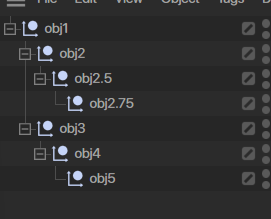
    Hi @pyxelrigger , Unfortunately your question is out of the scope of support on this forum, namely: We cannot provide support on learning C++, Python, or one of their popular third-party libraries. With that's said, I'm kind of missing the main idea behind your question, in other words what are you trying to achieve? Is it just another (e.g. simply more convenient) data structure for the hierarchy? If so, then you're free to create whatever data structure fits your need the best. For example, check a very fast draft code snippet below. Is it that you want to track changes of the hierarchy? If so, then you might need to come up with some more complex setup, e.g. involving using the c4d.EVMSG_CHANGE message. Please, refer to a great Ferdinand's answer here: Best way to detect an object has been deleted? Please also consider visiting our How to ask Questions section of the support procedures for your future postings. Cheers, Ilia A super draft example of nested lists hierarchy representation: import c4d doc: c4d.documents.BaseDocument class HierarchyObject: def __init__(self, op): self.op = op self.children = [] child = self.op.GetDown() if op else doc.GetFirstObject() # recursion entry point while child: self.addChild(HierarchyObject(child)) # recursion child = child.GetNext() def addChild(self, child): self.children.append(child) def toString(self, indentation: int = 0): indentStr: str = '\t' * indentation name: str = self.op.GetName() if self.op else '___root___' s: str = f'{indentStr}<{name}' if self.children: s += ':' for child in self.children: s += f'\n{child.toString(indentation + 1)}' s += f'\n{indentStr}' s += '>' return s def __str__(self): return self.toString() if __name__=='__main__': root: HierarchyObject = HierarchyObject(None) print(root)
  • Sampling a Fusion shader

    Cinema 4D SDK windows 2024 c++
    3
    0 Votes
    3 Posts
    830 Views
    S
    Hi @ferdinand, Thanks for this, inserting the colour shaders uner the Fusion shader and then inserting the Fusion shader under my shader works fine. I must admit this is my fault. Because the shaders are all created in the InitRender() of my plugin, I didn't think they needed to be (or could be) inserted under my shader. I figured it would be different if the shaders were going to be added to a link field and stay in the document, but not if they're just created then destroyed when done with. So that's very useful to know. Thanks again, Steve
  • 0 Votes
    7 Posts
    2k Views
    S
    Yes, I know about not using multiple events. I was playing with that, I thought that's the reason the button was not being called Thank you @ferdinand
  • 0 Votes
    3 Posts
    1k Views
    sasha_janvierS
    Once again, I am immensely grateful for your generous and incredibly helpful assistance, @ferdinand ! I don’t know why I didn’t mention SetParameter() in my original message, as this was the first thing I attempted before experimenting with the other methods I mentioned. Thank you once again. I was able to throughly familiarize myself with GetParameter() and SetParameter() today.
  • 0 Votes
    3 Posts
    1k Views
    gheyretG
    Thanks for your explanation @m_adam , Yes it's a CommandData plguin but no GeDialog. Because of some limitations, I had to use PySide to create my plugin's special user interface.
  • 0 Votes
    4 Posts
    913 Views
    ferdinandF
    Hey everyone, just to add a little disclaimer here, as Maxime gave a very hacking friendly answer with the a bit tame warning 'do it at your own risk'. What you are tyring to do is out of scope of support because it is a violation of the threading restrictions. The whole core message system is about events and UI, both things that are inherently bound to the main thread. Maxime's code just circumvents the main-thread check someone once put into our code for a reason, as that person also made sure to put a warning into the docs. When you are someone like Maxime, i.e., you know all the bits and bytes of Cinema 4D on a first-name basis, you can make a workaround like this work. But for everyone else I would strongly recommend not circumventing such things in production code. Just because a hack runs fine on a development machine, does not mean that a customer might not lose work due to a crash induced by such hack. The underlying issue we talked about this morning, is that in C++ one can easily defer things to the main thread with the aptly named ExecuteOnMaainThread while in Python one cannot. We are aware of this issue but it is quite costly to solve. An outcome of this thread, was that we at least promoted the priority of the already existing ticket for this issue in our task pool. We can however give no ETA when we will fix this, as doing this will cost quite some time. Cheers, Ferdinand
  • 0 Votes
    3 Posts
    2k Views
    ThomasBT
    @ferdinand Thanks a lot Ferdinand for your time and effort. It is always admirable how carefully and thoroughly you answer many questions. At first it was often difficult to understand and follow your code examples...now it is a little easier. Thanks for that. I found out that the following method also does the job: c4d.SendCoreMessage(c4d.COREMSG_CINEMA, c4d.BaseContainer(c4d.COREMSG_CINEMA_FORCE_AM_UPDATE), 0) Sorry for the second question about why this buttonDesc[c4d.DESC_FITH] = True buttonDesc[c4d.DESC_SCALEH] = True in the GetDDescription method are not working. I thought this is a follow-up question. I will open another topic for that.
  • 0 Votes
    3 Posts
    709 Views
    gheyretG
    Hi @ferdinand, Thanks for your reply. I just want to make sure if it's possible. And I'll try the BaseDraw.DrawObject later.