• Access Node Material Path Redshift 2026

    Cinema 4D SDK 2026 python windows
    2
    0 Votes
    2 Posts
    1k Views
    R
    hi there, I actually did sort this out in a very round about way with some "vibe coding". this was for a mapp creation project I am working where I am displaying various eras of map onto 20km grids (so as not to kill the viewport functionality). have a look at the below and let me know if this is a solid approach or if there was a better way: import c4d import maxon def main(): era = "INSERT_YOUR_ERA_HERE" basePath = "INSERT_YOUR_PATH_HERE" prefix = f"map_{era}_tile_20k_" extension = ".tif" doc = c4d.documents.GetActiveDocument() if doc is None: return nodeSpaceId = maxon.Id("com.redshift3d.redshift4c4d.class.nodespace") textureNodeId = maxon.Id("com.redshift3d.redshift4c4d.nodes.core.texturesampler") for mat_index in range(1, 9): mat_name = f"column_{mat_index:02d}" mat = doc.SearchMaterial(mat_name) if not mat: print(f"Material {mat_name} not found.") continue nodeMat = mat.GetNodeMaterialReference() if nodeMat is None: print(f"{mat_name} is not a node material.") continue graph = nodeMat.GetGraph(nodeSpaceId) if graph.IsNullValue(): print(f"No Redshift graph for {mat_name}.") continue textureNodes = [] maxon.GraphModelHelper.FindNodesByAssetId(graph, textureNodeId, False, textureNodes) with graph.BeginTransaction() as transaction: for node in textureNodes: node_name = node.GetValue(maxon.NODE.BASE.NAME) if not node_name: print(f"Unnamed node in {mat_name}, skipping.") continue node_name = str(node_name) try: local_index = int(node_name) except: print(f"Non-numeric node name '{node_name}' in {mat_name}, skipping.") continue global_index = (mat_index - 1) * 11 + local_index filename = f"{prefix}{global_index:03d}{extension}" full_path = basePath + filename tex0 = node.GetInputs().FindChild( "com.redshift3d.redshift4c4d.nodes.core.texturesampler.tex0" ) if tex0.IsNullValue(): print(f"No tex0 on node '{node_name}' in {mat_name}") continue pathPort = tex0.FindChild("path") if pathPort.IsNullValue(): print(f"No path port on node '{node_name}' in {mat_name}") continue pathPort.SetDefaultValue(maxon.Url(full_path)) print(f"{mat_name} → Node '{node_name}' set to {full_path}") transaction.Commit() c4d.EventAdd() if __name__ == "__main__": main()
  • 0 Votes
    2 Posts
    488 Views
    ferdinandF
    Hey @Dunhou, Thank you for reaching out to us. We agree that this would be desirable. These methods are actually already wrapped but we hide them for now in the Python SDK. Find the reasons below. ExecuteJavascript: I just did remove the bindings of the Python API for that method in the current beta and also switched the C++ method to internal. The reason for that decision was is that we have security concerns about attackers being able to execute arbitrary JS in a web browser opened in Cinema 4D. SetWebMessageCallback: This is intended solution, i.e., the JS you want to execute must be already embedded into the HTML which is running in the HtmlView. On Windows/WebView2 it uses web messages, on MacOS/WebKit a custom solution emulating them. And SetURLCallback is then the way to get data back from the JS VM. For 2026.1 I already wrote examples for these methods, but on the last meters we discovered that something not only broke the Python bindings but the whole "execute JS" in the WebView2/WebKit bindings. My last info is that something broke there due to a project update, and that the two devs involved in it will have a look. I'll give them another bump and report here if there are any updates. Cheers, Ferdinand
  • Creating custom asset nodes via Python API

    Cinema 4D SDK 2026 python windows
    4
    0 Votes
    4 Posts
    858 Views
    ferdinandF
    Good to hear that things worked out for you!
  • 0 Votes
    4 Posts
    2k Views
    ferdinandF
    Hey @vaishhg, As I tried to explain there are no nested dependencies. *.rs is a full blown scene file format which can express geometry, curves, simulation data, materials and more. When you save a Cinema 4D scene as *.rs al data in it is exported to that format, including the "nested" case where a *.c4d scene is referencing a *.c4d scene. So when you start out with this *.c4d scene: Scene.c4d +-- Objects +-- Cloner ( creates 5 instances) +-- Cube Generator +-- Cache +-- Polygon Object +-- Tags +-- Material Tag (references 'Red Material') +-- Materials +-- Red Material And then export it to Scene.rs, you get this (this is not an actual depiction of the file format, just a visualization of what happens, rs is not an open format). Scene.rs +-- Objects +-- Cube.0 [Red Material] +-- Cube.1 [Red Material] +-- Cube.2 [Red Material] +-- Cube.3 [Red Material] +-- Cube.4 [Red Material] +-- Materials +-- Red Material (contains Red Material definition) If you load that file back into Cinema 4D you get this. All data - that these are 5 separate cubes with a red material each - resides in the Redshift core only, we only see a proxy in Cinema 4D, hence the name "RS Proxy Object". It is the Redshift Core which will resolve the data in the RS file at render time. ReferencingScene.c4d +-- Objects +-- RS Proxy Object.0 (loads Scene.rs) +-- Cache (will be empty by default, there is literally no data in the c4d core, only when we set 'Preview' to 'Mesh' there will be a cache so that the viewport can display something) +-- Polygon Object (one blob representing all 5 cubes and no material information) +-- RS Proxy Object.1 (loads Scene.rs) +-- Cache +-- Polygon Object When we now export ReferencingScene.c4d to ReferencingScene.rs we get this. Because when the exporter runs, it will encounter the two RS Proxy Objects when flattening the c4d scene and do what you cannot do, grab the rs scene data from the referenced Scene.rs files and inline that into the new ReferencingScene.rs file. So we end up with 10 cubes in total, each with the red material assigned. ReferencingScene.rs +-- Objects +-- Cube.0 [Red Material] (from RS Proxy Object.0) +-- Cube.1 [Red Material] ... +-- Cube.2 [Red Material] ... +-- Cube.3 [Red Material] ... +-- Cube.4 [Red Material] ... +-- Cube.0 [Red Material] (from RS Proxy Object.1) +-- Cube.1 [Red Material] ... +-- Cube.2 [Red Material] ... +-- Cube.3 [Red Material] ... +-- Cube.4 [Red Material] ... +-- Materials +-- Red Material (contains Red Material definition) And when we load that back into Cinema 4D we get this: SecondGeneration.c4d +-- Objects +-- RS Proxy Object.0 (loads ReferencingScene.rs) +-- Cache +-- Polygon Object (one blob representing all 10 cubes and no material information) The TLDR is that the Redshift Core can read *.rs files and the Cinema API cannot, it can only write them or load them via an RS Proxy Object. And there is no 'resolving [...] the full proxy chain' as you put it. An *.rs scene file is just a discrete scene representation that contains does not know concepts such as generators or assets known to the Cinema API/Core. When export a *.c4d scene that references *.rs files all data is just flattened into a single *.rs file (again, what I showed under the *.rs formats above was just a visualization, not the actual file format). There is currently no way to do what you want to do, even if you would request access to the Redshift Core C++ SDK. Because the RS file format is a GPU scene file format and very deeply integrated into the core. Even the RS Core SDK does not expose functionalities to read RS files to CPU memory structures. Cheers, Ferdinand
  • 0 Votes
    4 Posts
    1k Views
    ferdinandF
    I did not see this as a rant or rude, if I had, I would have reacted differently. I understand your concerns, but this is a developer forum and we cannot help you here with your issue.
  • how to detect obj selected in InExcludeData()?

    Cinema 4D SDK 2025 python
    7
    0 Votes
    7 Posts
    2k Views
    chuanzhenC
    @ferdinand Thank you. hope this can be updated in the document
  • Import multiple Takes

    Cineware SDK c++
    6
    0 Votes
    6 Posts
    2k Views
    ferdinandF
    Hey @yannickkohn, Thank you for the source code, but pseudo code is often problematic, especially when it contains so many undefined functions. I cannot say much about any bugs, as your code is so 'pseudo' and you do not show the really deep down work (reading curves and keys here). What also is a bit weird is that you use FindOverride. That function is private for a reason. You should set the active take and then just evaluate the scene data or the tracks of scene data when you are interested in animations only. https://studio. Cheers, Ferdinand
  • 0 Votes
    7 Posts
    884 Views
    M
    Hi Ferdinant, Great! Thank you for your support - I really appreciate it! with... asset: maxon.AssetDescription = repo.FindLatestAsset( maxon.AssetTypes.File(), aid, maxon.Id(), maxon.ASSET_FIND_MODE.LATEST) version_string: str = maxon.AssetInterface.GetVersionString(asset) version_string = version_string[:-19].strip() #deleting the timestamp I could filter out the Version String. Thank you again for your help. Cheers, MPB
  • 0 Votes
    3 Posts
    464 Views
    B
    Thank you @Dunhou ! That solved it!
  • 0 Votes
    2 Posts
    645 Views
    ferdinandF
    Hey @lasselauch, Thank you for reaching out to us. I am not 100% sure that I am understanding you correctly. You basically want to hook into this menu entry, right? [image: 1768249550647-650df545-8d6c-4444-a525-a4fe70bee750-image.png] That is not possible at the moment. Because what this thing does, is gather information from the description of the selected entity or the active dialog and with that data calls cinema::OpenHelpBrowser (at least the backend version of that function). This is not even a dedicated command, just a switch case within the abstracted dialog menu handling. So, this is custom built for help.maxon.net. It would not be impossible to isolate this so that there could be either a dedicated plugin hook for this or it somehow reusing the existing RegisterPluginHelpDelegate (the C++ variant of the Python hook you used). But that would be quite a bit of work, and you would also have to answer if that justifies the overhead of calling all hooks each time a user presses that button/menu entry (but you could also argue that the overhead of RegisterPluginHelpDelegate is even worse). I can see the allure of "Show Help" working for third parties, but I doubt many people would use it and the current system is very Maxon centric which are not good arguments for going for this. On top of this, in theory, it would have to support both NodeData entities and dialogs (because the menu entry works for both). We could only support nodes, but there I would just recommend the proven and tested workflow of including a base description at the end of your nodes, which places there a bitmap icon branding that is clickable or just a button. I talked a bit in the all new Licensing Manual videos and code about this workflow. edit: An alternative could be to offer a hook into OpenHelpBrowser but there you probably then run into problems with dialogs as the back end function splits into two signatures (which do not exist in the frontend). Also solvable but again extra work that can hardly be justified but the few users this will have. I am not strictly against adding such hook, but I currently do not see a good cost/effect ratio unless this thread is flooded with third party developers stating otherwise. Cheers, Ferdinand
  • 0 Votes
    3 Posts
    851 Views
    K
    Hi @ferdinand , Thank you for your detailed answer. I will look into the details and try to understand the concepts. For now the issue is solved. Thank you as always.
  • 0 Votes
    5 Posts
    2k Views
    K
    @John_Do said in CommandData.Message() implementation and Message concepts: seasoned baselislienhanMO
  • 0 Votes
    3 Posts
    846 Views
    lasselauchL
    Thank you, Ferdinand. (Again!) That was exactly what I needed. It's working great now! Thanks for taking the time to answer this so thoroughly and quickly! Cheers, Lasse
  • Maxon SDK 2025 Winter Holidays

    News & Information forum support information
    1
    0 Votes
    1 Posts
    1k Views
    No one has replied
  • How to change the Node spaces

    Cinema 4D SDK python 2025 windows
    2
    0 Votes
    2 Posts
    654 Views
    ferdinandF
    Hello @gelobui, Welcome to the Maxon developers forum and its community, it is great to have you with us! Getting Started Before creating your next postings, we would recommend making yourself accustomed with our forum and support procedures. You did not do anything wrong, we point all new users to these rules. Forum Overview: Provides a broad overview of the fundamental structure and rules of this forum, such as the purpose of the different sub-forums or the fact that we will ban users who engage in hate speech or harassment. Support Procedures: Provides a more in detail overview of how we provide technical support for APIs here. This topic will tell you how to ask good questions and limits of our technical support. Forum Features: Provides an overview of the technical features of this forum, such as Markdown markup or file uploads. It is strongly recommended to read the first two topics carefully, especially the section Support Procedures: How to Ask Questions. About your First Question It depends a bit on how you mean your question. There is GetActiveNodeSpaceId which allows you to get the ID of the current node space. But there is no setting equivalent of that function. So, you cannot set a node space by its ID. What you can do, is call the command which switches node spaces. These are however dynamically assigned and can have a different meaning, depending on how many render engines are installed. You can just check the script log after changing the space. On this installation I have for example no extra render engines or node spaces installed, therefore Redshift is there 72000, 4. [image: 1765458881919-a0da1ed7-7add-456e-a8cc-63d8bd1ced2a-image.png] But on this machine I have the C++ SDK installed and therefore the Example nodes space, so Redshift is now 72000, 5: [image: 1765459007165-49b0838b-49d5-4f14-b638-811d8d26ada4-image.png] When you really want to do this in a fail safe manner, you would have to parse the menu of Cinema 4D to know with which sub-id to call CallCommand. Cheers, Ferdinand
  • ObjectData handles - Unexpected position jitter

    Moved Bugs python 2026
    8
    1 Votes
    8 Posts
    2k Views
    ferdinandF
    Good to hear!
  • Educational Licenses

    Cinema 4D SDK python windows 2025
    9
    1
    0 Votes
    9 Posts
    2k Views
    DunhouD
    @ferdinand Thanks for your great examples! Very helpful!
  • 0 Votes
    1 Posts
    64k Views
    No one has replied
  • How to get edge 'island' selection

    Cinema 4D SDK python 2026
    6
    1
    0 Votes
    6 Posts
    1k Views
    ferdinandF
    Hey @BretBays, Let me answer a few things, I although I still have the feeling we are not at the bottom of things yet. So my idea(based off a maya tool used at work) is to be able to select those loops myself with edges, and have it run the interpolation on all the loops at once(well, at once as far as clicking apply once and it does each loop for you). You can of course implement a point, edge, or polygon loop or ring selection yourself. But my advice would be to use the builtin tool programmatically unless you really have to implement your own tool. Because while a simple loop selection is relatively trivial, a production level loop tool is then quite a bit of work, due to all the edge cases you have to handle. The issues I am running into is that it seems like working with edge selections is very cumbersome in Cinema. [...] I don't know I just am having a hard time wrapping my head around these concepts in Cinema. Is it possible to pass in an edge ID and work with edge ID's or do you have to go through the polygon info and all of that to get them? Cinema 4D does not store edges explicitly, as this would unnecessarily increase the size of a scene. One can sufficiently describe polygonal geometry as a set of points for the vertices, and a set of ordered quadruples of point indices for each polygon. This is common practice in 3D applications and called 'indexed face set'. You always have to go through the polygons and points to work with edges. Edges are effectively just a smoke and mirrors convenience feature for end users. One could argue how much front-end wrappers for edges an API requires to be easy to use, but I would say Cinema 4D is there at least okay. You can find helper functions for edges on PolygonObject and SendModelingCommand supports edge selections directly. In short, for each perceived user edge E_p, exist n 'real' or 'raw' edges for the indexed face set, where n is either 1 or 2 when the is mesh manifold (or larger when non-manifold). If n=1, then E_p is a boundary edge, otherwise it is an internal edge shared by two polygons. This is due to these two polygons having two have opposite winding orders for that shared edge when the polygons are meant to face into the same direction. The following diagram illustrates this (arrows indicate the winding order of the polygons): a- → -b b- → -e | | | | ↑ P ↓ ↑ Q ↓ | | | | d- ← -c c- ← -f Fig. 1: Two polygons P and Q sharing the user perceived edge E_p defined by the points b and c. The lower case labels denote unique point identifiers in the indexed face set, not a point order within the polygon. The polygon P is defined as (a, b, c, d) and the polygon Q as (b, e, f, c), i.e., a and b are the first vertex of each polygon respectively. The arrows describe the winding order of the polygons. The global raw edge index is defined as rawEdgeIndex = polygonIndex * 4 + localEdgeIndex. E.g., when P would have the polygon index 2 and Q the polygon index 6, then the user perceived edge E_p would correspond to the two raw edges indices p_bc = 2 * 4 + 1 = 8 (edge bc in P which is the second edge, i.e. local index 1) and q_cb = 6 * 4 + 3 = 27 (edge cb in Q which is the fourth edge, i.e. local index 3). Here are some code examples and forum posts about working with edges in Cinema 4D's Python API: geometry_polgyon_edges_2024: This is the official example script showing how to work with polygon edges in Cinema 4D 2024. It explains how to access and identify edges in a polygon object. Select Edges by Length: An example that shows how to select edges based on their length. Select Polygons Facing into the Same Direction: Not directly related to edges, but I talk here about the fundamental concept of a winding order, which is important when working with polygon edges. Cheers, Ferdinand

  • KeyFrame User Data from Xpresso driven User Data

    Cinema 4D SDK python
    3
    2
    0 Votes
    3 Posts
    584 Views
    ferdinandF
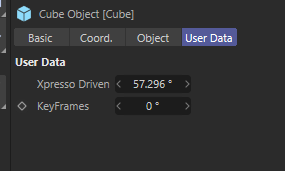
    Hey @JoelJohera, it is kind of hard to follow your question and solution, as the former lacks a scene for context and for the latter I am not quite sure what you fixed. But when it works for you I am happy Cheers, Ferdinand