• Does Python plug-in have AES encryption?

    11
    0 Votes
    11 Posts
    2k Views
    ferdinandF
    Hello @hhdhhd, without any further questions or replies, we will consider this topic to be solved by Monday and flag it accordingly. Thank you for your understanding, Ferdinand
  • problema de regreso de código de gestor de scripts

    3
    0 Votes
    3 Posts
    905 Views
    JH23J
    Excuse me, I thought I translated it was my mistake, and in the same way, thank you for your help.
  • How to create a child from the script manager?

    r20 python
    8
    0 Votes
    8 Posts
    2k Views
    ferdinandF
    Hello @JH23, first, I would like to point out that we ask the community here to post separate questions into separate postings, so that other users can find more easily answers when searching the forum. You can read more about the procedures of SDK support in our Forum Guidelines. It is okay in this case, but for future cases we have to ask you to open new topics for follow-up questions that are not directly related to the initial question of the topic (thread). About your question - you have two options when you want to make an object editable: In case you already have the object in question already inserted into the active document and are in the main thread, you can still use CallCommand. For CallCommand you have to keep in mind that it usually relies on an object selection. When running it in a script, you have then make sure that actually the objects you want to be affected are selected when you do run the CallCommand. I have provided an extension of my prior example at the end of this posting. In all other cases, i.e., when the object is either in no document or not in the active one, or you are not on the main thread, then you must use c4d.utils.SendModelingCommand Link. In this case for example for the command MCOMMAND_MAKEEDITABLE. You can find more information about that in our SDK documentation and in the code examples on GitHub. Cheers, Ferdinand Example code: import c4d def main(): # Assuming you want to use a CallCommand, you can do this. In practice # instantiating a cube object is better done in the way shown by Cairyn # in the forums. # The CallCommand for creating a cube object which will also insert and # select the cube. c4d.CallCommand(5159) # Get the currently active object; which is the new cube object due to the # prior CallCommand. The function object() created by the script log, and # used in your code, does effectively something similar. But it has the # overhead of retrieving the active object each time it is being called, # which is not necessary here. # In a script environment there are also the predefined attributes op and # doc, "variables" in non-Python terms. op is the currently active object # when the script is being run and doc the currently active document. # We cannot use op here, since the CallCommand just did change that, but # we can use doc, which we could retrieve also manually if we had to via # c4d.documents.GetActiveDocument(). cube = doc.GetActiveObject() # Set some of the parameters of that cube object. cube[c4d.ID_BASELIST_NAME] = "Cube" cube[c4d.PRIM_CUBE_LEN, c4d.VECTOR_X] = 32 cube[c4d.PRIM_CUBE_LEN, c4d.VECTOR_Y] = 32 cube[c4d.PRIM_CUBE_LEN, c4d.VECTOR_Z] = 32 cube[c4d.PRIM_CUBE_SUBX] = 11 cube[c4d.PRIM_CUBE_SUBY] = 11 cube[c4d.PRIM_CUBE_SUBZ] = 11 # Instantiate manually a cone object and insert it under that cube, i.e., # do it like Cairyn has shown it. cone = c4d.BaseObject(c4d.Ocone) # We can also set the name of a node like this, which is a bit easier to # remember than the ID. cone.SetName("Cone") # Set some parameters of the cone. You can find out parameter ids via # drag and drop and the console, read more about it here: # developers.maxon.net/docs/Cinema4DPythonSDK/html/misc/descriptions.html cone[c4d.PRIM_CONE_HEIGHT] = 32 cone[c4d.PRIM_CONE_BRAD] = 16 cone[c4d.ID_BASEOBJECT_REL_POSITION, c4d.VECTOR_Y] = 32 # Create a phong tag for the cone, so that the cone is being shaded nicely. phongTag = cone.MakeTag(c4d.Tphong) # Enable the angle limit of the phong tag. phongTag[c4d.PHONGTAG_PHONG_ANGLELIMIT] = True # Insert the cone under the cube. cone.InsertUnder(cube) # When we are doing things "manually", i.e., do not use CallCommand, we # have to push an update to Cinema 4D after we have modified the scene # graph. c4d.EventAdd() # Make the cube object the new active selection. doc.SetActiveObject(cube, c4d.SELECTION_NEW) # And run the " Make Editable" CallCommand on that c4d.CallCommand(12236) # Make Editable if __name__ == '__main__': main()

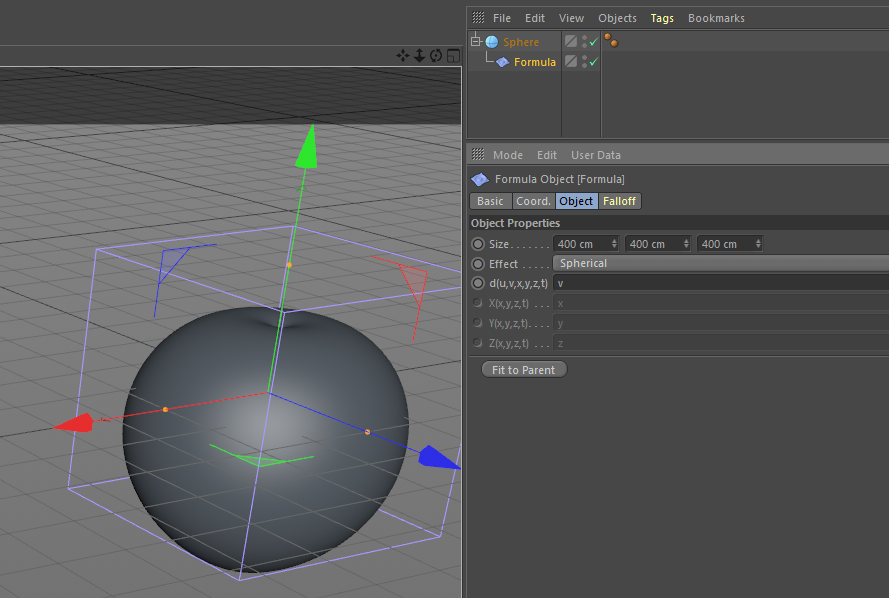
  • Formula Effector Spherical Effect U and V Interpretation

    Moved
    2
    2
    0 Votes
    2 Posts
    723 Views
    ferdinandF
    Hello @johntravolski, thank you for reaching out to us. Please note that the Forum Guidelines state that the scope of Plugin café support requests is "bound to the scope of Cinema 4D public API support". So, your question is unfortunately out of scope for this forum. Please contact user support for questions about Cinema 4D itself. Thank you for your understanding, Ferdinand
  • Dark theme and accent color

    Moved
    4
    0 Votes
    4 Posts
    1k Views
    M
    Hello @r_gigante , thanks for the answer. And yes, thought so. By the way, on my company's calibrated display, the red looks way less saturated. Guess, it's time to calibrate my displays again. But for those interested, there are browser extensions to override styles and thus colors. (https://chrome.google.com/webstore/detail/stylish-custom-themes-for/fjnbnpbmkenffdnngjfgmeleoegfcffe?hl=en) Still using it for display the topic titles in original case instead of all uppercase.
  • Keyboard button down issue in S24

    Moved
    2
    0 Votes
    2 Posts
    935 Views
    ManuelM
    Hi, Thanks for contacting us. While i understand your issue, this forum's scope is bound to Cinema4D's API use only. (c++ and Python) For your issue, you need to contact our regular support and create a ticket there. They have more information/knowledge with what could cause this issue. (hardware/software) Cheers, Manuel
  • No scrolling, no paging...?

    Moved
    8
    0 Votes
    8 Posts
    2k Views
    kbarK
    Pagination settings! So good. Welcome back my little numbered friends.
  • Dark-skin available

    Moved
    1
    1
    1 Votes
    1 Posts
    519 Views
    No one has replied
  • scipy.special in R19?

    2
    0 Votes
    2 Posts
    668 Views
    ferdinandF
    Hi @johntravolski, thank you for reaching out to us. I unfortunately have to point out that 3rd party library support is not being provided by us, as declared in our Forum Guidelines. You are however more then welcome to discuss this topic with the community. That being said, ufuncs is a numpy library that encapsulates common important functions used in numpy in a C library and somewhat known to sometimes cause hiccups when your numpy installation is "out of sync" with your os. This is probably here caused by mismatching versions of numpy and scipy. At least this would be my first guess. We unfortunately can provide no further support on this. Cheers, Ferdinand
  • Recent spam boom

    Moved
    6
    0 Votes
    6 Posts
    2k Views
    ferdinandF
    Hi @C4DS, thank you for bringing this topic up and thank you for making the effort of flagging spam. We actually have a spam protection in place, but it is not trivial to "prevent spamming in the first place". We have slightly improved our spam-protection and will monitor the effect of it. There are other options and we have discussed them, but we are a bit hesitant to implement them, because they impose restrictions on existing users. Like the restriction you did propose or the one I did propose above. I cannot say much more than that we have this on our radar and might take further steps when we feel the situation is getting out of control. Thanks again for bringing it up. Cheers, Ferdinand
  • A GetClone problem about takes

    5
    0 Votes
    5 Posts
    1k Views
    ferdinandF
    Hi @delizade, without further questions or feedback, we will consider this thread as solved by Monday and flag it accordingly. Cheers, Ferdinand
  • Rendering with specific camera ?

    python
    5
    0 Votes
    5 Posts
    2k Views
    ferdinandF
    Hi, without further feedback, we will consider this thread as solved by Wednesday and flag it accordingly. Cheers, Ferdinand
  • Can't add plugin name into cinema4d

    r21
    5
    0 Votes
    5 Posts
    6k Views
    ferdinandF
    Hi, without further feedback, we will consider this thread as solved by Wednesday and flag it accordingly. Cheers, Ferdinand
  • Best Wishes to the team

    Moved
    3
    2 Votes
    3 Posts
    1k Views
    ferdinandF
    Hi @C4DS and @Motion4D, thanks you two, that is very kind of you. A happy new year to you too and everyone in the forum. Cheers, Ferdinand
  • How to Plugin Distribution

    Moved
    3
    0 Votes
    3 Posts
    832 Views
    ManuelM
    @thecheesy1 said in How to Plugin Distribution: i am new user so please explain me how to ? hi and welcome to our forum. I would suggest to open your own thread for posting your own question. Please follow our guidelines to ask your question. You will also find, in our guideline, the scope of the support team. (How to distribute your plugins isn't in the scope) @zipit answer is pretty clear in my opinion and your question is so vague that we can't answer it. If you need any information, please be more precise. Cheers, Manuel
  • Get viewport image of inactive document.

    7
    0 Votes
    7 Posts
    2k Views
    Danchyg1337D
    @m_adam Thanks for your help. That made things clear.
  • [c++, R21] Trouble compiling + include C4D libraries in Houdini

    5
    0 Votes
    5 Posts
    1k Views
    r_giganteR
    Hi @JaronW you don't have to open the project file, but rather the solution file you find in C:\Custom\Maxon\SDK\plugins\projects\plugins.sln Cheers, R
  • Using GetViewportImage()

    3
    0 Votes
    3 Posts
    1k Views
    Danchyg1337D
    @m_magalhaes Thanks a lot! That makes things clear.
  • GLB extract textures

    7
    0 Votes
    7 Posts
    5k Views
    J
    @Macsmiller I apologize for the late reply. Here is the plugin. glTF Importer plugin I managed to finish it and integrate it into Cinema 4D. You can follow the updates here: glTF Importer topic Maybe I am asking a question in the wrong topic - where can I find some sample code that can be used to create various import settings and write them to default presets.lib4d?
  • This topic is deleted!

    1
    0 Votes
    1 Posts
    6 Views
    No one has replied