• Is it possible to add layer solo to a new take through script?

    python
    4
    1
    0 Votes
    4 Posts
    655 Views
    ferdinandF
    Hello @sean1832 , without any further activity before Wednesday, the 16.03.2022, we will consider this topic as solved and remove the "unsolved" state of this topic. Thank you for your understanding, Ferdinand
  • What are the AES specifications for the AES encryption in C4D SDK ?

    c++
    7
    0 Votes
    7 Posts
    995 Views
    ferdinandF
    Hello @c5d, without any further activity before Wednesday, the 16.03.2022, we will consider this topic as solved and remove the "unsolved" state of this topic. Thank you for your understanding, Ferdinand
  • Python Source Protector: Can it be called via CLI?

    python
    18
    0 Votes
    18 Posts
    4k Views
    a_blockA
    Thanks, Ferdinand! Much appreciated. I always forget about c4dpy and that it can still be run in parallel to a running C4D instance. Thanks.
  • Symbol not found: ___chkstk_darwin

    r23 python c++
    2
    1
    0 Votes
    2 Posts
    567 Views
    M
    Cinema 4D R23 require at least mac os 10.14 and the most optimal is 10.15. In your case you need to update to 10.15. See Cinema 4D R23 Requierements. Cheers, Maxime.
  • Layers checker

    python s24 sdk
    4
    0 Votes
    4 Posts
    1k Views
    ROMANR
    @mogh I didn't know about this function @ferdinand Thank you a lot for your detailed response. I will chek posts which you recommended
  • OpenGL in Cinema 4D

    python r25
    6
    0 Votes
    6 Posts
    2k Views
    gheyretG
    @fwilleke80 Yes, it's a solution. But it's can not to orbiting the scene or transforming the model. I think i need to make a desktop application, and make sure the window always on top. However, this will lead to more work for me. And thanks to your reply! cheers
  • Particles from python SDK

    5
    0 Votes
    5 Posts
    1k Views
    Z
    @ferdinand That is great! I did not imagine that working so simply, that's a wonderful feature. Regarding the 'broken' part, I did 'something' and spheres stopped appearing in the viewport, just the 'tracers'. I cannot reproduce that, I must have screwed up. All is right with the world now. In case it helps others, the demo code below now does everything I currently need. Programmatically changes position of the emitter, and following this discussion (https://forums.cgsociety.org/t/c4d-animation-via-python/1546556) I also change the color over the course of each 10-frame segment. Thanks so much for your help, I am really sold on 4D. import c4d import math import random mat = c4d.BaseMaterial(c4d.Mmaterial) mat.SetName('emitter sphere') mat[c4d.MATERIAL_COLOR_COLOR] = c4d.Vector(0.8, 0.0, 0.0) ## Get RGB tracks for continuous color update redtrack = c4d.CTrack(mat, c4d.DescID(c4d.DescLevel(c4d.MATERIAL_COLOR_COLOR, c4d.DTYPE_COLOR, 0, ), c4d.DescLevel(c4d.VECTOR_X, c4d.DTYPE_REAL, 0))) mat.InsertTrackSorted(redtrack) greentrack = c4d.CTrack(mat, c4d.DescID(c4d.DescLevel(c4d.MATERIAL_COLOR_COLOR, c4d.DTYPE_COLOR, 0, ), c4d.DescLevel(c4d.VECTOR_Y, c4d.DTYPE_REAL, 0))) mat.InsertTrackSorted(greentrack) bluetrack = c4d.CTrack(mat, c4d.DescID(c4d.DescLevel(c4d.MATERIAL_COLOR_COLOR, c4d.DTYPE_COLOR, 0, ), c4d.DescLevel(c4d.VECTOR_Z, c4d.DTYPE_REAL, 0))) mat.InsertTrackSorted(bluetrack) doc.InsertMaterial(mat) sph = c4d.BaseObject(5160) rad = sph.GetRad() particleRad = 2.0 scale = particleRad/rad[0] sph.SetAbsScale((scale,scale,scale)) ttag = c4d.TextureTag() ttag.SetMaterial(mat) sph.InsertTag(ttag) sph.SetBit(c4d.BIT_ACTIVE) emitter = c4d.BaseObject(5109) emitter.SetBit(c4d.BIT_ACTIVE) doc.InsertObject(emitter) sph.InsertUnder(emitter) # emit particles at rate 500 emitter[c4d.PARTICLEOBJECT_BIRTHEDITOR] = 500 emitter[c4d.PARTICLEOBJECT_BIRTHRAYTRACER ] = 500 emitter[c4d.PARTICLEOBJECT_RENDERINSTANCES] = 500 emitter[c4d.PARTICLEOBJECT_SIZEX] = 0.2 emitter[c4d.PARTICLEOBJECT_SIZEY] = 0.2 emitter[c4d.PARTICLEOBJECT_TYPE] = c4d.PARTICLEOBJECT_TYPE_PYRAMID emitter[c4d.PARTICLEOBJECT_ANGLEH] = 2 * math.pi emitter[c4d.PARTICLEOBJECT_ANGLEV] = math.pi emitter[c4d.PARTICLEOBJECT_SHOWOBJECTS] = True fps = 24 emitter[c4d.PARTICLEOBJECT_START] = c4d.BaseTime(0, fps) emitter[c4d.PARTICLEOBJECT_STOP] = c4d.BaseTime(500, fps) emitter[c4d.PARTICLEOBJECT_LIFETIME] = c4d.BaseTime(5, fps) ## Animate 500 frames, new position every ten frames, ## transition to next color (cycle red->green->blue) ## First set key frames for color change nextRGB = [1.,0.,0.] redcurve = redtrack.GetCurve() greencurve = greentrack.GetCurve() bluecurve = bluetrack.GetCurve() for segment in range(50) : frame = 50*segment redkey = redcurve.AddKey(c4d.BaseTime(frame, fps))['key'] redkey.SetValue(redcurve, nextRGB[0]) greenkey = greencurve.AddKey(c4d.BaseTime(frame, fps))['key'] greenkey.SetValue(greencurve, nextRGB[1]) bluekey = bluecurve.AddKey(c4d.BaseTime(frame, fps))['key'] bluekey.SetValue(bluecurve, nextRGB[2]) # # rotate RGB values nextRGB.append(nextRGB.pop(0)) ## run animation frame = 0 pos = c4d.Vector(0,0,0) emitter.SetAbsPos(pos) doc.SetTime(c4d.BaseTime(frame, fps)) c4d.CallCommand(12410) for segment in range(50) : frame = 10 * segment mat.Update(True, True) sph.Message(c4d.MSG_UPDATE) for k in range(3) : pos[k] = -30 + 60*random.random() emitter.SetAbsPos(pos) doc.SetTime(c4d.BaseTime(frame, fps)) c4d.CallCommand(12410) # record
  • module 'c4d' has no attribute 'ASSETDATA_FLAG_MISSING'

    r23 r25 python
    3
    0 Votes
    3 Posts
    604 Views
    mikeudinM
    @cairyn Thank you!
  • Thinking Particles in ParallelFor

    r20 c++ windows sdk
    5
    0 Votes
    5 Posts
    981 Views
    N
    Hello @ferdinand, thank you again for this very detailed and helpful reply! I tried both methods, allocating beforehand and like the previous setup, just have it after the ParallelFor altogether. Both worked, although allocating beforehand introduced some weird flickering in the particles and was (at least it feels that way) more unstable. Which is why I opted to go for the second solution as with some exstensive testing it didn't seem to cause any issues. For anyone maybe reading this in the future and having the same issues: Do not allocate the particle group inside the plugin but use a link field and have the user handle the particle group creation inside c4d, that solved a lot of weird behaviours and seemed to work better/more stable. (at least in my not so intended usecase) I will mark this thread as solved, as it works now and I can fix the main-thread issue as well without too much trouble. So thank you very much for your quick and very detailed replies! Best Regards, Florian
  • Treeview Column adjust

    python r20 r25
    8
    2
    0 Votes
    8 Posts
    2k Views
    ferdinandF
    Hey @mogh, Thank you for the kind words and I am happy that this solved your problem. While I sometimes channel here my inner librarian and press for a formal order for new topics, so that the SDK Team can answer them effectively, I want to make clear that all Cinema 4D programming questions are welcome on Plugin Café. Just remember to open a new topic for new questions and to place them in the General Talk forum when they are general programming questions not directly related to our APIs. We will treat them then with a lower priority and rigor, but we usually also answer there. Cheers, Ferdinand
  • Resolving Save Path in Render Settings

    python
    3
    0 Votes
    3 Posts
    504 Views
    a_blockA
    Hi Ferdinand, thanks for your thorough and detailed reply. The problem is, I need to put the correct name of the rendered output into a text file. This needs to match, when rendered later on. So, just guessing something similar is also not an option. I already anticipated, there would be no easy solution. By the way, even if I had the time to test render 1x1 images, it would still not be ok, there are resolution tokens... I will most likely reduce the amount of freedom the user has here, in order to end with something deterministic. Thanks for your help and ideas. You can consider this topic closed from my side. Cheers to the entire SDK Team, Andreas
  • MSG_MENUPREPARE not sent to BaseShaders

    c++ r25
    6
    0 Votes
    6 Posts
    956 Views
    fwilleke80F
    I've changed this back to "Normal topic". It was a question, and it was answered, but since there's no solution, I didn't want to mark it as "solved.
  • Access renderer specific settings with python

    sdk python
    6
    0 Votes
    6 Posts
    2k Views
    ferdinandF
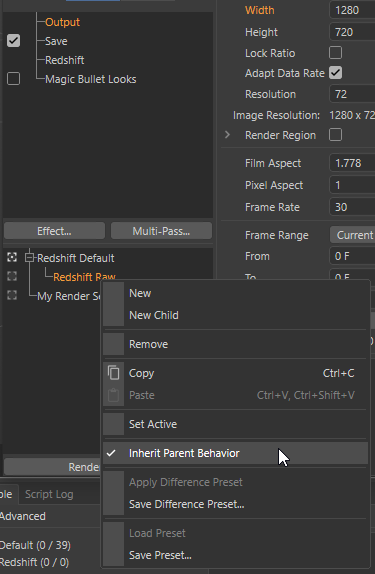
    Hey @wen, Thanks for sharing the example scene! Got a new question though, what do you mean with: "In R25 Redshift does not have a "Raw" color profile anymore" I looked at the wrong parameter; I thought your second script was still for REDSHIFT_RENDERER_COLOR_MANAGEMENT_OCIO_RENDERING_COLORSPACE as the previous example, but it is for REDSHIFT_RENDERER_COLOR_MANAGEMENT_OCIO_VIEW. So, you are right, "Raw" is still there Cheers, Ferdinand
  • Node description database versions

    3
    0 Votes
    3 Posts
    619 Views
    D
    Hi @m_magalhaes , thanks very much for the provided information. We are not modifying the database manually from an editor, but rather generate it on our own. That's why I was searching for an explicit documentation, because the process of adding nodes from the Resource Editor in C4D just to check an attribute may be tedious. Thanks we will consider doing that for version changes. Thanks again - I will take a look into this interface and ask again if I have questions for its proper usage. Cheers, Deyan
  • Get height and width (cm) of a camera focus area

    python sdk r21
    5
    1
    0 Votes
    5 Posts
    1k Views
    pyxelriggerP
    Hmm thank you!! It's not as difficult as I imagined I just had to make a change in the formula for some case, I used: x = focaldistance*math.tan(h/2)*1 [image: 1644929034240-96f1960e87e92c0bd8b3f677b453172d.gif]
  • Set Base View Rotation and Position

    python
    11
    0 Votes
    11 Posts
    1k Views
    ferdinandF
    @cairyn said in Set Base View Rotation and Position: @ferdinand said in Set Base View Rotation and Position: So, when a user has linked a camera to a viewport, e.g., set a camera as a rendering camera, this line of code will make that camera inactive and default to the internal viewport camera. Yep, that was the intent since the OP said they did not want a camera in the scene ("I need not to have this camera on the scene") but I may have misinterpreted the meaning. Not familiar with how 3dsMax handles its cameras. Yeah, I figured that this was probably intentional, but I just wanted to clarify that it is a bit of an odd thing to do. Cheers, Ferdinand
  • 0 Votes
    3 Posts
    708 Views
    D
    Thank you ferdidand, Sorry for not giving more contextual code... Yeah "potential ports" is what I would be interested in. Thanks for confirming that there is nothing in the API that would help me though!
  • ShowBitmap() from website URL

    python r25
    3
    2
    0 Votes
    3 Posts
    412 Views
    gheyretG
    @ferdinand Wow! you perfectly solved my problem! Thank you!
  • 0 Votes
    4 Posts
    635 Views
    ferdinandF
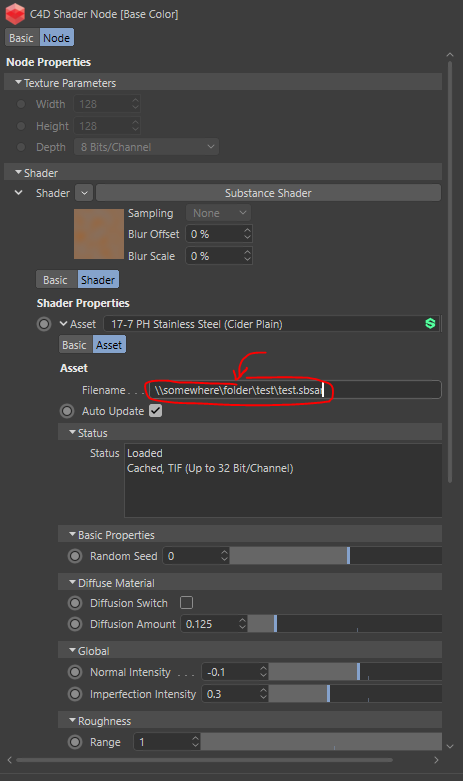
    Hello @till-niese, I did not say or want to imply that this is expected, I will have to test it myself. In the meantime, you can use maxon::Url as shown above to normalize paths if that is of importance for you. I will report back here when I have tried replicating your findings. When there is a bug, we will have to decide if we will fix it. The classic API is a dormant API and the bug, if it is there, does not seem to critical. I cannot tell you right away "that is a bug, and we will fix it (or not)", as this involves multiple operating systems and serialization of paths, which both can be tricky subjects. Cheers, Ferdinand
  • MSG_MULTI_CLEARSUGGESTEDFOLDER not called for TeamRender

    c++ r25
    6
    0 Votes
    6 Posts
    824 Views
    ManuelM
    hi, if I'm correct, you are trying to implement a NodeData plugin right? On this node, you are doing some action based on files that you store inside your own structure and not any baselink? Those files must be considered as assets. When you start a teamrender render, MSG_GETALLASSETS will broadcast to retrieve all the assets. You must react to the message so your assets will be collected. See this manual for more information. While collecting those assets, it can happen that assets have to be renamed if those assets share the same name but are in different directories. This will be done using MSG_RENAMETEXTURES. In that case, RenameTextureMessage will be sent as data and you will have to update the assets filename of your NodeData, either the baselink or your structure. Once collected, all the assets will be in the same directory as the .c4d file. Now the client will open the project and will try to retrieve the asset, it could happen that the message MSG_RENAMETEXTURES will be triggered again. Your code should work if the filename you retrieve from the hyperfile is updated. Cheers, Manuel