• Updating my r20 C++ plugins to r21 and up

    9
    0 Votes
    9 Posts
    2k Views
    R
    @kbar, thank SO MUCH. I will look into it.
  • Remove Shortcut failed

    3
    1
    0 Votes
    3 Posts
    440 Views
    DunhouD
    @ferdinand Thank you for detailed explain . It's great to add a shortcut container document update and small examples , actually , more examples on sdk or Github is really helpful. After reading I try to re-write it and add some functions like add shortcut or check plugin's shortcut list, It's all worked as expected . Shortcut BaseContainer explain is that great to move on . By the way , from those examples , I learned and try to keep code style as easy to read and repair like yours at the same time . So much appreciated.
  • Changing description of material nodes dynamically

    c++
    6
    0 Votes
    6 Posts
    1k Views
    ManuelM
    @deyan said in Changing description of material nodes dynamically: is there an alternative for earlier SDK versions? In our example, you have the files nodessystem_observer.h/cpp this shows how to create a ticket system. This system is based on observable that you can use, those observables are accessible in the GraphModelInterface or the NodeSystemManagerInterface. ObservableTransactionStarted ObservableTransactionCommitted ObservableTransactionRolledBack You have another example in our manual The problem with observable is that you need to be sure that your function is registered or unregistered the right way/time. You need a proper system to handle those "tickets". For now, you only have this "basic system". Cheers, Manuel
  • Working with UserData Python

    python
    7
    3
    0 Votes
    7 Posts
    1k Views
    E
    Thank you once again I marked as solved
  • GeDialog Failing To Open

    c++ s26 sdk
    6
    0 Votes
    6 Posts
    1k Views
    J
    Thanks for the response. This seems to have solved the problem. John Terenece
  • Is there a "msgId" when I add a child to an object?

    python
    2
    0 Votes
    2 Posts
    403 Views
    M
    Hi @LingZA there is not such event in Cinema 4D object system. Moreover if there would be one it will be on the Message method which is responsible to receive various event rather than GetDParameter which have the duty to override the value when C4DAtom.GetParameter is called. With that said the way to do that is to let Cinema 4D handle it for you, as Cinema 4D will call GetDDescription when it is needed. So you should check directly in GetDDescription if the object have a child. But it does not work when the attribute manager is locked with a specific object since GetDDescription is called only at the beginning when the object should be displayed. So to workaround this issue you can set the description of the object to be dirty, this will force Cinema 4D to update the description and therefor call GetDDescription. A concrete example bellow where a Float parameter is added if there is no child class DynamicParametersObjectData(c4d.plugins.ObjectData): def __init__(self): self.has_children = False def GetDDescription(self, node, description, flags): """Called by Cinema 4D when the description (UI) is queried. Args: node (c4d.GeListNode): The instance of the ObjectData. description (c4d.Description): The description to modify. flags: return: The success status or the data to be returned. Returns: Union[Bool, tuple(bool, Any, DESCFLAGS_DESC)]: The success status or the data to be returned. """ # Loads the parameters from the description resource before adding dynamic parameters. if not description.LoadDescription(node.GetType()): return False # If there is a child just return and don't add the float parameter if node.GetDown(): return True # Add a Float Parameter bc = c4d.GetCustomDataTypeDefault(c4d.DTYPE_REAL) bc.SetString(c4d.DESC_NAME, "Dynamic REAL") descid = c4d.DescID(c4d.DescLevel(1100, c4d.DTYPE_REAL, node.GetType())) description.SetParameter(descid, bc, c4d.DescID(c4d.DescLevel((c4d.ID_OBJECTPROPERTIES)))) # After dynamic parameters have been added successfully, return True and c4d.DESCFLAGS_DESC_LOADED with the input flags return True, flags | c4d.DESCFLAGS_DESC_LOADED def GetVirtualObjects(self, op, hh): """This method is called automatically when Cinema 4D ask for the cache of an object. Args: op (c4d.BaseObject): The Python Generator c4d.BaseObject. hh (c4d.HierarchyHelp): Not implemented. Returns: c4d.BaseObject: The newly allocated object chain, or None if a memory error occurred. """ if op is None or hh is None: raise RuntimeError("Failed to retrieve op or hh.") # Force Cinema 4D to call GetDDescription and therefor update the description if there is a child and the saved state is not in sync with scene state has_children = bool(op.GetDown()) if (self.has_children) != has_children: op.SetDirty(c4d.DIRTYFLAGS_DESCRIPTION) self.has_children = has_children returnObj = c4d.BaseObject(c4d.Osphere) if returnObj is None: raise MemoryError("Failed to create a sphere.") return returnObj if __name__ == "__main__": c4d.plugins.RegisterObjectPlugin(id=PLUGIN_ID, str="Py-DynamicParametersObject", g=DynamicParametersObjectData, description="opydynamicparametersobject", icon=c4d.bitmaps.InitResourceBitmap(c4d.Onull), info=c4d.OBJECT_GENERATOR) Cheers, Maxime.
  • Store SplineData inside a Container

    python
    3
    0 Votes
    3 Posts
    433 Views
    ferdinandF
    Hey @rui_mac, thank you for reaching out to us. It is great to hear that you solved your problem yourself. I would however recommend to use BaseContainer.SetData. As a brief explanation, because the Python docs are not too clear on what can be written with SetData, and not all users/readers might be familiar with the C++ API. The SetData and GetData methods in C++ allow you to write anything that can be expressed as GeData into a BaseContainer. That type is not exposed in Python. When looking at the GeData documenation in C++, we can see that there is the constructor GeData (Int32 type, const CustomDataType &data), i.e., CustomDataType can be wrapped as GeData, i.e., SplineData can be written into a BaseContainer. Because this also comes up from time to time, you should be aware that the data is being copied. See example at the end of my posting for details. Cheers, Ferdinand """Demonstrates how to write SplineData into a BaseContainer. """ import c4d def UnpackData(bc: c4d.BaseContainer, cid: int) -> None: """ """ data: any = bc.GetData(cid) if not isinstance(data, c4d.SplineData): return print("\nThe first two knots of the spline in the container:") for i, knot in enumerate(data.GetKnots()[:2]): print (i, knot) def main() -> None: """ """ # Create a spline data instance and use MakeCubicSpline() to generate some data in it. spline: c4d.SplineData = c4d.SplineData() spline.MakeCubicSpline(lPoints=4) # Iterate over the knots. print("The first two knots of the original spline:") for i, knot in enumerate(spline.GetKnots()[:2]): print (i, knot) # Store the SplineData in a BaseContainer. The data will be copied, so any modification made # to #spline after inserting it, will not be reflected. print ("\nWriting spline into container.") bc: c4d.BaseContainer = c4d.BaseContainer() bc.SetData(1000, spline) # Modify the first knot of the spline. spline.SetKnot(0, c4d.Vector(1), c4d.FLAG_KNOT_T_BREAK) print("\nThe first two knots of the modified spline:") for i, knot in enumerate(spline.GetKnots()[:2]): print (i, knot) UnpackData(bc, 1000) if __name__ == '__main__': main()
  • Detect CTRL + RightMouseButton in SceneHook

    c++ r20
    8
    0 Votes
    8 Posts
    2k Views
    ManuelM
    The workaround is to have your scenehook priority over 2k. Remember this priority is reversed, the lowest, the latest to be called so you can delete what have been done by other scenehook. (if you are using the draw function) The function will call scenehook beginning at LIMIT<Int32>::MAX to 2000 included. This bug was introduced more than 10 years ago after fixing another issue. The code is old and would need a session of refactoring. Cheers, Manuel
  • How to Get checked/unchecked state of menu item?

    s22 python
    3
    0 Votes
    3 Posts
    604 Views
    chuanzhenC
    @ferdinand Thanks!
  • Strange Bug with Correction Deformer and Bounding Box Node

    s26 python
    3
    0 Votes
    3 Posts
    637 Views
    I
    Oh yes that's a much better approach! I will provide executables from now on, sorry for the trouble To be honest I was just stuck in an inaccurate frame for how to solve this... thanks for breaking it
  • How to get the render time from picture viewer

    python
    3
    1
    0 Votes
    3 Posts
    729 Views
    K
    Hi @ferdinand, Thank you as always for your detailed answer and even the sample scene file! It seems like a lot of work with my current level of understanding, but your answer is a great hint. I'll try to do a little research on my own. Thank you very much.
  • maxon::Url 206 partial content

    c++ r20 s26
    7
    0 Votes
    7 Posts
    1k Views
    ferdinandF
    Hey @kbar, sure, no pressure and that all sounds reasonable, I was just offering options. And to be clear here: I am not optimistic for this being user fixable. But you never know for sure until you have tried. Cheers, Ferdinand
  • Directly create Redshift standard surface for RS node space

    s26 python windows
    5
    0 Votes
    5 Posts
    680 Views
    DunhouD
    @m_magalhaes Thanks for that explain.
  • Getting keyboard commands in GeDialog()

    c++ sdk
    7
    1 Votes
    7 Posts
    1k Views
    ferdinandF
    Hello @c4ds, thank you for reaching out to us. GetInputState() Just as a FYI, while you not might remember me, I was actually already around on the old forum So, I had a look again, looking at our: Codebase: Nothing is using BFM_INPUT_CHANNEL in this manner, not even really, really, really old code. Plugin Café History: Yes, there are some mentions of GetInputState(BFM_INPUT_KEYBOARD, BFM_INPUT_CHANNEL, but these come exclusively from users who a. Have problems with retreiveing the pressed key b. Not use the method to retreive any speciifc key and are only intersted in modifiers or other data provided in the response container. I did not find any code examples posted by Maxon using this form. I do not want to be rude here, but what you are doing is not correct and likely never was. This code floated around on Plugin Café and apparently people were copying each other but the code is at least now simply wrong (when one is interested in polling specific keys). Yes, you can use GetInputState(BFM_INPUT_KEYBOARD, BFM_INPUT_CHANNEL, bc) and this will not crash or any thing, but it is also meaningless. You could also call GetInputState(BFM_INPUT_KEYBOARD, 123456789, bc) and it would be as meaningful. If you are not interested in a specfic key being pressed, than this will also 'work' for you as the askchannel argument is then irrelevant. But we should really stop indicating that this is the right way to go, because that is where all the confusion comes from. Find a Python script at the end of the posting which in detail demonstrates this. Please stop indicating that this is a valid approach, as people will read this and then the cycle starts over again. Input Events Page for the C++ Documentation Thank you for making me aware of this. The target of these links, page_input_events has long been removed. I still have access to that archived page, and while the page was not too useful, I can only speculate why it has been done in this form. I will fix this this in an upcoming release. In the meantime, you should look at: the BFM Symbol Group: This however does not contain only input event symbols, but all GUI related event symbols. Input event related symbols folllow the form BFM_INPUT_... plus things like the KEY symbols or the Input Events page of the Python docs which is much better. Something like this unfournetely never existed in C++ the old C++ page was entierly different. Maybee it got removed in order to make room for something similar to the Python page, and then things were somehow not carried out? Long story short, I will provide a meaningful input events page for C++ in the upcoming release. In the meantime I would recommend the Python page. Cheers, Ferdinand The code for GetInputState(BFM_INPUT_KEYBOARD, BFM_INPUT_CHANNEL, bc) being not a meaningful thing: """Demonstrates that #BFM_INPUT_CHANNEL does not carry any meaning as the argument #askchannel for GetInputState. """ import c4d def main() -> None: """ """ bc: c4d.BaseContainer = c4d.BaseContainer() if not (c4d.gui.GetInputState(c4d.BFM_INPUT_KEYBOARD, c4d.BFM_INPUT_CHANNEL, bc)): raise RuntimeError("Could not poll input event.") # Iterate over the container, there is nothing meaningful in there when you want to query a # specific key. print ("\nThe result container:") for key, value in bc: print (f"key: {key}, value: {value}") # And here some selected values to be a bit more verbose. print ("\nSelected values:") print (f"{bc[c4d.BFM_INPUT_CHANNEL] = }") # Will return 1768973153, i.e., itself. print (f"{bc[c4d.BFM_INPUT_VALUE] = }") # Will return False. print (f"{bc[c4d.BFM_INPUT_ASC] = }") # Will return the empty string. # We can of course still use the result container to poll for things that are also evaluated as # for example modifier keys (or the mouse position in case of the mouse device). print ("\nThe container is still valid for other stuff, but BFM_INPUT_CHANNEL is" + "meaningless in that context:") print (f"BFM_INPUT_CHANNEL: {bc[c4d.BFM_INPUT_MODIFIERS] = }") # But we would not have to use BFM_INPUT_CHANNEL for that, we also just could do this here: bc: c4d.BaseContainer = c4d.BaseContainer() if not (c4d.gui.GetInputState(c4d.BFM_INPUT_KEYBOARD, 123456789, bc)): raise RuntimeError("Could not poll input event.") print (f"123456789: {bc[c4d.BFM_INPUT_MODIFIERS] = }") # And just for completeness, in case someone is just reading this snippet, here is how you # should use these functions: print ("\nHow it should be done:") bc: c4d.BaseContainer = c4d.BaseContainer() # Querying for a specific key with GetInputState. print ("\nQuerying a specific input state:") # Note that you must poll for upper case characters, e.g., X instead of x. if not c4d.gui.GetInputState(c4d.BFM_INPUT_KEYBOARD, ord ("X"), bc): raise RuntimeError("Failed to query input events.") # Test if the queried key is indeed being pressed. print (f"{bc[c4d.BFM_INPUT_VALUE] == 1 = }") # Test if this did co-occur with a CTRL button press. print (f"{bc[c4d.BFM_INPUT_QUALIFIER] == c4d.QUALIFIER_CTRL = }") # Querying for the general state with key with GetInputEvent, i.e., capturing all inputs and # not only a specific one. print ("\nQuerying the current input state:") bc: c4d.BaseContainer = c4d.BaseContainer() if not c4d.gui.GetInputEvent(c4d.BFM_INPUT_KEYBOARD, bc): raise RuntimeError("Failed to query input events.") # Get the key which is currently be pressed as an ASCII value. print (f"{bc[c4d.BFM_INPUT_CHANNEL] = } ({chr (bc[c4d.BFM_INPUT_CHANNEL])})") # We can still read all the other things which are written into an input event container, as # for example a modifier key state. print (f"{bc[c4d.BFM_INPUT_QUALIFIER] == c4d.QUALIFIER_CTRL = }") if __name__ == '__main__': main() An example output for pressing CTRL + X while running the script: The result container: key: 1768973430, value: 1801812322 key: 1768973153, value: 1768973153 key: 1768976737, value: 2 key: 1768975727, value: 258 key: 1768978017, value: 0 key: 1768977985, value: 0.0 key: 1801548643, value: Selected values: bc[c4d.BFM_INPUT_CHANNEL] = 1768973153 bc[c4d.BFM_INPUT_VALUE] = 0 bc[c4d.BFM_INPUT_ASC] = '' The container is still valid for other stuff, but BFM_INPUT_CHANNEL ismeaningless in that context: BFM_INPUT_CHANNEL: bc[c4d.BFM_INPUT_MODIFIERS] = 258 123456789: bc[c4d.BFM_INPUT_MODIFIERS] = 258 How it should be done: Querying a specific input state: bc[c4d.BFM_INPUT_VALUE] == 1 = True bc[c4d.BFM_INPUT_QUALIFIER] == c4d.QUALIFIER_CTRL = True Querying the current input state: bc[c4d.BFM_INPUT_CHANNEL] = 88 (X) bc[c4d.BFM_INPUT_QUALIFIER] == c4d.QUALIFIER_CTRL = True >>>
  • Insert a shader into a shader hierarchy

    python
    17
    0 Votes
    17 Posts
    3k Views
    indexofrefractionI
    Thanks a lot kbar.. i'll watch and learn! still... the hurdles to compile a c++ plugin are extremely high nowadays. it would be great if the sdk plugins would be downloadable ready compiled as well
  • InExcludeData modifying in the ParalelFor?

    c++ s26 sdk
    7
    0 Votes
    7 Posts
    1k Views
    ferdinandF
    Hello @yaya And actually as I understand it is pretty logical. I have 2 InExData parameters in my plugin. So when I copying 3000 items into 2 InExData`s, plus adding 3000 objects into the scene, then the number of operations increases up to 9 000. It depends a bit on what you consider an 'operation' in this context, but I would say your calculation is at least misleading. Due to the copying nature of IncludeExcludeData::InsertObject, inserting objects is not a constant cost operation (other than your example implies). It scales linearly with the number of items already in the list (in practice probably even a little bit worse, because the copying itself calls a function which is non-constant). So, when you have a list with 5 items and add one, it is 5 + 1 = 6 - you must copy over the five old items and then add the new one - operations. And adding 5 items in total to an empty list would be 1 + 2 + 3 + 4 + 5 = 15 operations. The term operations is a bit fuzzy here, and there is a lot of room for interpretation, but what I want to make clear is that adding an item to an InExcludeData is not a constant operation. So, adding 3000 items to an InExcludeData does not result in 9000 operations, but 4498500. From this also follows, that it is computationally advantageous to store items in a larger number of lists, e.g., adding to two InExcludeData 1500 items each, costs 1124250 operations per batch, i.e., 'only' 2248500 operations for all 3000 items. Splitting up the data is IMHO your best route of optimization. InExcludeData is also simply not intended for such a large number of objects being stored in them. And as stressed before: I would really test first if InExcludeData is indeed the culprit. ::InsertObject has been designed in a way which does not mesh that well with what you want to do. But I do not really see it eating up 10 seconds, even for 3000 objects. I personally would expect the other calls in your loop to take up more time. But that is very hard to guesstimate from afar, and I might be wrong. Cheers, Ferdinand
  • Attach XPresso Graph to GUI via Python

    9
    1
    0 Votes
    9 Posts
    2k Views
    DunhouD
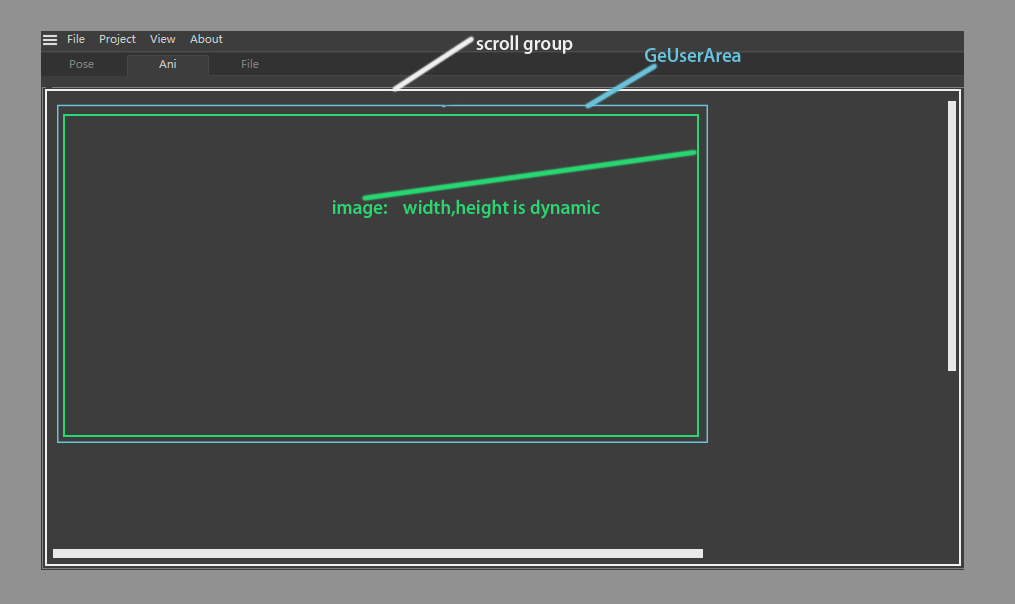
    @ashton_fcs_plugindev That is so cool , Is it finish yet? I am new to GeUserArea too , That's a dreamly example to learn GeUserArea.
  • How to change render setting before add BatchRender

    r23 python
    6
    0 Votes
    6 Posts
    1k Views
    T
    Thank you for your very kindness support.🥺 There are methods I didn't know about Python, so I learned a lot! I've already assembled the other parts, but I'm going to update it with the code you wrote. Please let me know if there is anything else! Cheers!
  • CommandData ExecuteOptionID()

    python
    9
    0 Votes
    9 Posts
    1k Views
    fwilleke80F
    @m_magalhaes Just chiming in here... any news on those C++ examples? Cheers, Frank
  • Tool plugin gui

    s22 python
    7
    0 Votes
    7 Posts
    1k Views
    chuanzhenC
    @ferdinand Thanks!