• Any examples of how c4d.gui.BaseCustomGui works?

    python 2023 2024
    3
    0 Votes
    3 Posts
    975 Views
    G
    This is an excellent explanation , thank you.
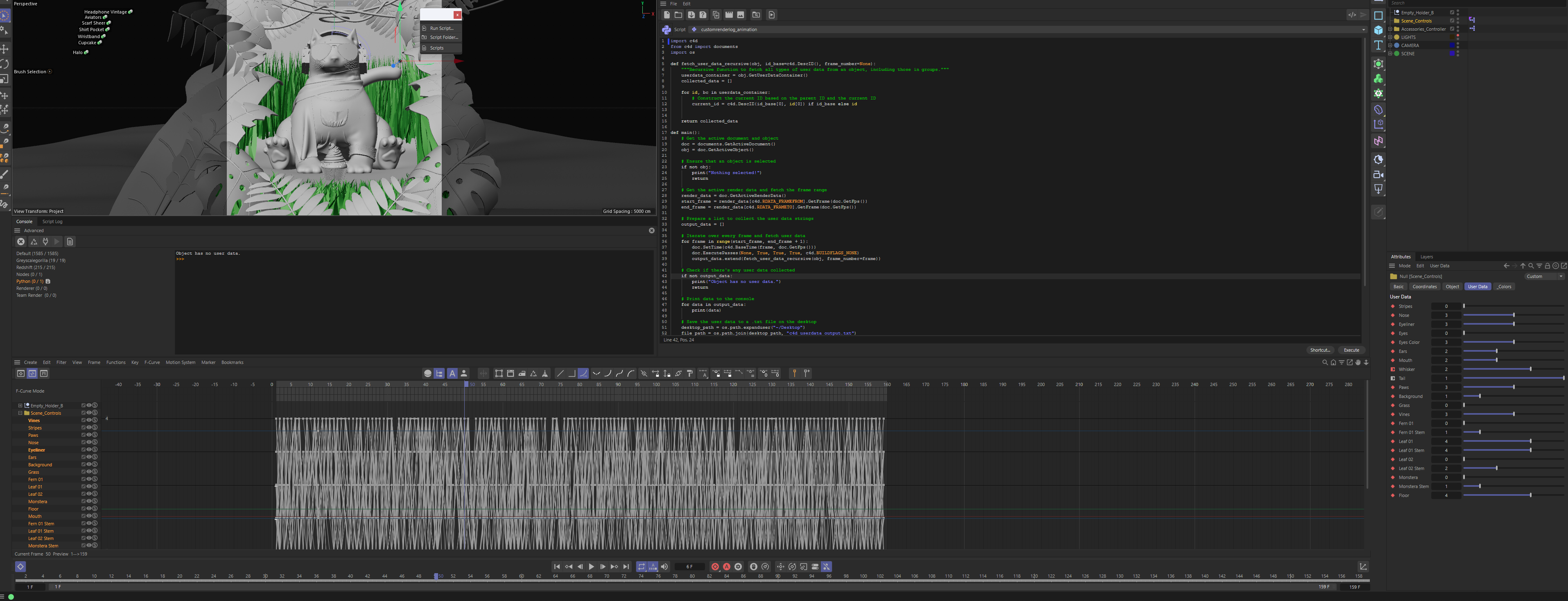
  • Print Custom User data to text doc

    python
    6
    1
    0 Votes
    6 Posts
    1k Views
    ferdinandF
    Hey @apetownart, Thank you for sharing your solution, much appreciated! I have fenced in your code with a code block so that it is a bit more readable and has a copy button. Find out how to do that yourself in our Forum Markup documenation. Cheers, Ferdinand
  • Get value of texture node filepath port?

    2024 python
    3
    1
    0 Votes
    3 Posts
    1k Views
    B
    Oh wow! Thank you so much! Yes I'm a beginner with python cinema 4D so I really appreciate your support and this definitly gives me a better understanding of the node structure.
  • SendModelingCommand causing Memory Leak

    2024 c++
    11
    0 Votes
    11 Posts
    2k Views
    ferdinandF
    Hey @d_schmidt, The project files you sent me clearly had been compiled on MacOS, all the Xcode build fragments are still there and so are the MacOS plugin binaries. [image: 1700144525927-af5816db-1df0-444d-9723-89095081c4ed-image.png] That aside, since you said that you are compiling on PC, I tried there again. I had to provide a missing projectdefintion.txt in your solution and provide the missing frameworks, I chose again the 2024.0.0 frameworks. I also again debugged against 2024.1.0. I also had to fix the main.cpp as waiting for the resources being loaded had been removed on C4DPL_INIT_SYS being emitted. What then had the effect that the resources of the plugin were not being found. Other than that, I still had no memory leaks. If you want any further help, you should try to explain more precisely what you are doing: OS, hardware, with which SDK version are you building, with which Cinema 4D are you debugging, what is your VS/Xcode version, are you compiling for debug or release, any customizations, etc. An ongoing problem is also that I must fix/invent things before I can compile and run your code - which is not ideal in such cases. Cheers, Ferdinand Fixed main.cpp: #include "main.h" // must be included when removing the other includes from the SDK #include "c4d_resource.h" Bool PluginStart() { if (!RegisterOptimizeObject()) return true; return true; } void PluginEnd(){} Bool PluginMessage(Int32 id, void* data) { switch (id) { case C4DPL_INIT_SYS: // The following two lines are required for a plugin to function properly. if (!g_resource.Init()) return false; return true; case C4DMSG_PRIORITY: return true; case C4DPL_EDITIMAGE: return false; } return false; } My VS output console dump. This is from before I fixed your main.cpp, and even there I had no leaks: // Boot Sequence Messages [...] // I instantiated an ooptimizeobject, these errors are caused by the butchered main.cpp, it does not wait for the resources being loaded. Symbol resource error: Couldn't open file. (file:///C:/Program Files/Maxon/2024.1.0/resource/modules/c4d_base/description/ooptimizeobject.h) [iofilehandler_impl.cpp(427)] Cause: Errno #2: No such file or directory [iofilehandler_impl.cpp(427)] Following string resource does not exist:...\2024.1.0\resource\modules\c4d_base\strings_en-US\description\ooptimizeobject.str [...] // Shutdown Sequence Messages 15:01:06 DEBUG: PreviewScheduler: Flush/Clear Context 15:01:06 DEBUG: PreviewScheduler: End 15:01:06 DEBUG: Context: Locked:Highest 15:01:06 DEBUG: Context: Unlocked:Highest 15:01:06 DEBUG: PreviewScheduler: Flush completed The thread 0x4014 has exited with code 0 (0x0). 'Cinema 4D.exe' (Win32): Unloaded '...\2024.1.0\resource\modules\motiontracker\lpsolve55_64.dll' 'Cinema 4D.exe' (Win32): Unloaded 'C:\Windows\System32\d3d10core.dll' 'Cinema 4D.exe' (Win32): Unloaded 'C:\Windows\System32\d3d10.dll' 'Cinema 4D.exe' (Win32): Unloaded '...\2024.1.0\resource\modules\io_substance\libs\win64\substance_d3d10pc_blend.dll' 'Cinema 4D.exe' (Win32): Unloaded '...\2024.1.0\resource\modules\io_substance\libs\win64\substance_d3d11pc_blend.dll' 'Cinema 4D.exe' (Win32): Unloaded '...\2024.1.0\resource\modules\io_substance\libs\win64\substance_sse2_blend.dll' 15:01:07 DEBUG: PostFX: Shut down The thread 0x2d74 has exited with code 0 (0x0). The thread 0x5d98 has exited with code 0 (0x0). The thread 0x3fcc has exited with code 0 (0x0). 15:01:07 DEBUG: Shutdown GPU Devices... The thread 0x4694 has exited with code 0 (0x0). The thread 0x7b4 has exited with code 0 (0x0). The thread 0x1f60 has exited with code 0 (0x0). The thread 0x2f38 has exited with code 0 (0x0). The thread 0x4c9c has exited with code 0 (0x0). The thread 0x40f4 has exited with code 0 (0x0). The thread 0x145c has exited with code 0 (0x0). The thread 0x672c has exited with code 0 (0x0). The thread 0x305c has exited with code 0 (0x0). The thread 0x53d0 has exited with code 0 (0x0). The thread 0x3420 has exited with code 0 (0x0). The thread 0x46c0 has exited with code 0 (0x0). The thread 0x16a8 has exited with code 0 (0x0). The thread 0x4968 has exited with code 0 (0x0). The thread 0x1f7c has exited with code 0 (0x0). The thread 0x4d48 has exited with code 0 (0x0). The thread 0x2eec has exited with code 0 (0x0). The thread 0x4d14 has exited with code 0 (0x0). The thread 0x4808 has exited with code 0 (0x0). The thread 0x34ac has exited with code 0 (0x0). The thread 0x3cb0 has exited with code 0 (0x0). The thread 0x75f0 has exited with code 0 (0x0). The thread 0x331c has exited with code 0 (0x0). The thread 0x2fcc has exited with code 0 (0x0). The thread 0x3130 has exited with code 0 (0x0). The thread 0x6dbc has exited with code 0 (0x0). 'Cinema 4D.exe' (Win32): Unloaded '...\2024.1.0\Redshift\res\libs\win64\nvrtc-builtins64_112.dll' 'Cinema 4D.exe' (Win32): Unloaded '...\2024.1.0\Redshift\res\libs\win64\embree4redshift.dll' 'Cinema 4D.exe' (Win32): Unloaded '...\2024.1.0\Redshift\res\libs\win64\redshift-core-cpu-vc140.dll' 15:01:07 DEBUG: Devices shut down ok 15:01:07 DEBUG: Shutdown Rendering Sub-Systems... The thread 0x3714 has exited with code 0 (0x0). The thread 0x4174 has exited with code 0 (0x0). The thread 0x4be4 has exited with code 0 (0x0). The thread 0x5974 has exited with code 0 (0x0). The thread 0x398c has exited with code 0 (0x0). The thread 0xa30 has exited with code 0 (0x0). The thread 0x4d40 has exited with code 0 (0x0). The thread 0xc48 has exited with code 0 (0x0). The thread 0x241c has exited with code 0 (0x0). The thread 0x35cc has exited with code 0 (0x0). 15:01:08 DEBUG: Finished Shutting down Rendering Sub-Systems The thread 0x5810 has exited with code 0 (0x0). The thread 0x1e94 has exited with code 0 (0x0). The thread 0x6d20 has exited with code 0 (0x0). The thread 0x5cc4 has exited with code 0 (0x0). The thread 0x70d4 has exited with code 0 (0x0). The thread 0x3d94 has exited with code 0 (0x0). The thread 0x1a50 has exited with code 0 (0x0). The thread 0x8a8 has exited with code 0 (0x0). The thread 0x6d84 has exited with code 0 (0x0). The thread 0x5df4 has exited with code 0 (0x0). The thread 0x1998 has exited with code 0 (0x0). The thread 0x6e8 has exited with code 0 (0x0). The thread 0x3f10 has exited with code 0 (0x0). The thread 0x4e94 has exited with code 0 (0x0). The thread 0x5274 has exited with code 0 (0x0). The thread 0x4438 has exited with code 0 (0x0). The thread 0x6c0c has exited with code 0 (0x0). The thread 0x56e4 has exited with code 0 (0x0). The thread 0x14d8 has exited with code 0 (0x0). The thread 0x4588 has exited with code 0 (0x0). The thread 0x6edc has exited with code 0 (0x0). The thread 0x2fa0 has exited with code 0 (0x0). The thread 0x2a08 has exited with code 0 (0x0). The thread 0x1054 has exited with code 0 (0x0). The thread 0x72e8 has exited with code 0 (0x0). The thread 0xfc4 has exited with code 0 (0x0). The thread 0x7404 has exited with code 0 (0x0). The thread 0x6984 has exited with code 0 (0x0). The thread 0x1e80 has exited with code 0 (0x0). The thread 0x61bc has exited with code 0 (0x0). The thread 0x6164 has exited with code 0 (0x0). The thread 0x504 has exited with code 0 (0x0). The thread 0x6ef8 has exited with code 0 (0x0). The thread 0x569c has exited with code 0 (0x0). 'Cinema 4D.exe' (Win32): Unloaded 'C:\Windows\System32\dciman32.dll' The thread 0x3924 has exited with code 1 (0x1). The thread 0x5040 has exited with code 0 (0x0). The thread 0x6a8c has exited with code 0 (0x0). The thread 0x2558 has exited with code 0 (0x0). The thread 0x4c30 has exited with code 0 (0x0). The thread 0x65ac has exited with code 0 (0x0). The thread 0x5ae8 has exited with code 0 (0x0). The thread 0x66b8 has exited with code 0 (0x0). The thread 0x673c has exited with code 0 (0x0). The thread 0x4334 has exited with code 0 (0x0). The thread 0xe34 has exited with code 0 (0x0). The thread 0x196c has exited with code 0 (0x0). The thread 0x6124 has exited with code 0 (0x0). The thread 0x509c has exited with code 0 (0x0). The thread 0x50ec has exited with code 0 (0x0). The thread 0x2b28 has exited with code 0 (0x0). The thread 0x3afc has exited with code 0 (0x0). The thread 0x6b04 has exited with code 0 (0x0). The thread 0x742c has exited with code 0 (0x0). The thread 0x42b4 has exited with code 0 (0x0). The thread 0x1868 has exited with code 0 (0x0). The thread 0x50b4 has exited with code 0 (0x0). The thread 0x6680 has exited with code 0 (0x0). The thread 0x5950 has exited with code 0 (0x0). 'Cinema 4D.exe' (Win32): Unloaded 'C:\Windows\System32\DriverStore\FileRepository\nvgbdsi.inf_amd64_3658df21346d526f\nvwgf2umx.dll' 'Cinema 4D.exe' (Win32): Unloaded 'C:\Windows\System32\DriverStore\FileRepository\nvgbdsi.inf_amd64_3658df21346d526f\nvldumdx.dll' 'Cinema 4D.exe' (Win32): Unloaded '...\2024.1.0\resource\modules\drawport_directx.module\libs\win64\dxil.dll' 'Cinema 4D.exe' (Win32): Unloaded '...\2024.1.0\resource\modules\drawport_directx.module\libs\win64\dxcompiler.dll' 'Cinema 4D.exe' (Win32): Unloaded '...\2024.1.0\corelibs\xpressocore.xdl64' 'Cinema 4D.exe' (Win32): Unloaded '...\2024.1.0\resource\modules\volumes\libs\win64\openvdb.dll' 'Cinema 4D.exe' (Win32): Unloaded '...\2024.1.0\corelibs\volumes.xdl64' 'Cinema 4D.exe' (Win32): Unloaded '...\2024.1.0\corelibs\uvviewport.xdl64' 'Cinema 4D.exe' (Win32): Unloaded '...\2024.1.0\corelibs\tool_system_hybrid.xdl64' 'Cinema 4D.exe' (Win32): Unloaded '...\2024.1.0\corelibs\thinking_particles.xdl64' 'Cinema 4D.exe' (Win32): Unloaded '...\2024.1.0\corelibs\teamrender.xdl64' 'Cinema 4D.exe' (Win32): Unloaded '...\2024.1.0\corelibs\sla.xdl64' 'Cinema 4D.exe' (Win32): Unloaded '...\2024.1.0\corelibs\sky.xdl64' 'Cinema 4D.exe' (Win32): Unloaded '...\2024.1.0\corelibs\sketch.xdl64' 'Cinema 4D.exe' (Win32): Unloaded '...\2024.1.0\corelibs\shader.xdl64' 'Cinema 4D.exe' (Win32): Unloaded '...\2024.1.0\corelibs\sculpt.xdl64' 'Cinema 4D.exe' (Win32): Unloaded '...\2024.1.0\corelibs\redshift.xdl64' 'Cinema 4D.exe' (Win32): Unloaded '...\2024.1.0\corelibs\python.xdl64' 'Cinema 4D.exe' (Win32): Unloaded '...\2024.1.0\corelibs\pbd_simulations.xdl64' 'Cinema 4D.exe' (Win32): Unloaded '...\2024.1.0\corelibs\motiontracker.xdl64' 'Cinema 4D.exe' (Win32): Unloaded '...\2024.1.0\corelibs\motioncam.xdl64' 'Cinema 4D.exe' (Win32): Unloaded '...\2024.1.0\corelibs\mograph.xdl64' 'Cinema 4D.exe' (Win32): Unloaded '...\2024.1.0\corelibs\mocca.xdl64' 'Cinema 4D.exe' (Win32): Unloaded '...\2024.1.0\corelibs\io_usd.xdl64' 'Cinema 4D.exe' (Win32): Unloaded '...\2024.1.0\resource\modules\io_substance\libs\win64\substance_linker.dll' 'Cinema 4D.exe' (Win32): Unloaded '...\2024.1.0\corelibs\io_substance.xdl64' 'Cinema 4D.exe' (Win32): Unloaded '...\2024.1.0\resource\modules\io_skp\libs\win64\SketchUpCommonPreferences.dll' 'Cinema 4D.exe' (Win32): Unloaded '...\2024.1.0\resource\modules\io_skp\libs\win64\SketchUpAPI.dll' 'Cinema 4D.exe' (Win32): Unloaded '...\2024.1.0\corelibs\io_skp.xdl64' 'Cinema 4D.exe' (Win32): Unloaded '...\2024.1.0\corelibs\io_obj.xdl64' 'Cinema 4D.exe' (Win32): Unloaded '...\2024.1.0\corelibs\io_goz.xdl64' 'Cinema 4D.exe' (Win32): Unloaded '...\2024.1.0\corelibs\io_gltf.xdl64' 'Cinema 4D.exe' (Win32): Unloaded '...\2024.1.0\corelibs\io_forger.xdl64' 'Cinema 4D.exe' (Win32): Unloaded '...\2024.1.0\corelibs\io_fbx.xdl64' 'Cinema 4D.exe' (Win32): Unloaded '...\2024.1.0\corelibs\io_compositing.xdl64' 'Cinema 4D.exe' (Win32): Unloaded '...\2024.1.0\corelibs\io_collada15.xdl64' 'Cinema 4D.exe' (Win32): Unloaded '...\2024.1.0\corelibs\io_collada14.xdl64' 'Cinema 4D.exe' (Win32): Unloaded 'C:\Windows\System32\wsock32.dll' 'Cinema 4D.exe' (Win32): Unloaded '...\2024.1.0\resource\modules\io_cadexchange\libs\win64\kernel_io.dll' 'Cinema 4D.exe' (Win32): Unloaded '...\2024.1.0\corelibs\io_cadexchange.xdl64' 'Cinema 4D.exe' (Win32): Unloaded '...\2024.1.0\corelibs\io_alembic.xdl64' 'Cinema 4D.exe' (Win32): Unloaded '...\2024.1.0\corelibs\interop_moves.xdl64' 'Cinema 4D.exe' (Win32): Unloaded '...\2024.1.0\corelibs\interop_misc.xdl64' 'Cinema 4D.exe' (Win32): Unloaded '...\2024.1.0\corelibs\interop_forger.xdl64' 'Cinema 4D.exe' (Win32): Unloaded '...\2024.1.0\corelibs\interop_bpexchange.xdl64' 'Cinema 4D.exe' (Win32): Unloaded '...\2024.1.0\corelibs\hair.xdl64' 'Cinema 4D.exe' (Win32): Unloaded 'C:\Windows\System32\vcruntime140d.dll' 'Cinema 4D.exe' (Win32): Unloaded 'C:\Windows\System32\ucrtbased.dll' 'Cinema 4D.exe' (Win32): Unloaded 'E:\plugins\2024.0\sdk2\plugins\example.main\example.main.xdl64' 'Cinema 4D.exe' (Win32): Unloaded '...\2024.1.0\corelibs\dynamics.xdl64' 'Cinema 4D.exe' (Win32): Unloaded '...\2024.1.0\corelibs\clothilde.xdl64' 'Cinema 4D.exe' (Win32): Unloaded '...\2024.1.0\corelibs\ca.xdl64' 'Cinema 4D.exe' (Win32): Unloaded '...\2024.1.0\corelibs\c4d_xtensions.xdl64' 'Cinema 4D.exe' (Win32): Unloaded '...\2024.1.0\corelibs\c4d_viewport_render.xdl64' 'Cinema 4D.exe' (Win32): Unloaded '...\2024.1.0\corelibs\c4d_simulation.xdl64' 'Cinema 4D.exe' (Win32): Unloaded '...\2024.1.0\resource\modules\c4d_objects\libs\win64\ChSolver.dll' 'Cinema 4D.exe' (Win32): Unloaded '...\2024.1.0\resource\modules\c4d_objects\libs\win64\xremeshlib2.dll' 'Cinema 4D.exe' (Win32): Unloaded '...\2024.1.0\corelibs\c4d_objects.xdl64' 'Cinema 4D.exe' (Win32): Unloaded '...\2024.1.0\corelibs\c4d_nodes.xdl64' 'Cinema 4D.exe' (Win32): Unloaded '...\2024.1.0\corelibs\c4d_nodeeditor.xdl64' 'Cinema 4D.exe' (Win32): Unloaded '...\2024.1.0\corelibs\c4d_manager.xdl64' 'Cinema 4D.exe' (Win32): Unloaded '...\2024.1.0\corelibs\c4d_bitmapfilter.xdl64' 'Cinema 4D.exe' (Win32): Unloaded '...\2024.1.0\corelibs\c4d_assetbrowser.xdl64' 'Cinema 4D.exe' (Win32): Unloaded '...\2024.1.0\corelibs\bugslife_client.xdl64' 'Cinema 4D.exe' (Win32): Unloaded '...\2024.1.0\corelibs\archigrass.xdl64' 'Cinema 4D.exe' (Win32): Unloaded '...\2024.1.0\corelibs\analytics.xdl64' 'Cinema 4D.exe' (Win32): Unloaded '...\2024.1.0\corelibs\advanced_render.xdl64' 'Cinema 4D.exe' (Win32): Unloaded '...\2024.1.0\corelibs\unittests_common.module.xdl64' 'Cinema 4D.exe' (Win32): Unloaded '...\2024.1.0\corelibs\tool_system.module.xdl64' 'Cinema 4D.exe' (Win32): Unloaded '...\2024.1.0\corelibs\tool_scene_abstraction.module.xdl64' 'Cinema 4D.exe' (Win32): Unloaded '...\2024.1.0\corelibs\svg.module.xdl64' 'Cinema 4D.exe' (Win32): Unloaded '...\2024.1.0\corelibs\shadernodes.module.xdl64' 'Cinema 4D.exe' (Win32): Unloaded '...\2024.1.0\corelibs\retargetbase.module.xdl64' 'Cinema 4D.exe' (Win32): Unloaded '...\2024.1.0\corelibs\render.module.xdl64' 'Cinema 4D.exe' (Win32): Unloaded '...\2024.1.0\corelibs\reflection.module.xdl64' 'Cinema 4D.exe' (Win32): Unloaded '...\2024.1.0\corelibs\pythonvm.module.xdl64' 'Cinema 4D.exe' (Win32): Unloaded '...\2024.1.0\corelibs\presenter_nodes.module.xdl64' 'Cinema 4D.exe' (Win32): Unloaded '...\2024.1.0\corelibs\presenter_nodegraph.module.xdl64' 'Cinema 4D.exe' (Win32): Unloaded '...\2024.1.0\corelibs\presenter_base.module.xdl64' 'Cinema 4D.exe' (Win32): Unloaded '...\2024.1.0\corelibs\post.module.xdl64' 'Cinema 4D.exe' (Win32): Unloaded '...\2024.1.0\resource\modules\physx.module\libs\win64\PhysX_64.dll' 'Cinema 4D.exe' (Win32): Unloaded '...\2024.1.0\resource\modules\physx.module\libs\win64\PhysXCommon_64.dll' 'Cinema 4D.exe' (Win32): Unloaded '...\2024.1.0\resource\modules\physx.module\libs\win64\PhysXCooking_64.dll' 'Cinema 4D.exe' (Win32): Unloaded '...\2024.1.0\resource\modules\physx.module\libs\win64\PhysXFoundation_64.dll' 'Cinema 4D.exe' (Win32): Unloaded '...\2024.1.0\corelibs\physx.module.xdl64' 'Cinema 4D.exe' (Win32): Unloaded '...\2024.1.0\corelibs\parallelprogram.module.xdl64' 'Cinema 4D.exe' (Win32): Unloaded '...\2024.1.0\corelibs\opensubdiv.module.xdl64' 'Cinema 4D.exe' (Win32): Unloaded '...\2024.1.0\corelibs\nodes_corenodes.module.xdl64' 'Cinema 4D.exe' (Win32): Unloaded '...\2024.1.0\corelibs\nodes.module.xdl64' 'Cinema 4D.exe' (Win32): Unloaded '...\2024.1.0\corelibs\neutron.module.xdl64' 'Cinema 4D.exe' (Win32): Unloaded '...\2024.1.0\corelibs\network.module.xdl64' 'Cinema 4D.exe' (Win32): Unloaded '...\2024.1.0\corelibs\modeling_mesh.module.xdl64' 'Cinema 4D.exe' (Win32): Unloaded '...\2024.1.0\corelibs\modeling_geometry_abstraction.module.xdl64' 'Cinema 4D.exe' (Win32): Unloaded '...\2024.1.0\corelibs\modeling_geom.module.xdl64' 'Cinema 4D.exe' (Win32): Unloaded '...\2024.1.0\corelibs\misc.module.xdl64' 'Cinema 4D.exe' (Win32): Unloaded '...\2024.1.0\corelibs\math.module.xdl64' 'Cinema 4D.exe' (Win32): Unloaded '...\2024.1.0\corelibs\magicbulletlooks.module.xdl64' 'Cinema 4D.exe' (Win32): Unloaded '...\2024.1.0\resource\modules\io_usd.module\libs\win64\tbb.dll' 'Cinema 4D.exe' (Win32): Unloaded '...\2024.1.0\resource\modules\io_usd.module\libs\win64\usd_ms.dll' 'Cinema 4D.exe' (Win32): Unloaded '...\2024.1.0\corelibs\io_usd.module.xdl64' 'Cinema 4D.exe' (Win32): Unloaded '...\2024.1.0\corelibs\image_openexr.module.xdl64' 'Cinema 4D.exe' (Win32): Unloaded '...\2024.1.0\corelibs\image_ocio_gpu.module.xdl64' 'Cinema 4D.exe' (Win32): Unloaded '...\2024.1.0\corelibs\image_gpu.module.xdl64' 'Cinema 4D.exe' (Win32): Unloaded '...\2024.1.0\corelibs\image_exif.module.xdl64' 'Cinema 4D.exe' (Win32): Unloaded '...\2024.1.0\corelibs\gui_gluon.module.xdl64' 'Cinema 4D.exe' (Win32): Unloaded '...\2024.1.0\corelibs\embree_classic.module.xdl64' 'Cinema 4D.exe' (Win32): Unloaded '...\2024.1.0\resource\modules\embree.module\libs\win64\embree3maxon.dll' 'Cinema 4D.exe' (Win32): Unloaded '...\2024.1.0\corelibs\embree.module.xdl64' 'Cinema 4D.exe' (Win32): Unloaded '...\2024.1.0\corelibs\drawport_selector.module.xdl64' 'Cinema 4D.exe' (Win32): Unloaded '...\2024.1.0\corelibs\drawport_general.module.xdl64' 'Cinema 4D.exe' (Win32): Unloaded '...\2024.1.0\corelibs\drawport_directx.module.xdl64' 'Cinema 4D.exe' (Win32): Unloaded '...\2024.1.0\corelibs\drawport.module.xdl64' 'Cinema 4D.exe' (Win32): Unloaded '...\2024.1.0\resource\modules\denoiser.module\libs\win64\tbb12.dll' 'Cinema 4D.exe' (Win32): Unloaded '...\2024.1.0\resource\modules\denoiser.module\libs\win64\OpenImageDenoise.dll' 'Cinema 4D.exe' (Win32): Unloaded '...\2024.1.0\corelibs\denoiser.module.xdl64' 'Cinema 4D.exe' (Win32): Unloaded 'C:\Windows\System32\dbgcore.dll' 'Cinema 4D.exe' (Win32): Unloaded '...\2024.1.0\corelibs\crashhandler.module.xdl64' 'Cinema 4D.exe' (Win32): Unloaded '...\2024.1.0\corelibs\corenodes.module.xdl64' 'Cinema 4D.exe' (Win32): Unloaded '...\2024.1.0\corelibs\command.module.xdl64' 'Cinema 4D.exe' (Win32): Unloaded '...\2024.1.0\corelibs\c4d_viewport_nodegraph.module.xdl64' 'Cinema 4D.exe' (Win32): Unloaded '...\2024.1.0\corelibs\c4d_base.xdl64' 'Cinema 4D.exe' (Win32): Unloaded '...\2024.1.0\corelibs\asset.module.xdl64' 'Cinema 4D.exe' (Win32): Unloaded '...\2024.1.0\corelibs\image_ocio.module.xdl64' 'Cinema 4D.exe' (Win32): Unloaded 'C:\Windows\System32\msacm32.dll' 'Cinema 4D.exe' (Win32): Unloaded 'C:\Windows\System32\avifil32.dll' 'Cinema 4D.exe' (Win32): Unloaded '...\2024.1.0\corelibs\image.module.xdl64' 'Cinema 4D.exe' (Win32): Unloaded 'C:\Windows\System32\comdlg32.dll' 'Cinema 4D.exe' (Win32): Unloaded 'C:\Windows\System32\credui.dll' 'Cinema 4D.exe' (Win32): Unloaded 'C:\Windows\System32\d2d1.dll' 'Cinema 4D.exe' (Win32): Unloaded 'C:\Windows\System32\msimg32.dll' 'Cinema 4D.exe' (Win32): Unloaded 'C:\Windows\WinSxS\amd64_microsoft.windows.gdiplus_6595b64144ccf1df_1.1.22621.1778_none_57fe2016ce1542ec\GdiPlus.dll' 'Cinema 4D.exe' (Win32): Unloaded 'C:\Windows\System32\msvfw32.dll' 'Cinema 4D.exe' (Win32): Unloaded 'C:\Windows\System32\DWrite.dll' 'Cinema 4D.exe' (Win32): Unloaded 'C:\Windows\System32\usp10.dll' 'Cinema 4D.exe' (Win32): Unloaded '...\2024.1.0\corelibs\gui.module.xdl64' 'Cinema 4D.exe' (Win32): Unloaded '...\2024.1.0\resource\libs\win64\libmmd.dll' 'Cinema 4D.exe' (Win32): Unloaded '...\2024.1.0\resource\libs\win64\svml_dispmd.dll' The thread 0x75f4 has exited with code 0 (0x0). The thread 0x2370 has exited with code 0 (0x0). The thread 0x49b4 has exited with code 0 (0x0). The thread 0x2ba0 has exited with code 0 (0x0). The thread 0x6824 has exited with code 0 (0x0). The thread 0x2330 has exited with code 0 (0x0). The thread 0x3fbc has exited with code 0 (0x0). The thread 0x9c8 has exited with code 0 (0x0). The thread 0x7378 has exited with code 0 (0x0). The thread 0x7740 has exited with code 0 (0x0). The thread 0x5a8c has exited with code 0 (0x0). The thread 0x7334 has exited with code 0 (0x0). The thread 0x54e0 has exited with code 0 (0x0). The thread 0x4a08 has exited with code 0 (0x0). The thread 0x1dd8 has exited with code 0 (0x0). The thread 0x778c has exited with code 0 (0x0). The thread 0x24e8 has exited with code 0 (0x0). The thread 0x1720 has exited with code 0 (0x0). The thread 0x1990 has exited with code 0 (0x0). The thread 0x6d30 has exited with code 0 (0x0). The thread 0x670 has exited with code 0 (0x0). The thread 0x774c has exited with code 0 (0x0). The thread 0x6008 has exited with code 0 (0x0). The thread 0x4094 has exited with code 0 (0x0). The thread 0x60b0 has exited with code 0 (0x0). The thread 0x5124 has exited with code 0 (0x0). The thread 0xae8 has exited with code 0 (0x0). The thread 0x5484 has exited with code 0 (0x0). The thread 0x4ef0 has exited with code 0 (0x0). The thread 0x594c has exited with code 0 (0x0). The thread 0x578c has exited with code 0 (0x0). The thread 0x1fb4 has exited with code 0 (0x0). The thread 0x3058 has exited with code 0 (0x0). The thread 0x3a9c has exited with code 0 (0x0). The thread 0x5ee4 has exited with code 0 (0x0). The thread 0x6c04 has exited with code 0 (0x0). The thread 0x66bc has exited with code 0 (0x0). The thread 0x6234 has exited with code 0 (0x0). The thread 0xf84 has exited with code 0 (0x0). The thread 0x30e4 has exited with code 0 (0x0). The thread 0x766c has exited with code 0 (0x0). The thread 0x484 has exited with code 0 (0x0). The thread 0x38f8 has exited with code 0 (0x0). The thread 0x4068 has exited with code 0 (0x0). The thread 0x3628 has exited with code 0 (0x0). The thread 0x3010 has exited with code 0 (0x0). The thread 0x5eb8 has exited with code 0 (0x0). The thread 0x5df0 has exited with code 0 (0x0). The thread 0x2c44 has exited with code 0 (0x0). The thread 0x39dc has exited with code 0 (0x0). The thread 0x3edc has exited with code 0 (0x0). The thread 0x35f8 has exited with code 0 (0x0). The thread 0x4278 has exited with code 0 (0x0). The thread 0x3bb8 has exited with code 0 (0x0). The thread 0x5018 has exited with code 0 (0x0). The thread 0x1ecc has exited with code 0 (0x0). The thread 0x6450 has exited with code 0 (0x0). The thread 0x6214 has exited with code 0 (0x0). The thread 0x1ea0 has exited with code 0 (0x0). The thread 0x243c has exited with code 0 (0x0). The thread 0x2dd4 has exited with code 0 (0x0). The thread 0x2d68 has exited with code 0 (0x0). The thread 0x6aa4 has exited with code 0 (0x0). The thread 0x49c8 has exited with code 0 (0x0). The thread 0x3e84 has exited with code 0 (0x0). The thread 0x3348 has exited with code 0 (0x0). The thread 0x247c has exited with code 0 (0x0). The thread 0x2430 has exited with code 0 (0x0). The thread 0x2f90 has exited with code 0 (0x0). The thread 0x10c has exited with code 0 (0x0). The thread 0x6d14 has exited with code 0 (0x0). The thread 0x1ee4 has exited with code 0 (0x0). The program '[28656] Cinema 4D.exe' has exited with code 0 (0x0).
  • Access values of an RS material in Python?

    python
    2
    0 Votes
    2 Posts
    702 Views
    J
    Hello @ryanjp, Welcome to the Plugin Café forum and the Cinema 4D development community, it is great to have you with us! Getting Started Before creating your next postings, we would recommend making yourself accustomed with our Forum and Support Guidelines, as they line out details about the Maxon SDK Group support procedures. Of special importance are: Support Procedures: Scope of Support: Lines out the things we will do and what we will not do. Support Procedures: Confidential Data: Most questions should be accompanied by code but code cannot always be shared publicly. This section explains how to share code confidentially with Maxon. Forum Structure and Features: Lines out how the forum works. Structure of a Question: Lines out how to ask a good technical question. It is not mandatory to follow this exactly, but you should follow the idea of keeping things short and mentioning your primary question in a clear manner. About your First Question We were not sure to which RS material type you are referring - Xpresso based RS material or the RS node material. Here are informations for both: Node API Python examples, mostly focusing on material nodes: https://github.com/PluginCafe/cinema4d_py_sdk_extended/tree/master/scripts/05_modules/node Example for a general pattern for writing an "material converter", here at the example of mapping material models in the RS Xpresso system to the standard material model space. https://developers.maxon.net/forum/topic/14753/script-that-converts-redshift-materials-back-to-c4d-standard-ones/20 Note: In 2024 Redshift renamed all attributes in its legacy material type RS C4D Shader, with the result that the MAPPINGS data defined in the script is incorrect now. While one can easily update the mappings, many ports are just named Color now. You either have to use IDs in the meantime or wait for the update which fixes this port naming issue. Cheers Jana
  • How to use GetChildren() in c++?

    c++
    3
    1
    0 Votes
    3 Posts
    735 Views
    L
    @ferdinand That is great! Thanks!
  • c4d.documents.SaveProject() preventing future save commands

    2023 python
    2
    0 Votes
    2 Posts
    694 Views
    ferdinandF
    Hello @Aeoll-0, Thank you for reaching out to us. You should be a bit more specific about the circumstances and which you are using the command. As declared in our Support Guidelines, you should always post executable code, as we are otherwise are guessing what you are doing. The self.filedir implies that this happens in a method, which in turn could mean that you are trying to do this off-main-thread. This is not allowed. I also gave it a spin myself, and for me it works. Note that after the operation, the opened file is not the old file anymore. So, when you had a \data\a\myfile.c4d and saved to backup\a\, the opened file will be backup\a\myfile.c4d and not \data\a\myfile.c4d. Because of that, such newly "exported" documents will also induce thumbnail rendering. When you are trying to save many documents at once in this manner, the thumbnail rendering could make Cinema unresponsive. The path into which you want to dump things must also exist, Cinema 4D cannot create it for you. I have tested this in 2023.2.2 and 2024.1.0 and found no problems in both versions. Cheers, Ferdinand Result: [image: 1699977932661-34f18c02-cc1d-42ef-94ac-d50f2ad57195-image.png] Successfully saved project to: 'e:\projects\foo\', exporting the assets: [{'filename': 'e:\\projects\\foo\\myfile.c4d', 'assetname': 'myfile.c4d', 'channelId': 0, 'netRequestOnDemand': False}, {'filename': 'e:\\projects\\foo\\tex\\Maxon-Computer-Logo.jpg', 'assetname': 'E:\\temp\\Maxon-Computer-Logo.jpg', 'channelId': 0, 'netRequestOnDemand': True}]. Code: import c4d import os doc: c4d.documents.BaseDocument # The active document def main() -> None: """ """ # Cinema 4D cannot create the directory path for us, we must ensure that #path does exist. path: str = "e:\\projects\\foo\\" if not os.path.exists(path): os.makedirs(path) # Your settings. flags: int = (c4d.SAVEPROJECT_ASSETS | c4d.SAVEPROJECT_SCENEFILE | c4d.SAVEPROJECT_USEDOCUMENTNAMEASFILENAME) data: list = [doc, flags, path, [], []] # Invoke the command and raise errors on failure or missing assets. if not c4d.documents.SaveProject(*data): raise IOError(f"Could not save project to: '{path}'.") if data[4]: raise IOError(f"Failed to export the following assets: {data[4]}") # Success :) print (f"Successfully saved project to: '{path}', exporting the assets: {data[3]}.") if __name__ == '__main__': main()
  • Frequent updates on Posemorph tag

    python
    5
    0 Votes
    5 Posts
    1k Views
    i_mazlovI
    Hi @matrixloong , Please excuse the delayed answer. The real-time scenario is one of those that might not go very smoothly in cinema (check the links in my previous message). It was already discussed in the thread: Is it possible to control Camera with keyboard WASD like a FPS game? Ferdinand showed there one of the possible solutions to achieve live interactions on the scene using interaction dialog. You can use the simplified version of it below. Cheers, Ilia Run this code from the script manager and select an object in the object manager. import c4d, time, math doc: c4d.documents.BaseDocument # The active document class InteractionDialog(c4d.gui.GeDialog): TIMER_DELAY = 40 def CreateLayout(self): return True def InitValues(self): self._doc: c4d.BaseDocument = doc self.SetTimer(InteractionDialog.TIMER_DELAY) self._time = None self._lastTime = None self._angle = 0 return True def Timer(self, msg): # Initialize the time for the first frame a key is being pressed. if self._lastTime is None: self._lastTime = time.time() return None # The delta between now and the last evaluation dt = time.time() - self._lastTime self.DoSomething(dt) self._lastTime = time.time() def DoSomething(self, dt): op: c4d.BaseObject = self._doc.GetActiveObject() if not op: return PI2 = 2 * math.pi angleIncrement = dt * PI2 / 2 self._angle += angleIncrement if self._angle >= PI2: self._angle -= PI2 ml: c4d.Matrix = op.GetMl() bb: c4d.Vector = op.GetRad() pos: c4d.Vector = ml.off pos.x = bb.x * math.sin(self._angle) ml.off = pos op.SetMl(ml) c4d.EventAdd() if __name__ == '__main__': global dialog dialog = InteractionDialog(doc) dialog.Open(c4d.DLG_TYPE_ASYNC)
  • How to hide object local coordinates

    python
    5
    1
    0 Votes
    5 Posts
    1k Views
    i_mazlovI
    @chuanzhen , Sorry for the delayed answer. The layer.locked behavior is integrated deeply in the internal code of cinema bypassing common cinema pipelines. Unfortunately, there's no good way to imitate such behavior without using layers. In case you decide to proceed with the layer approach, there's an example in github repo highlighting the usage of SetLayerData() function: layer_creates_r13.py. Cheers, Ilia
  • Create Xpresso Python node

    python 2024
    3
    0 Votes
    3 Posts
    692 Views
    B
    WOW!!! It turns out that there is a node specifically for python. But in the documentation, in the list GV Node Types, it is not indicated. This fact forced me to look for workarounds. Thanks for the help
  • Failed to Connect to Cinema 4D, with port: 7788

    python 2023 2024
    3
    0 Votes
    3 Posts
    849 Views
    RenatoTR
    ah! Thanks a lot!
  • Python Xpresso Node

    windows python 2023
    5
    0 Votes
    5 Posts
    1k Views
    M
    Hi @Brakusha, welcome in plugin cafe ! c4d.ID_OPERATOR_COFFEE is working in all versions, please open a new topic with a code that demonstrate the issue and with a short explanation about what you want to achieve. I would also highly recommend you to read our Support Guideline to know how to get the best support from us. Cheers, Maxime.
  • Message on "Quit and Free License"

    c++
    2
    0 Votes
    2 Posts
    649 Views
    ferdinandF
    Hey @kbar, Thank you for reaching out to us. In the public API there is only what you can find in Plugin Licensing Manual. The natural solution for this would be an observable to which you can attach, but there is none in the public API. What you could do is try workarounds: Register a MessageData plugin and check periodically yourself. This might work okay for certain license change events, but when the license change induces a shutdown of Cinema 4D (a user released a license for example), you might get event starved. So, this is not great. Hook into the shutdown of Cinema 4D itself. When we want to specifically target the event that a license is being released, we can build upon the fact that Cinema 4D will then shut down. MAXON_INITIALIZATION: This is a bad choice in this case, because when the shutdown delegate of MAXON_INITIALIZATION is running, most registries already have been shut down. So, I would not be surprised, if all the license stuff is not working anymore at this point (I have not checked though). The advantage is here that MAXON_INITIALIZATION often makes for nicer looking code than PluginMessage. PluginMessage: Hook into the shutdown sequence of Cinema 4D, and check the license state there. C4DPL_ENDACTIVITY is the best event to start with. The problem is here that I do not know how licenses behave when a user releases a license. The idea would be to check for example on shutdown, if there is still a commercial license bound to this instance: // Create the ID for a commercial Cinema 4D license. maxon::InternedId feature; feature.Init("net.maxon.license.app.cinema4d-release~commercial"_s) iferr_return; // Check if the given #feature is active in the current license of this instance. if (!CheckLicenseFeature(feature)) ReleasePluginLicense(userId); But it could very well be that it takes some time before a released license 'kicks in' in a shutdown process and that you must go further into no-mans-land than C4DPL_ENDACTIVITY (where more and more services will be shut down). Internally, we have a licensing API which has observables which communicate such events. I will bring up the subject internally if we can make the framework fully or partially public. Cheers, Ferdinand
  • Converting image bit depth

    c++
    4
    0 Votes
    4 Posts
    847 Views
    ferdinandF
    Hey @WickedP, Good to hear that you solved your problem. And I know that the color management and pixel format stuff can be a royal pain in the ***, you have my sympathies. Things tend to also get REALLY lovely when you also must deal with OCIO. Please do not hesitate to reach out again when you run in further troubles. Cheers, ferdinand
  • Force polygon object to generate it's cache

    python 2024
    7
    0 Votes
    7 Posts
    1k Views
    bacaB
    Thanks @ferdinand, Thats gone too far, we can close this subj now. I think I have a solution already. I just wasn't clear enough in the beginning, I just wanted to know if PolygonObject can be forced to produce it's cache object by a command. I made an experiment where I spawn flat geometries between other flat geometries. Like planes in-between of deformed soft body planes. Here's working example: Setup: [image: 1699565133962-417b1a04-77c9-4163-bc6f-36c2800323f5-image.png] And simulation: [image: 1699565001814-cloth_multiply__03_.gif] Once you clone original geometry — it's flat, and there would be intersections and simulation will be broken. So you need to blend newborn geo point positions in-between of existing geometry points. Once you blend it — there are no intersections, it nicely continue with soft body simulation. But softbody dynamics build constraints for every new object. And if geometry first appears as deformed — wrong constraints are initialized, and each new object becomes crumpled real quick. Also there's "Mix Animation" -> "Follow Shape" checkbox, which rebuild constraints (or adjusts them - who knows?) — and it reads original point positions, as I understood. So I had to have both — original geo, and cache. Where cache used to simulate geometry in 3D, and original object (CacheParent?) will be used for constraints.
  • How to draw a primitive object in BaseDraw

    python 2023 2024 s26
    3
    0 Votes
    3 Posts
    733 Views
    gheyretG
    Hi @ferdinand Thank you for your reply and guidance. I'll get around to it. Cheers Gheyret
  • 0 Votes
    3 Posts
    723 Views
    S
    @i_mazlov sorry I thought I deleted this post as I solved the issue. Anyway to anyone who stumbles upon this question here's how I solved it: for i,pt in enumerate(points_list[::-1]): off = c4d.Vector(distance * i,0,0 ) mg = pt.GetMg() mg.off = off print(rotation.x) rm = c4d.utils.HPBToMatrix(rotation) pt.SetMg(mg * rm) So basically if the objects are inserted in the hierarchy and you start from the last one with the transformations this will work just like in the OM.
  • Why won't my python generator update? R2024

    python s26 windows
    5
    0 Votes
    5 Posts
    1k Views
    S
    @baca @ferdinand Thank you both. It was the fact that the user data was not collected in the main function. Silly I didn't catch that. It's working fine now.
  • TimeLine Window Custom open

    2024 python
    7
    2
    0 Votes
    7 Posts
    2k Views
    chuanzhenC
    @kangddan @Dunhou
  • 2024 NodeData Init isCloneInit argument for older version

    2024 python
    4
    0 Votes
    4 Posts
    994 Views
    mikeudinM
    @baca Thank you! Works like a charm!