• Python Plugin GUI Tutorial

    python
    5
    0 Votes
    5 Posts
    2k Views
    J
    Thank you so much for the information. If further information is needed I will reopen this question.
  • Trying to install Python package

    4
    1
    0 Votes
    4 Posts
    754 Views
    J
    Thank you so much. All further communications will be done via email.
  • Show "Hidden" Points?

    2023 python
    3
    1
    0 Votes
    3 Posts
    285 Views
    B
    @Manuel RE: This might happen if you changed Yep yep this is what I'm currently doing. hehe Anyhow, your code works. Thanks!
  • Unpacking Animation Data Wrapped by the Motion System (NLA)

    2023 python
    5
    0 Votes
    5 Posts
    1k Views
    K
    Hi @ferdinand, Thank you for the detailed explanation and the code. It works perfectly and the problem is solved!
  • This topic is deleted!

    1
    0 Votes
    1 Posts
    4 Views
    No one has replied
  • Actively Link Hair Guides to a Spline or Alembic?

    r25 python
    3
    0 Votes
    3 Posts
    589 Views
    B
    Hi @ferdinand Thanks for the response and heads up on the crashes. RE: you want to control hair guide vertices programmatically Yep yep you are right on this part. Basically, have a geometric hair animated and simulated for preview. But rendered on the actual hair object. This is the workflow for other DCC, and the more logical one. This way you separate the hair source and hair generation. It's easier to debug. Anyhow, for looking at your python example, this should get me by on my current use case. Thanks for your illustration as always! Will close thread now.
  • Copy Assets to new Location

    python
    3
    0 Votes
    3 Posts
    545 Views
    C
    Hi ferdinand, I am very sorry for my lack of reading the Guidelines properly. But still, very huge thanks to you for the explanation anyway. This already helped me. I will try things out and will probably come back here with some code.
  • Asset Browser: Add Watch Folder

    python
    4
    0 Votes
    4 Posts
    1k Views
    a_blockA
    Thanks, Ferdinand. I'll take a closer look as soon as I find the time.
  • Remove render sequence automatic numbering

    8
    0 Votes
    8 Posts
    2k Views
    L
    Hello @ferdinand Thanks a lot for the code above, I really appreciate your help. I changed a few things for match what I was looking for and now it's working perfectly. Thanks again!
  • Make Node Callbacks Optional?

    python
    3
    0 Votes
    3 Posts
    343 Views
    B
    @ferdinand Thanks as always for the explanation. The illustration code works for my use case. Will close now thread
  • How to Modify the Axis of a Point Object?

    python
    7
    0 Votes
    7 Posts
    3k Views
    ferdinandF
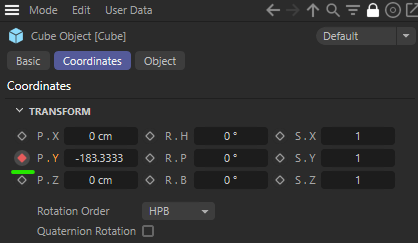
    Hey @delizade, The script works for anything that is a c4d.PointObject, i.e., editable polygon and spline objects. But not for generators, e.g., the Cube object or the Circle spline, as you cannot edit their points and therefore have no control over the placement of their "axis" in relation to their vertices. When you want to set the transform of any BaseObject, e.g., a PointObject, a generator, or a null object, you must simply set either its local or global matrix. But this will not keep vertices 'in place' as generators and a null object have no vertices one could edit, and the vertices of PointObject instances must be corrected manually to achieve the 'move the axis idea'. But you can of course just set the global or local matrix (a.k.a. transform) of a BaseObject. Find an example below. For more detailled information, I would recommend having a look at the Matrix Manual. Cheers, Ferdinand The result, the two cubes are not at the same location because combining two transforms is not commutative, i.e., the order matters. A * B is not always the same as B * A for matrices: [image: 1669892200687-8392f997-7526-4a6d-b00b-e020d7669c59-image.png] The code: """Demonstrates the basic concept of transformations as realized by Cinema 4D. """ import c4d def main() -> None: """Constructs two transforms and applies them in the global coordinate system to two cube objects. """ # Construct a transform that translates by 500 units on the y-axis and one that rotates by # 45° on the x-axis. move: c4d.Matrix = c4d.utils.MatrixMove(c4d.Vector(0, 500, 0)) rotate: c4d.Matrix = c4d.utils.MatrixRotX(c4d.utils.DegToRad(45)) # Combine both transforms into a singular one by multiplying them. Note that matrix # multiplication, combining transforms, is not commutative. I.e., the order matters opposed # to numbers; move * rotate is not the same as rotate * move. tMoveRotate: c4d.Matrix = move * rotate tRotateMove: c4d.Matrix = rotate * move # Allocate two cube objects. cubeMoveRotate: c4d.BaseObject = c4d.BaseObject(c4d.Ocube) cubeRotateMove: c4d.BaseObject = c4d.BaseObject(c4d.Ocube) if None in (cubeMoveRotate, cubeRotateMove): raise MemoryError("Could not allocate cube object.") # And set their global matrix, i.e., the absolute transform in the global coordinate system. cubeMoveRotate.SetMg(tMoveRotate) cubeRotateMove.SetMg(tRotateMove) # Name both null objects, set their display color, insert them into the active document, and # push an update event. cubeMoveRotate.SetName("Cube: Move -> Rotate") cubeRotateMove.SetName("Cube: Rotate -> Move") cubeMoveRotate[c4d.ID_BASEOBJECT_USECOLOR] = c4d.ID_BASEOBJECT_USECOLOR_ALWAYS cubeRotateMove[c4d.ID_BASEOBJECT_USECOLOR] = c4d.ID_BASEOBJECT_USECOLOR_ALWAYS cubeMoveRotate[c4d.ID_BASEOBJECT_COLOR] = c4d.Vector(1, 0, 0) cubeRotateMove[c4d.ID_BASEOBJECT_COLOR] = c4d.Vector(0, 0, 1) doc.InsertObject(cubeMoveRotate) doc.InsertObject(cubeRotateMove) c4d.EventAdd() if __name__ == '__main__': main()
  • Node Method IsValid() Throws ValueError

    python r25
    5
    0 Votes
    5 Posts
    458 Views
    B
    @m_adam Gotcha. Thanks for the heads up!
  • Drag and Drop from GeUserArea in Python

    python
    3
    0 Votes
    3 Posts
    792 Views
    a_blockA
    Hi Maxime, that's a bummer. Just a few additions: is done by calling HandleMouseDrag. Your code is paused until the drag operation ended Yes, no objection. But it should be said, during this "pause" one does still receive messages, among them BFM_DRAGRECEIVE_START and BFM_DRAGRECEIVE. Just not BFM_DRAGEND. Which makes me think, if only the receiver would not "consume" this message, it could already work... From a pure implementation point of view, it also does make sense since it would make no sense if each drag operation have to support all possible managers I wouldn't want it differently. But I still think, the initiator of an action deserves result information. after all these years, I'm still wondering, what's this obsession with not delivering feedback to a caller. Yes, I'm looking at you CallCommand()... Finally it is not possible to drag objects directly to the viewport I didn't even consider, drag and drop could work differently for materials and objects, or objects not working at all. So, thanks for the info and avoiding even more headache on my end. I guess, we are back to the drawing board then. Anyway, greetings to the team. Cheers, Andreas
  • Reset Rotate With Compensate Points?

    r25 python
    4
    0 Votes
    4 Posts
    845 Views
    B
    For some fortunate happpenstance, found a code snippet that does this: https://gist.github.com/andreberg/885210
  • Custom GUI Linkbox checking for Accepted types?

    r23 python
    3
    0 Votes
    3 Posts
    826 Views
    CairynC
    @ferdinand Thanks for the reply! Ah, of course, I should have considered that Command is actually the last message I get for that operation. This Message stuff totally got me on the wrong track. Naturally, resetting the link and thereby cancelling and reverting the user's drag or pick operation is not as nice as showing a "stop sign" mouse pointer during the operation. Since the ACCEPT clause in a Resource allows setting accepted types, I wonder why there is no API functionality allowing the same. It's not even in the C++ implementation. I suppose people should use external resources anyway, but seeing stuff in the API makes functionality clearer to me at least. Regarding PyCapsule, no, I didn't happen across that previously, I just took code from some other thread on this forum to get into the message. I was lazy and looked for PyCapsule in the Cinema 4D API doc, and assumed it undocumented when it wasn't found. Totally my fault, I should have checked the web too. Never program in an unfamiliar scope past midnight! Nice code btw.
  • Sample a shader in 3D space

    c++ classic api r21 r20
    16
    0 Votes
    16 Posts
    4k Views
    fwilleke80F
    Thanks, Paul! I'll try that out Cheers, Frank
  • MatrixToHPB Not Giving the Global Rotation?

    r25 python
    3
    1
    0 Votes
    3 Posts
    360 Views
    ferdinandF
    Hello @bentraje, thank you for reaching out to us. There is nothing much left to add for us here. All angle values are represented internally in radians in Cinema 4D, only the UI does convert to degrees. Except for displaying angle values in UIs, I would however recommend to embrace the unit of radians in code rather than converting in and out of it. There is no computional downside to always doing the conversions, e.g., theta: float = c4d.utils.DegToRad(90). But writing something like theta: float = math.pi * .5 forces oneself to understand the intimate relation between a trigangle and the unit circle, i.e., the circle or trigonometric functions. Understanding radians and why it is a useful unit is then an emergent property of that understanding of trigonometry. Cheers, Ferdinand
  • Load Save Weights Command from Weight Manager?

    r25 python
    3
    1
    0 Votes
    3 Posts
    437 Views
    B
    @manuel Gotcha. Thanks for the confirmation. Closing this thread now.
  • Swap Out Joint Axis Rotation?

    r25 python
    7
    0 Votes
    7 Posts
    603 Views
    B
    @manuel Interesting. Thanks for the heads up. It works now as expected. Closing the thread.
  • ReferenceError: the object 'c4d.Material' is not alive

    r25 python
    9
    0 Votes
    9 Posts
    2k Views
    B
    @ferdinand Thanks for the response. I'll get back to you on this just having some stuff in the pipeline that are more immediate. That said, I do want to confirm that your code is working from the get go. It's just my implemention of it in the GUI dialog. I'll just have to iron out the logic on that one.